DJI, known for its high-quality drones, action cams and audio solutions, has entered the 360-degree camera segment with a bang: The new DJI Osmo 360 is set to conquer the throne with its compact design, large sensor and impressive image quality and take on the Insta360 X5 and co. Our test reveals why DJI has really created the best 360-degree camera here.
Technical data
| Product: | Osmo 360 |
| Dimensions: | 61×36.3×81 mm |
| Weight: | Camera & battery: 183g |
| Sensor: | 1/1.1 inch (f/1.9) |
| Video modes: | Panorama:
Single lens:
|
| Photo modes: | 15520 × 7760 (120 MP) 4:3, 6400 × 4800 (30.72 MP) |
| Format: | Video: OSV; mp4 Photo: JPG |
| Audio: | 48 kHz; 16 bit, AAC |
| Battery: | Lithium-ion, 1,950 mAh |
| Connectivity: | USB-C 3.0 , WLAN, Bluetooth 5.1, microSD slot |
| Waterproof: | Up to 10m (without protective housing); |
| Price: | € 629.99 * |
DJI Osmo 360 Review: Compact lightweight
- pleasantly compact
- low weight
- very good workmanship; but no interchangeable lenses
Until now, 360-degree cameras have been comparatively large and bulky. With the DJI Osmo 360, the manufacturer impressively proves that things can be done differently. With dimensions of 61 mm x 36.3 mm x 81 mm and a weight of just 183 grams, the camera is not only incredibly compact, but also incredibly light. Only half the size of the Insta360 X5 and almost 20 grams lighter.
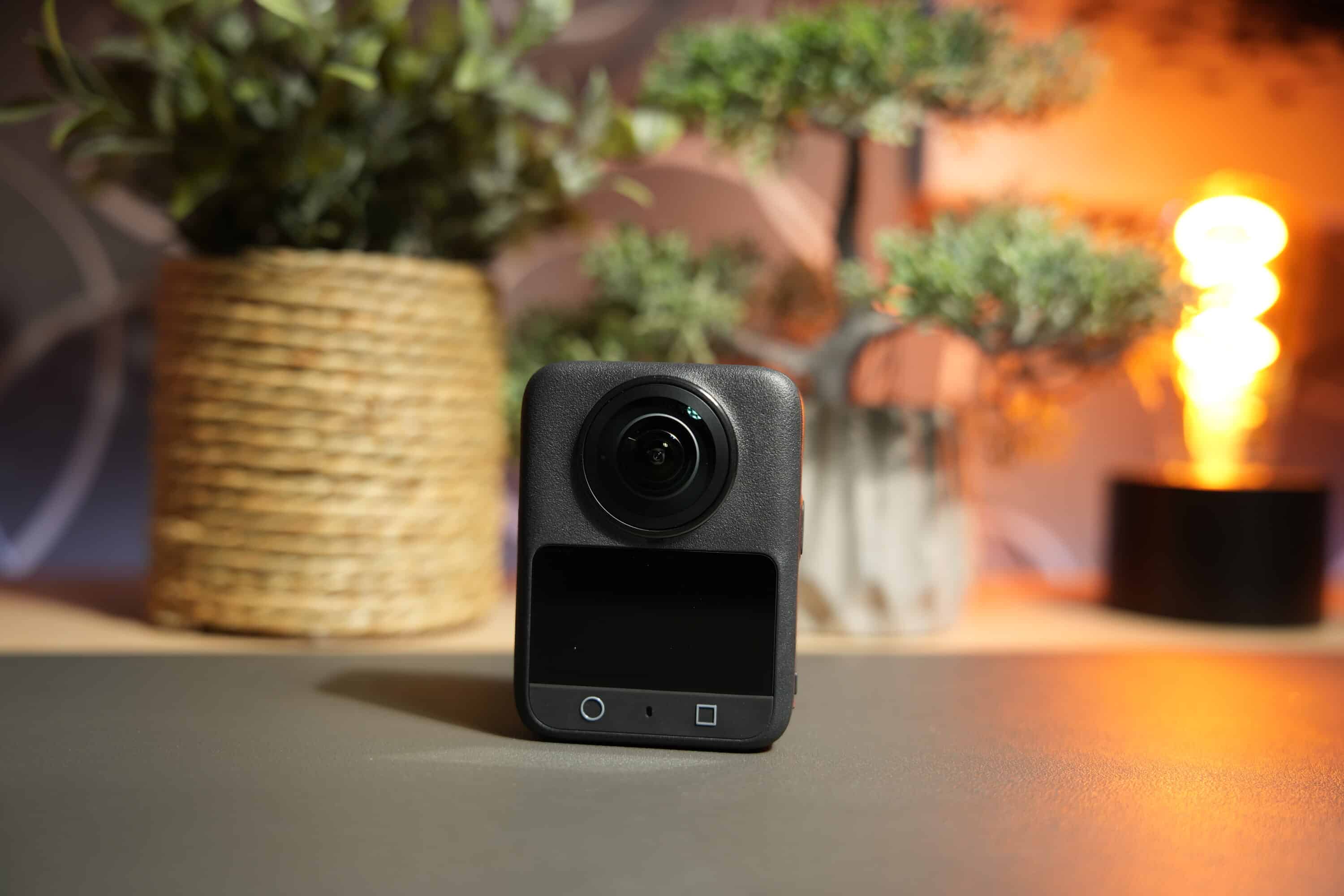
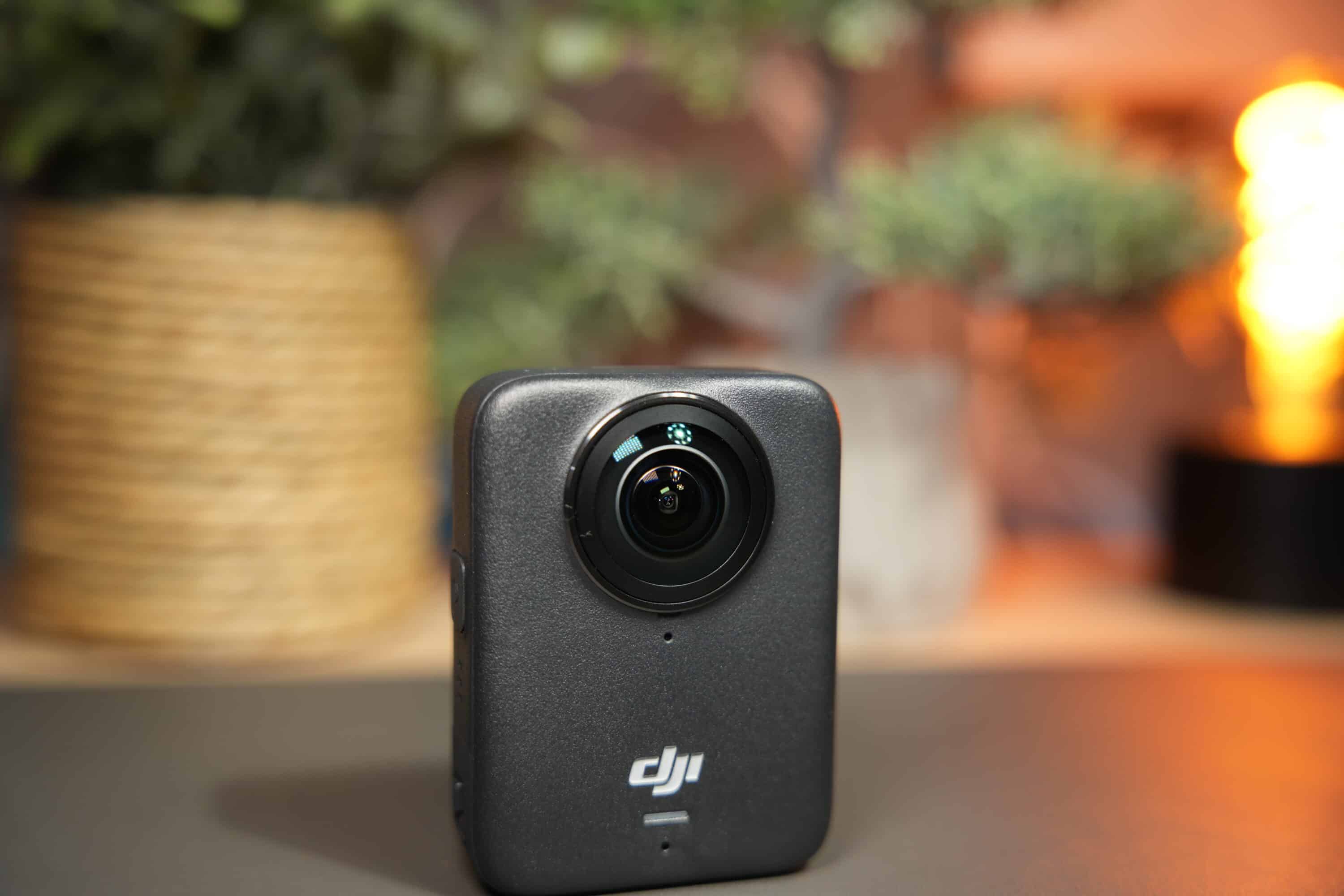
Nevertheless, you don’t have to compromise on image quality, quite the opposite. DJI has equipped the Actioncam with a sensor in 1/1.1-inch format, which has an aperture of f/1.9. This is also larger and brighter than the competition and, thanks to its square format, makes much better use of the available space. The result should be clearer, more detailed images, even in difficult lighting conditions.
The DJI Osmo 360 has a robust and waterproof metal housing that is dustproof and waterproof to a depth of 10 meters thanks to IP68 certification. Perfect for diving and outdoor photography.
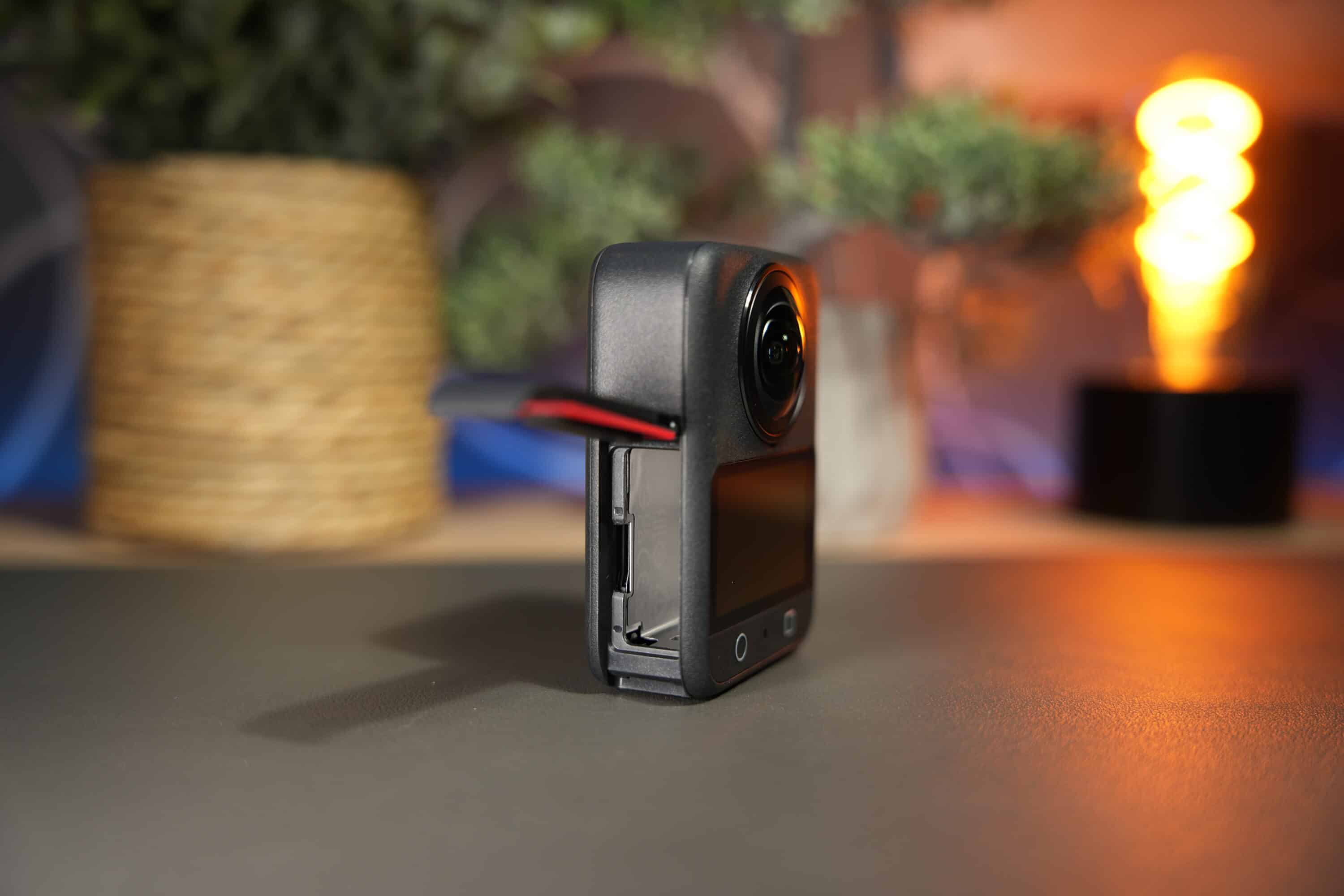
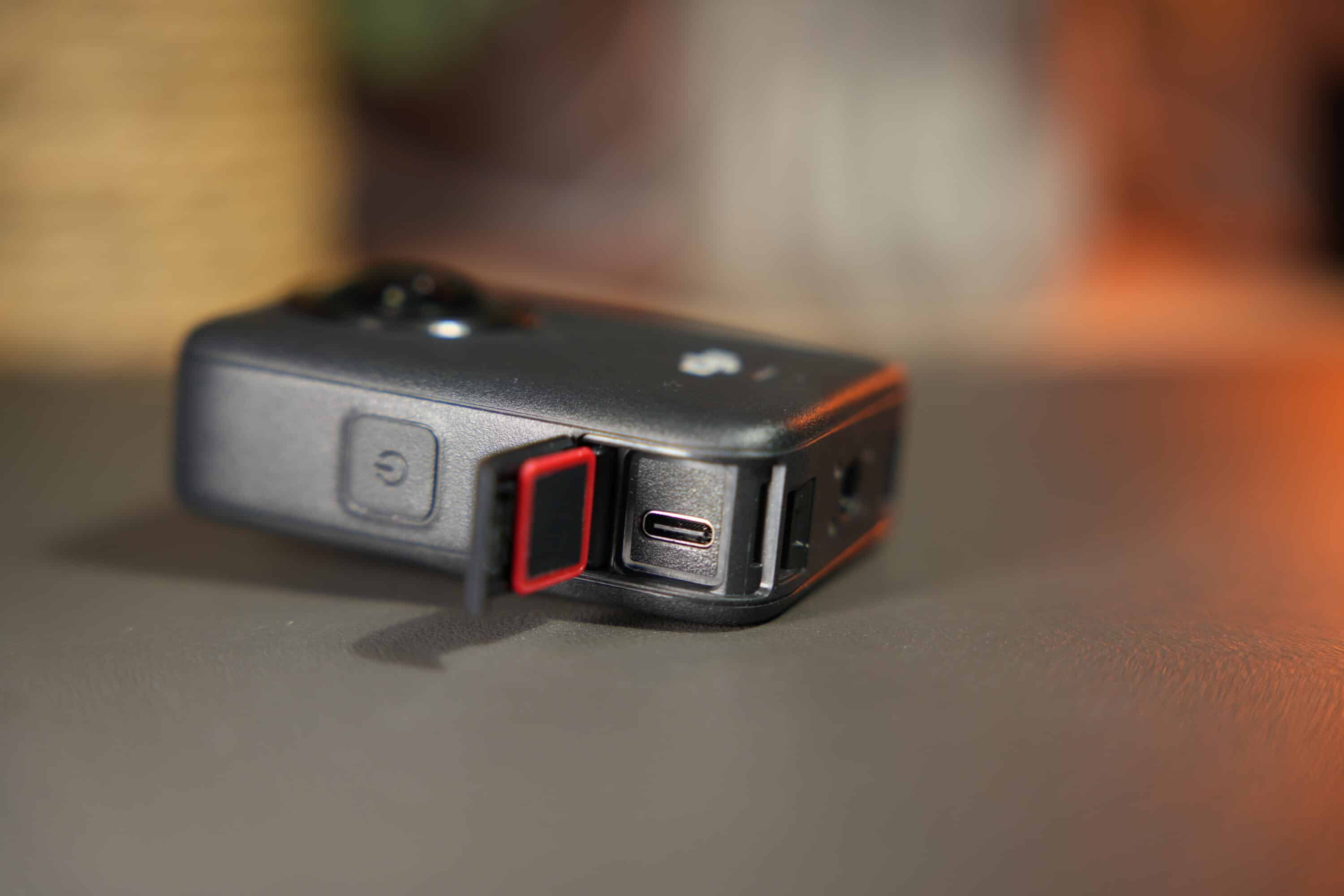
The design is reminiscent of most other action cams: There is one lens at the front and one at the back, while at the rear there is a generous 2-inch touchscreen, as well as two buttons for operation.
The power button is located on the right-hand side, below which you will find a cover containing the USB-C port. On the left is the battery compartment, which also holds a microSD card. At the bottom, there is a 1/4-inch thread and the option to attach the Osmo 360 to compact accessories thanks to the magnetic quick-release fastener – such as the selfie stick and holder, which is already included in the Adventure Combo.
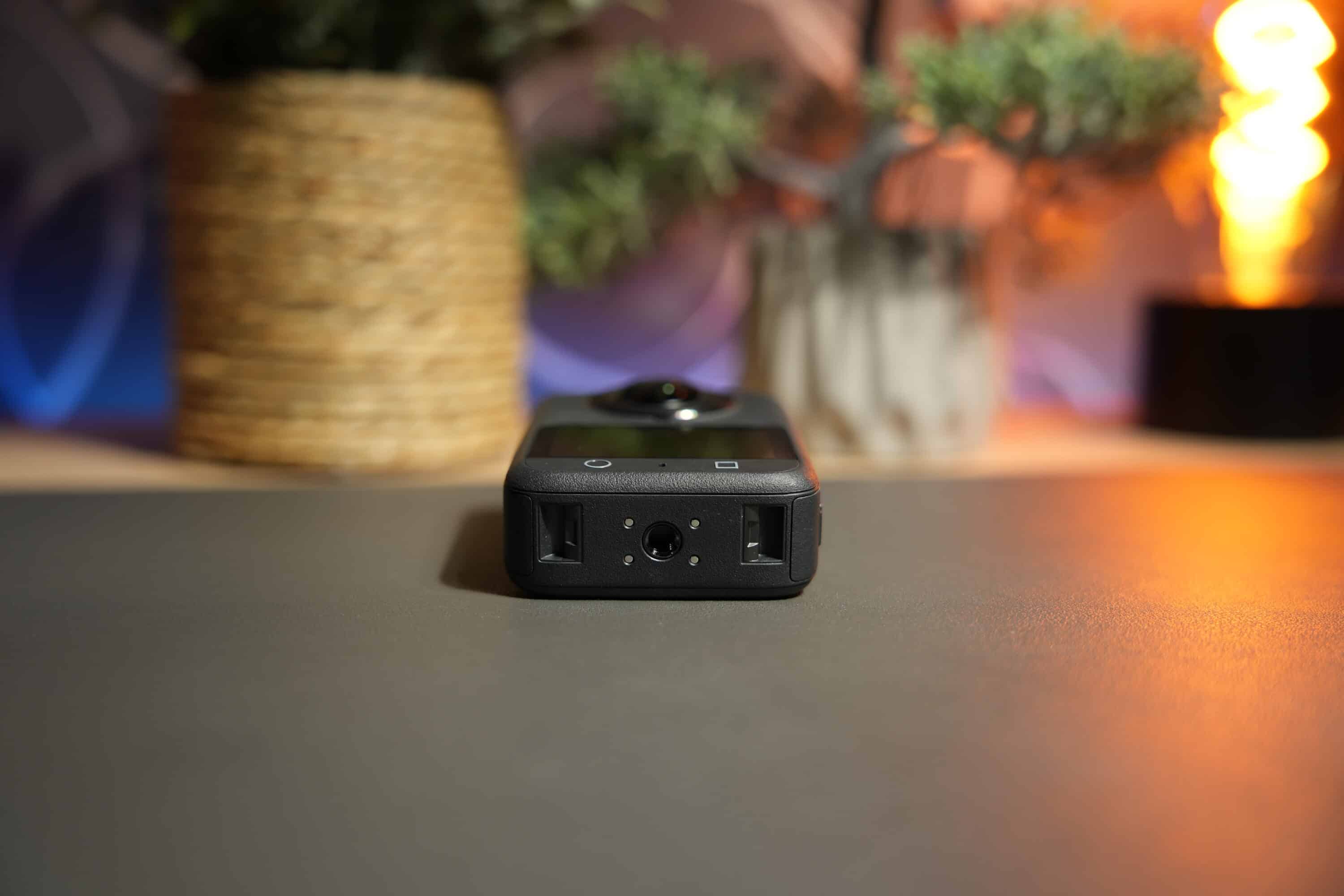
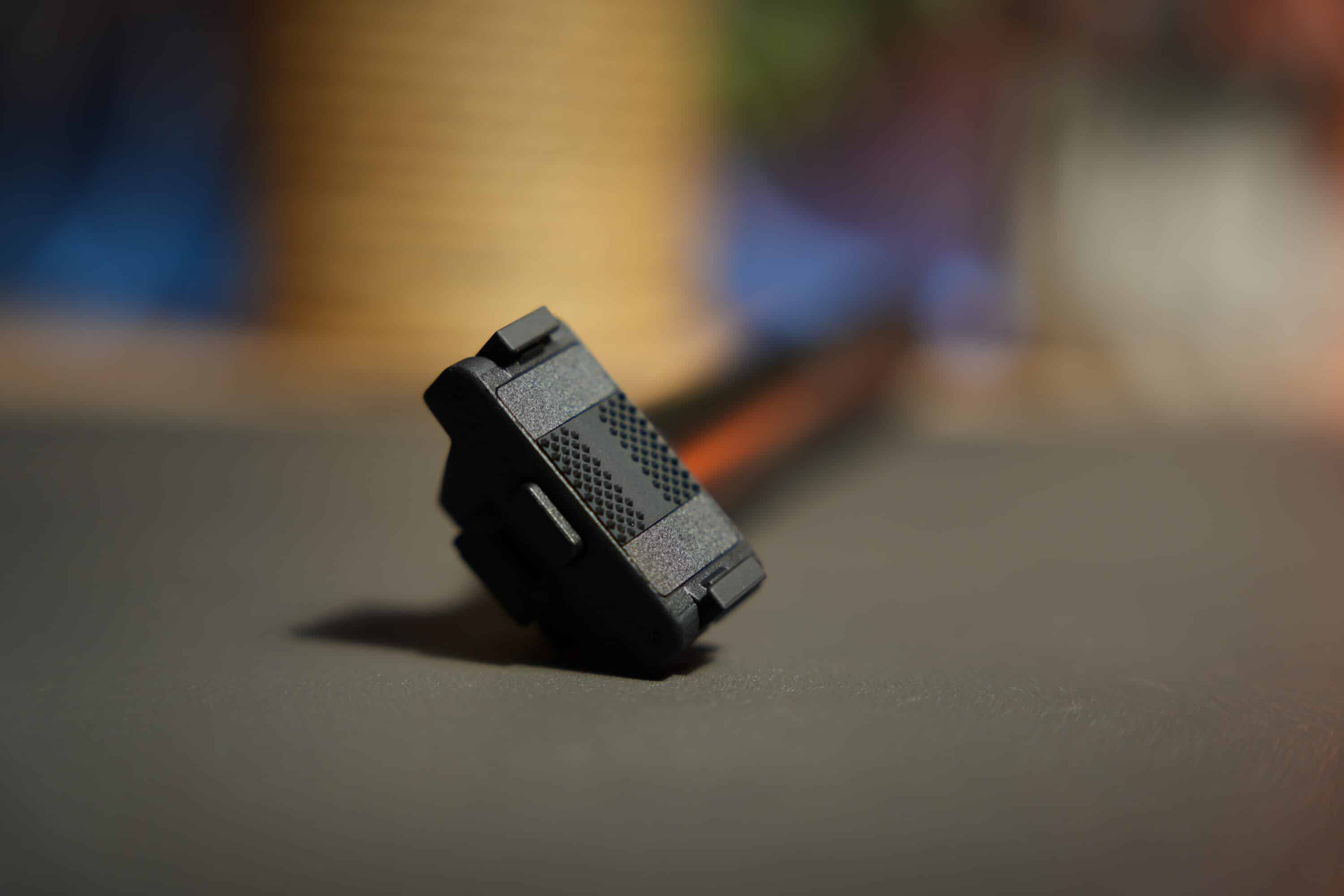
In terms of design, the Osmo 360 leaves an outstanding impression and impresses with its excellent build quality. One point, however, where the competition is ahead: The lenses of the DJI Osmo 360 cannot be easily replaced if they are scratched or broken.

While this is not a problem with the Insta360 X5 thanks to interchangeable lenses, it is not possible to replace them with DJI. A little annoying if something breaks during outdoor use. However, the manufacturer includes a rubberized lens cover and a carrying case in the scope of delivery – good for on the go, but a somewhat bland aftertaste remains. Especially as the lens cover is rather… well, let’s just say it’s useful.
Impressive features
- practical OsmoAudio coupling
- 105 GB internal memory
- large 1/1.1 inch sensor
However, the DJI Osmo 360 also has two exciting special features: The camera can be connected to all accessories in the DJI ecosystem. For example, wireless microphones such as the DJI Mic 2 (our test) can be easily connected via OsmoAudio without the need for an additional receiver. But even the four built-in microphones deliver outstanding sound quality.
Another advantage: the 360-degree camera offers 105 gigabytes of internal memory. So you don’t necessarily have to use a microSD card.

Unlike all 360-degree cameras before it, this model is equipped with two 1-inch CMOS sensors – one per lens – and that means more light can be captured, resulting in sharper images, better dynamic range and improved low-light performance.
The Osmo 360 is designed for a 1-inch 360° field of view with a specially adapted square CMOS that cuts off the unused areas of conventional 1-inch rectangular sensors. The cam supports a variety of image resolutions – including 4K 360° video at up to 100 frames per second and 6K 360° video at up to 60fps – but the real stunner is 8K 360° at up to 50fps.
Panoramic 360-degree photos can be taken at up to 120 megapixels, and in single-lens mode you get photo (up to 30 MP), video (5K in 16:9 and 5K in 4:3 aspect ratio with frame rates up to 60fps) and finally boost video (up to 4K 16:9 and 4K 4:3 at up to 120fps). The panoramic video function also offers three perspective levels – Ultra Wide, Wide and Standard Dewarp, the latter of which removes the fisheye effect.
The camera also offers a PRO mode in which you can set the exposure, white balance, color depth and profile from Normal 10-bit to D-Log M 10-bit. And of course there is also the obligatory self-timer.
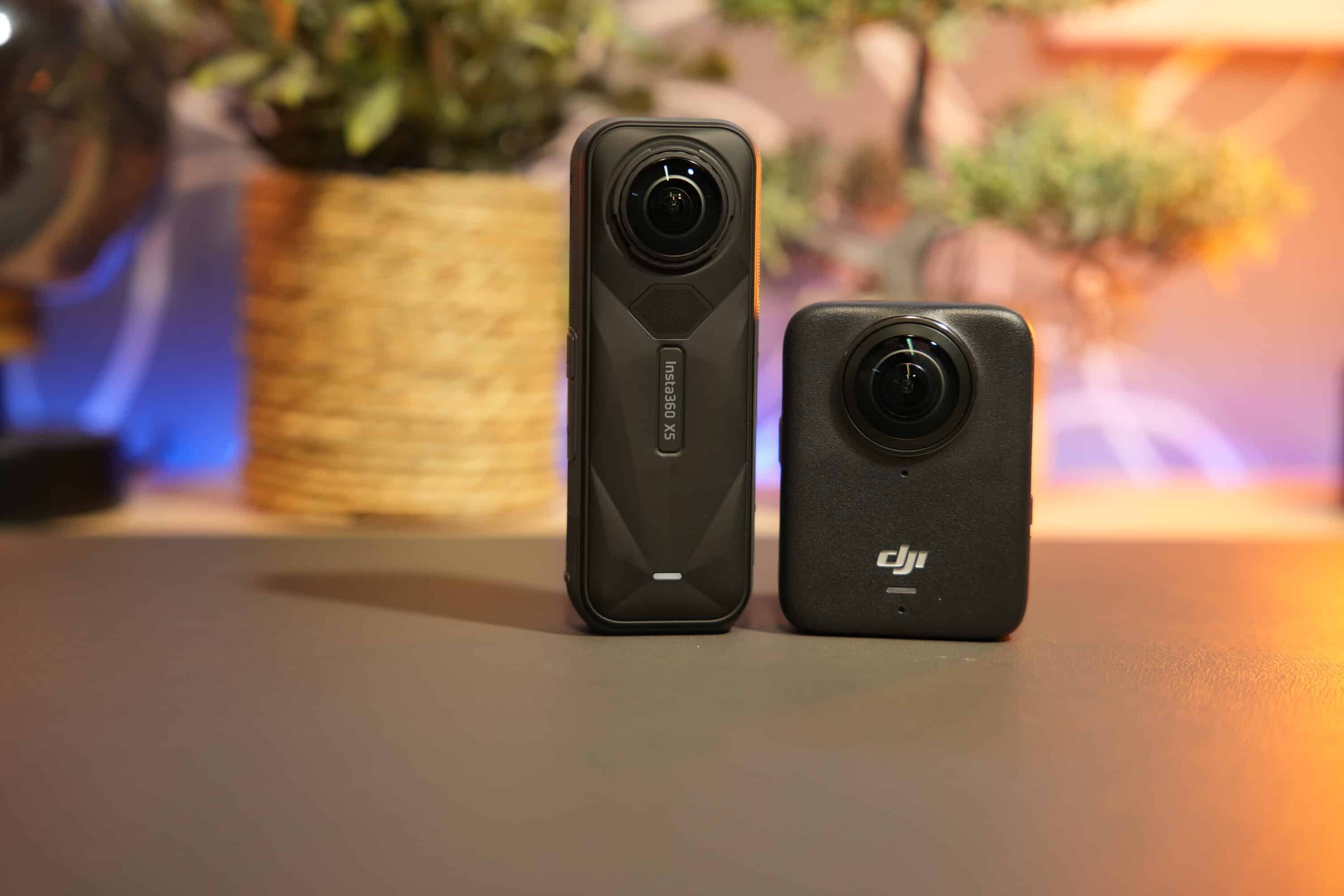
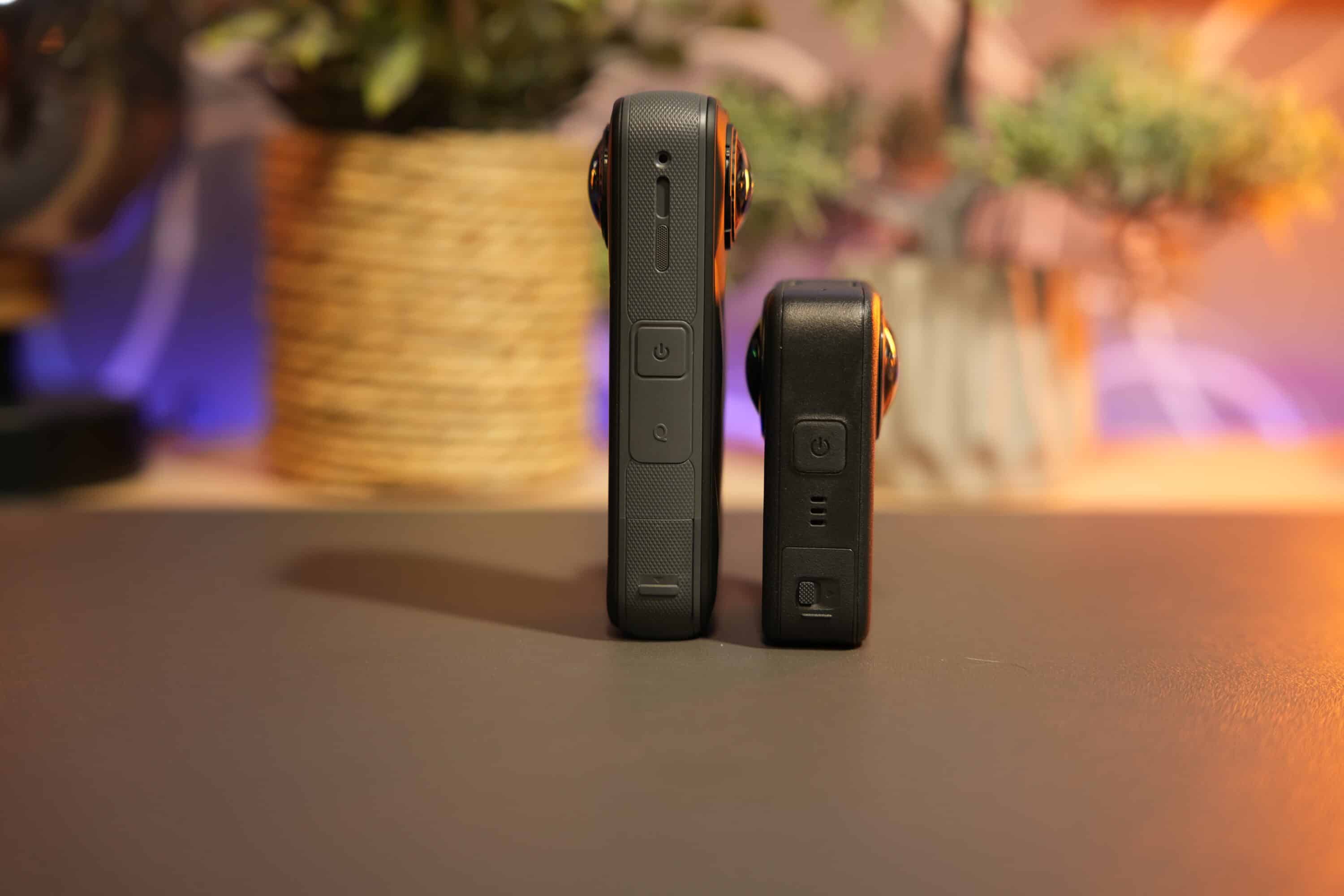
| DJI Osmo 360 | Insta360 X5 | |
|---|---|---|
| Sensor size / aperture | 1/1.1″ / f/1.9 | 1/1.28” / F2.0 |
| Video resolution |
|
|
| Audio formats | 48 kHz, 16 bit, AAC | 48 kHz, 16bits, AAC |
| Photo resolution |
|
|
| Photo formats | JPG | JPG, DNG (Raw), INSP |
| Battery capacity | 1,950 mAh | 2,400 mAh |
| Display | 2.0 inch (314 x 556 pixels) | 2.5 inch (440 x 696 pixels) |
| Dimensions (W × H × D) | 61 × 36.3 × 81 mm | 46 x 124.5 x 38.2 mm |
| Weight | 183 grams | 200 grams |
| Waterproof | 10 meters | 15 meters |
The only thing I really miss is the InstaFrame mode known from the Insta360 X5: This allows the camera to automatically convert 360° recordings into classic video formats in the camera – such as 16:9 for YouTube or 9:16 for TikTok. Unfortunately, this is only possible with the Osmo 360 in conjunction with the companion apps such as Mimo and DJI Studio. Although it also works reliably here, sharing on social media is faster with the competitor.

DJI also has excellent control over heat development: even constant 8K recordings over 20-30 minutes heat up the housing noticeably, but do not restrict the camera’s function.
Excellent operation of the DJI Osmo 360
- Intuitive operation
- Gesture and voice control
- Successful image and video modes
Operating the DJI Osmo 360 via the touchscreen works flawlessly in practice. The menu navigation is strongly reminiscent of the manufacturer’s Osmo Action or Osmo Pocket cameras and impresses with its intuitive operation.
In addition, the cam also features gesture and voice control so that you can easily control recordings using hand gestures or voice commands.
This allows you to switch between different image modes for 360-degree photos and videos, single-lens shots, adjust the image settings or view the recorded material directly on the camera. The operation is quickly internalized and leaves an excellent impression in practice.
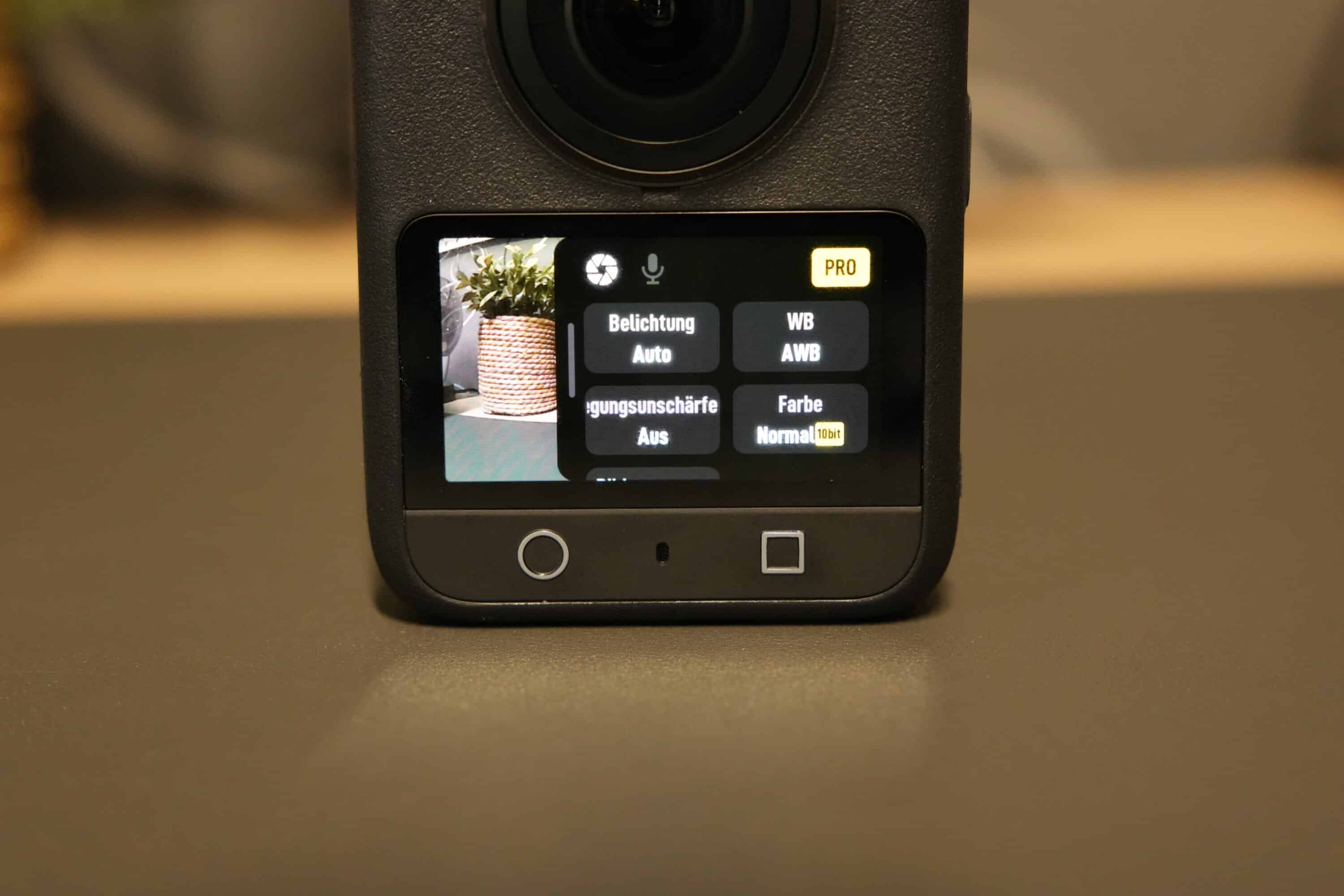
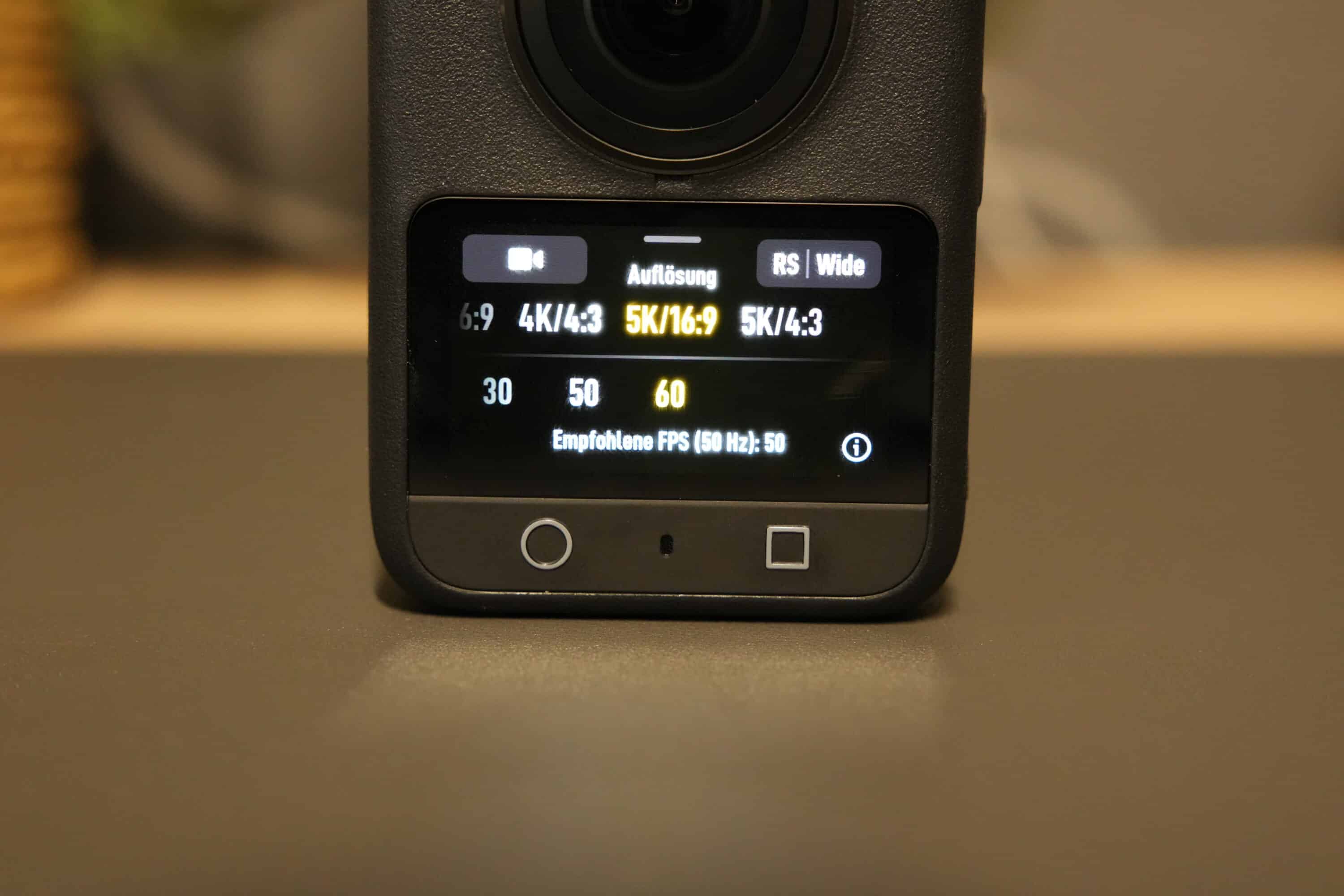
The two buttons below the touchscreen can be used to start recording (left) or quickly switch between front and rear view (right). You have a wide range of modes to choose from for taking pictures: there is a SuperNight mode for improved low-light shots, a selfie mode, a Vortex mode (which, however, requires a corresponding selfie stick) and the option to take time-lapse shots.
In addition to resolution and frame rate, other parameters can also be adjusted for most modes. For timelapse recordings, for example, you can specify what is to be recorded: Passing clouds, twilight or user-defined recordings.

If, on the other hand, you opt for single-lens shots, you can adjust the stabilization as well as the resolution and frame rate. The RockSteady and HorizonSteady stabilization known from action cams keeps the image material absolutely stable even during fast movements. Outstanding. You can also specify whether you prefer a rectified shot or a wide-angle or ultra-wide-angle shot.
DJI Mimo and DJI Studio: ingenious apps
- intuitive app
- powerful functions
- Filters, image adjustment, tracking,…
The DJI Mimo smartphone app was developed specifically for DJI’s range of action cameras and Osmo products and is definitely recommended in combination with the Osmo 360. It connects seamlessly and at lightning speed with the camera and allows you to monitor the camera image on the larger screen of the smartphone and access all camera settings.
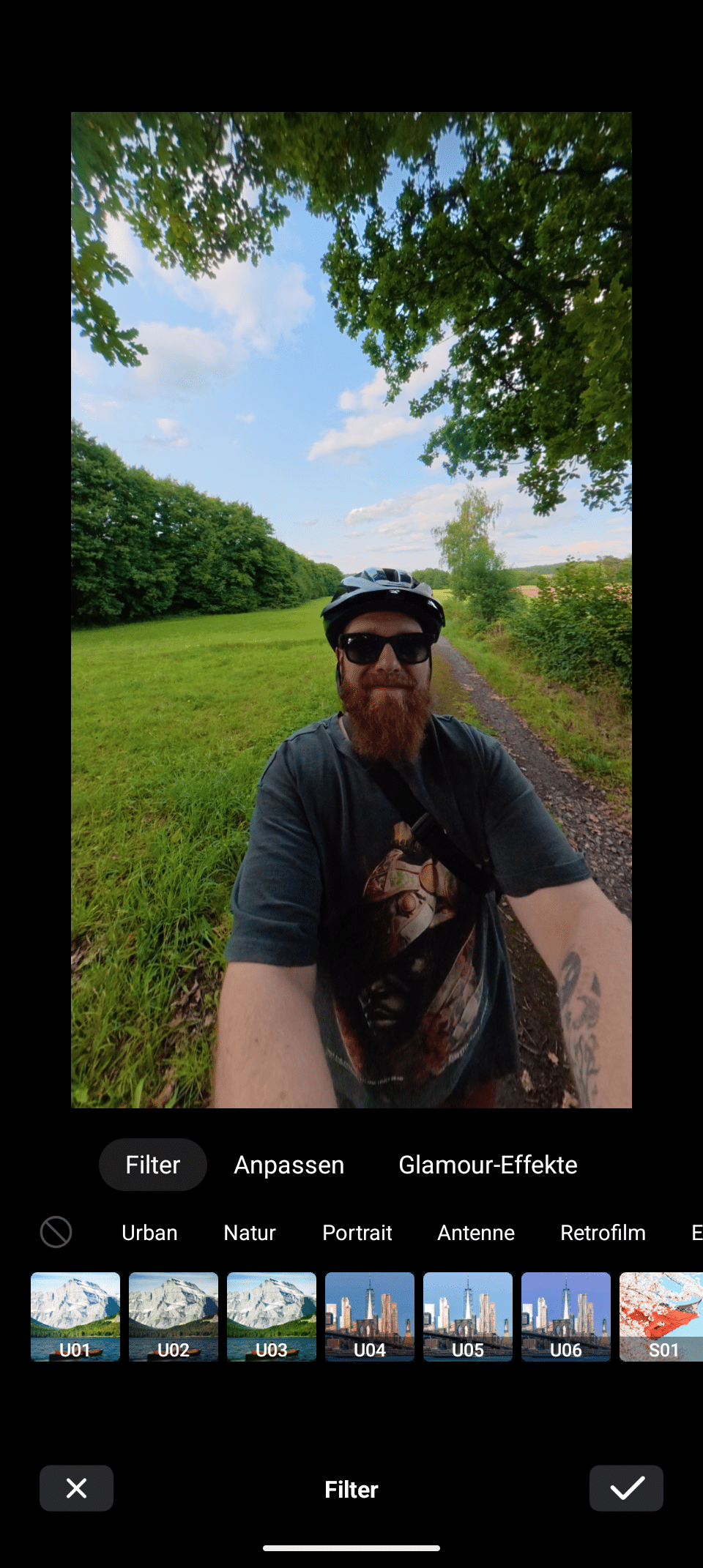
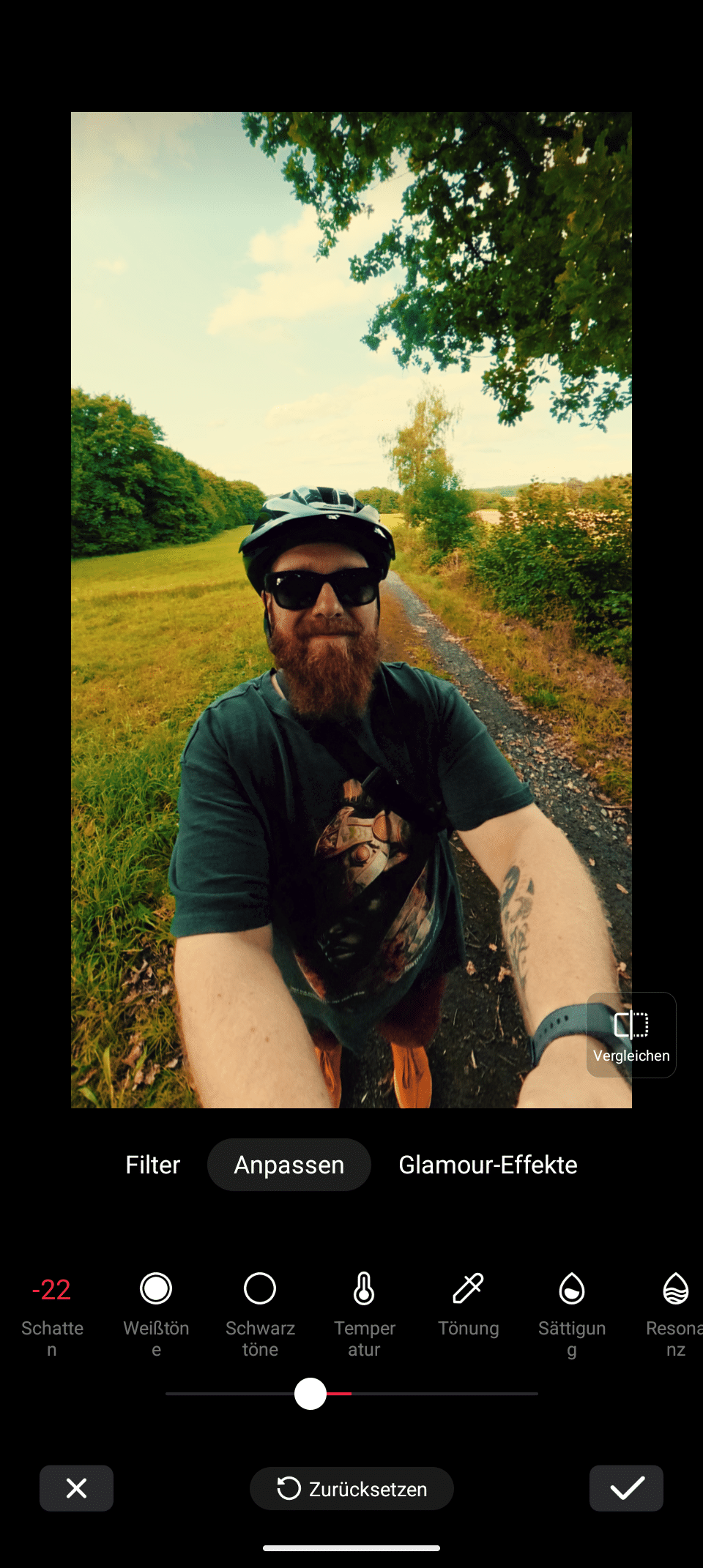
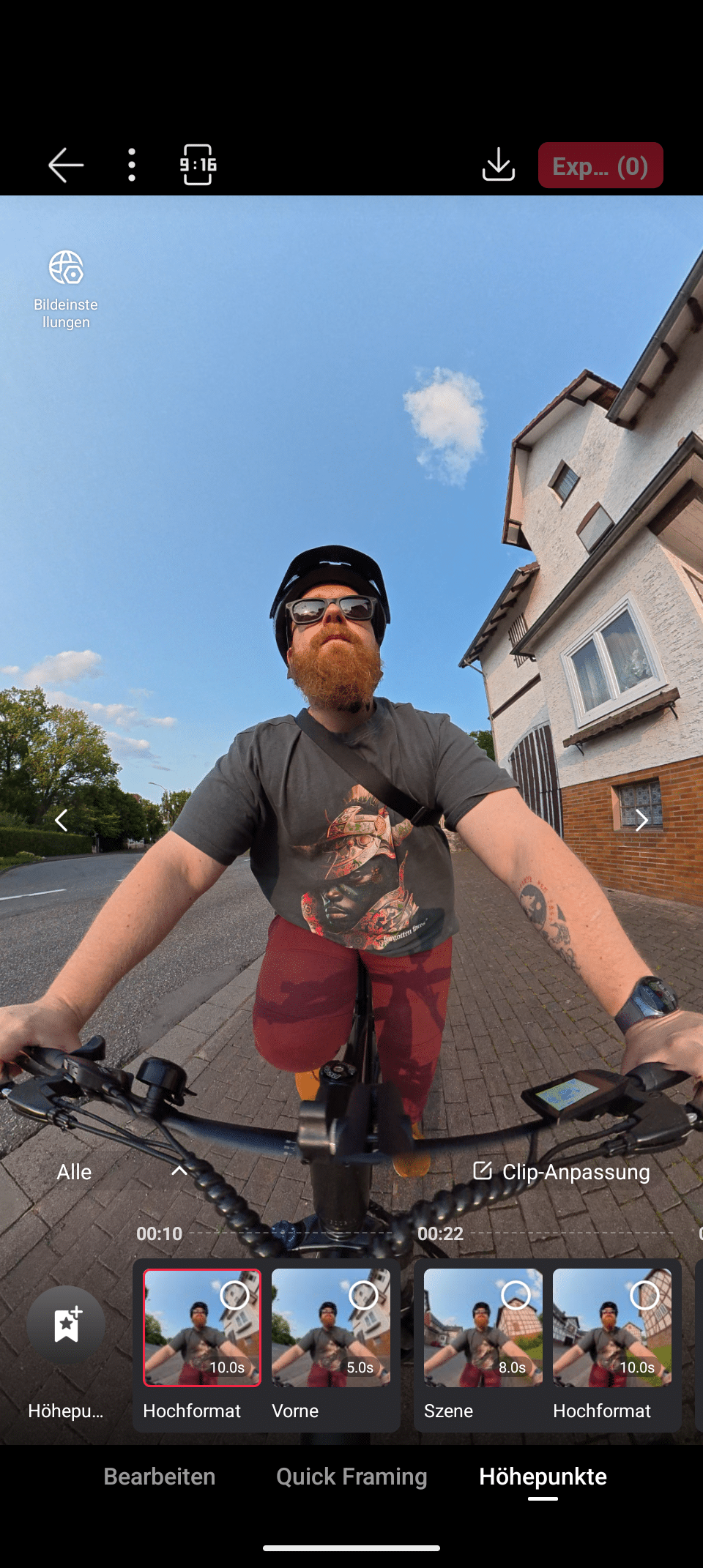
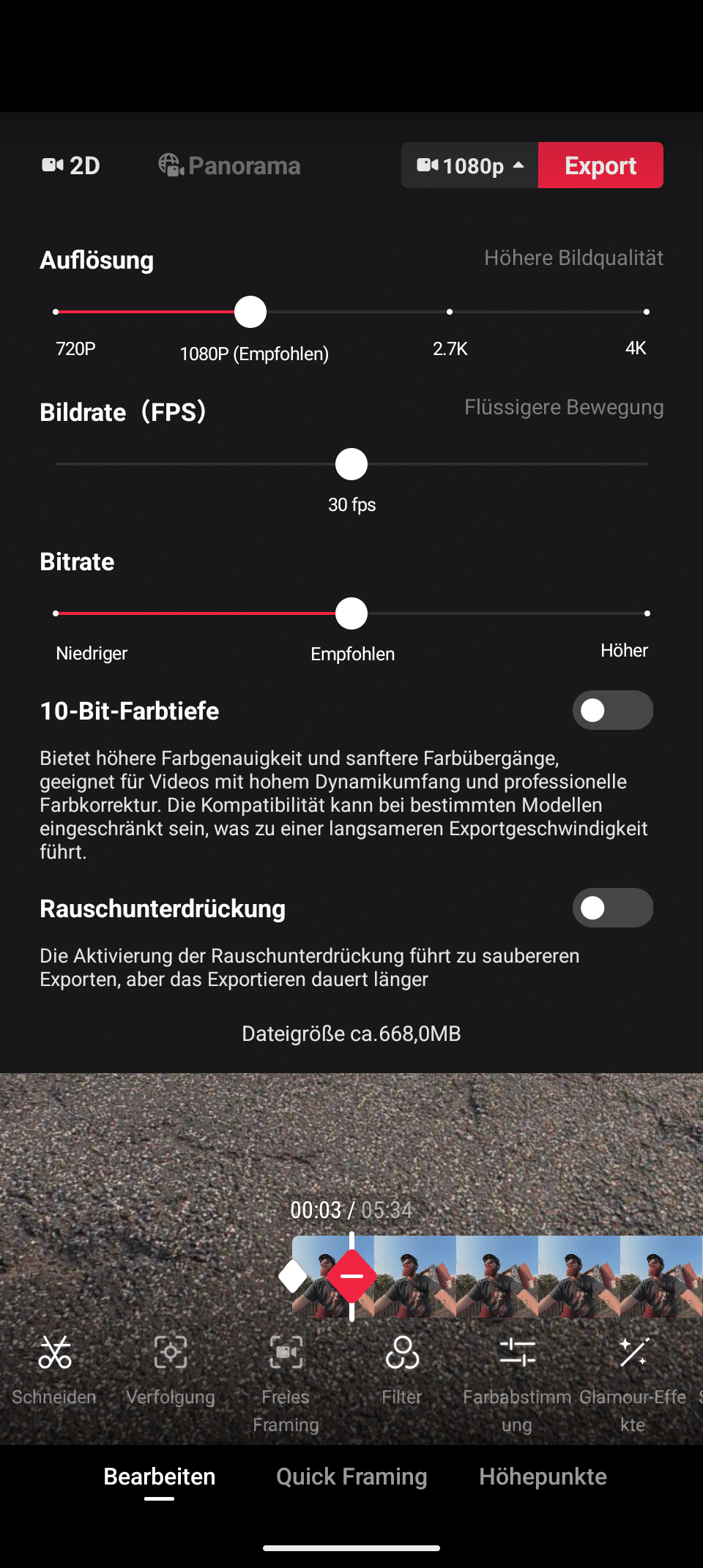
The app also offers the ability to view and download all videos and photos in the camera’s internal memory or on the microSD card, as well as edit videos with the integrated version of DJI Studio.
The interface is also very intuitive and allows you to create and export edited and successful videos in just a few simple steps. Filters can be applied to recordings directly in the app, while all parameters can be adjusted.
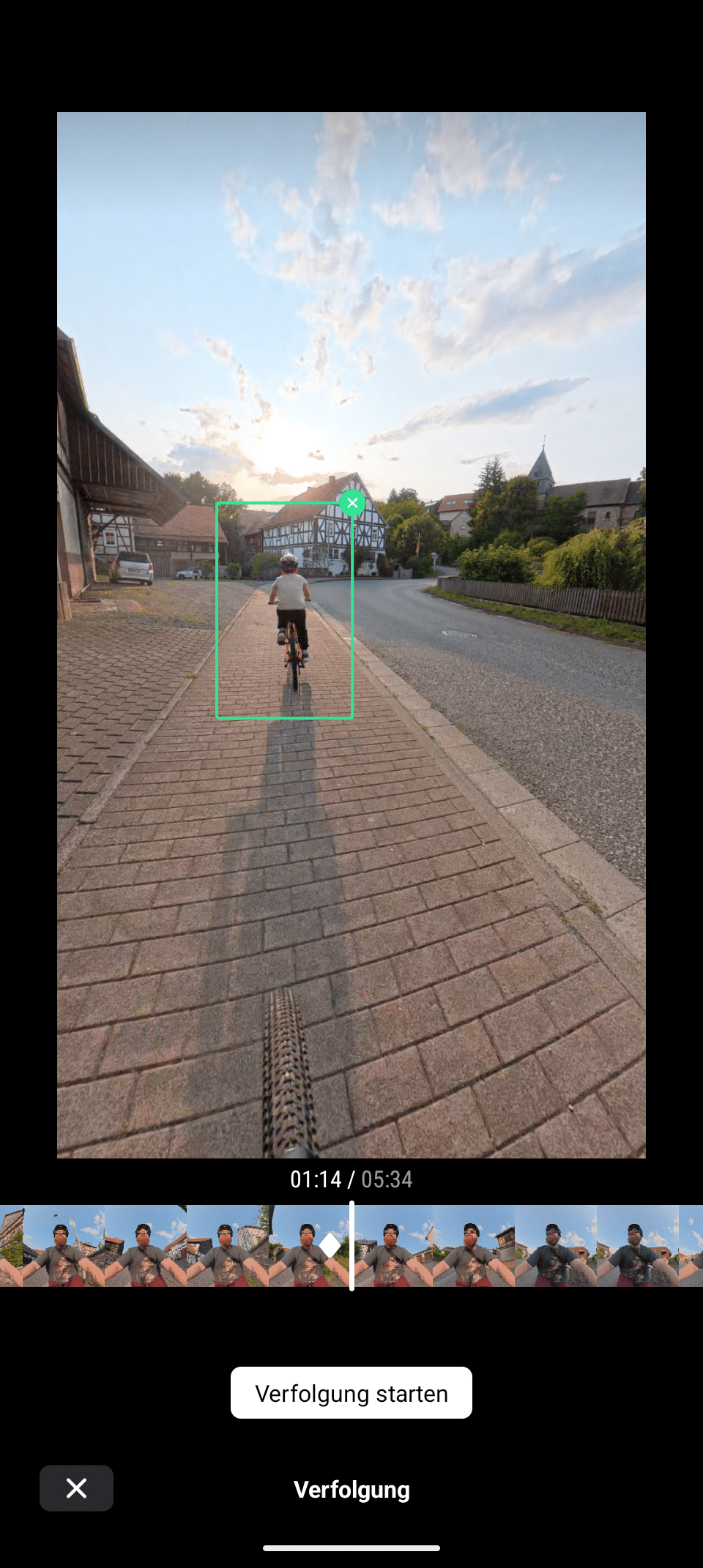

Especially cool: With the help of AI, the Osmo 360 also analyzes longer clips and automatically creates highlights from your videos that show particularly interesting scenes. The result is quite impressive in practice, as the cam automatically adjusts the perspective, switches between viewing angles and much more. Finished videos can then be exported in no time at all and in various formats.
DJI Studio – (still) completely unusable under Windows
- Powerful app, but…
- … completely unusable under Windows
- Incorrect operation, no use of filters, numerous problems
The brand new DJI Studio application is used for editing on PC and Mac and is visually very similar to its Insta360 counterpart. Essentially, you get a powerful editor that allows you to edit videos down to the smallest detail.

Cuts, adjustments, perspective changes: This all works via keyframes and is a simple but powerful way to customize the videos to your liking. Even the well-known and popular asteroid effect, in which the cam displays the image as a sphere, is child’s play to use. If you like, you can even add music directly from the app, while various settings can also be made during export.

The problem is that the app is an absolute disaster on Windows. Virtually nothing works here at the moment. Almost all of the app’s functions are buggy under the Microsoft operating system.
The sound isn’t displayed correctly, I can’t adjust the perspective, filters aren’t applied, image adjustments don’t work and so on… I could go on like this forever. It all works perfectly via DJI Mimo, but I would like to be able to edit my content on the PC.
Here is a video that exactly mirrors my experience with the app:
DJI seems to have focused entirely on Apple compatibility for the launch, because – according to various videos I’ve watched – it seems to be flawless. Under Windows, however, it is not possible to work with the software at all in the current version.
Battery life
- 1,950 mAh battery
- Rechargeable batteries from the action cams can be used
- Up to 100 hours recording time
The battery life of the DJI Osmo 360 is surprisingly long, even though the camera’s replaceable batteries “only” have a capacity of 1,950 mAh. Nevertheless, the cam clearly outperforms the Insta360 X5 in terms of runtime.

The battery lasts for almost 100 minutes when recording at the maximum possible quality, which is 20 minutes more than its competitor. Also top: The Osmo Action Extreme Battery Plus used is the same one that is used in the manufacturer’s action cams. If you already own one of these, you can simply reuse existing batteries.

Nevertheless, it is worth buying the DJI Osmo 360 Adventure Combo, which costs 150 euros more, as it includes (among other things) a charging case with two additional batteries. It also comes with an extendable selfie stick.
If you want even more, simply order the Osmo 360 battery extension rod, which is currently available for 99.99 euros. This not only functions as a retractable selfie stick with a length of 90 cm, but also has an integrated 15.5 Wh battery and extends the 8K/30fps video recording time to up to 4.5 hours.
Image quality of the DJI Osmo 360
- detailed, convincing image
- 10-bit colors, D-LOG-M
- Extracting the selfie stick does not always work
The problems under Windows are all the more annoying because the image quality of the DJI Osmo 360 is outstanding. The large sensor is undoubtedly noticeable here, as the quality of the videos is even better than that of the Insta360 X5.
Although both cams record in 8K resolution, the Osmo 360 offers a higher frame rate (50 fps compared to 30 fps) and a higher dynamic range with more detail. Another advantage of the DJI model is its 10-bit color depth, which can also be recorded in LOG format on request, allowing more flexibility in post-processing.


But it’s not just the image quality in videos that impresses: the photos also look outstanding. The camera snaps 360-degree images at 120 megapixels, which corresponds to a resolution of 15,520 x 7,760 pixels and allows plenty of space for cropping and adjustments.

In a direct comparison with the Insta360 X5, the Osmo 360 delivers visibly more detail, better, more realistic colors and less image noise. Especially, but not only, in difficult lighting conditions, while the differences are noticeably smaller in sunny daylight shots. The sharpness only decreases with very fast movements, with slight artifacting here and there.
The image stabilization also works excellently and ensures excellent and shake-free action shots that are in no way inferior to those of a classic action cam. Especially as the Osmo 360 also has the edge when it comes to single-frame shots: Videos are available in a maximum of 5K (51.20 x 2,880 pixels) including 60 frames per second, slow-motion recordings are even possible at 120 fps.
However, the retouching of the selfie stick is not quite as reliable: While this is always reliably removed from the image with Insta360, in the case of the Osmo 360 it is still visible in some situations – which, according to the manufacturer, should not actually be the case. So DJI needs to work on this again.
The quality of the built-in microphones is also impressive, with a detailed and realistic sound that captures your own voice much better and louder than the competition – although background noise is also clearly audible. For vlogging, I would probably also use the Mic 2 / Mic Mini.
DJI Osmo 360 Review: Conclusion
What a debut: With the DJI Osmo 360, the manufacturer has ventured into the 360-degree camera segment and it has (largely) delivered. In terms of image quality, compact size and intuitive operation, the model is ahead of the competition. It also has 105 GB of internal memory and a really good battery life.
The audio quality is also quite impressive, even with its own microphones. If you use one of the wireless DJI microphones, which is also child’s play thanks to OsmoAudio, you get a really professional sound.
The DJI Mimo app also allows powerful and intuitive editing of the recorded material. One major point of criticism, however, is the DJI Studio app. Not per se, because it apparently works perfectly under macOS. On Windows, on the other hand? Absolutely unusable at the moment.
We can only hope that DJI will quickly work on a solution to this problem, as Windows users will quickly be put off by this issue – which is completely understandable. The fact that the selfie stick is not yet completely reliably retouched from recordings is also annoying. Just like the fact that the built-in lenses are unfortunately not replaceable and offer no protection whatsoever.
Anyone who often takes really intense action shots, for example on a motorcycle, bicycle and the like, quickly runs the risk of destroying their lenses – and therefore the entire camera. I like the interchangeable solution from Insta360 much better here.
The Insta360 X5 offers a slightly lower image quality, but scores points with its more sophisticated software, the excellent InstaFrame mode and the interchangeable lenses. And yet: the DJI Osmo 360 is an impressive 360-degree camera and not only exciting for all those who would like to try out such a cam.

VORTEILE
- Large, bright sensor
- 8K with 50 fps
- Excellent image quality
- Very good microphones
- OsmoAudio
- Intuitive operation
NACHTEILE
- Vulnerable, non-replaceable lenses
- Catastrophic Windows app
- A few teething problems
Fazit
Compact 360-degree camera with excellent image quality, successful features and intuitive operation, but currently still suffers from teething problems.