Compact action cams are all the rage. Following on from the Insta360 GO Ultra, DJI is now also launching a new model that is characterized by its ultra-compact design. The brand new DJI Osmo Nano fits in the palm of your hand and weighs just 52 grams. Nevertheless, thanks to 4K/60 recordings, there should be no compromise on image quality. But is that really the case? Our DJI Osmo Nano test reveals more.
Technical data
|
Product: |
|
|
Dimensions: |
57.3 x 29.5 x 28 mm |
|
Weight: |
52g |
|
Sensor: |
1/1.3 inch |
|
Video modes: |
4K (4:3) : 3840 × 2880 @ 50/48/30/25/24 fps |
|
Video format: |
MP4 |
|
Photo modes: |
35 MP (6,880 x 5,160 Px) |
|
Photo format: |
JPG, JPG+RAW |
|
Special features: |
Electronic image stabilizer voice control, gesture control, divisible design, internal memory, microSD card slot, Osmo Audio |
|
Display: |
1.96″, touchscreen |
|
Battery: |
Integrated; 530 mAh |
|
Connectivity: |
USB-C , Wi-Fi 6, Bluetooth 5.1, microSD slot |
|
Waterproof: |
Up to 10m (camera); |
|
Price: |
€ 279.00 * |
DJI Osmo Nano review: Compact and versatile
- incredibly small and light
- detachable Vision Dock
- Waterproof cam; Vision Dock but only splash-proof
The DJI Osmo Nano presents itself as an exceptionally compact and robust action cam. With a total weight of just 52 grams for the camera unit, it redefines the term “ultra-light”, which is particularly noticeable during long periods of use and when worn on the body.
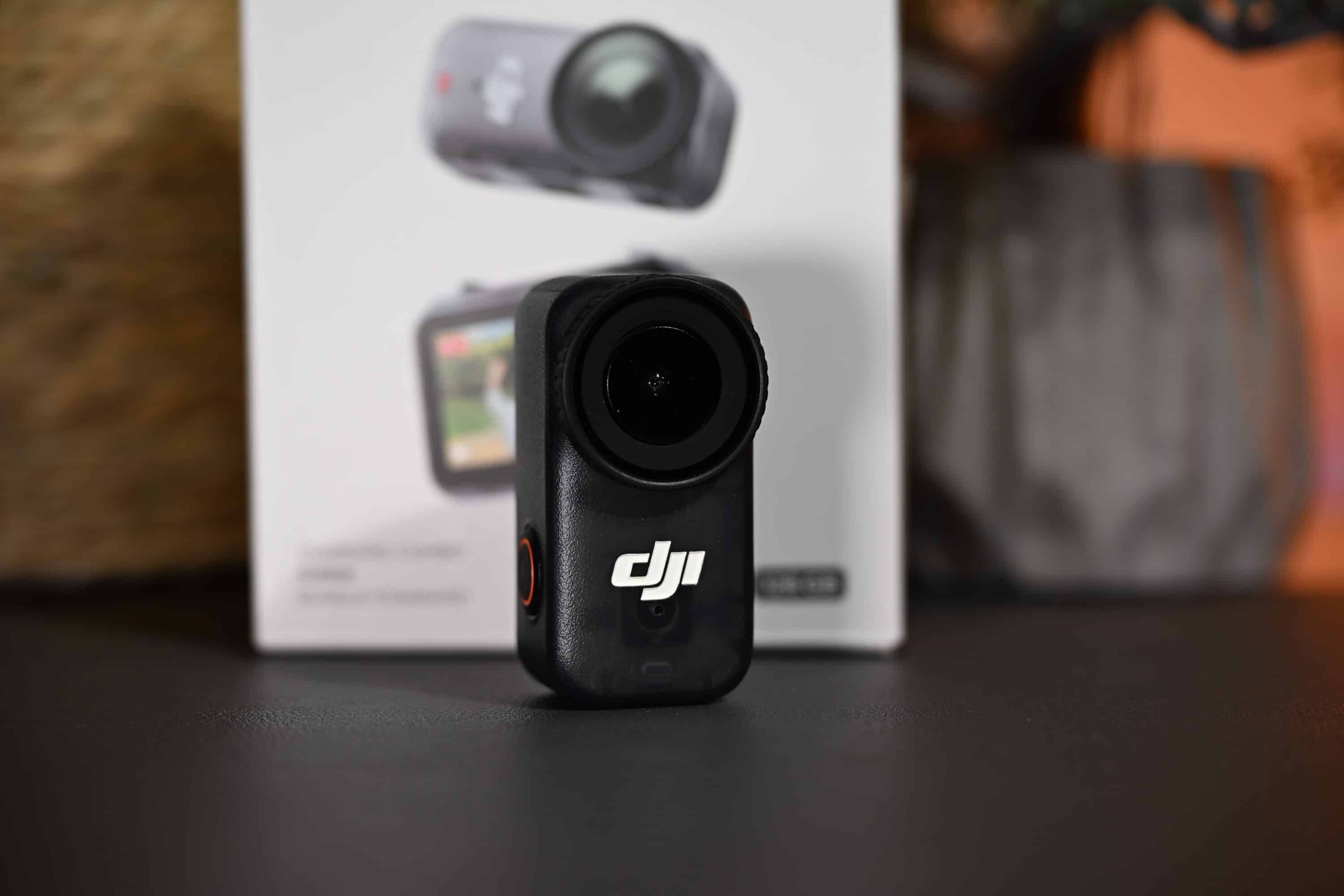
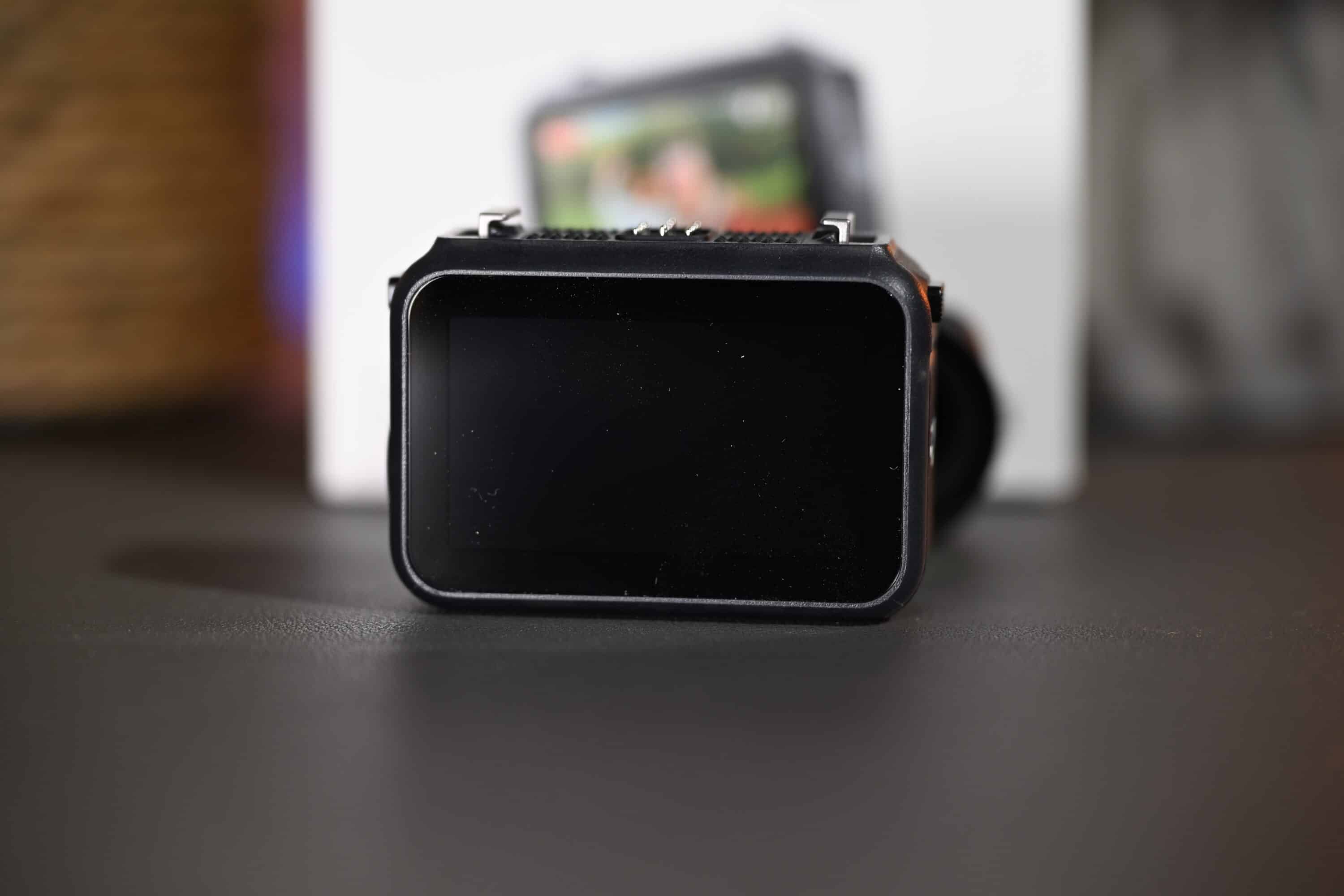
At its core, the Nano consists of two components: The camera unit and the so-called Vision Dock, which features a 1.96-inch touch display. Both elements can be magnetically connected to each other as is typical for the manufacturer, although the camera can also be used individually.

This is because both parts have a dedicated power button that can be used to start or stop recording at the same time. The workmanship is of high quality: the camera is made of durable plastic with a non-slip surface that offers a good grip even during more demanding outdoor activities. Particularly noteworthy is the IPX8 certification of the camera itself, which makes it waterproof to a depth of 10 meters – ideal for water sports or rainy weather.
However, the Vision Dock, which is used to control and charge the camera, is unfortunately not quite as waterproof. An IPX4 certification at least provides splash protection. However, if you want to use the cam while swimming, you have to leave the dock on land.

The ergonomic design is also reflected in an innovative magnetic fastening system that enables quick, secure and almost silent switching between a wide range of mounting options. For example, helmets, caps, rucksacks or chest straps can be fitted with the magnetic adapters included in the scope of delivery, which allow the camera to snap into place in a flash.

This modularity makes the DJI Osmo Nano an ideal companion for a wide range of activities from outdoor sports to urban vlogging and social media content. The dock itself is compact, lightweight and houses an OLED touch display that serves as a central interface for control and monitoring. Overall, the Osmo Nano impresses with its combination of minimalist design, well thought-out modularity and weatherproof construction that meets even the most demanding requirements.
The special features of the DJI Osmo Nano
In my opinion, the Osmo Nano has three particularly exciting unique selling points: On the one hand, the cam itself is magnetic on all surfaces and can therefore be attached to metallic surfaces for hands-free shooting – particularly ingenious when no sativ or gimbal is to hand.

On the other hand, the camera and Vision Dock can be used separately, which I find particularly ingenious. For example, you can attach the action cam to your cap and at the same time, with the dock in your hand, you can see what the camera is currently recording and thus influence the image section if necessary.
The camera and Vision Dock work together wirelessly and extremely reliably, so that the cam is activated directly when you switch on the dock or vice versa. It doesn’t matter which of the two components you use to start recording.

The third special feature: The DJI Osmo Nano has an internal memory. It starts at 64 GB, but our test model has 128 GB of memory. This allows flexible use without the need for a microSD card. Super practical.
Familiar and precise operation
- DJI-typical operation
- Familiar interface
The operation of the DJI Osmo Nano is consistently designed for user-friendliness and speed without sacrificing technical diversity. However, the operation is strongly reminiscent of other products from the manufacturer such as the Osmo 360 (our test) or Osmo Pocket 3 and relies on the same familiar interface so that DJI users will quickly find their way around.
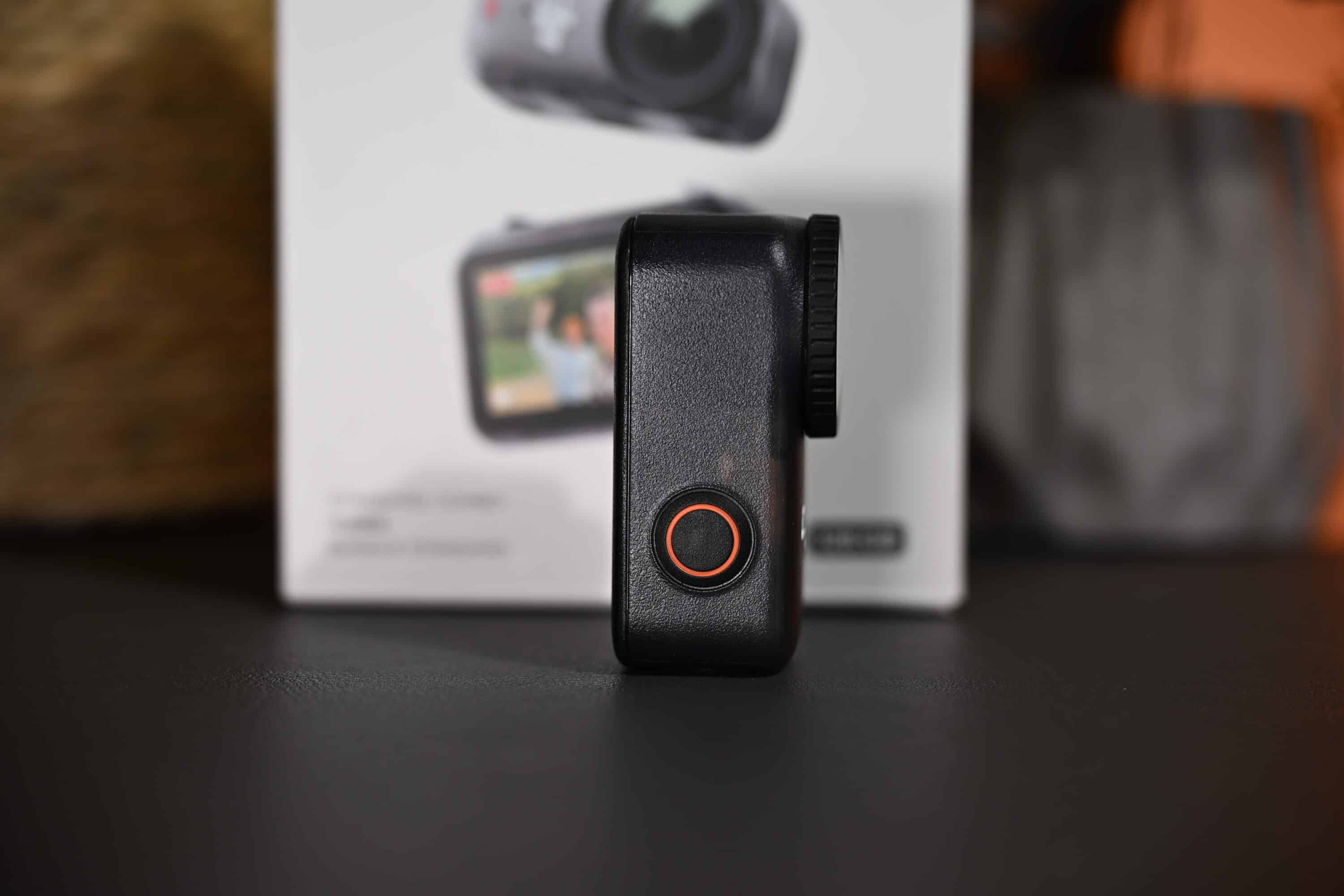
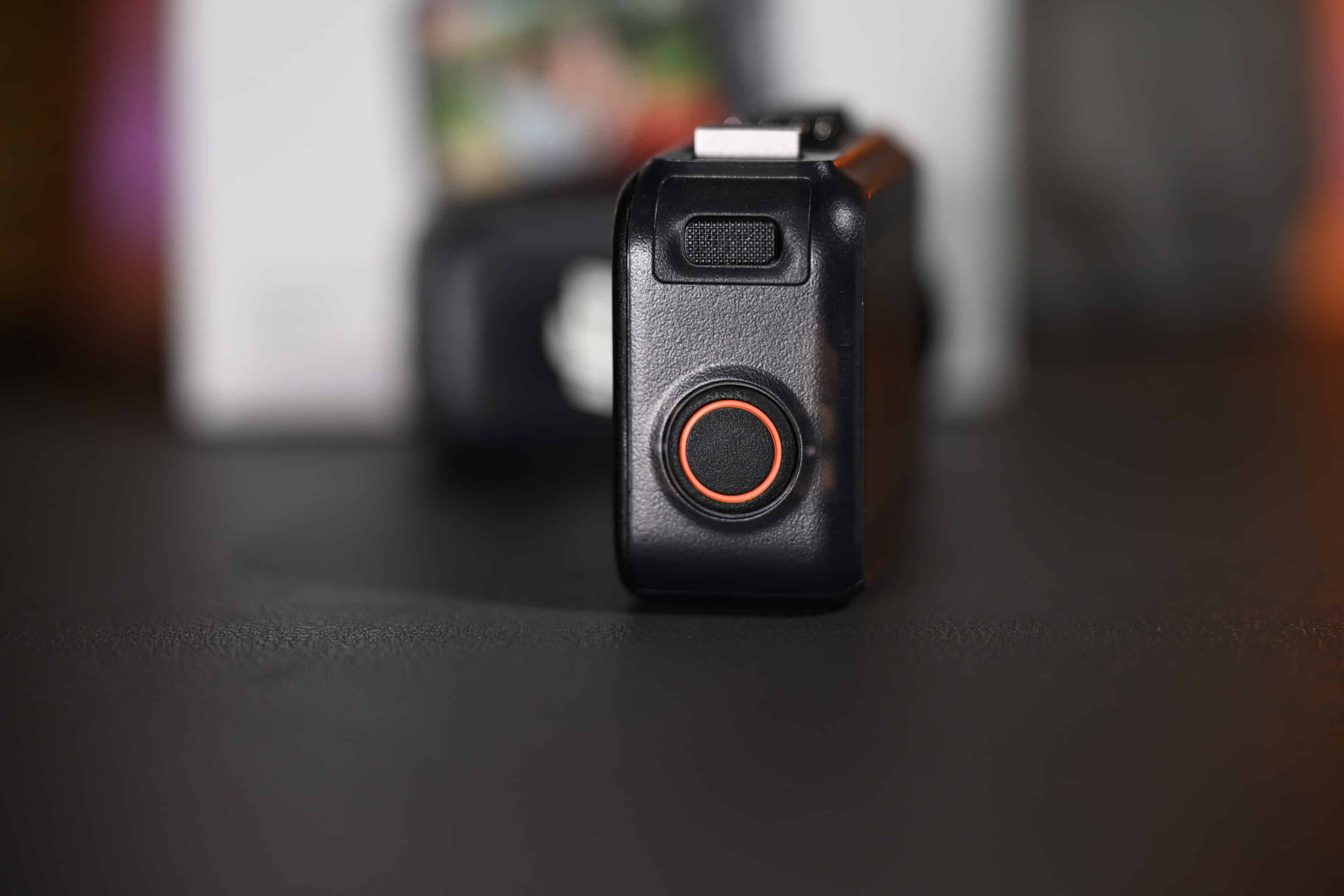
The camera and the Vision Dock have just one button, which is used to control basic functions such as on/off, start and stop recording. This minimalist control is complemented by the Vision Dock, which features a 1.96-inch OLED touch display. This enables simple navigation and control of various recording modes and presets. However, the reduced physical user interface takes a little getting used to, as not every menu is immediately intuitive to find.
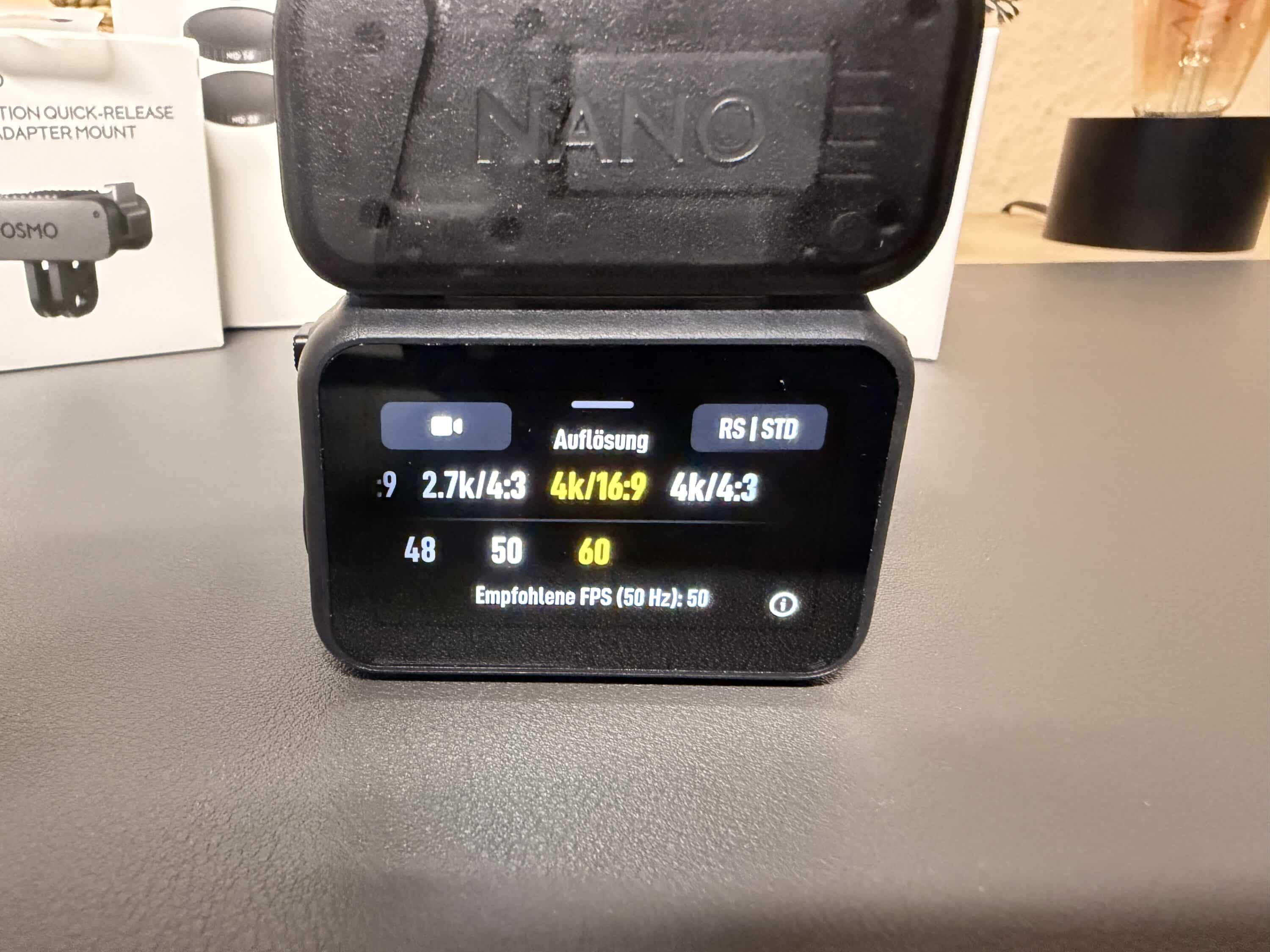
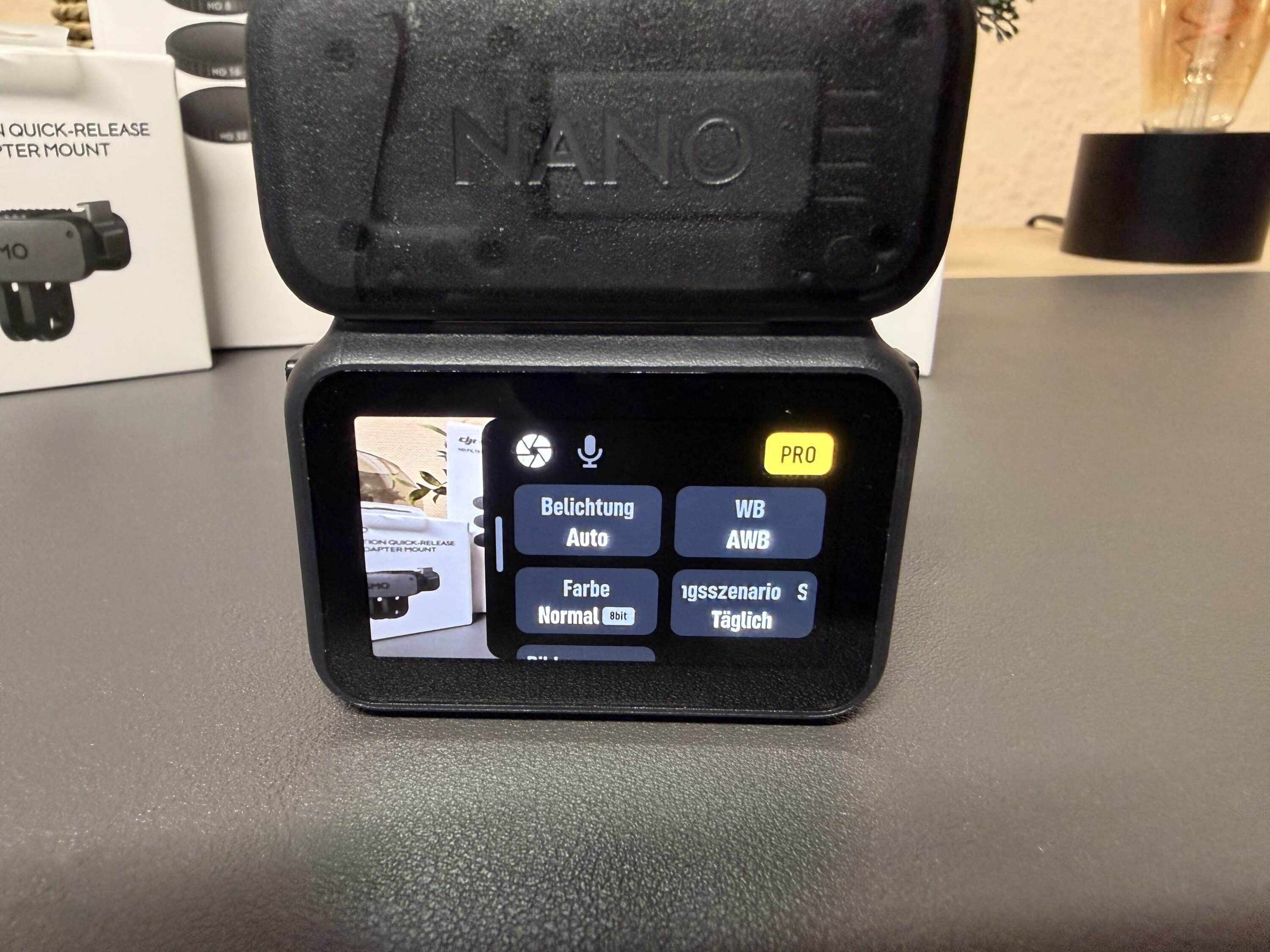
Voice commands are also available and enable commands such as “start recording” or “stop video” – a time-saving function that is particularly useful when doing sport or on the move when you don’t have your hands free.
Operation is even more efficient with the integrated SnapShot feature: just briefly take the camera out of standby and it starts recording immediately, without long waiting times. Various presets can be defined in advance and quickly selected via the dock – such as action mode with a fast frame rate, vlogging mode with face recognition or slow-motion recording.
Individual settings are also available for experienced users, such as manual exposure compensation, white balance or ISO ranges, which can be controlled via the DJI Mimo app or the action cam’s image menu. Overall, DJI has achieved a successful balance between simplicity and functionality with the Osmo Nano.
App connection and practice
The DJI Mimo app serves as a companion to the Osmo Nano and expands the basic functions of the camera a little, but the range of functions is not really extensive. After the initial pairing via Wi-Fi, a clear interface opens, which enables a live preview of the cam so that you can use the Nano more easily hands-free.
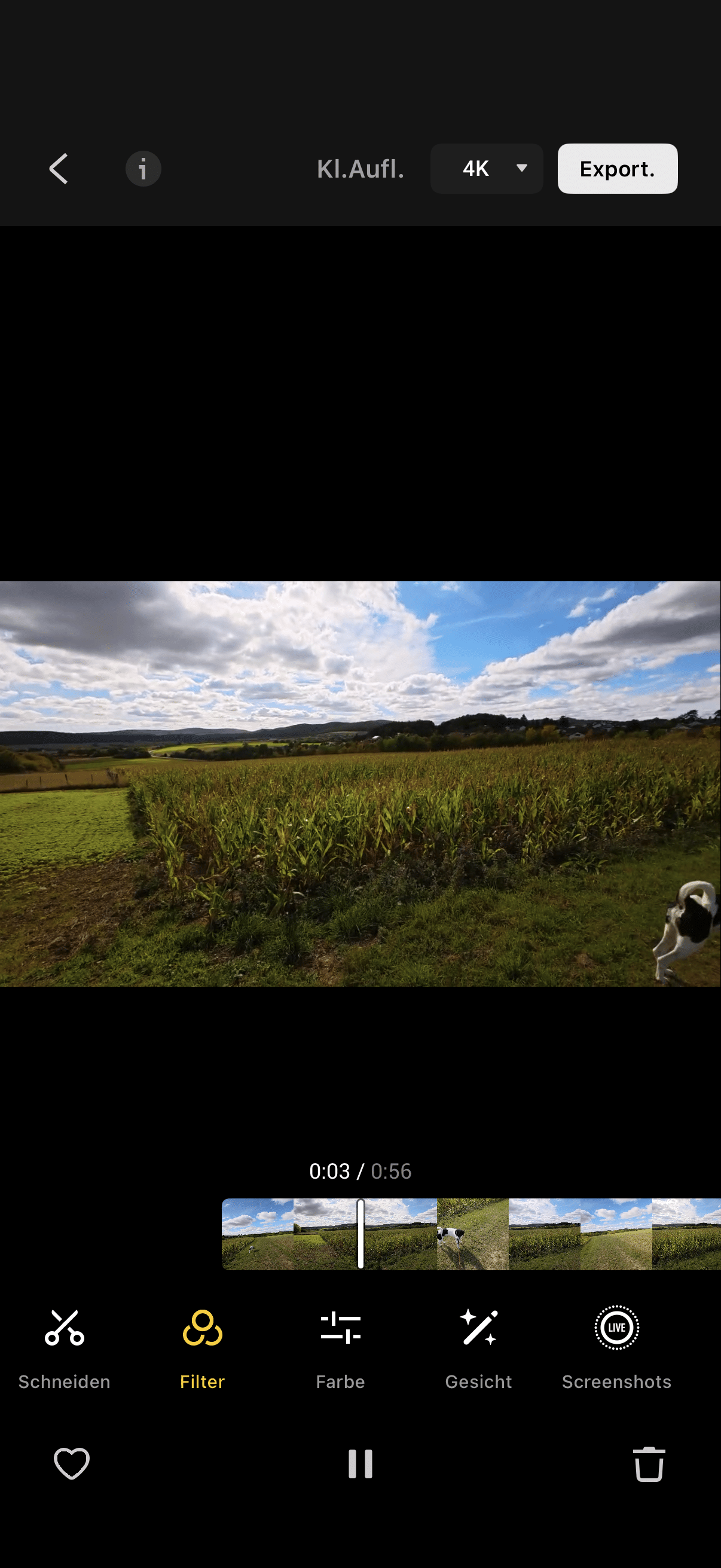
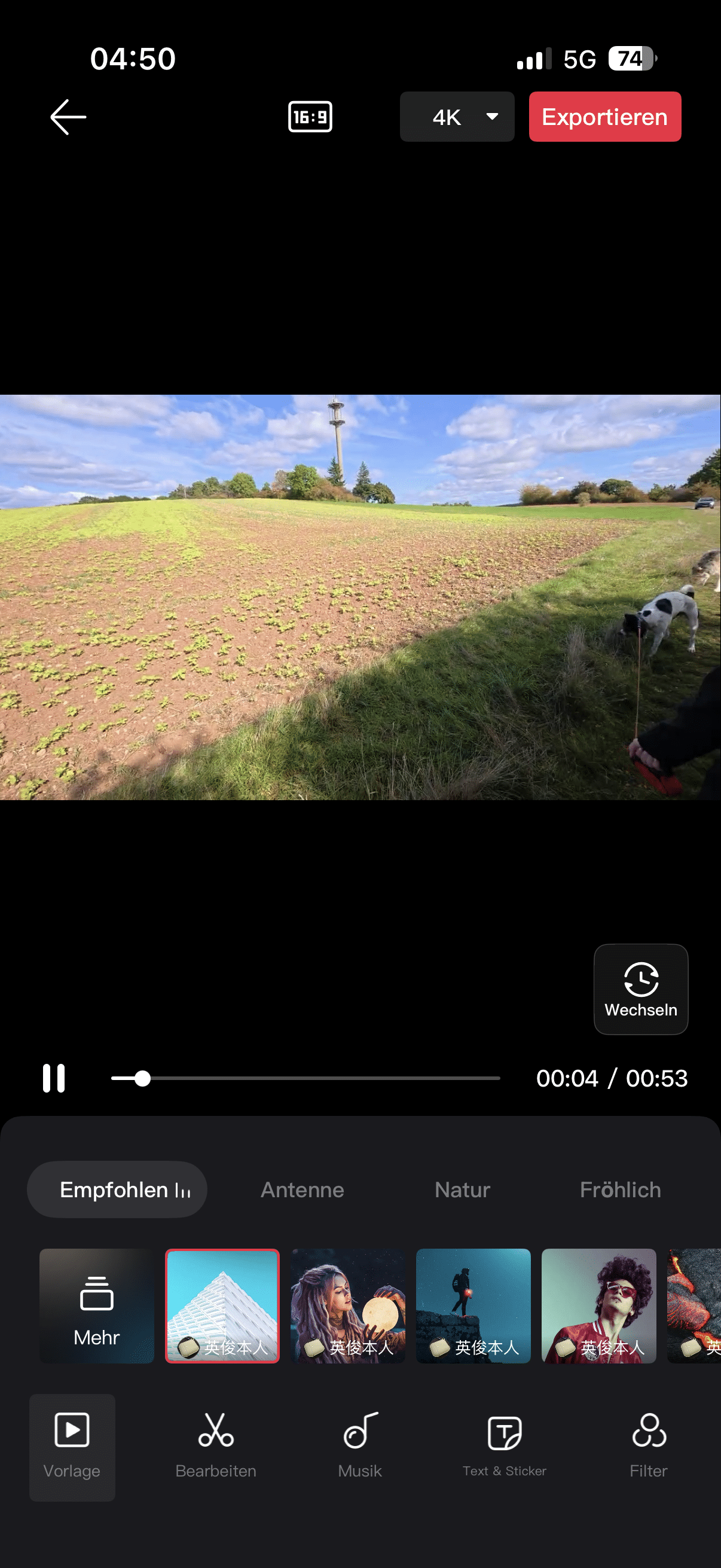
In addition to firmware updates, the app offers you a preview of the images and videos stored on the cam, which you can then edit in an editor. However, the editor is quite powerful and allows you to do everything from color grading and bid adjustment to editing videos.
The “One-Tap Edit” function, which automatically analyzes up to six videos, cuts the highlights together and adds music to them, is particularly practical. At the touch of a button without any knowledge of video editing.
A big plus point is the support for high-speed data transfer. Via USB 3.1 on the Multifunctional Vision Dock, 4K videos can be offloaded at transfer rates of up to 600 MB/s, allowing large volumes of media to be transferred quickly.

In addition to control, the Mimo app also provides smart tools that are particularly appealing to influencers and content creators: recordings can be reformatted into different aspect ratios (4:3, 16:9, 9:16), suitable for YouTube, Instagram Stories or TikTok. The app also includes color profiles and filters that can be applied directly.
This is particularly practical, as the DJI Osmo Nano can only record in landscape format. Even if the camera is positioned upright, the image is always displayed in 16:9 or 4:3 format.

However, the app is not quite as intuitive as some of its competitors, which can make some menus and settings cumbersome – a small weakness that will probably be addressed with future updates. Overall, however, the app is a very useful extension that speeds up the workflow from recording to upload.
Battery life of the DJI Osmo Nano
- Permanently installed battery
- around 51 minutes of recording in 4K/60
- Vision Dock serves as an additional battery
The battery life of the DJI Osmo Nano is average for an ultra-compact camera with around 90 minutes of recording time at 1080p and around 51 minutes at 4K/60fps. The Vision Dock acts as a power and control center at the same time and can extend the runtime to a maximum of 165 minutes per charge by supplying the camera with power during operation.

Fast charging is possible thanks to the USB-C fast-charging function: in around 20 minutes, the camera reaches around 80 percent battery capacity again, allowing for flexible shooting times. The battery is permanently installed and cannot be replaced by the user, which explains the compact design.
It is therefore advisable to take the Vision Dock or a power bank with you when you are out and about to enable longer recording sessions. The camera can also be charged while recording, which offers you additional flexibility. The thermal heat development remains moderate even during longer sessions, which means that shutdowns due to overheating are rare and the recording remains stable.
Image and audio quality
- Very good 4K image quality
- Strong dynamic range
- Low-light only mixed
The Osmo Nano uses a 1/1.3-inch sensor, which is larger than average for a mini camera. For comparison: This is the same sensor size as the much larger Insta360 Ace Pro 2 (our test). However, the mini action cam is capable of a maximum of 4K recordings at 60 fps. Depending on the orientation, the camera shoots in 16:9 landscape format or portrait format, which is ideal for reels.

With 13.5 stops of dynamic range and a 10-bit D-Log-M color profile, it offers an impressive amount of scope for color grading. Time-lapse and slow motion up to 120 fps are also among the possible recording formats.
In addition to the outstanding image quality, the Osmo Nano impresses with its RockSteady 3.0 image stabilization including HorizonBalancing. The latter compensates for unwanted tilting movements and ensures particularly steady, blur-free shots from a first-person perspective – even when running or mountain biking. The RockSteady 3.0 stabilization works very well in many situations – the results are smooth and pleasant when cycling, jogging or vlogging. It becomes problematic in 4:3 mode with fast movements, where jerks occur from time to time. The software is not always able to compensate for everything, especially with strong panning or vibrations.
In daylight, the picture quality is impressive with strong but natural colors, clear sharpness and a stable dynamic range. High-contrast scenes with bright skies and dark foregrounds are reproduced cleanly.
As with most action cams, there is a clear weakness in low-light scenes: noise and loss of detail increase noticeably. Nevertheless, the Nano performs better than many of its smaller competitors.
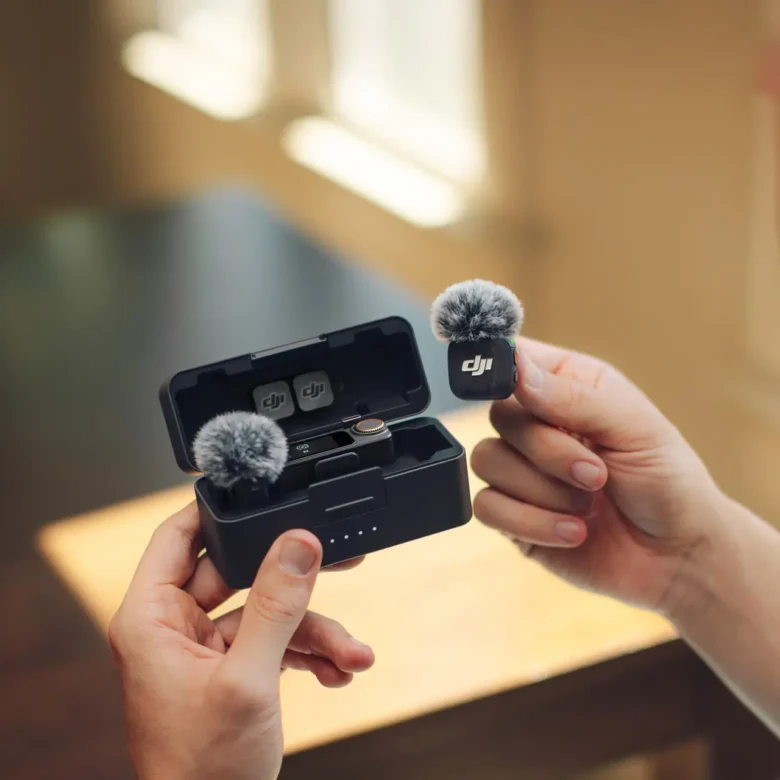
The audio quality is at a high level for a built-in solution with two microphones. The wind noise suppression works effectively so that outdoor recordings are clear and intelligible. For demanding users, there is also the option of connecting DJI wireless microphones via Osmo Audio, which provide even better sound quality wirelessly.

This makes the Osmo Nano suitable not only as a spontaneous companion for everyday use, but also for semi-professional vlogs, travel videos or documentaries that want to impress with both image and sound quality.
DJI Osmo Nano Review: Conclusion
With the DJI Osmo Nano, the manufacturer has hit the bull’s eye in my eyes. Sure, the image quality can’t quite keep up with “big” action cams, but it is still absolutely convincing in 4K with 60 fps, provided the lighting conditions are right.
However, the cam easily makes up for this with its versatility. It is small, incredibly light and attaches to all metal surfaces thanks to its magnetic surface. I think the option of using the camera without the Vision Dock or using it as a monitor to keep an eye on the image section at all times is absolutely fantastic.
The good battery life, the internal memory and the versatile mounting options, in addition to the attractive price, make the overall package perfect for me. However, the Nano is not free of criticism. A few more video modes would have been desirable, the low-light capabilities are manageable and the accompanying app is rather rudimentary.
But if that doesn’t bother you and you’re looking for a particularly handy and flexible action cam, you’re guaranteed to be happy with the DJI Osmo Nano.

VORTEILE
- Incredibly small & light
- Great 4K picture quality
- Log and 10-bit video
- Internal memory
- Extremely versatile
NACHTEILE
- Mixed low-light capabilities
- Dock only splash-proof
- Few modes
Fazit
Incredibly compact and flexible action cam with very good image quality, good battery life and practical unique selling points.