


The Scimitar Elite Wireless, known as the MMO mouse, is getting a new edition from Corsair. We have already tested its predecessor. Click here to test the wireless and wired versions. With a large thumb panel with 12 programmable buttons, the focus on MMO gamers is also clearly recognizable. We test the new technology for you, show you how the Corsair Scimitar Elite Wireless SE performs and also take a look at the seamless integration of Corsair’s new Virtual Stream Deck.
Technical details
| Product details | Corsair Scimitar Elite Wireless SE |
| Ergonomics | Palm Grip, right-handed |
| Sensor | MARKSMAN-S sensor |
| Sensor type | Optical |
| DPI | 100 – 33.00 |
| IPS | 750 |
| Acceleration | 50G |
| Polling rate | 125 Hz – 1,000 Hz; 2,000 Hz (per slipstream) |
| Number of buttons | 7 (6 programmable) |
| Switches | Optical, 100 million clicks |
| Weight | 114 grams |
| Dimensions | 118 mm x 72 mm x 42 mm |
| Cable length / material | 1.8 meters / fabric sheathing |
| Connection | USB type A to USB type C |
| Connectivity | Wireless (2.4 GHz receiver); wired; Bluetooth |
| Battery life | up to 150 hours (wireless/slipstream); up to 500 hours (Bluetooth) |
| Price | Price: € 149.90 |
Scope of delivery
The packaging already suggests that the size of the mouse is rather mid-range. Corsair doesn’t put much in the box with the Scimitar Elite Wireless SE, we only find the essentials after unpacking. The necessary paperwork with safety and warranty regulations is the only enclosure. Otherwise, we only find the essentials. The Slipstream receiver is hidden inside the mouse. A 2-metre USB-C cable is included for charging the battery or wired operation.

Included tools are unusual for a mouse, but necessary here. This is because the panel with the 12 thumb buttons can be moved and adjusted to the position of the thumb. Especially with large hands, the Corsair key slider needs to be positioned differently.
Workmanship
Due to its dimensions, the Corsair Scimitar Wireless ends up in the midfield in terms of size. It is 118 mm long, 72 mm wide and 42 mm high. It is therefore not necessarily suitable for very small hands, but even if you have huge paws, the mouse could cause you problems.
The mouse is made entirely of plastic. One exception is the rubberized surface for the little finger and ring finger. This is intended to provide more grip in heated situations.

On the underside, there are PTFE sliding surfaces on which we can move the Scimitar Wireless SE smoothly over any surface. Due to its size and the technology used, the weight comes to 114 grams. But as with any mouse, it depends on the intended use and the weight of the previous mouse. I come from the Mountain Makalu Max, which is similar in size and weight to the new mouse from Corsair.
With 100 million clicks, Corsair promises a very long service life for the main button triggers. Thanks to the optical switches, the travel distance is very short and there is a clearly perceptible pressure point. If you are used to other switches with a longer travel, you will definitely be pleasantly surprised. On the other hand, there is a clearly audible click when the left or right click is pressed.

A special feature of the Corsair Scimitar Wireless SE is the side panel on the left side. The key slider, as it is called by the manufacturer, has a total of 12 keys. Even though the keys are a little too small for large hands, they have a clearly perceptible pressure point and are significantly quieter than the main keys.
Practical test
The Scimitar Elite Wireless has an asymmetrical shape and is only suitable for right-handed users. With some mice, there is a chance that left-handers may still be able to use them. Due to the angle at which the hand rests on the mouse to operate the side buttons with the thumb, it can only be used with the right hand.
There is a rubberized resting surface next to the right mouse button for the little finger and ring finger. In addition to the rubber, a pattern provides even more grip. Since our test model is white in color, you can see every bit of dust and dirt through the pattern.
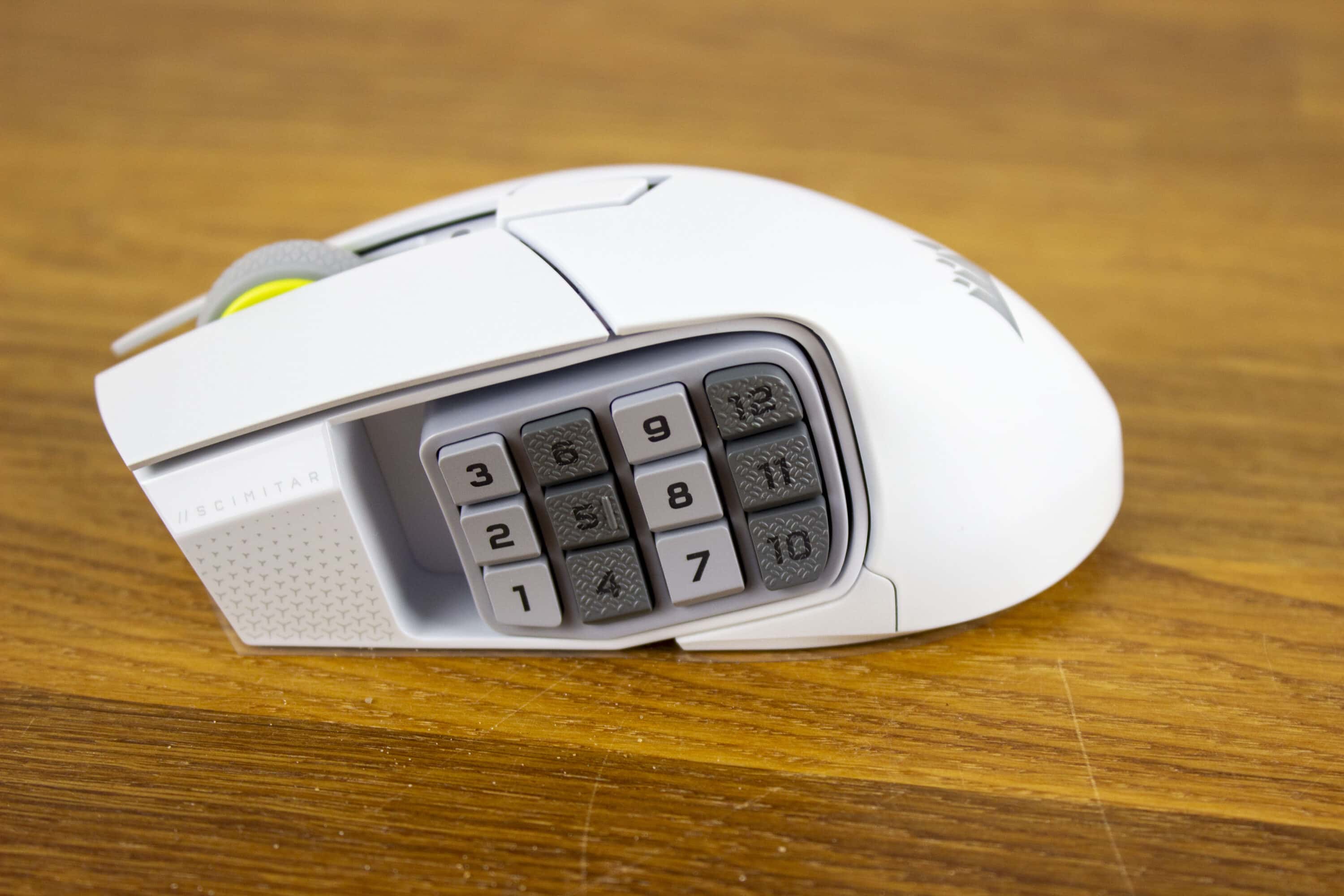
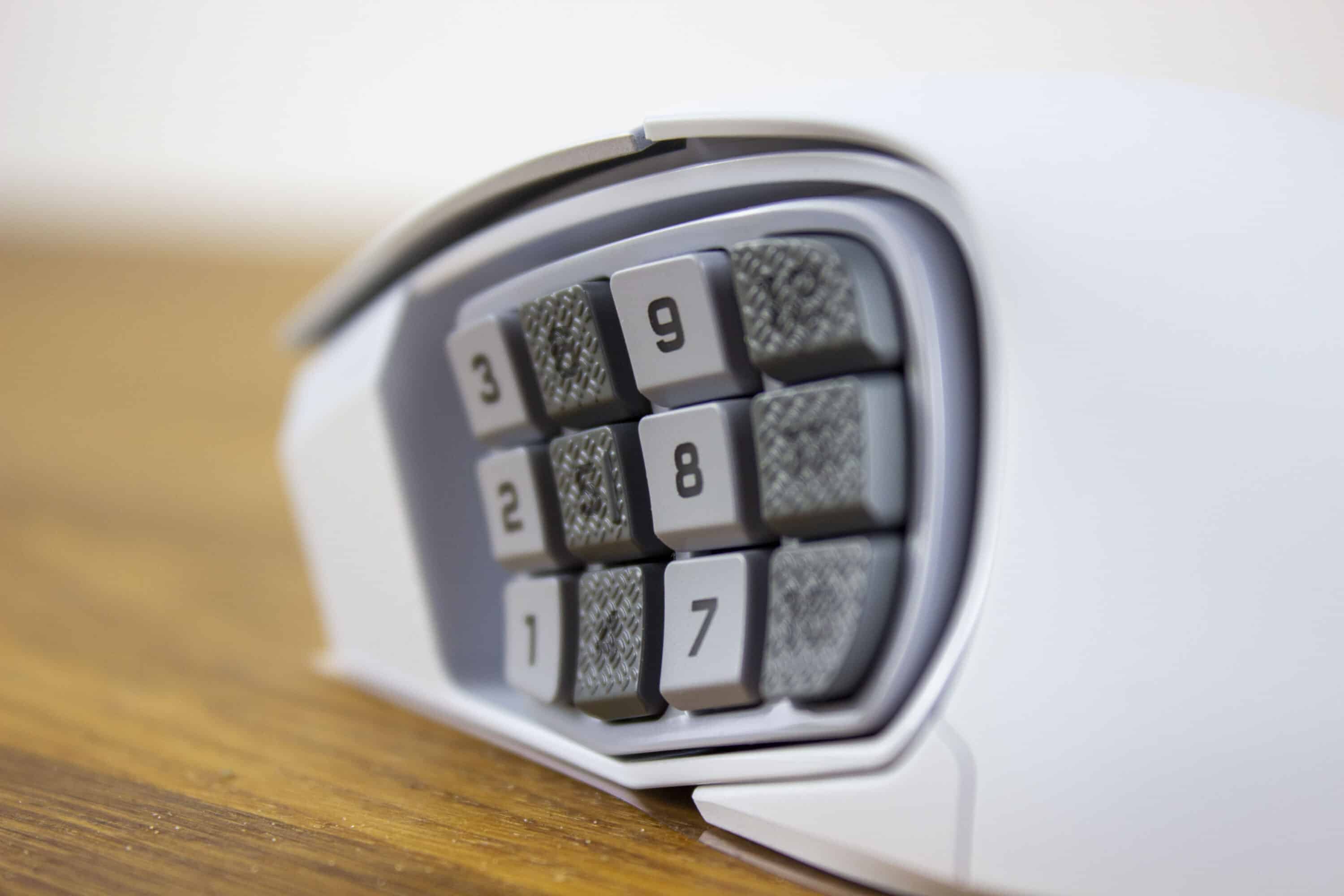
Probably the biggest feature of an MMO mouse is the extra buttons. MMO gamers can rely on a lot of button presses, so it’s an advantage if they can be reached quickly. Mentioned several times, the Corsair Scimitar Wireless Elite has 12 additional ones. The keys are all numbered consecutively (1-12). The number 5 has a noticeable bump and the keys 4 to 6 and 10 to 12 have a different surface structure. This makes it easy to find your way around without having to look at the mouse.
If you have large hands, the slider must be pushed all the way forward. Even then, the last three buttons (10-12) are not easy to reach. In situations where quick reactions are necessary, the distance to the buttons is simply too far away. The size of the buttons seems too small at first, but after a bit of familiarization, we get along well with it.

In general, the Corsair Scimitar Elite Wireless feels very good in the hand. The left and right mouse buttons are also a reasonable size and fit many hands. The mouse wheel has a clear click pattern and good rolling resistance. Even after many hours we have no problems with the mouse using the Palm Grip.
Sensor, battery and connectivity
To be precise, our test model is the Corsair Scimitar Elite Wireless SE. A revised version that has the in-house MARKSMAN S sensor installed. This offers 33,000 DPI, up to 750 IPS tracking speed and an acceleration of up to 50 G. Subjectively speaking, higher numbers are always better and new sensors will offer even more impressive performance in the future. For personal taste, for example, much less DPI is usually sufficient. With a set 33,000 DPI, you can’t move the mouse very finely to hit the right target.

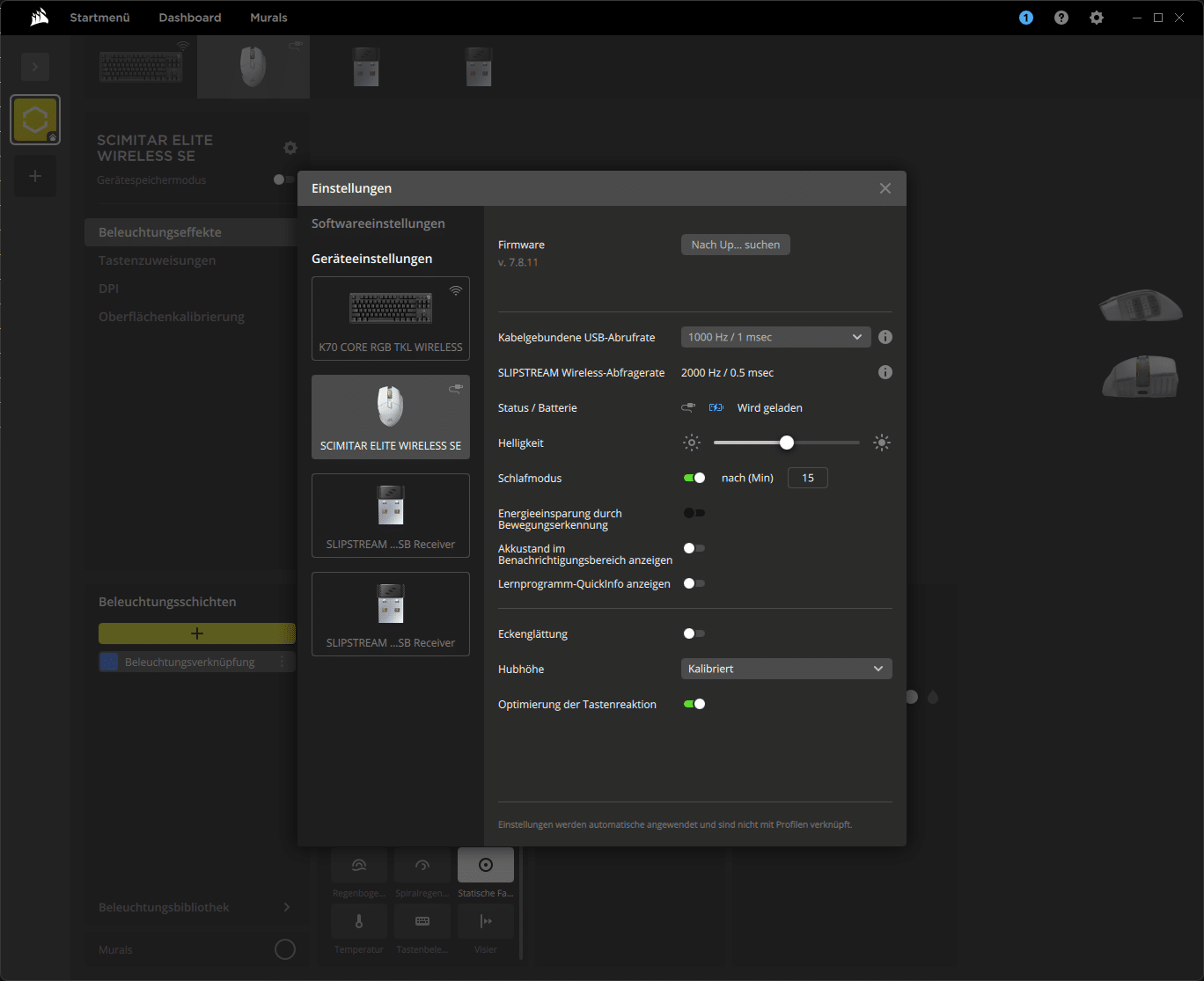
However, new technology is also becoming increasingly efficient. This is particularly important for the Corsair Scimitar Elite Wireless, as it can be used wirelessly. Up to 150 hours should be possible, and even 500 hours if Bluetooth is used. Always with the lights off, of course. If you run out of battery, the battery will be fully charged again in 90 minutes.
Corsair therefore offers you every opportunity to use the mouse as you wish. Via the USB dongle with 2.4 GHz and Slipsteam technology. Bluetooth (BT 4.2 LE) is also available to quickly switch to operating another device. Alternatively, the mouse can also be used via the USB-C cable supplied.
Software
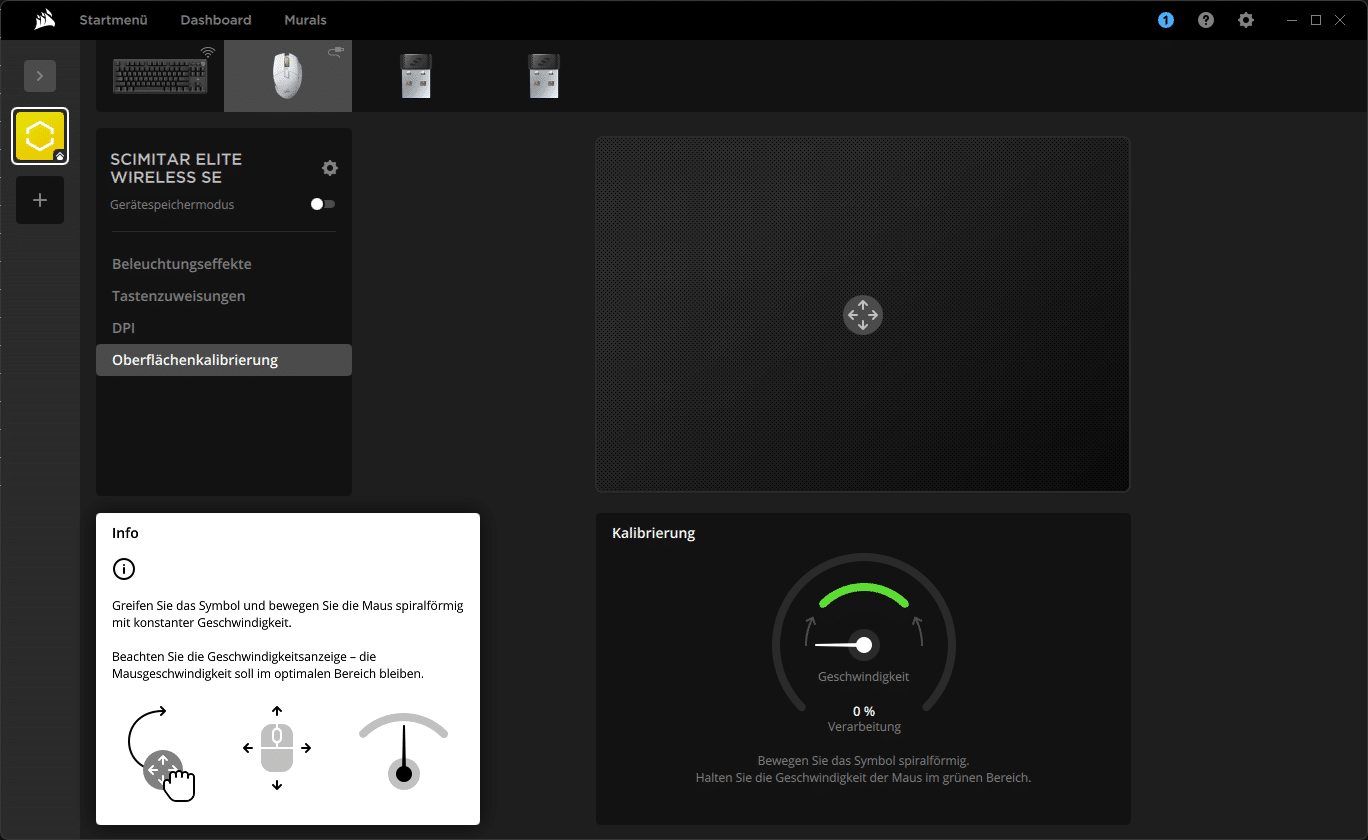
If you want to use the Corsair Scimitar Wireless SE, you can’t get around the iCUE software. It is the centerpiece of all Corsair products. You can also use the mouse completely without it, but then the 12 thumb buttons would remain without function.
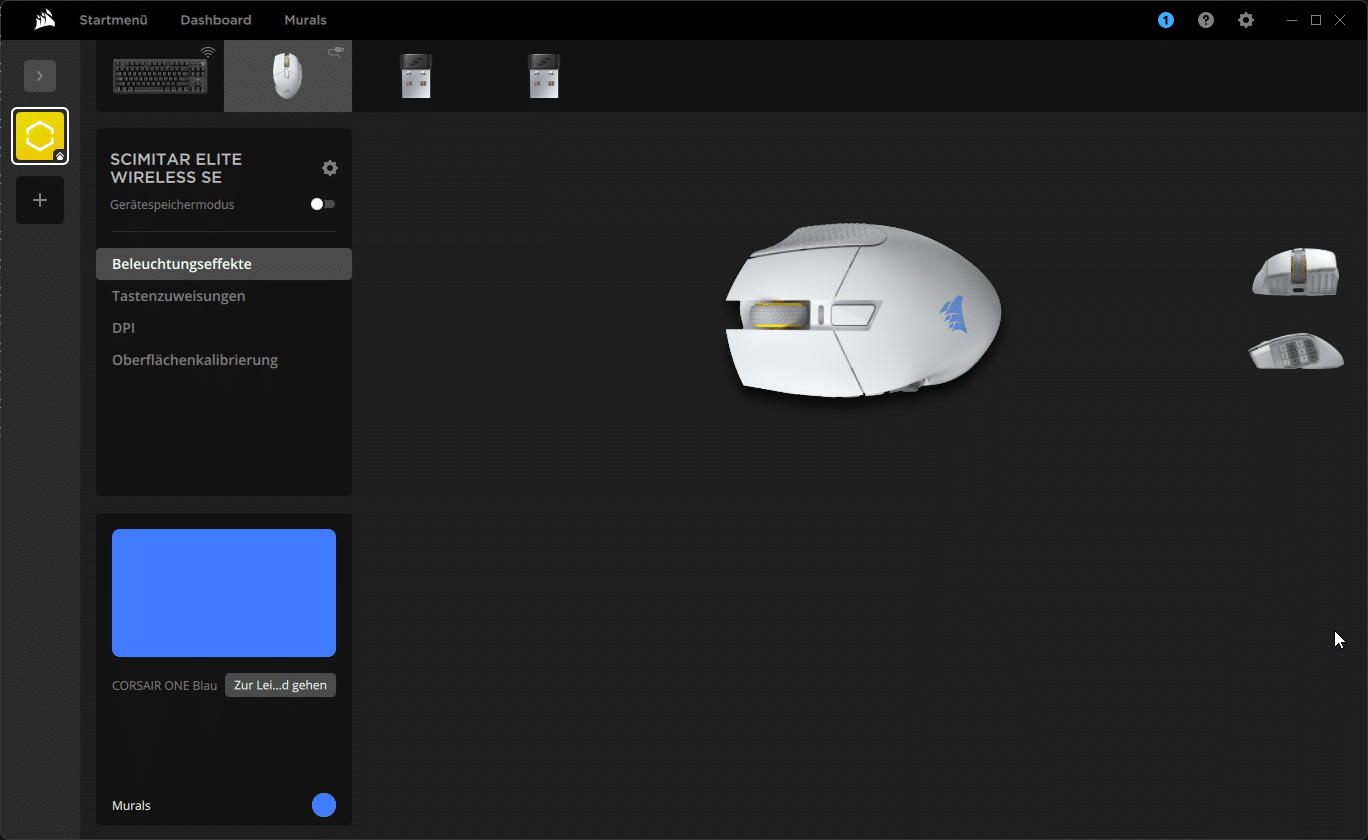
The interface is almost self-explanatory, especially if you have already used such software. Under the lighting effects, you can let off steam and set whatever you want. There are various effects such as pulsing, color changes and so on. You can also set the corresponding colors. However, only the Corsair logo and the individual numbers on the key slider are illuminated. Again, it should be noted that the lighting also has an effect on the battery life.
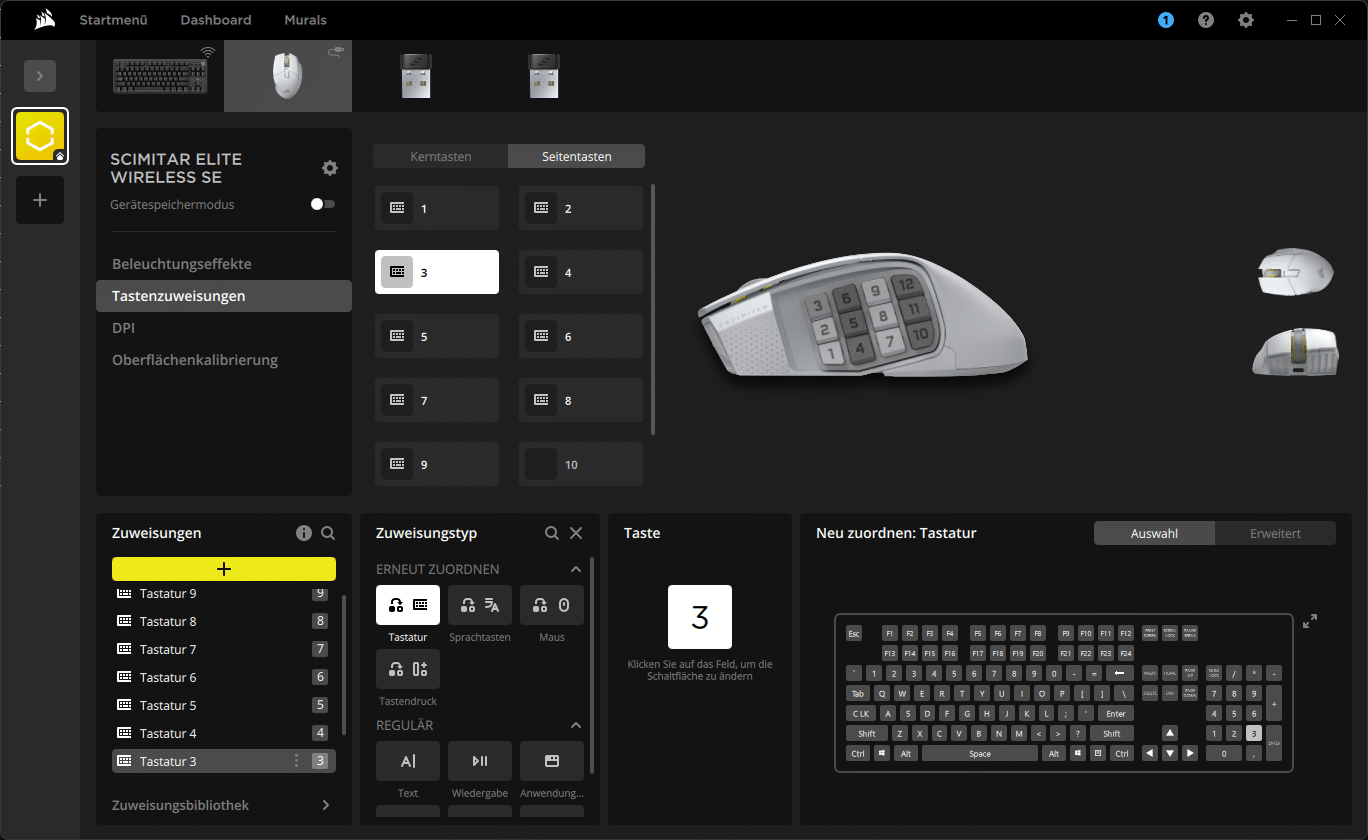
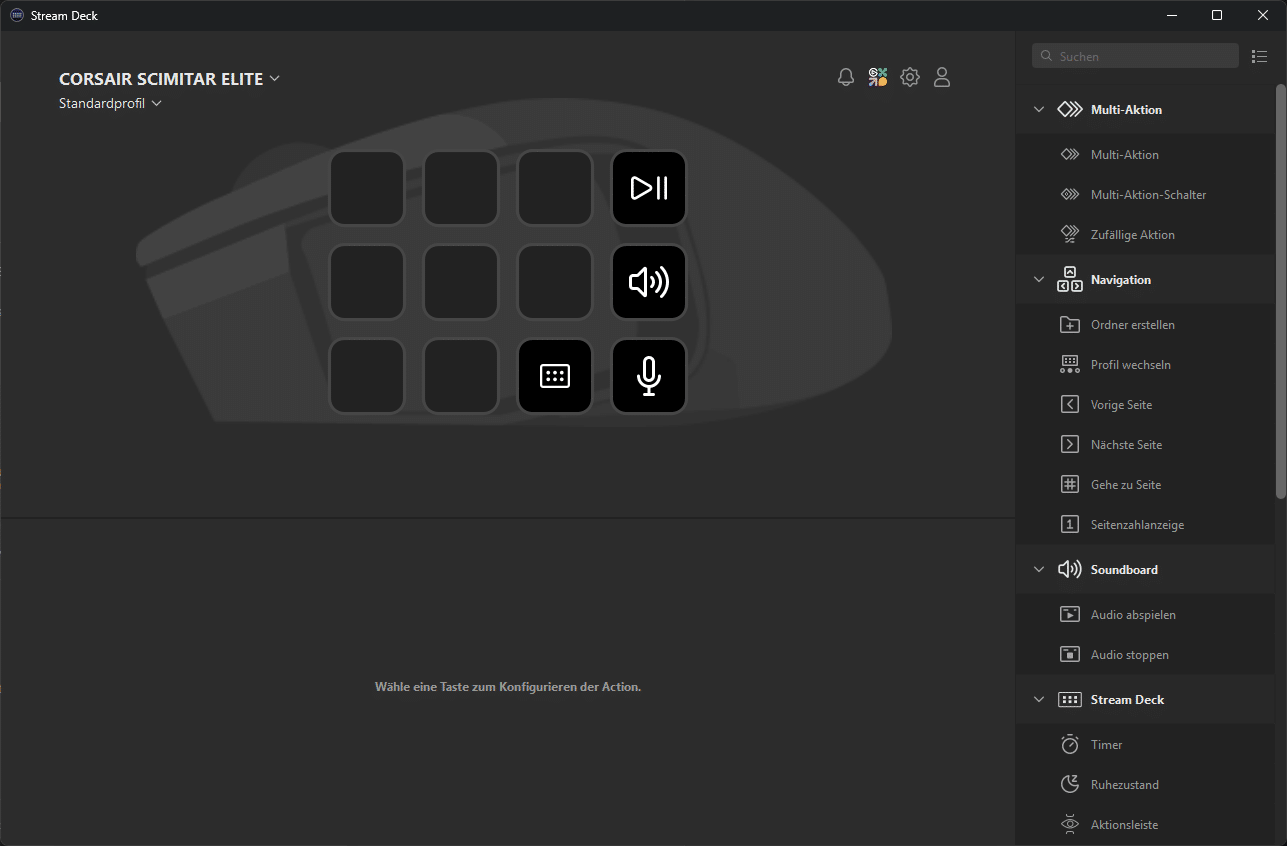
We have a total of 15 buttons at our disposal. You can assign other functions to all keys except the left mouse button. Be it keyboard keys, macros, multimedia functions, really anything. This is where the new, free software “Virtual Stream Deck” comes into play. The VSD can be placed anywhere on the screen as a small widget. The Corsair Scimitar Wireless Elite SE can also be used to assign the 12 extra keys on the key slider. Once you have installed the software, integration also takes place directly in iCUE. This is definitely a feature that makes the new MMO mouse from Corsair even more attractive. Even if the Stream Deck with its small display is visually impressive.
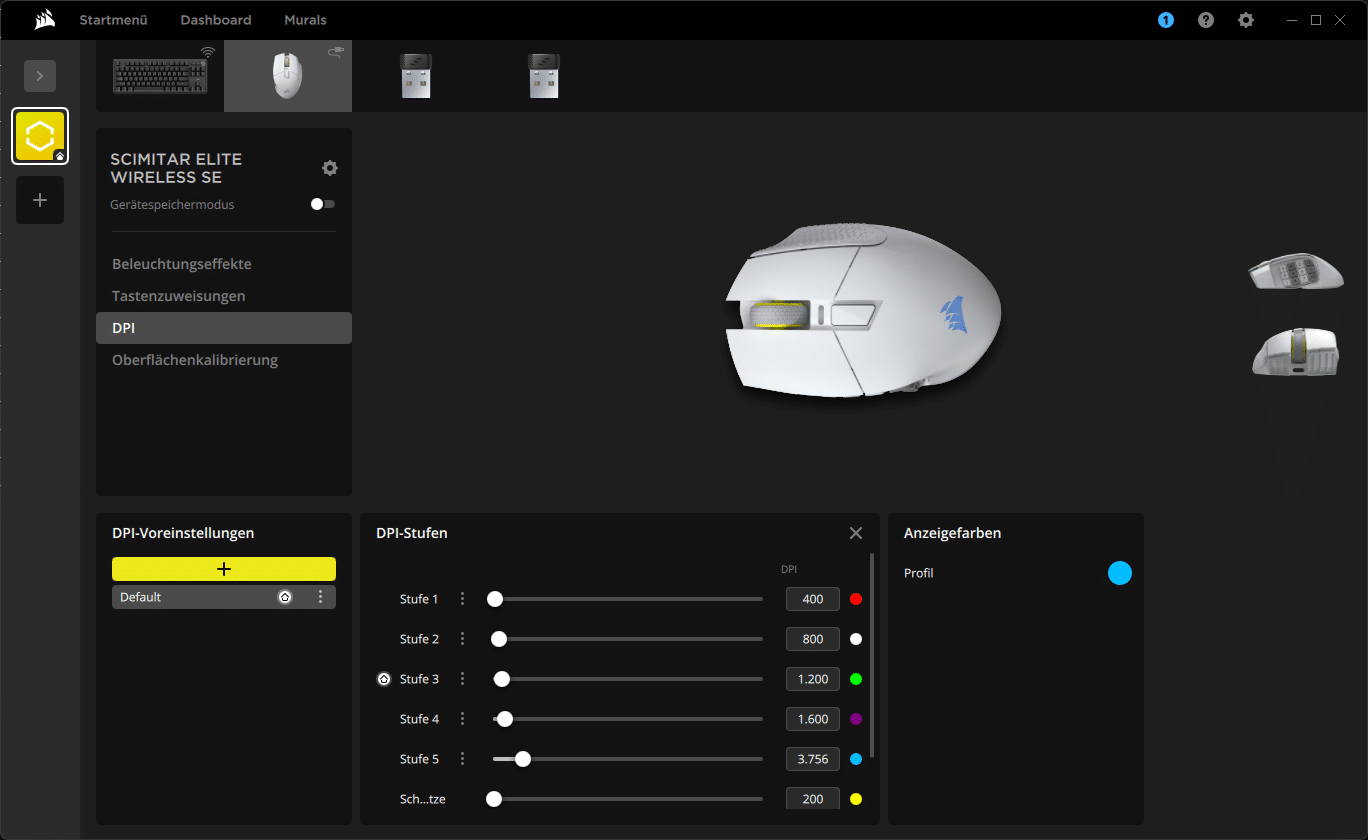
If you’ve never been able to set your DPI in increments of 1, now is the time. You can specify five settings. You can set between 100 and 33,000 DPI. You can switch between the levels using the DPI switch on the top. You can also set a color for the LED directly above the switch to light up.
When using Corsair iCUE, you can create as many profiles as you like. Programs can be linked directly to select the appropriate profile. If you want to use the Scimitar Elite Wireless SE on different end devices, you can even create on-board profiles. Up to five profiles are possible and all settings are saved directly on the mouse – no software required.
Conclusion on the Corsair Scimitar Elite Wireless SE
In a nutshell: Do you play MMOs and need a few extra buttons? Buy the Corsair Scimitar Elite Wireless SE. At 150 euros, it’s definitely not a bargain, but you get a lot.
Not only the usual, but very good Corsair quality, but also a bunch of functions. In addition to the almost normal things like DPI settings and a sleeved cable, you also don’t get a key slider with 12 additional keys. You can also move its position.
In addition, you even get a comprehensive and well thought-out software, in which you can set your mouse the way you want it. The Virtual Stream Deck is another plus point on top.
The battery also lasts almost forever. And even if it runs out, you can recharge it in 90 minutes. We can hardly find anything negative. Except for the price and the fact that it is only suitable for right-handers.

VORTEILE
- Good workmanship
- Extensive software + Virtual Stream Deck
- Long battery life
- Great click feel of all keys
- Sliding key slider
NACHTEILE
- Only for right-handers
- “Expensive”
Fazit
For MMO gamers, the Corsair Scimitar Elite Wireless SE is almost a must-have! A big bonus with the Virtual Stream Deck.


