


AI functions, modern features, extensive connectivity. With the ASUS ExpertCenter PN54 mini PC unveiled at Computex 2025, the well-known manufacturer wants to take on the competition from China. In our test, we find out whether it succeeds and for whom it is worth buying.
Technical data
| Product name | ExpertCenter PN54 |
| Processor | AMD Ryzen AI 5 340; AMD Ryzen AI 7 350 |
| Graphics performance | AMD Radeon 860M |
| Dimensions (H x W x D) | 34/36 mm x 130 mm x 130 mm |
| Weight | approx. 650 grams |
| Storage space | 521 GB or 1 TB SSD M.2 2280 (PCIe 4.0) |
| Memory | 16 GB or 32 GB DDR5 |
| Video | 1x HDMI 2.1, 2x DisplayPort 1.4, 1x USB 4 |
| Connectivity | Wi-Fi 7, 2.5 Gigabit Ethernet; Bluetooth 5.4 |
| Speakers | Yes (2x 2 watts) |
| Special features | Fingerprint reader; Copilot button; tool-free opening |
| price | € 1,199.90 * |
ASUS ExpertCenter PN54 review: design and workmanship
- particularly handy design
- Robust and high quality
- tool-free maintenance
Mini PCs are, as the name suggests,… small and space-saving. Of course, this also applies to the ASUS ExpertCenter PN54, which comes in a compact size of 130 mm x 130 mm x 34 mm.
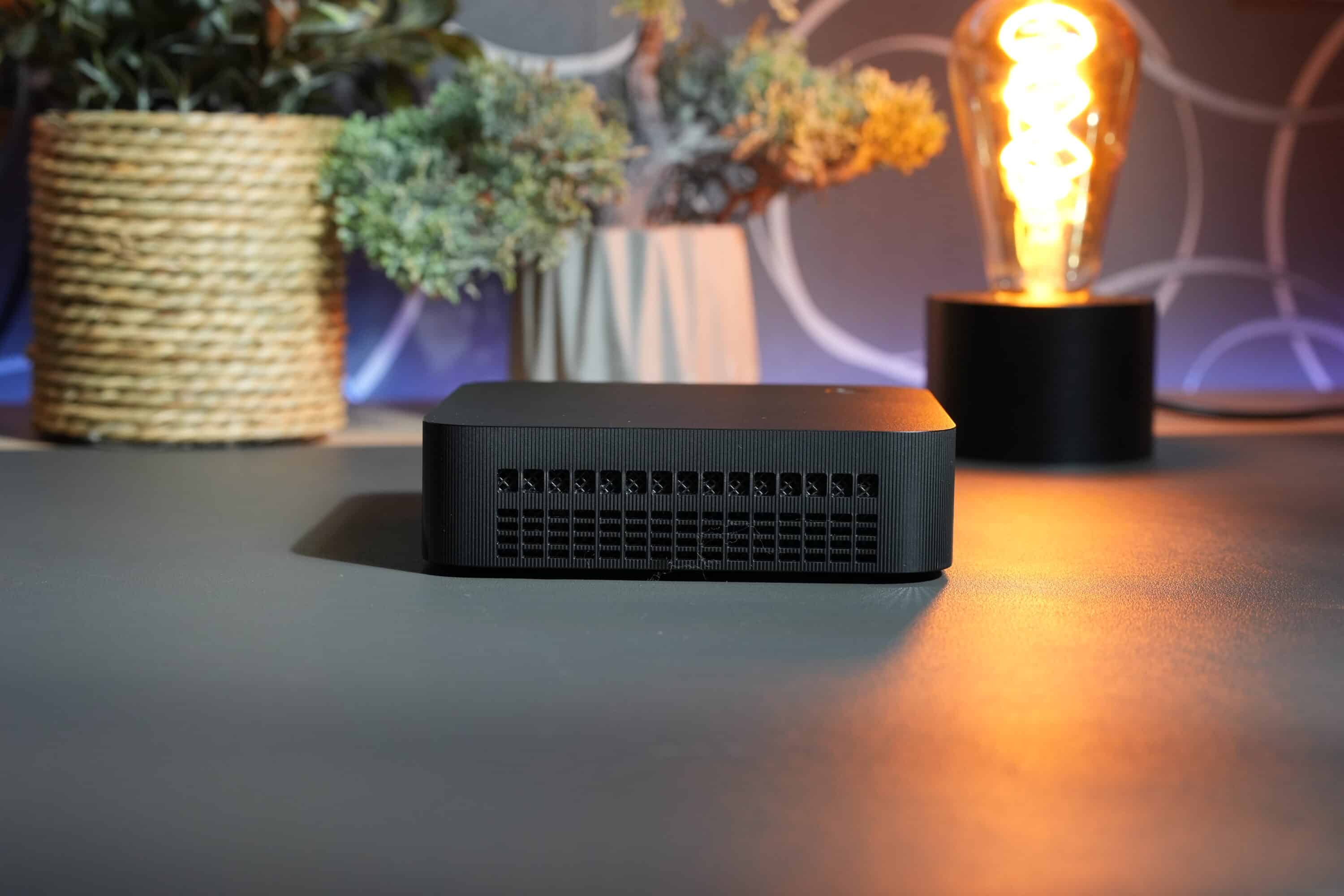
ASUS has deliberately focused on durability in the design. The computing dwarf has MIL-STD 810H certification and has been subjected to several impact, extreme temperature and humidity tests, which should make it particularly robust and reliable.
The black mini PC has a classic black design with rounded edges, as seen in the NiPoGi E3B (our test), for example. However, with a height of 34 mm, the ASUS model is significantly thinner than the E3B and many of its competitors.
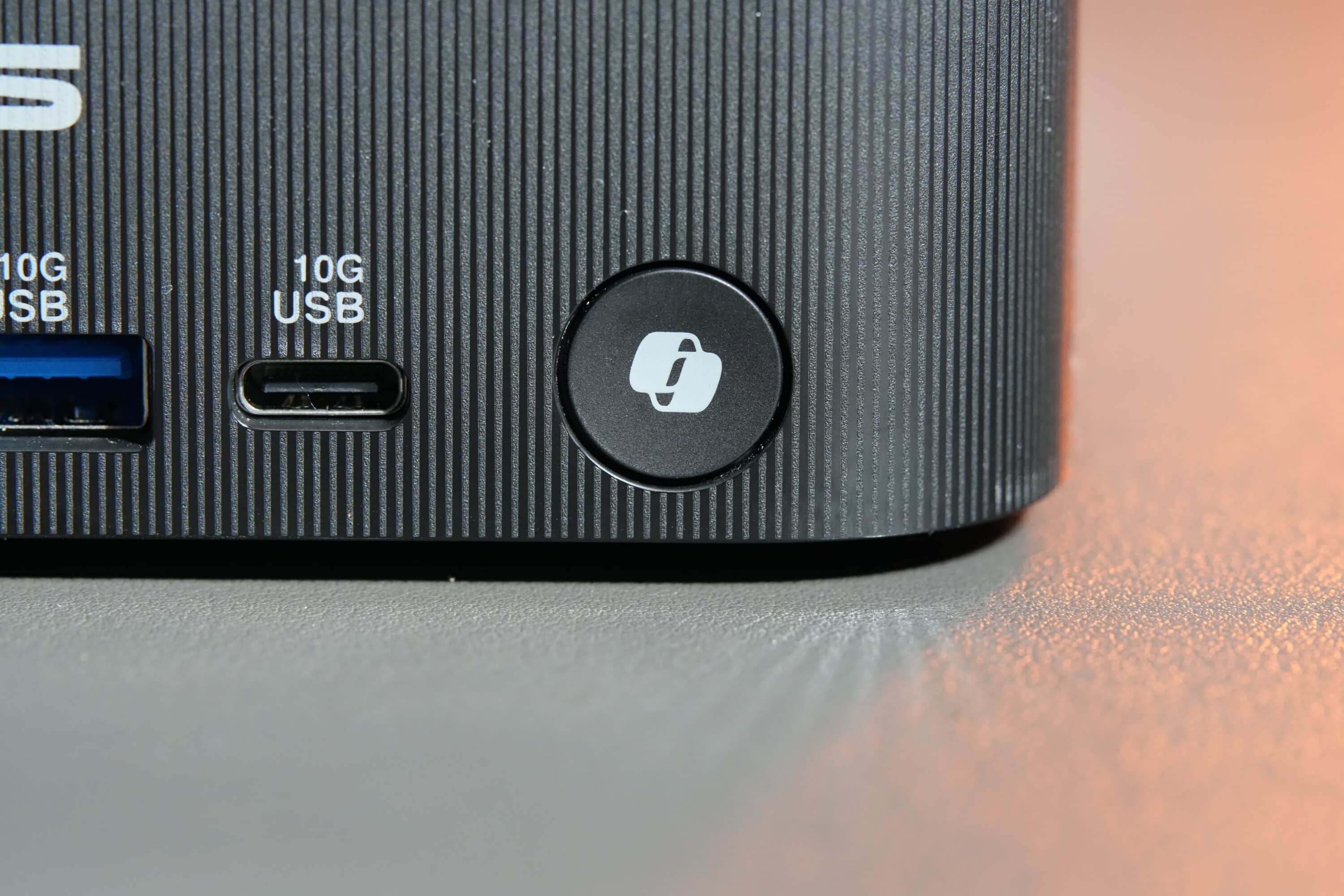
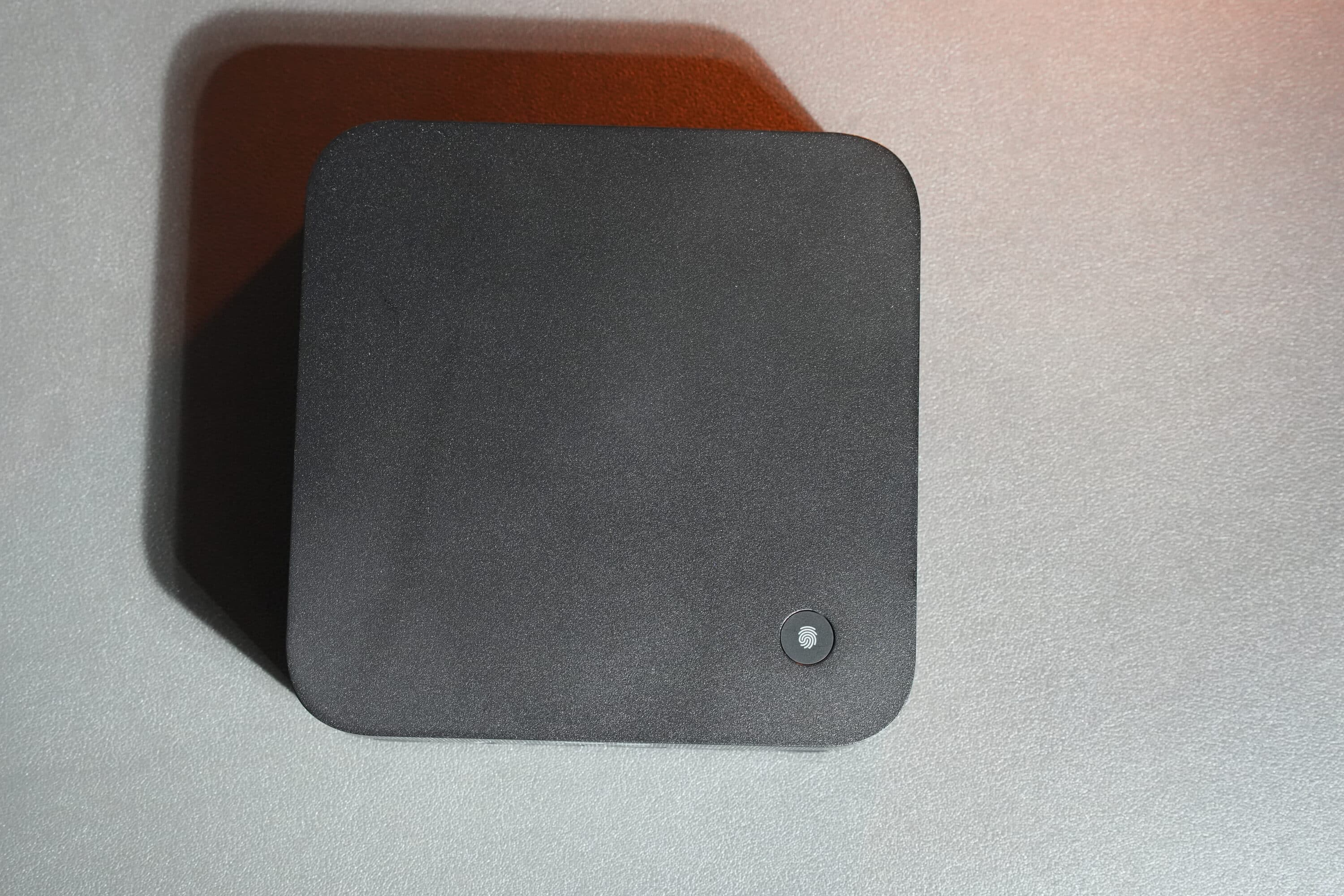
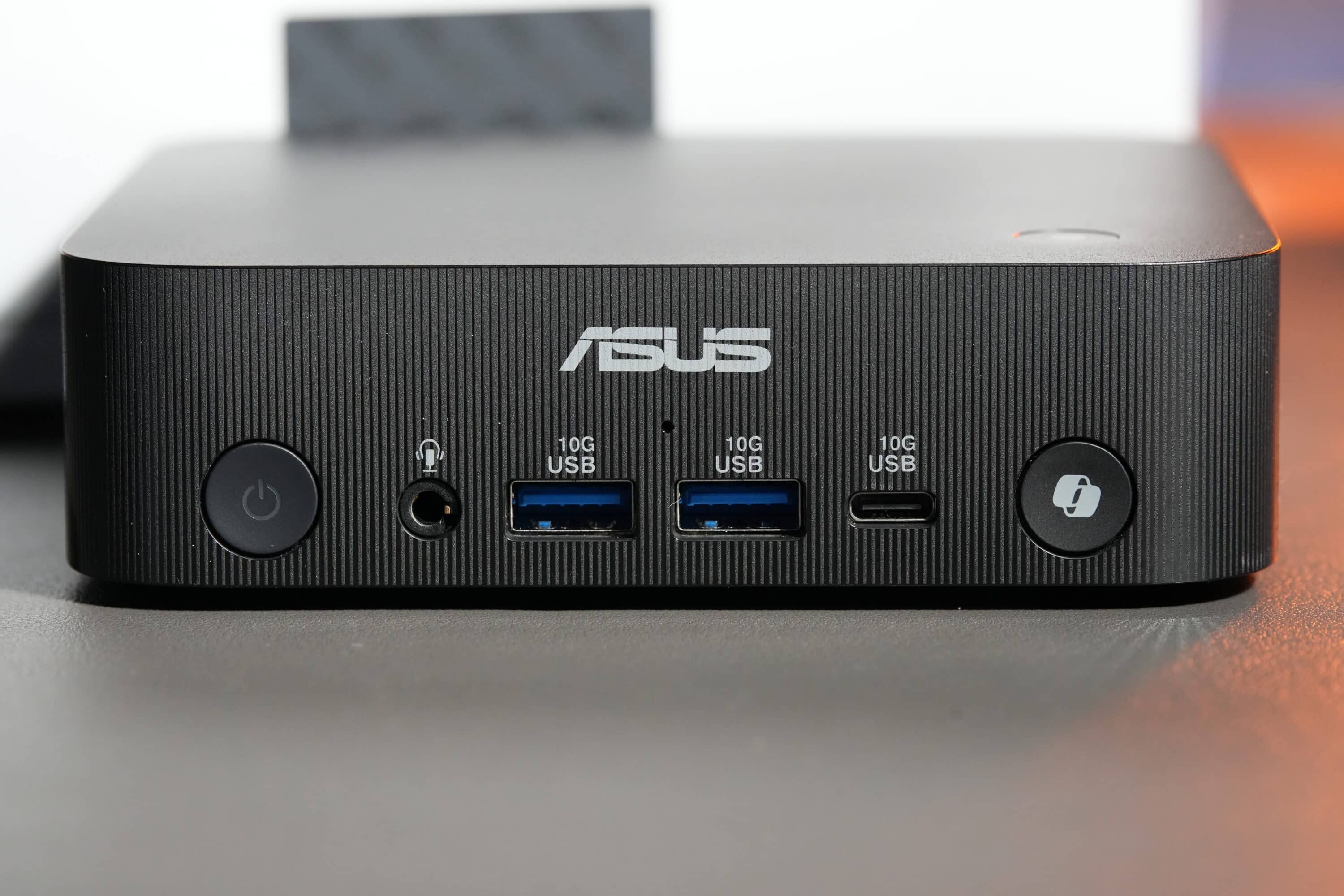
With its ribbed frame and white lettering, the PN54 certainly cuts an absolutely elegant figure. ASUS distributes the connections and controls on the front and rear. Particularly exciting: On the right-hand side of the front is a Copilot button that can be used to call up Microsoft’s AI assistant. There is also a fingerprint reader on the top to log into Windows using biometrics. A successful idea, in my opinion.
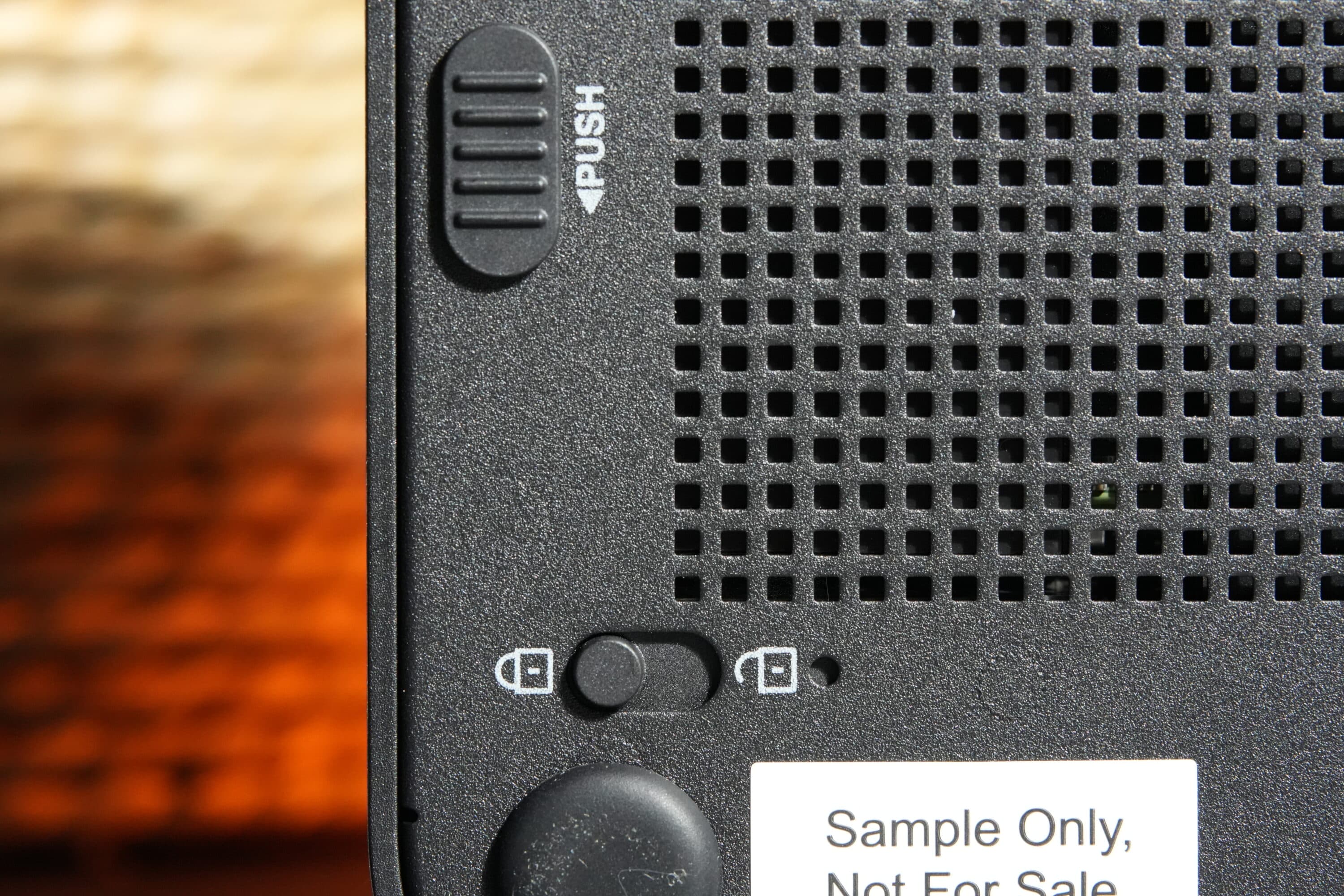
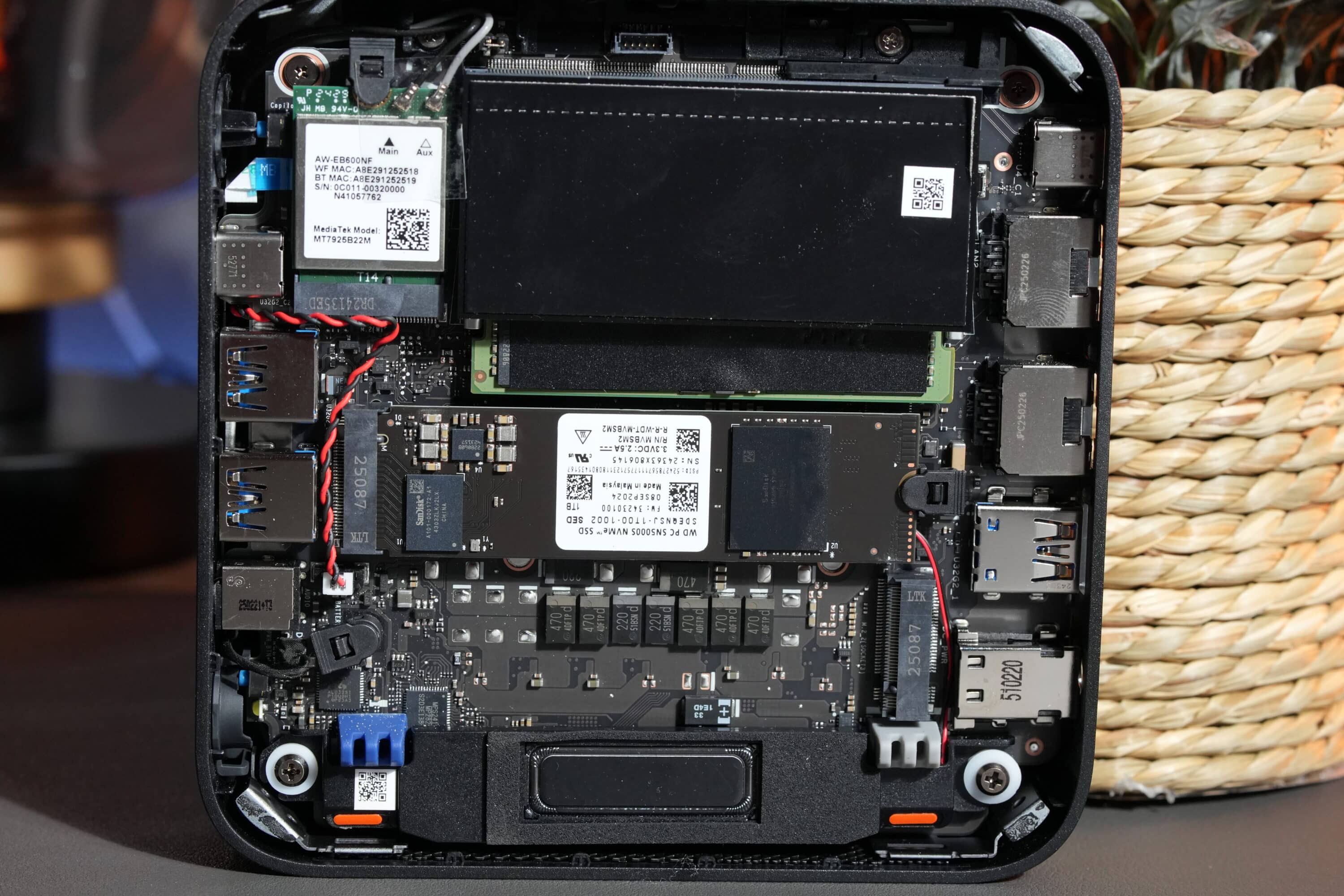
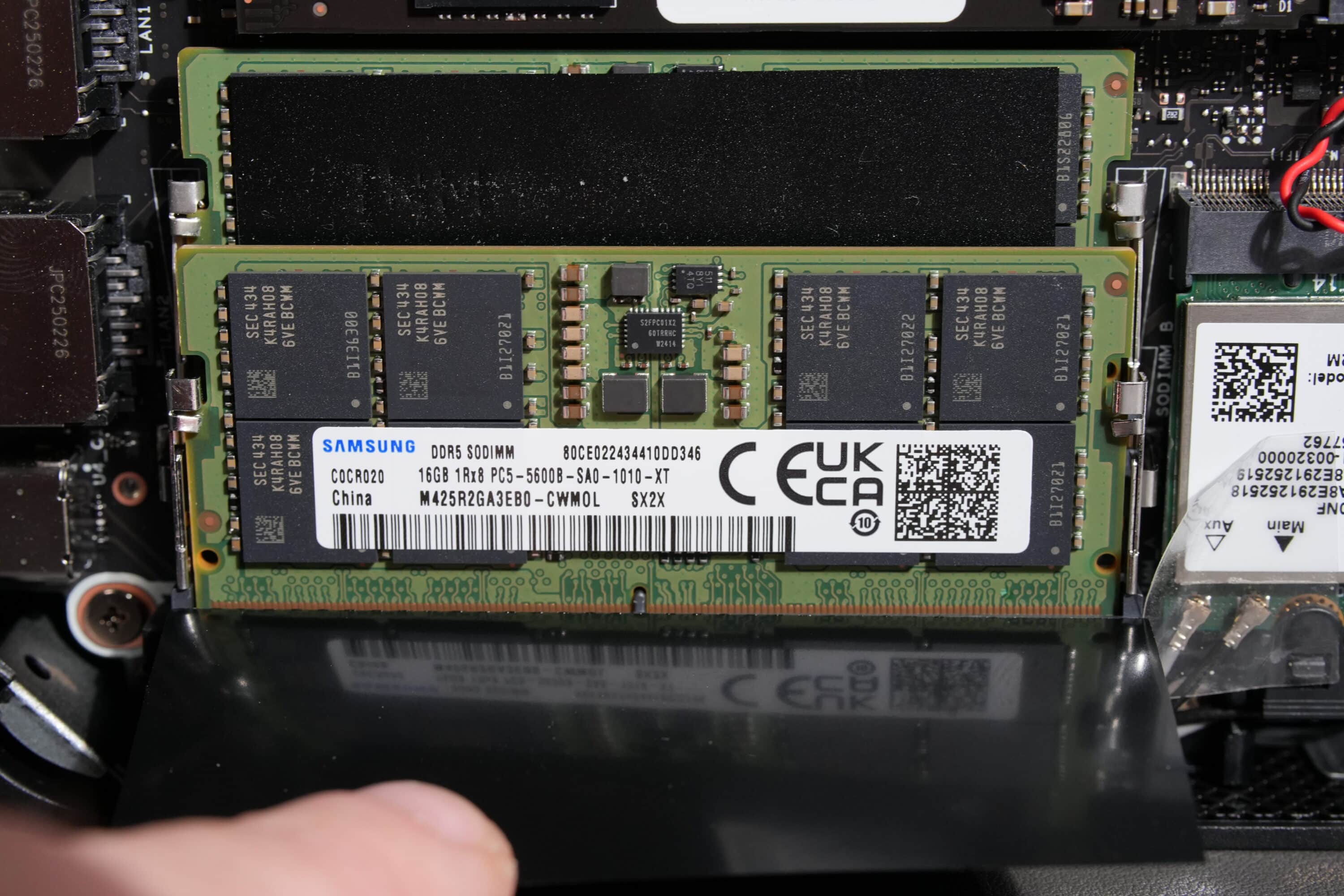
Of course, the ASUS ExpertCenter PN54 also allows for maintenance and expansion. For this purpose, the Mini-PC has a latch on the underside that allows the case to be opened quickly and easily (without tools). Two M.2-2280 slots are available and a maximum of 2 TB SSDs are supported. The RAM can also be expanded; the Mini PC has two DDR5 SO-DIMMs, with a maximum of 2x 32 GB supported.
Features and connections
- Different variants
- latest Ryzen AI 7 chip
- Wi-Fi 7, Bluetooth 5.4 and speakers
The ASUS ExpertCenter PN54 is available in five variants. In addition to a barebone, you have the choice between the following models:
- AMD Ryzen AI 5 340; 16 GB RAM; 512 GB SSD – without TPM module
- AMD Ryzen AI 5 340; 16 GB RAM; 512 GB SSD – with TPM module
- AMD Ryzen AI 7 350; 32 GB RAM; 1 TB SSD – without TPM module
- AMD Ryzen AI 7 350; 32 GB RAM; 1 TB SSD – with TPM module
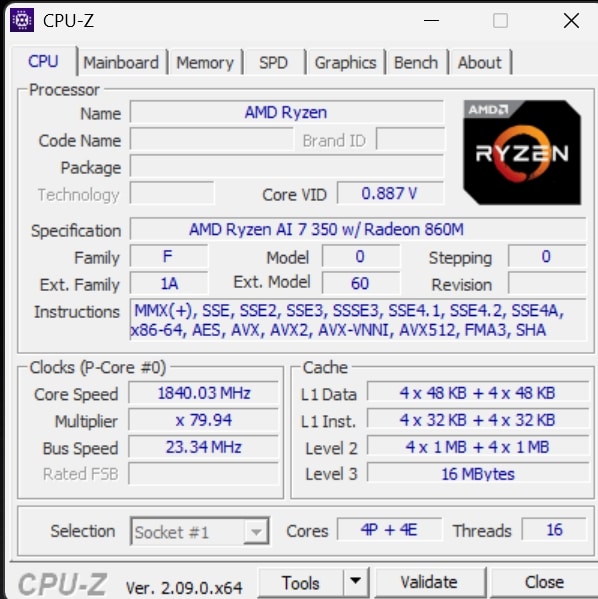
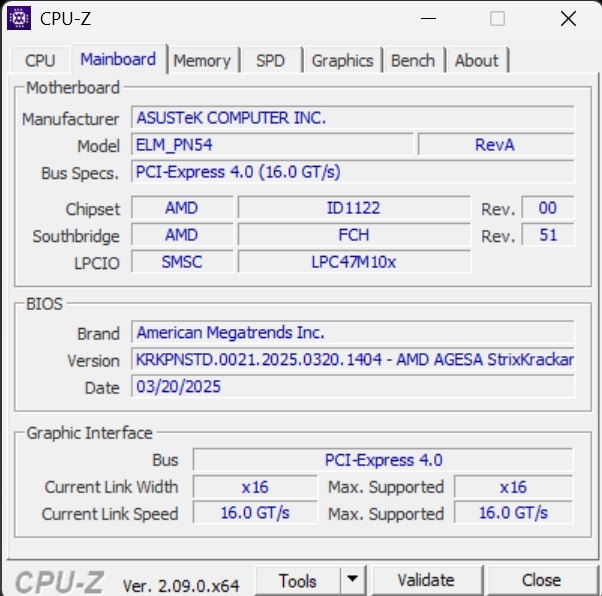
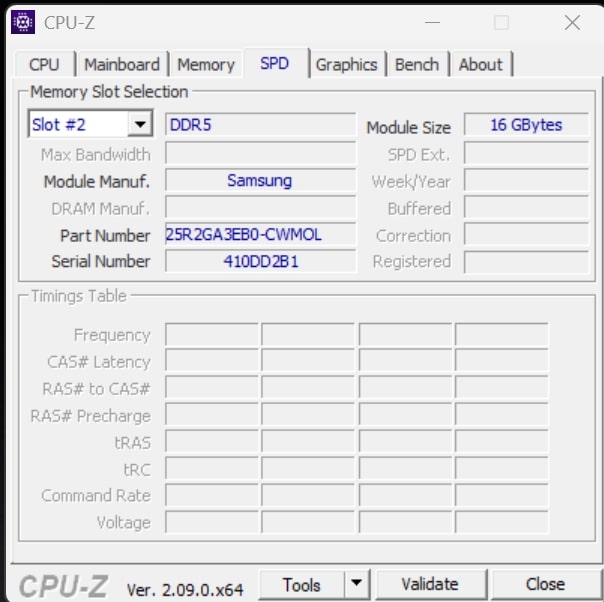
TPM refers to hardware-based protection by checking the system configuration and encrypting sensitive data. Our test model is equipped with the Ryzen AI 7. The chip is based on the latest Zen 5 architecture and offers 8 computing cores with clock speeds of up to 5.0 GHz. The dedicated NPU AI chip also has a performance of around 50 TOPS, which is used to accelerate various AI workloads. There is also 32 GB of DDR5 memory and a 1 TB PCIe 4.0 NVMe SSD.

The integrated GPU in the form of the Radeon 860M should also provide usable gaming performance and predestines the ASUS ExpertCenter PN54 for creative work. The connectivity is also extremely modern: Wi-Fi 7 ensures high speeds and a stable connection, while external devices can also be connected via Bluetooth 5.4.
Another practical feature is that the mini PC has two integrated 2-watt speakers with Smart AMP amplification, which provide good sound and make the use of additional external speakers unnecessary. There are also integrated microphones to support voice commands or voice chats.
Good selection of connections in the ASUS ExpertCenter PN54
- 6 USB ports
- Can be used with four displays
- Modern standards; high speeds
ASUS distributes the connections of the ExpertCenter PN54 on the front and rear and provides a convincing selection of ports. 
At the front, you have one 3.5 mm jack, two USB-A 3.2 Gen 2 (10 G) and one USB4 Type-C (supports DisplayPort 2.1 and 100 Watt Power Delivery, max. speed 40G).
The following connections are also available at the rear:
- 1 x USB 3.2 Gen2 Type-A (10G)
- 1 x USB 2.0 Type-A (5G)
- 1 x HDMI 2.1
- 2 x DisplayPort 1.4
- 1 x 2.5G RJ45 LAN
- 1 x DC in

In total, the mini PC can cope with four monitors simultaneously, while there are more than enough USB ports for connecting additional devices. Unfortunately, what I sorely miss is a card reader, in whatever form.
ASUS ExpertCenter PN54 practical test
- Very good cooling, but…
- … Fans turn up quickly
- Very good system performance, fingerprint reader inaccurate
The ASUS ExpertCenter PN54 comes with Windows 11 Pro pre-installed as the operating system. Fortunately, there is no bloatware or similar on the mini PC, only MyASUS is pre-installed as a companion app.
The cooling of the computing gnome is surprisingly good, which was an absolutely positive surprise given the compact height and summer temperatures of 35 degrees. Even under continuous load, the casing doesn’t heat up too much and is still easy to touch.
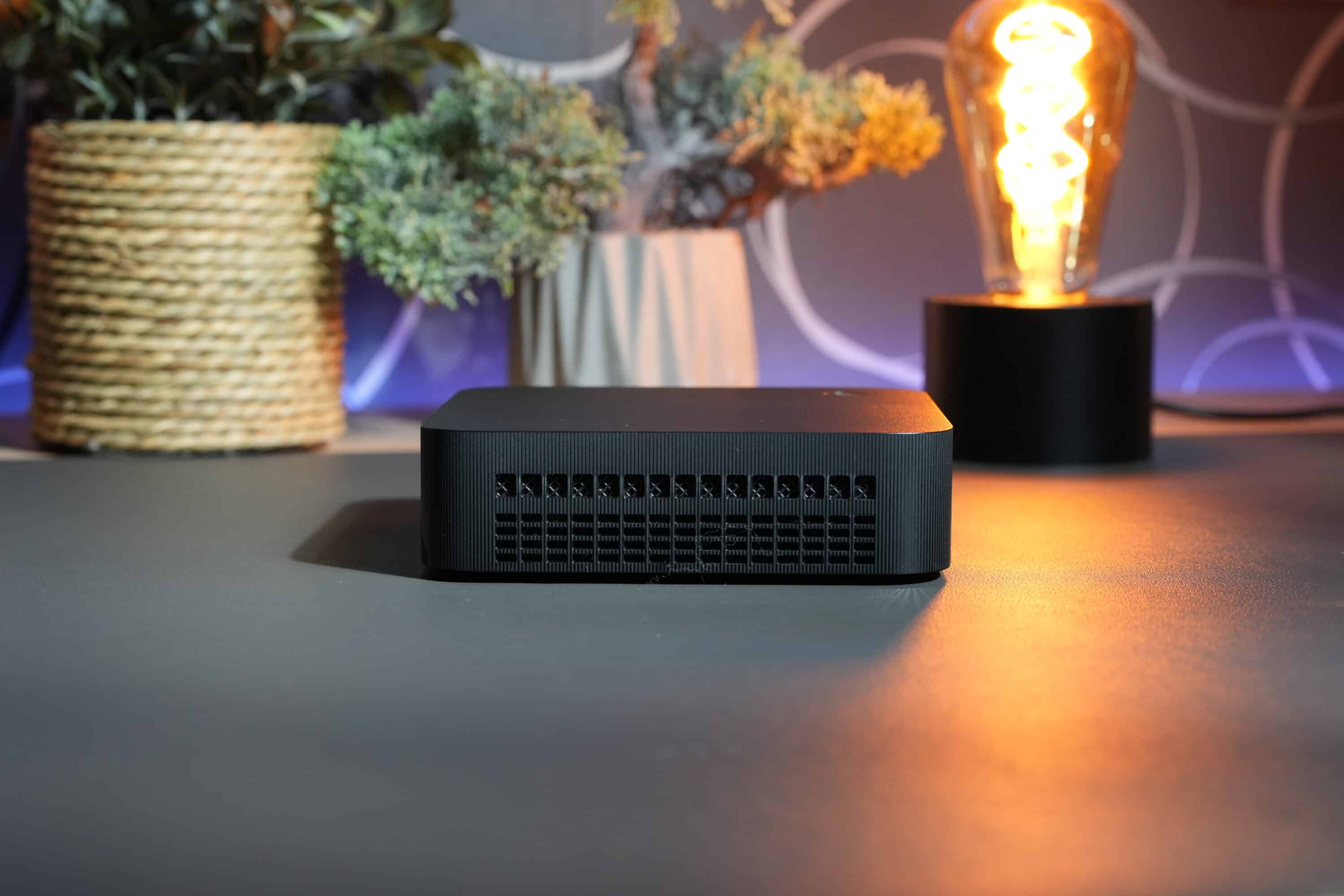
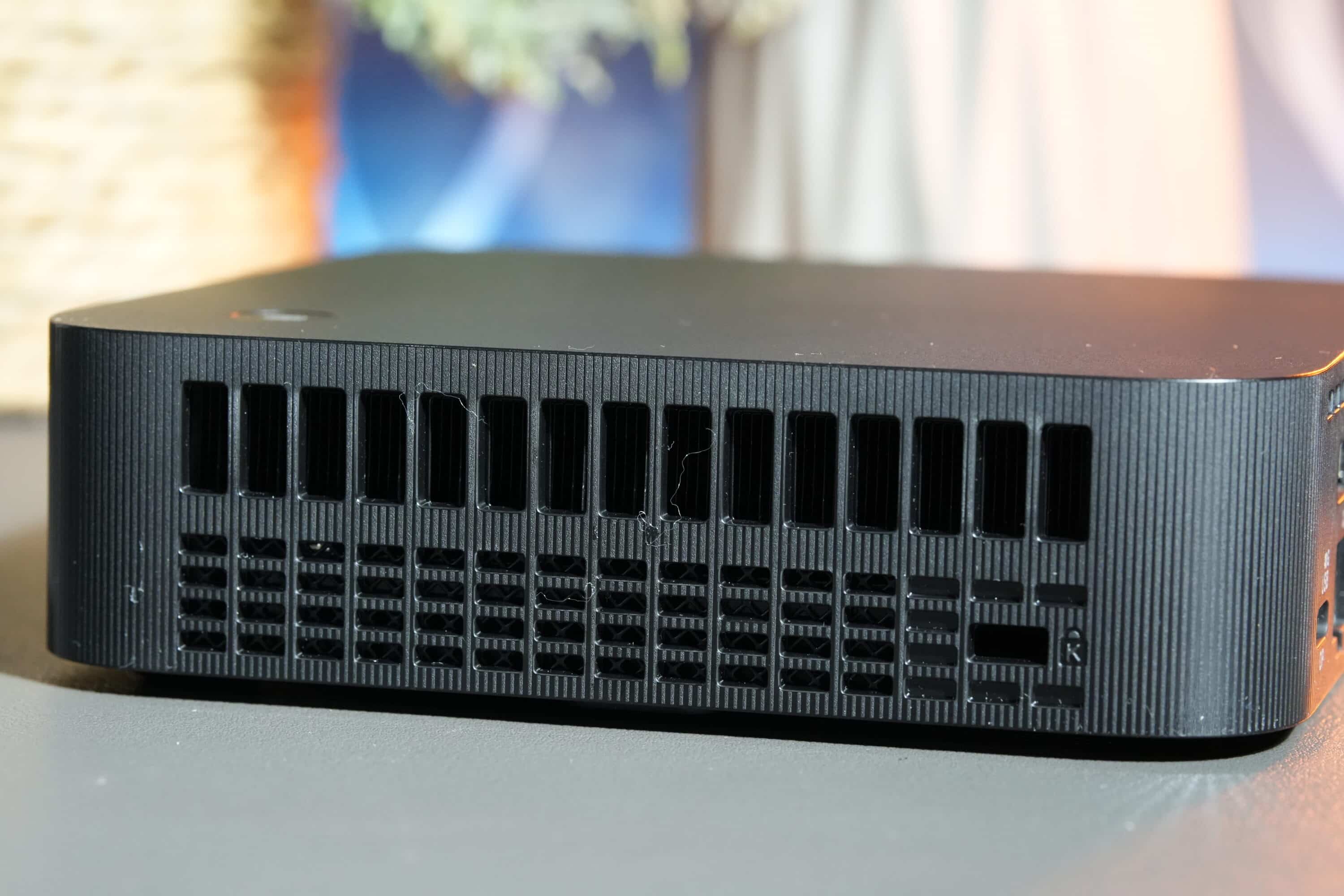
Compared to the higher Mini-PC competitors, the PN54 is not as quiet as a whisper, which is not surprising, as the fans have to work harder to blow the warm air out of the flat case.
As a result, the fans often rev up in idle mode, but reduce their speed and thus the system volume just as quickly. Under load, however, things look a little different. Here, the fans turn significantly higher and remain active for longer, but the noise level is still within the green range at a measured 41 dB(A) under full load.

In terms of performance, the ASUS ExpertCenter PN54 is up to all tasks. Image editing, video editing, multitasking, 4K streaming? No problem for the mini PC. What doesn’t work quite as reliably, however, is the fingerprint reader. Unfortunately, it is somewhat imprecise and only recognized my finger every fourth or fifth time I put it down.

The speakers do an amazingly good job. The sound is quite precise and the volume is more than decent for watching videos or listening to music from time to time.
ASUS ExpertCenter PN54: Benchmarks
As always, I evaluated the performance of the ASUS ExpertCenter PN54 in various benchmark and real-life tests. The computing dwarf had to endure three runs per test, with the average value serving as a measure.
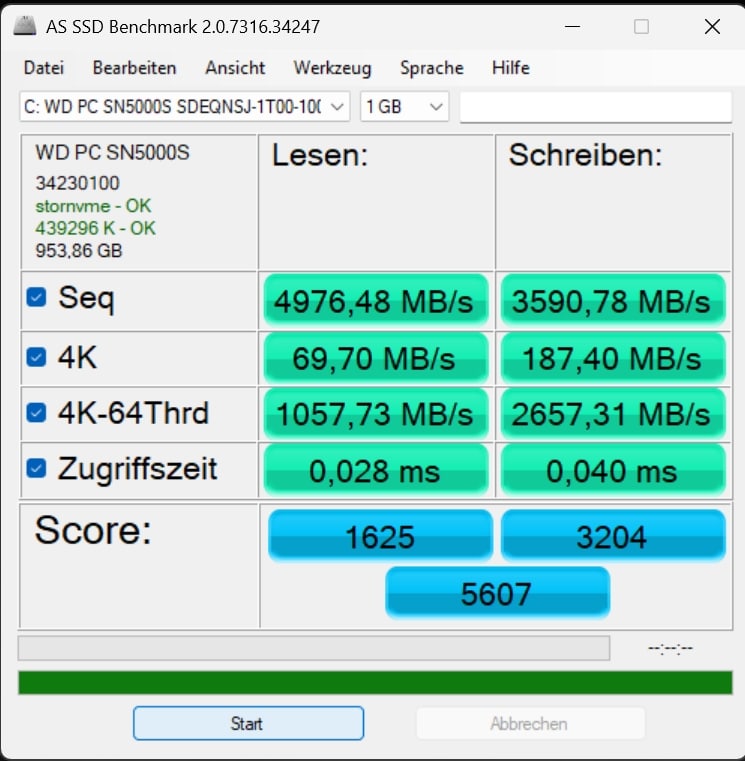
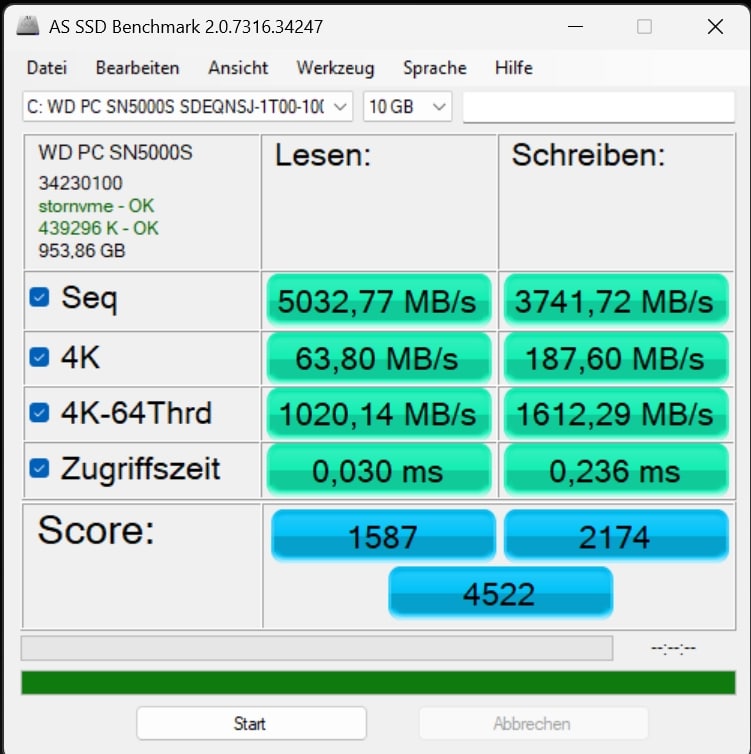
The built-in SSD is a Western Digital WD Blue SN5000, which comes with read speeds of up to 5,000 MB/s and write rates of up to 4,000 MB/s. Although this is inferior to other SSDs in terms of 4K performance, it still delivers excellent values that the SSD can maintain over the long term. This means that the internal storage is also fast enough for demanding applications and significantly faster than anything I have ever seen in mini PCs.
| Read | Writing | |
| Sequential | 4,976.48 MB/s | 3,590.78 MB/s |
| 4K | 69.70 MB/s | 187.40 MB/s |
| 4K-64Thrd | 1,057.73 MB/s | 2,657.31 MB/s |
| Access time | 0.028 ms | 0.040 ms |
In terms of system performance, the Ryzen AI 7 chip shows its potential very well with a TDP of 28 watts. The CPU test shows an increase in performance, especially in the single-core test, compared to the Ryzen 9 8945HS, which is used in the Geekom A8 (our test), for example. In the overall PCMark test, however, both chips are on a par. Nevertheless, this is absolutely the right choice of chip with convincing performance that is noticeably superior to the current Intel counterparts.
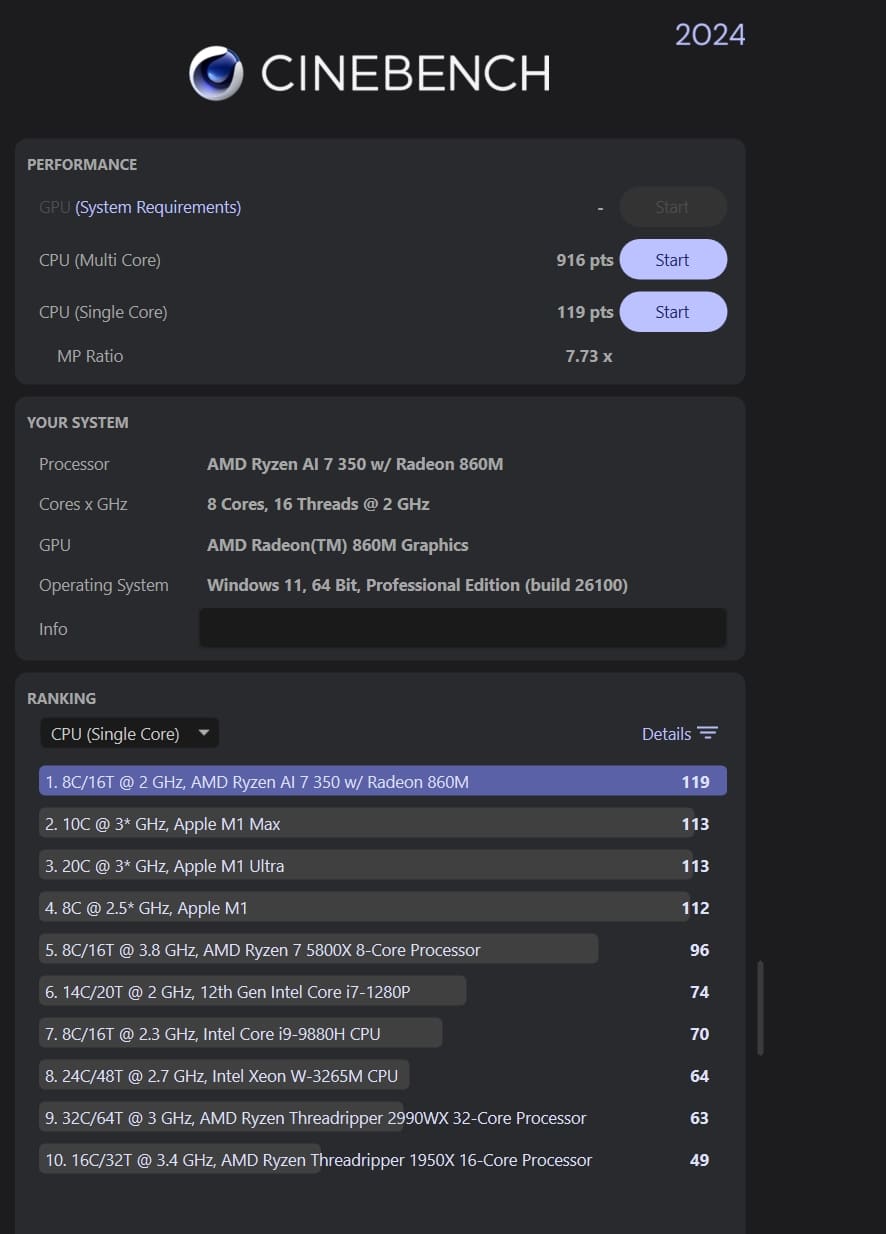
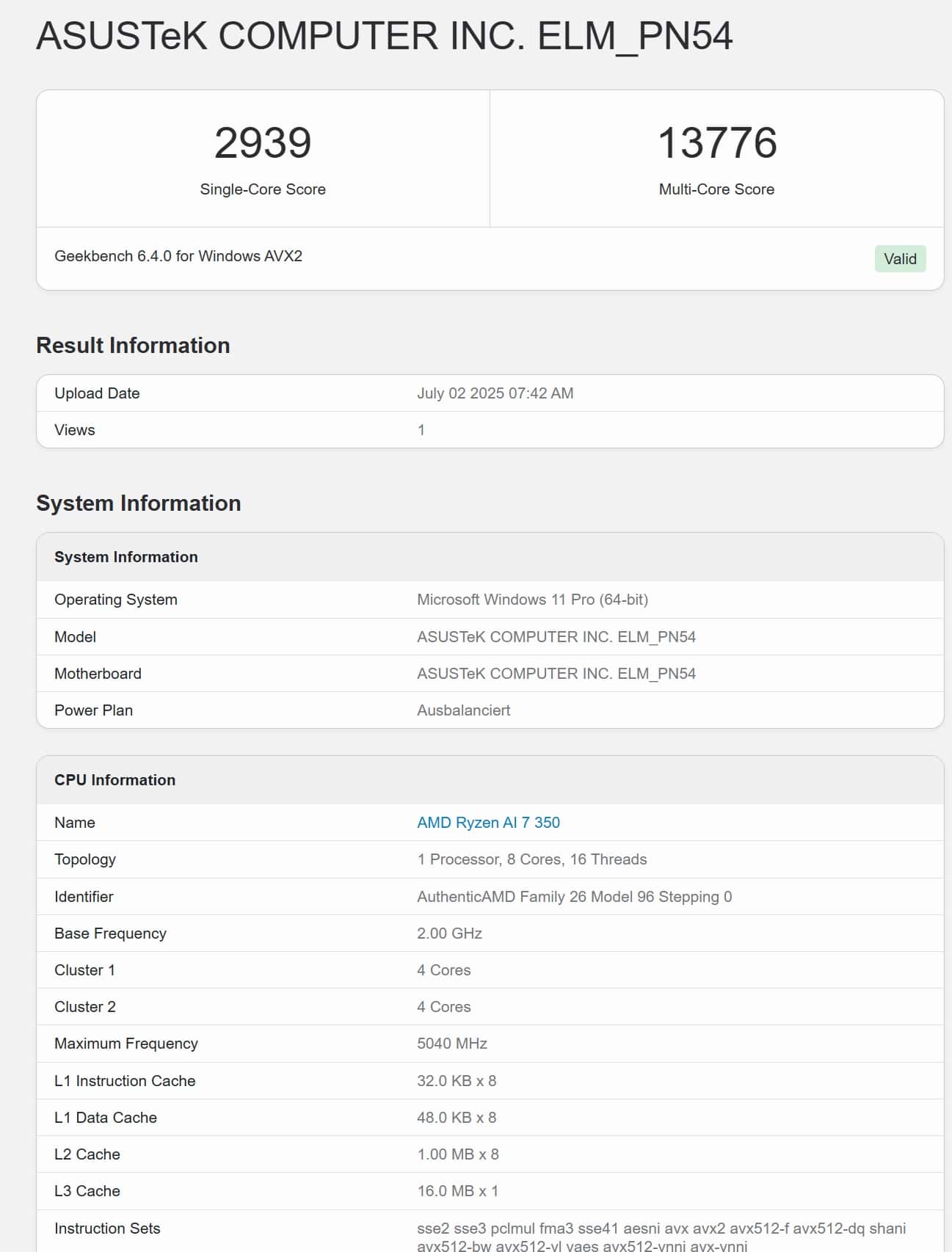
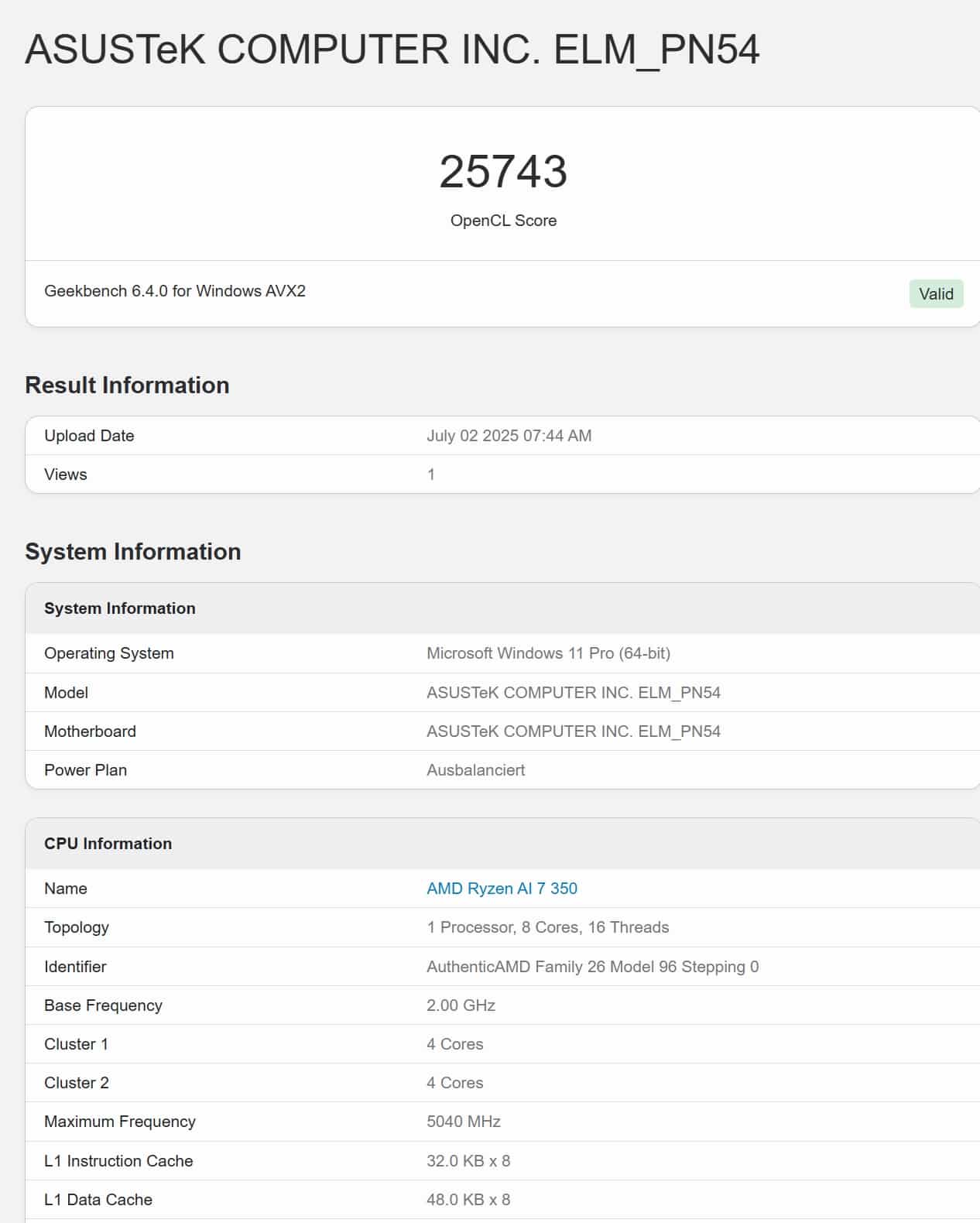
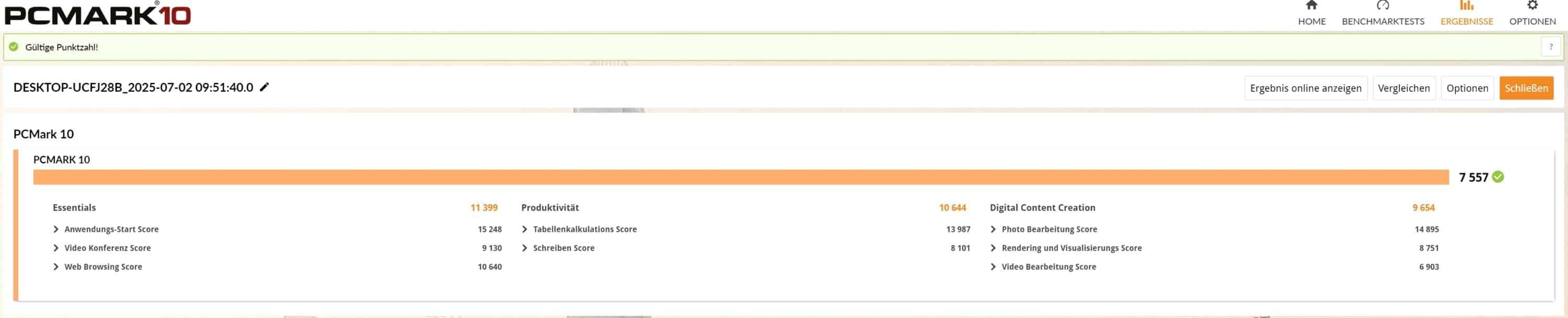
| Benchmark | Result |
| Cinebench 2024 Multi Core | 916 pts. |
| Cinebench 2024 Single Core | 119 pts. |
| PCMark 10 total score | 7,557 pts. |
| PCMark 10 Essentials | 11,399 pts. |
| PCMark 10 Productivity | 10,644 pts. |
| PCMark 10 Digital Content Creation | 9,654 pts. |
| Geekbench 6 Multi Core | 13,776 pts. |
| Geekbench 6 Single Core | 2,939 pts. |
| Geekbench 6 GPU | 25,743 pts. |
A small increase in performance compared to the previous Ryzen generation can also be seen in the graphics performance, where the AMD Radeon 860M narrowly beats even the previous Radeon 780M in real-world tests. In the synthetic benchmarks, however, the 780M is slightly ahead in places.
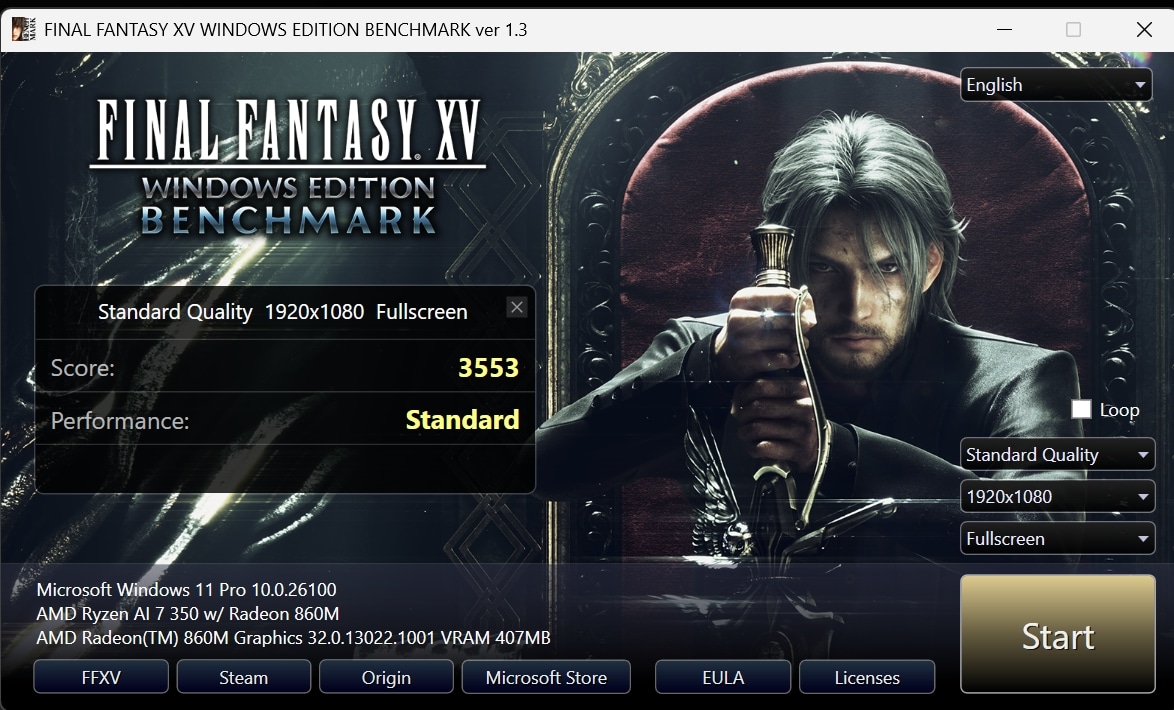
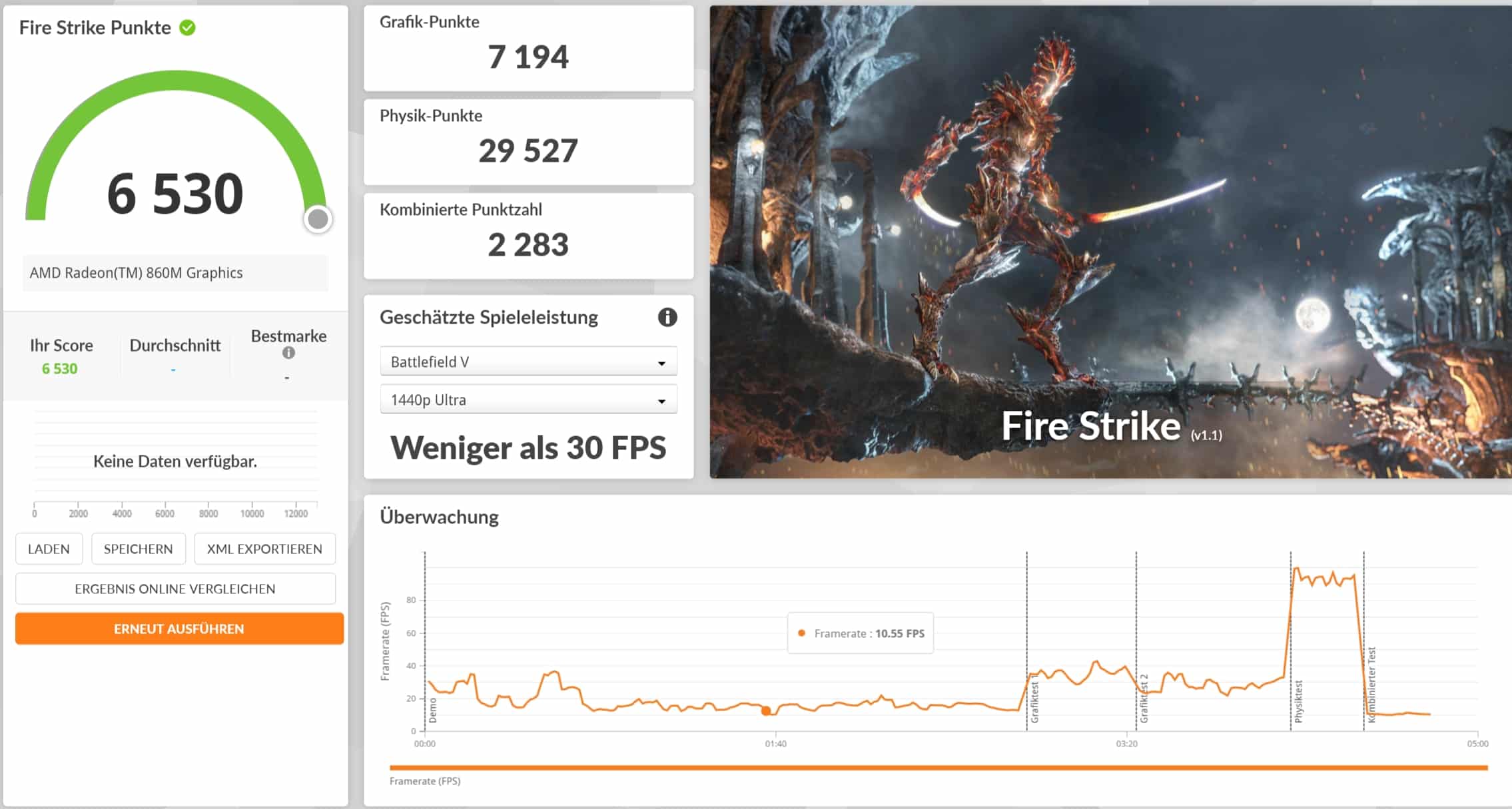
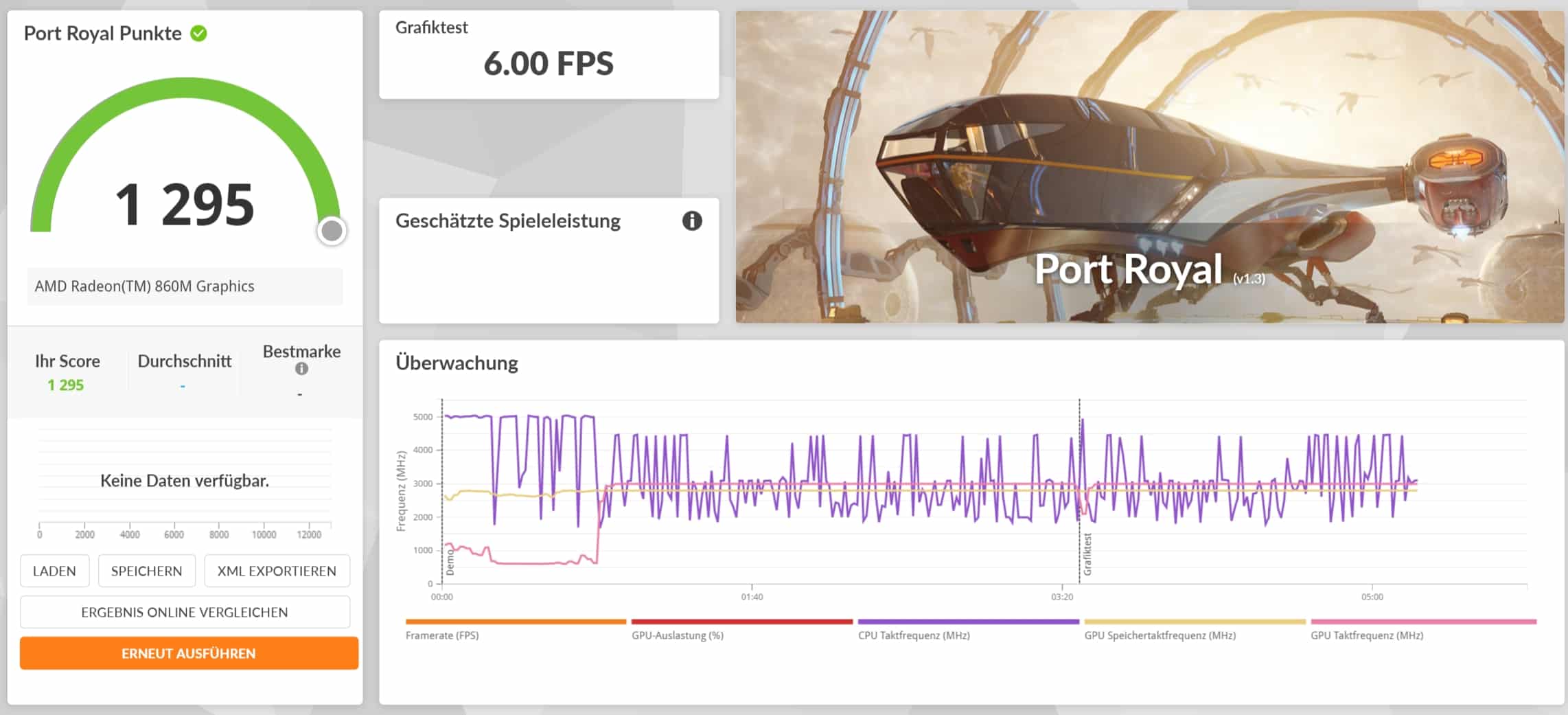
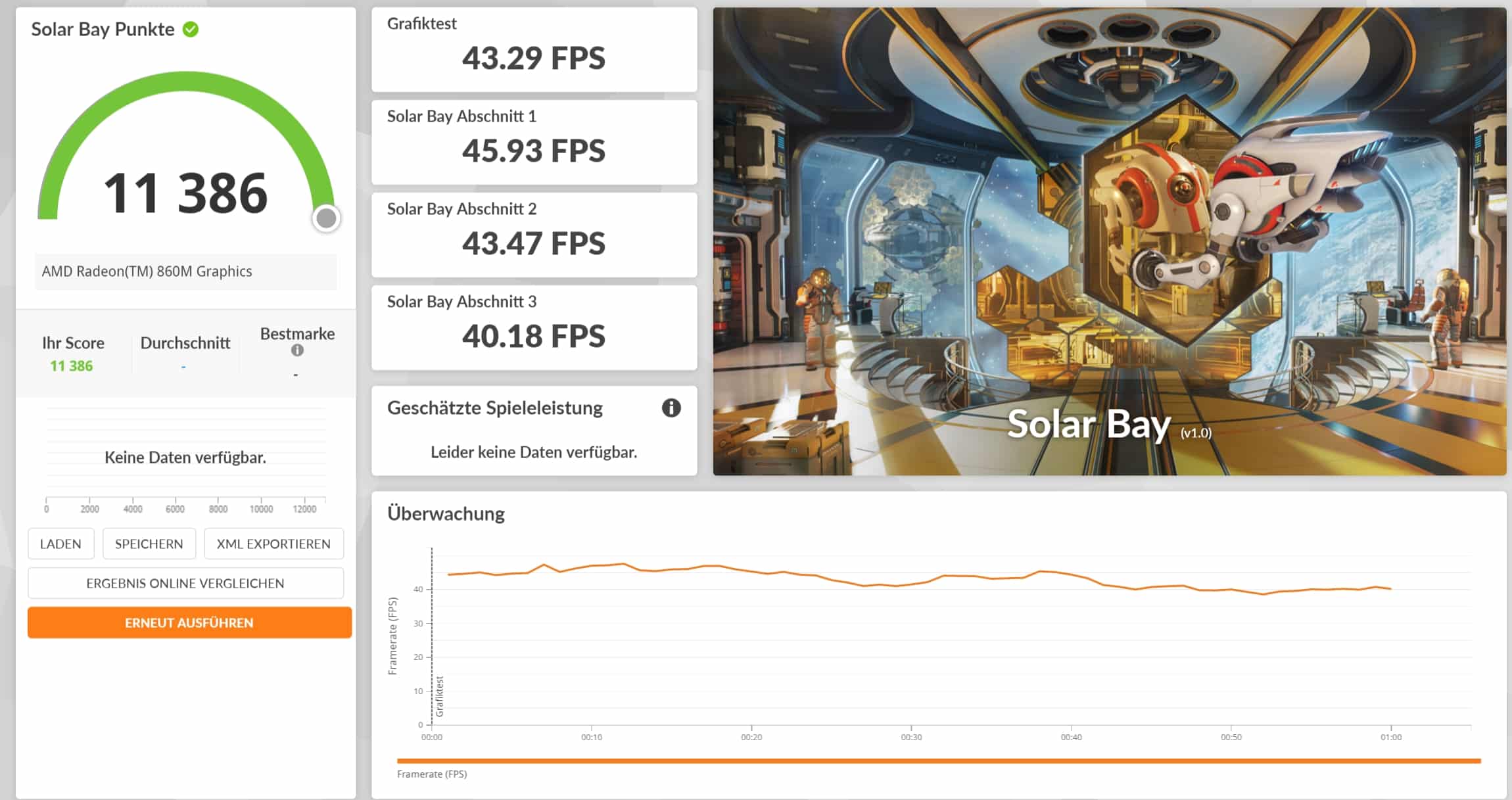
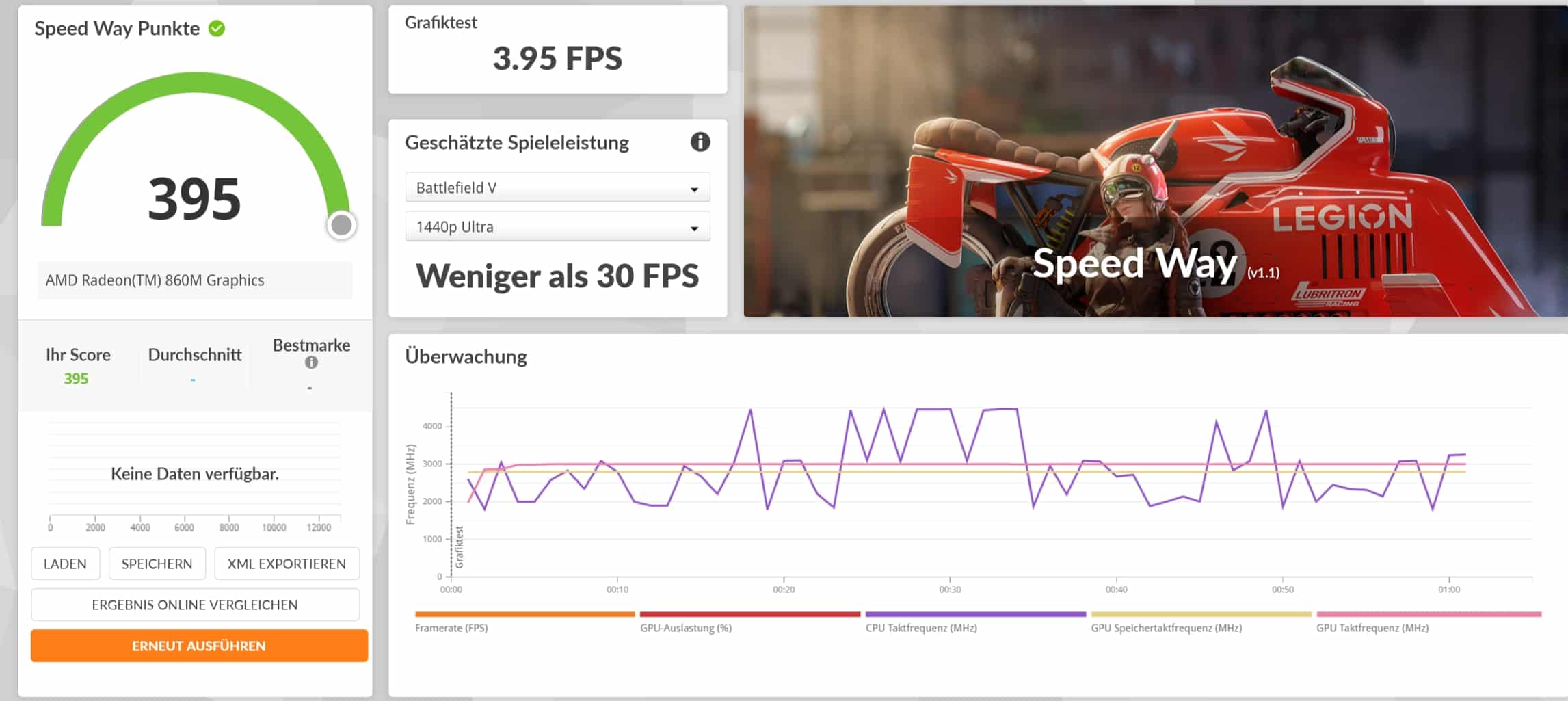
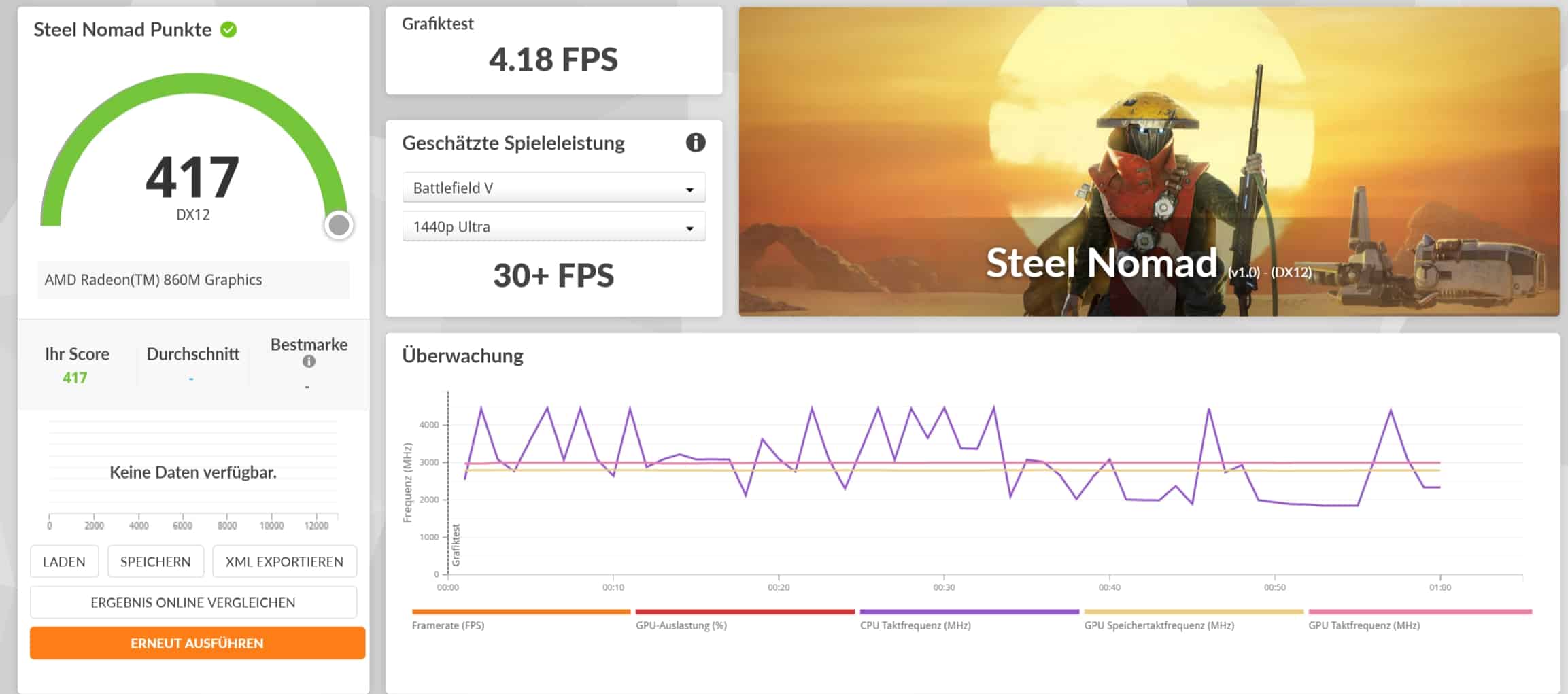
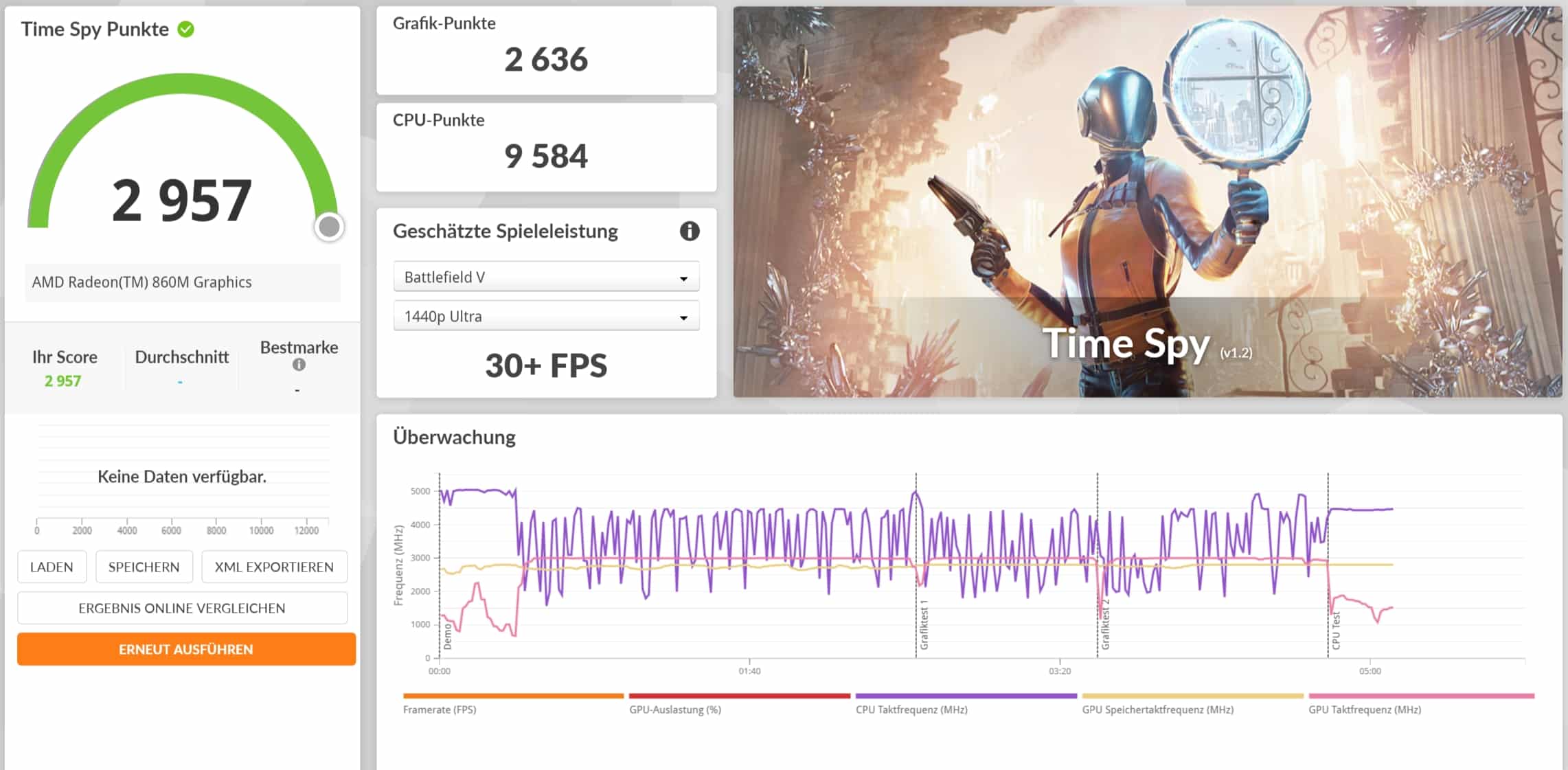
The AMD Radeon 890M in the Ryzen AI 9 would be a touch faster, but it also ensures good graphics performance in the PN54, thanks to which even modern titles can be played quite smoothly in 1080p at medium details.
| Benchmark | Results |
| Fire Strike Total | 6,530 points |
| Time Spy Total | 2,957 pts. |
| Speed Way Total | 395 points |
| Port Royal Total | 1,295 pts. |
| Solar Bay Total | 11,386 pts. |
| Steel Nomad Total | 417 pts. |
| Steel Nomad Light Total | 2,352 pts. |
| Final Fantasy XV (1080p; Standard Quality) | 3,553 pts. |
| Final Fantasy XV (1080p; High Quality) | 2,551 pts. |
ASUS ExpertCenter PN54 Test: Conclusion
With the ASUS ExpertCenter PN54, the manufacturer delivers an outstanding mini PC that really deserves its name. With a height of just 34 mm, it is significantly thinner than almost all of its competitors, without compromising on cooling performance.
Although the fans turn up quickly under full load, they are not unbearably loud. The cooling also works very efficiently under continuous load. In terms of performance, the PN54 leaves nothing to be desired and even masters gaming tasks up to 1080p without any problems.
ASUS combines all of this with some practical features such as a fingerprint reader or a co-pilot button, as well as the simple and tool-free maintenance option. Unfortunately, the fingerprint scanner is somewhat inaccurate.
On the other hand, the port selection, which provides many up-to-date connections and enables image output on four displays, is pleasing. It’s just a shame that a card reader is conspicuous by its absence.
Nevertheless, the ASUS ExpertCenter PN54 delivers an absolutely well-rounded overall package at an attractive price in relation to its features, and anyone looking for a compact and powerful computer will certainly be happy with the PN54. An interesting alternative is the Minisforum AI X1 Pro, which is slightly cheaper with comparable features and allows the connection of a dedicated GPU via OCuLink.

VORTEILE
- Very compact
- High-quality workmanship
- Tool-free maintenance
- Many connections
- Very good cooling
- Convincing performance
- VESA mounting
NACHTEILE
- Fingerprint sensor inaccurate
- Fan almost permanently active
- No SD card reader
Fazit
Extremely handy and powerful mini PC with modern equipment and a good selection of connections.


