


Intel Core Ultra Series 2 processors, modern equipment, practical add-in cards: With the Asus NUC 15 Pro, the manufacturer offers a powerful mini PC that aims to impress not only with its performance, but also with its easy and simple maintenance. Our test clarifies whether this is possible.
Technical data
| Product name | NUC 15 Pro |
| Processor | Intel Core Ultra 3; Intel Core Ultra 5; Intel Core Ultra 7 |
| Graphics performance | Intel Arc Graphics 140T |
| dimensions | 117 mm x 112 mm x 54 mm |
| weight | about 600 grams |
| Storage space | 1 TB SSD M.2 2280 (PCIe 4.0) |
| Memory | 16 GB DDR5 |
| video | 2x HDMI 2.1, 2x Thunderbolt 4 |
| Connectivity | Wi-Fi 7, 2.5 Gigabit Ethernet; Bluetooth 5.4 |
| Speakers | No |
| Special features | Tool-free opening; Wi-Fi Sensing |
| Price | € 621.99 * |
Asus NUC 15 Pro review: Handy, robust, easy to upgrade
- Handy and simple
- high-quality design
- Practical, versatile maintenance
Asus offers the NUC 15 Pro in various sizes and versions. In addition to an even flatter slim model, there is also the tall version, which we took a closer look at in the test. The larger model takes up the classic, cube-shaped design that we know from almost all mini PCs.
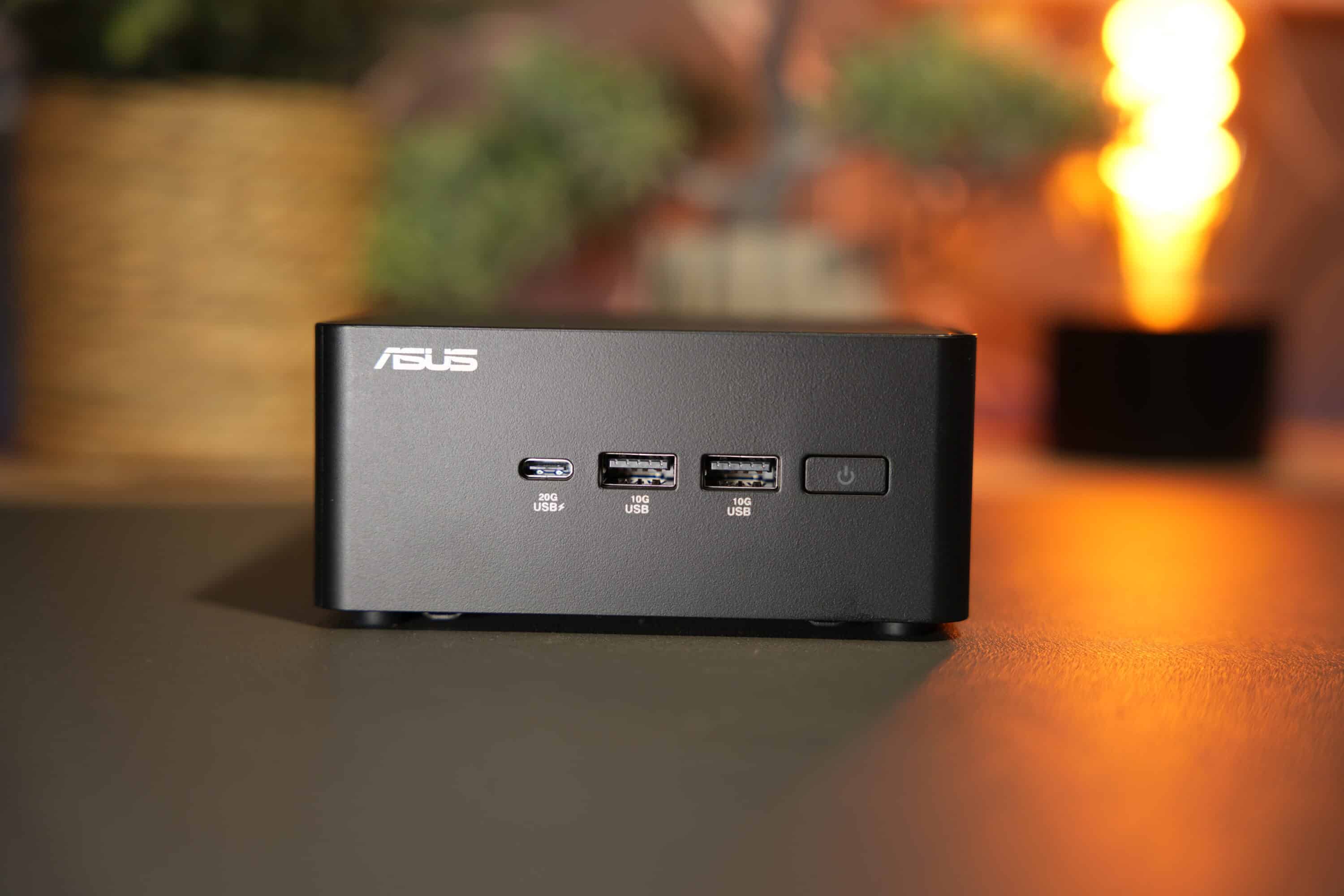
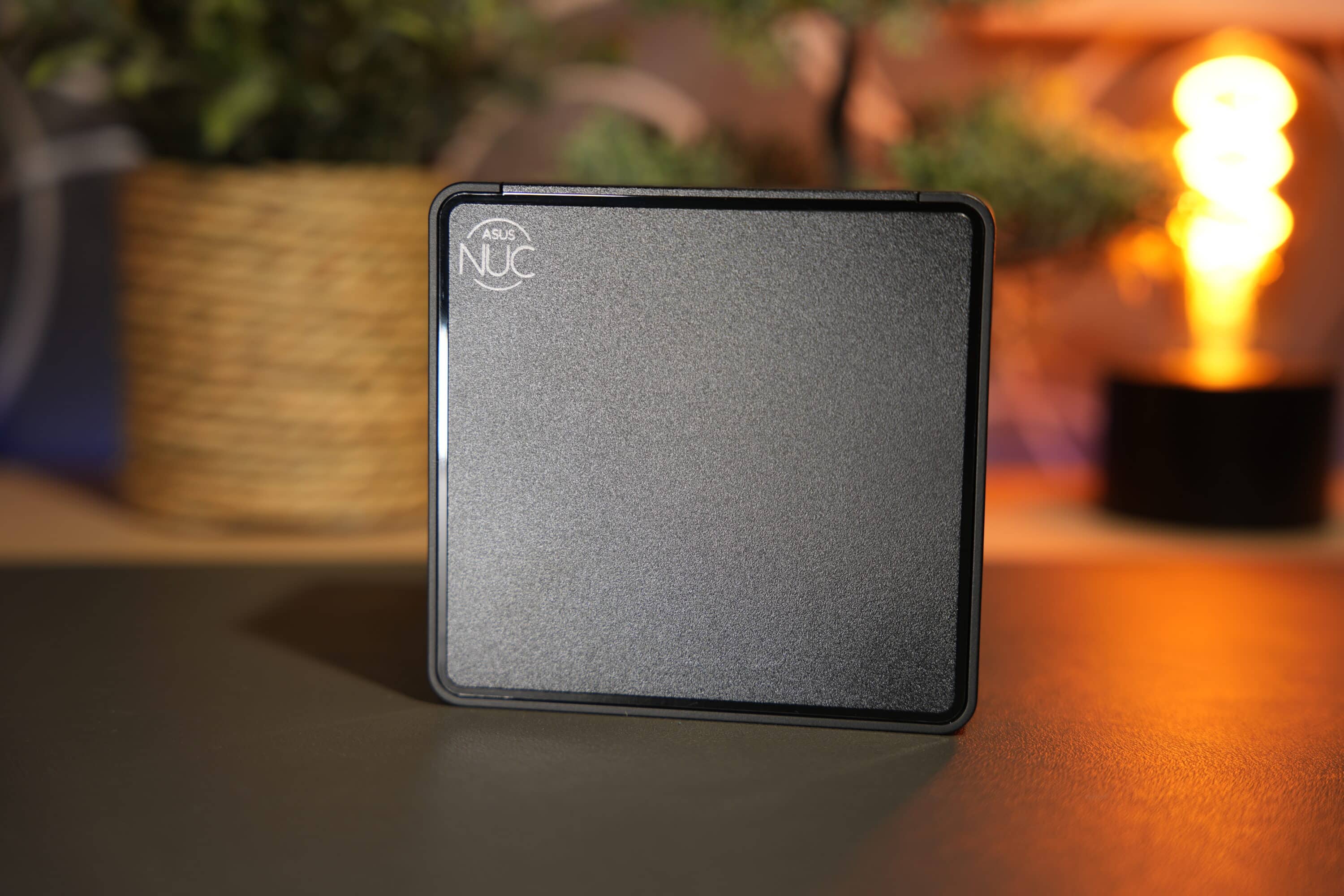
The black computing dwarf measures 117 mm x 112 mm x 54 mm (width x depth x height) and weighs around 600 grams. By comparison, the slim version is only 37 mm high and around 100 grams lighter, making it somewhat reminiscent of the ExpertCenter PN54 (our test).
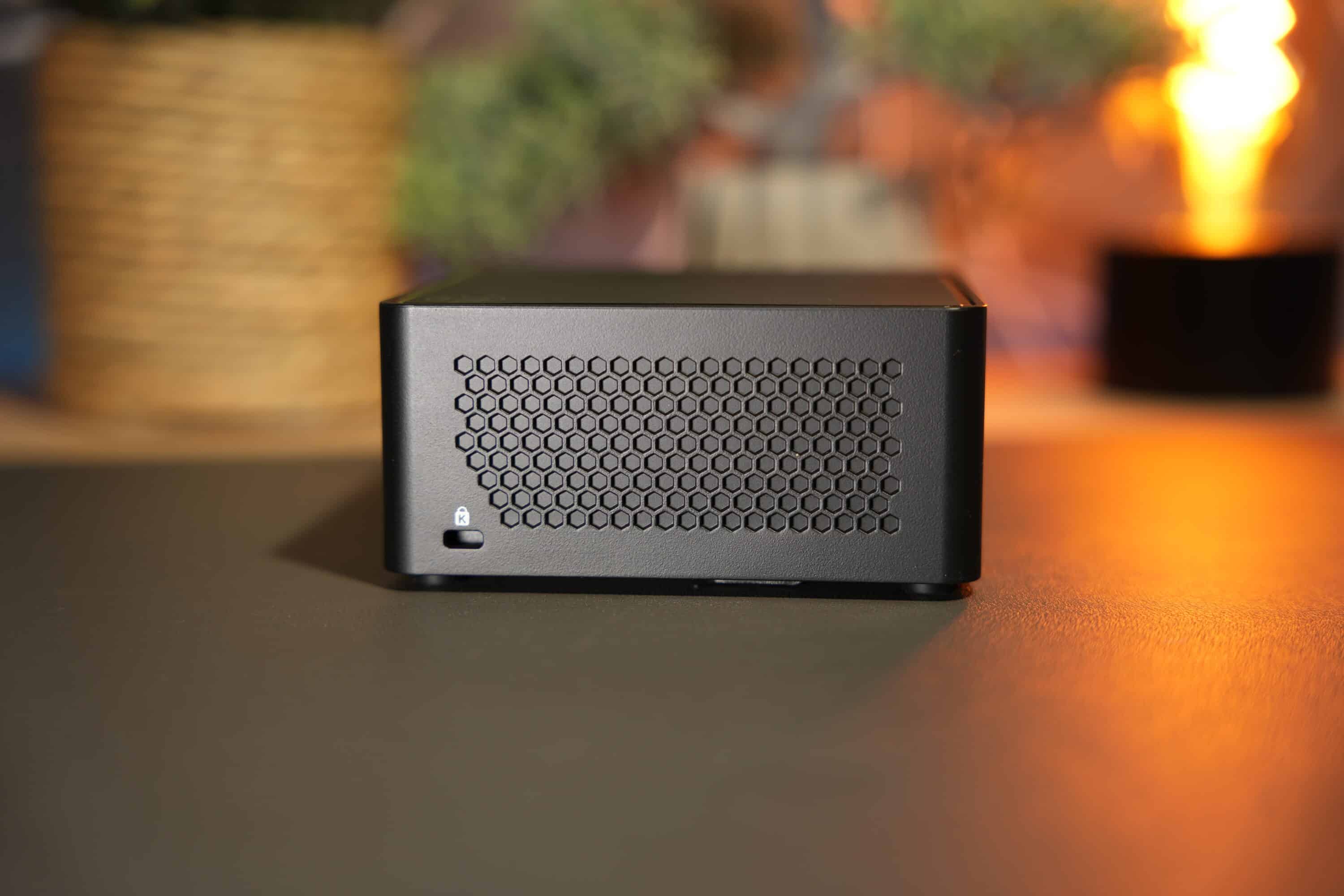
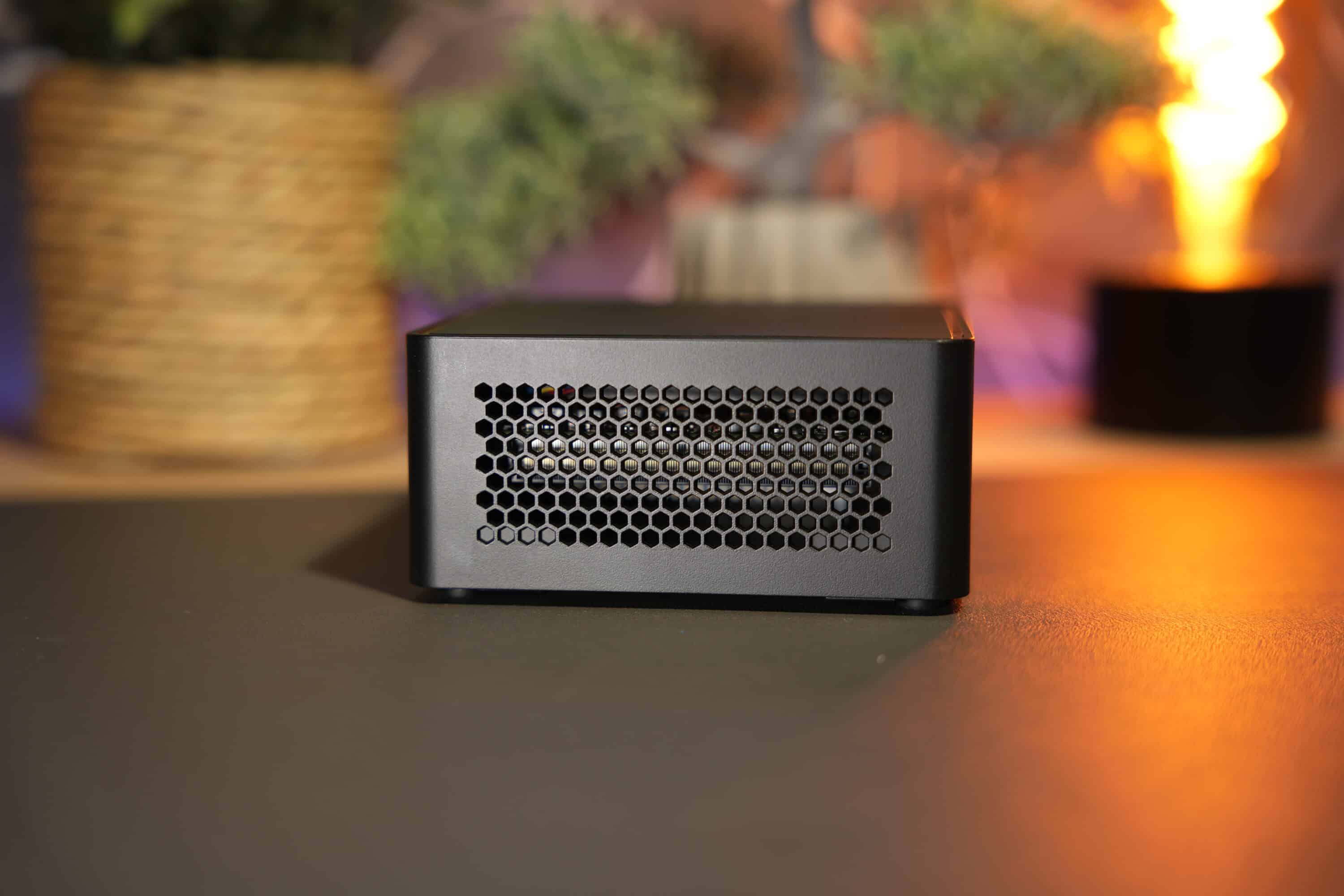
Asus has opted for a black casing with a minimalist look. There is a silver manufacturer’s logo at the front and the Asus Nuc lettering at the top. Generous air outlets on the sides and rear are used for cooling.
A big plus point of the Asus NUC 15 Pro is the simple maintenance. Instead of having to loosen various screws and possibly even remove the rubber feet, as is the case with many cheaper Mini PCs, this model can be opened very easily with just one screw and a practical lever, giving the Mini PC access to the components.
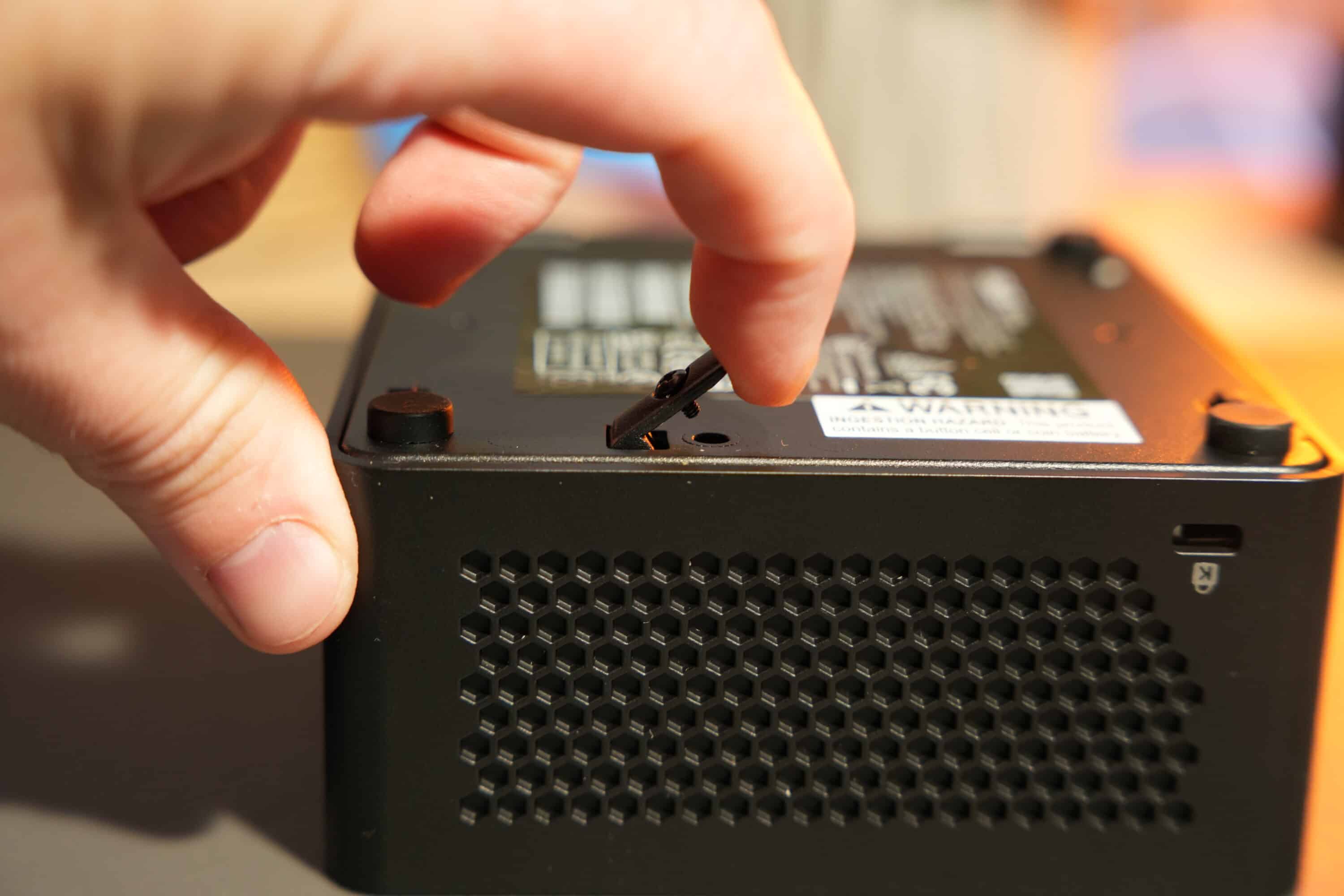
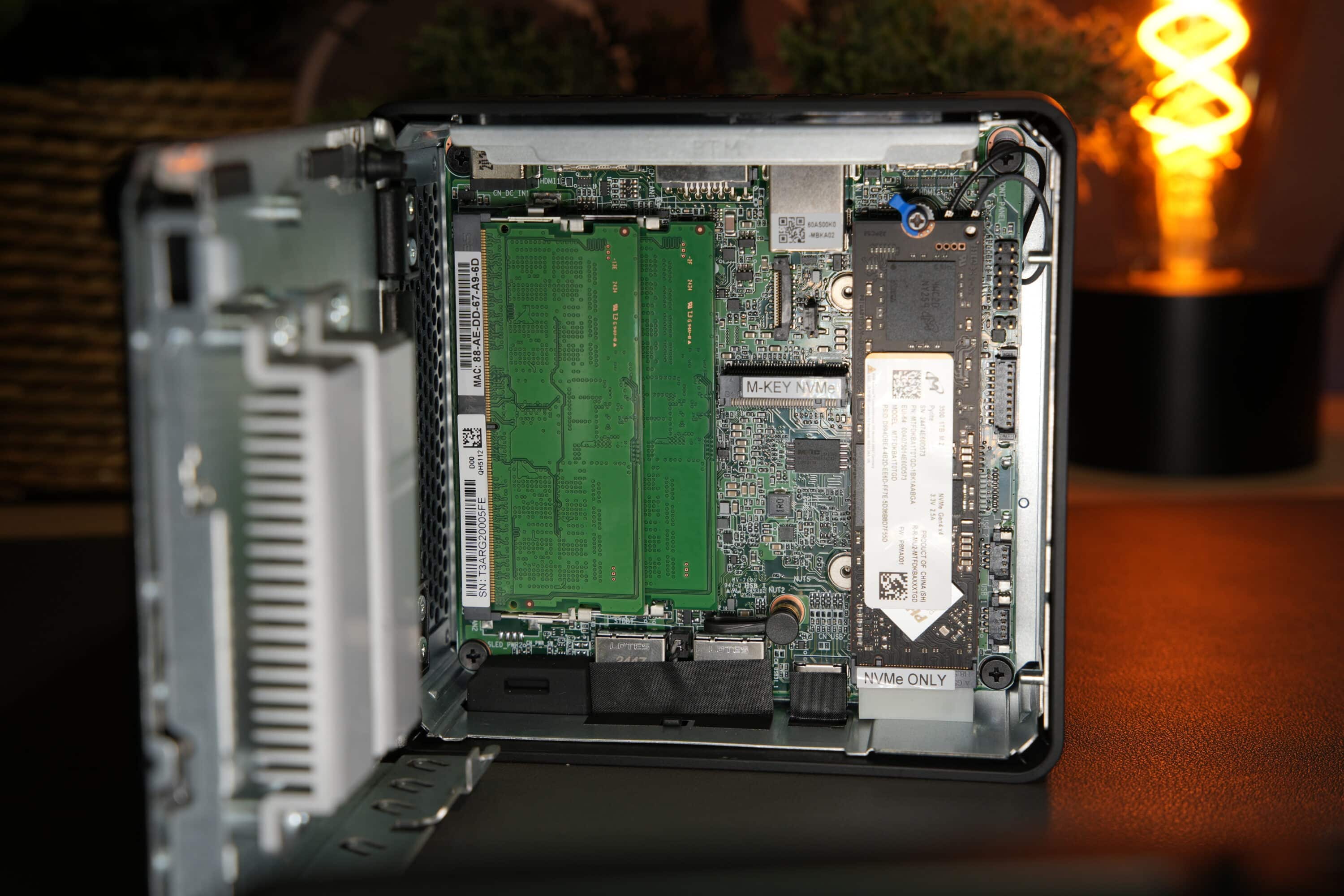
This not only enables quick and convenient RAM and storage upgrades, but also allows the simple installation of various add-in cards that can be used to expand the NUC 15 Pro. These include, among others:
- NUC 15 Pro 2nd LAN Accessory
- NUC 15 Pro 2nd LAN with Serial Port Accessory
- NUC 15 Pro 2nd M.2 2280 Accessory

We like this modularity, because if we want a second LAN port or want to install an additional NVMe SSD, for example, we can easily do this with the help of the add-in cards. If you don’t need this, you pay less.
Features and connections
- top modern equipment
- SSD and RAM expandable
- WiFi 7, Bluetooth 5.4
The Asus NUC 15 Pro comes with state-of-the-art equipment. You can choose between the second-generation Intel Core Ultra 5 or Ultra 7, and if you need even more power, the Nuc 15 Pro Plus even has a Core Ultra 9. 16 GB of DDR5-6400 RAM are also available, whereby up to 48 GB of DDR5 RAM can be installed.
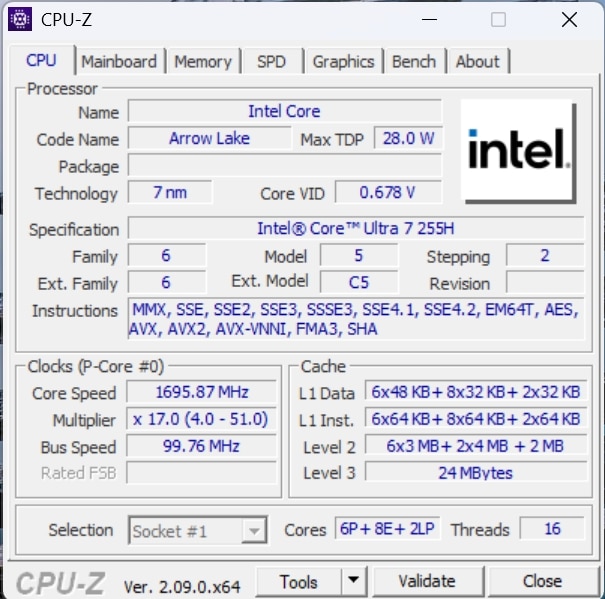
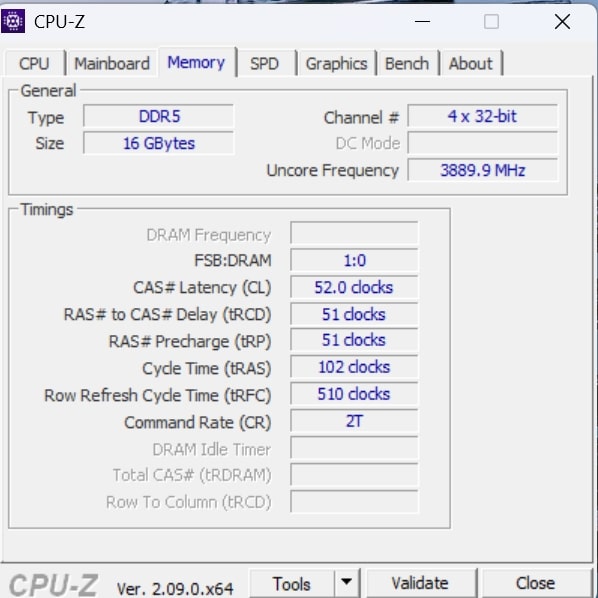
The built-in processor is also equipped with an integrated Intel Arc 140T graphics unit. This not only allows the smooth execution of common office and creative applications, but also offers sufficient performance for light gaming and tasks that require 3D rendering. This makes the system suitable for a wide range of applications – from productive work environments to occasional multimedia and gaming enjoyment.
The system memory is also widely configurable. A 1 TB PCIe Gen4x 4 SSD is installed, and the mini PC holds an M2.2280 PCIe Gen5 SSD in M.2280 format and an additional Gen 4x 4 SSD in M.2 2242 format. If you want to assemble the computing dwarf yourself, you can opt for the barebone.

The connectivity is also state-of-the-art. In addition to Wi-Fi 7, which comes with excellent transfer speeds, the NUC 15 Pro has Bluetooth 5.4 to connect other devices wirelessly. However, compared to the ExpertCenter PN54, the mini PC does not have built-in speakers.
Successful selection of connections
- Many modern connections
- 2x HDMI 2.1, 2x Thunderbolt 4
- 2.5 GBit LAN
The selection of connections is also pleasing. There is a modern USB 3.2 Gen 2×2 Type C port on the front of the device, which enables particularly high transfer rates. This is complemented by two USB 3.2 Gen 2 Type A ports for connecting common peripheral devices. There is also an integrated Kensington security slot on the side, which can be used to physically secure the device against theft.

The rear is well equipped: Two HDMI 2.1 ports support the output of content in 4K resolution at a refresh rate of 60 Hz – ideal for high-resolution monitors or televisions.

There are also two Thunderbolt 4 ports, which support both DisplayPort 2.1 and USB4 and are therefore extremely versatile, for example for fast data transfers or operating multiple high-resolution displays. In addition, there is another USB 3.2 Gen 2 Type A port, a USB 2.0 port for simpler devices and a 2.5 Gbit Ethernet port with Intel’s I226-V controller for fast, stable wired network connections.
Asus NUC 15 Pro in practical test
- Excellent system performance
- mostly whisper-quiet; but clearly audible under load
In practice, the NUC 15 Pro cuts an excellent figure. Despite its compact size, it handled all my requirements effortlessly – whether texting, multitasking, image and video editing or light gaming. The system remained responsive and stable at all times.
A cool feature is the so-called Wi-Fi Sesing: the integrated proximity sensor detects the user’s presence and locks or activates the CPU to ensure data security.
The NUC is also impressive in terms of noise: The fans were barely noticeable in normal everyday office use. They only became clearly audible during more demanding tasks such as video recording or conversion. We measured around 45 decibels, which is quite loud – even for a mini PC

Asus has equipped the mini PC with the latest Intel Core Ultra processor, which is specially designed for modern AI applications. For example, documents can be automatically summarized or live translations can be used in video calls. However, the NUC 15 Pro is not an officially certified “Copilot+ PC” as it does not have the necessary performance. Nevertheless, many AI features of Windows 11 work on the system without any problems.
The mini PC also surprises in gaming use: The computing dwarf can even handle fairly current titles smoothly in 1080p Full HD at low to medium graphics settings. Only in complex scenes or more elaborate titles does it reach its limits, given the iGPU. The mini PC should therefore be ideally suited for less demanding games.

The device is supplied with up to 120 watts via an external power supply unit. Although this power supply unit is quite large and somewhat heavy in relation to the small housing, it reliably ensures that sufficient power is available even under high loads.
Benchmarks
As always, I took a closer look at the Asus NUC 15 Pro in various benchmarks. The computing dwarf had to endure three runs per test, with the average value serving as a measure.
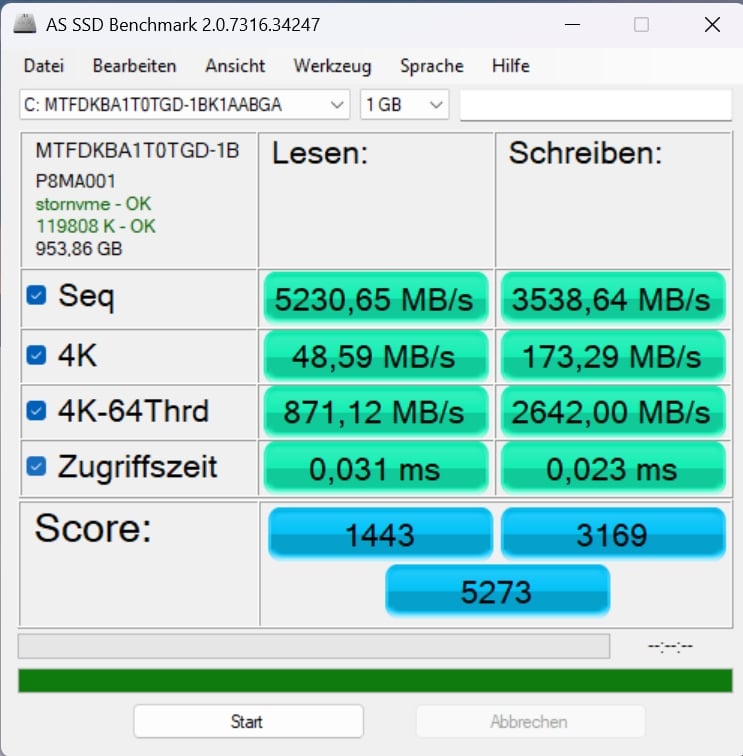
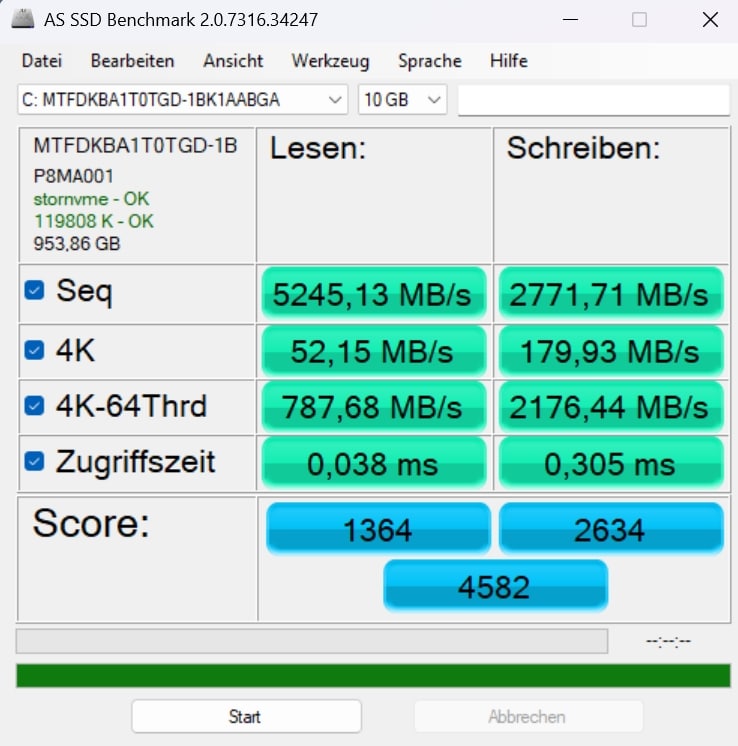
The SSD delivers very good values with over 5,230 MB/s read and 3,538 MB/s write. However, the 4K and 4K-64Thrd performance is somewhat lower, but the mass storage can maintain the performance very well in the long term. The memory is therefore also ideally suited for demanding applications and there is hardly any need to upgrade quickly.
| Read | Write | |
| Sequential | 5,230.65 MB/s | 3,538.64 MB/s |
| 4K | 48.59 MB/s | 173.29 MB/s |
| 4K-64Thrd | 871.12 MB/s | 2,642.00 MB/s |
| Access time | 0.031 ms | 0.03 ms |
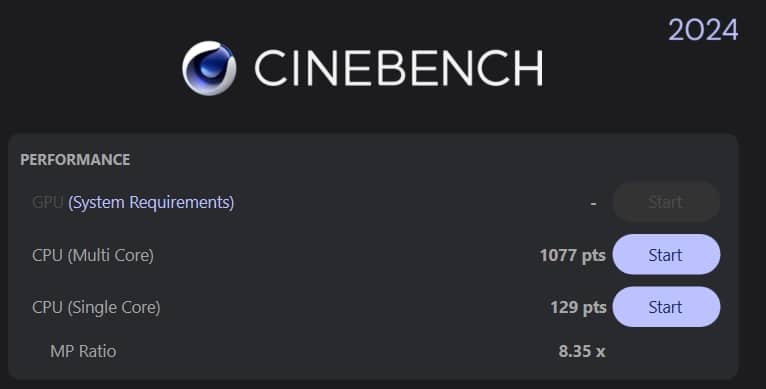
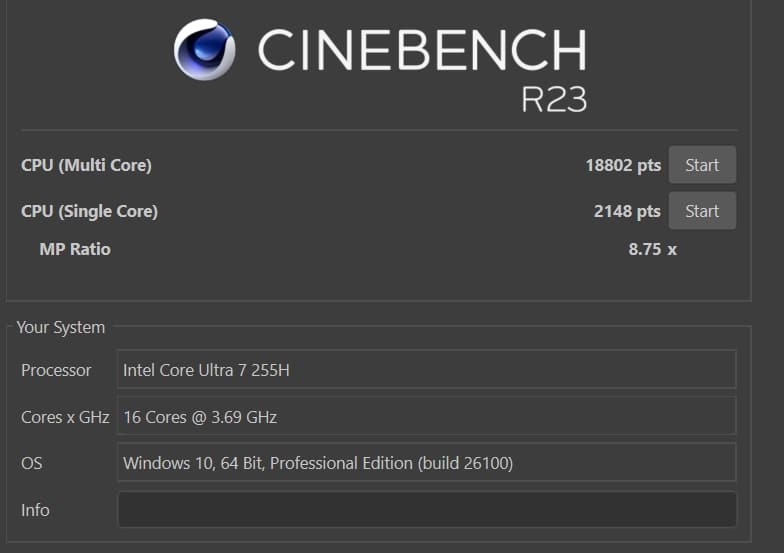
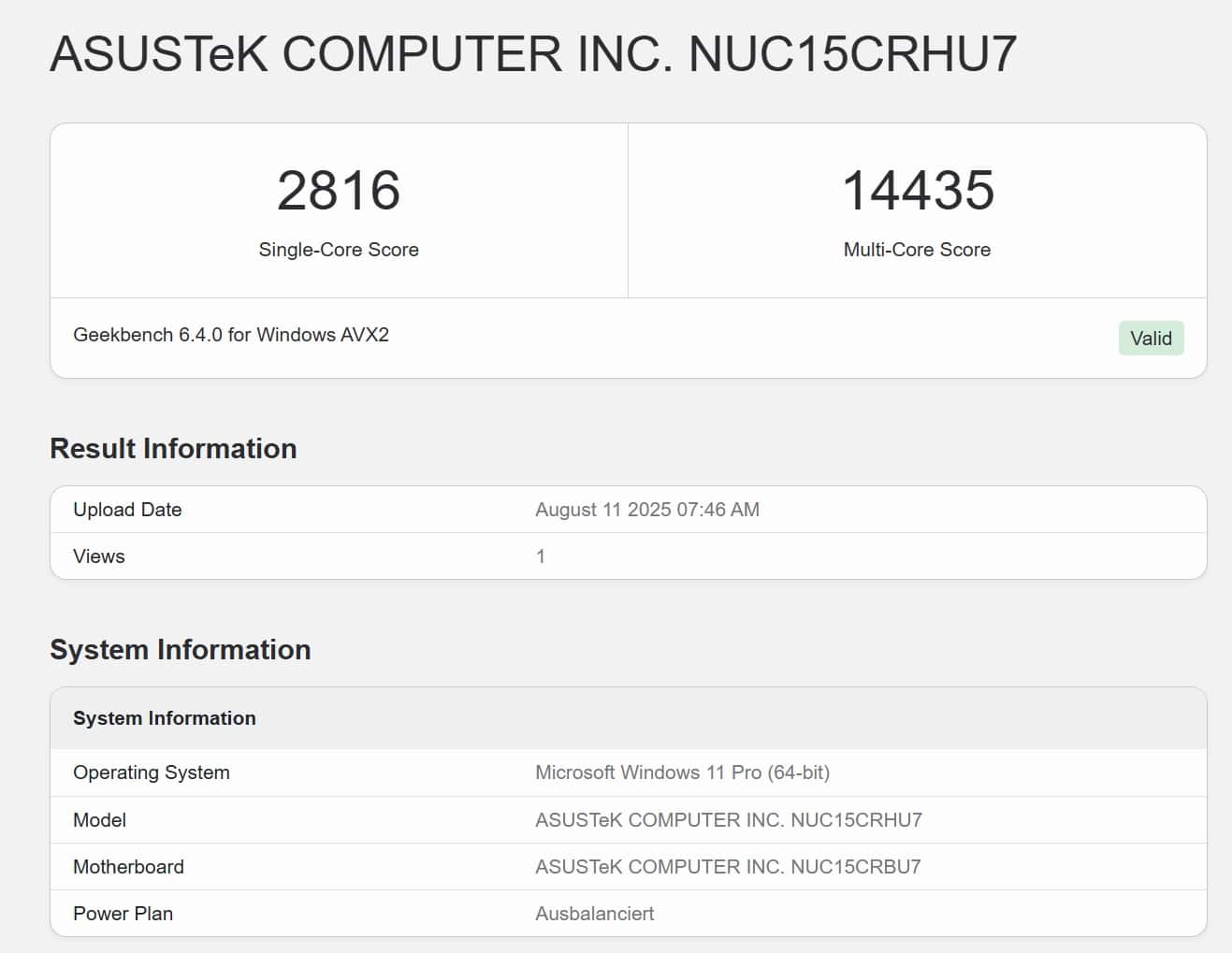
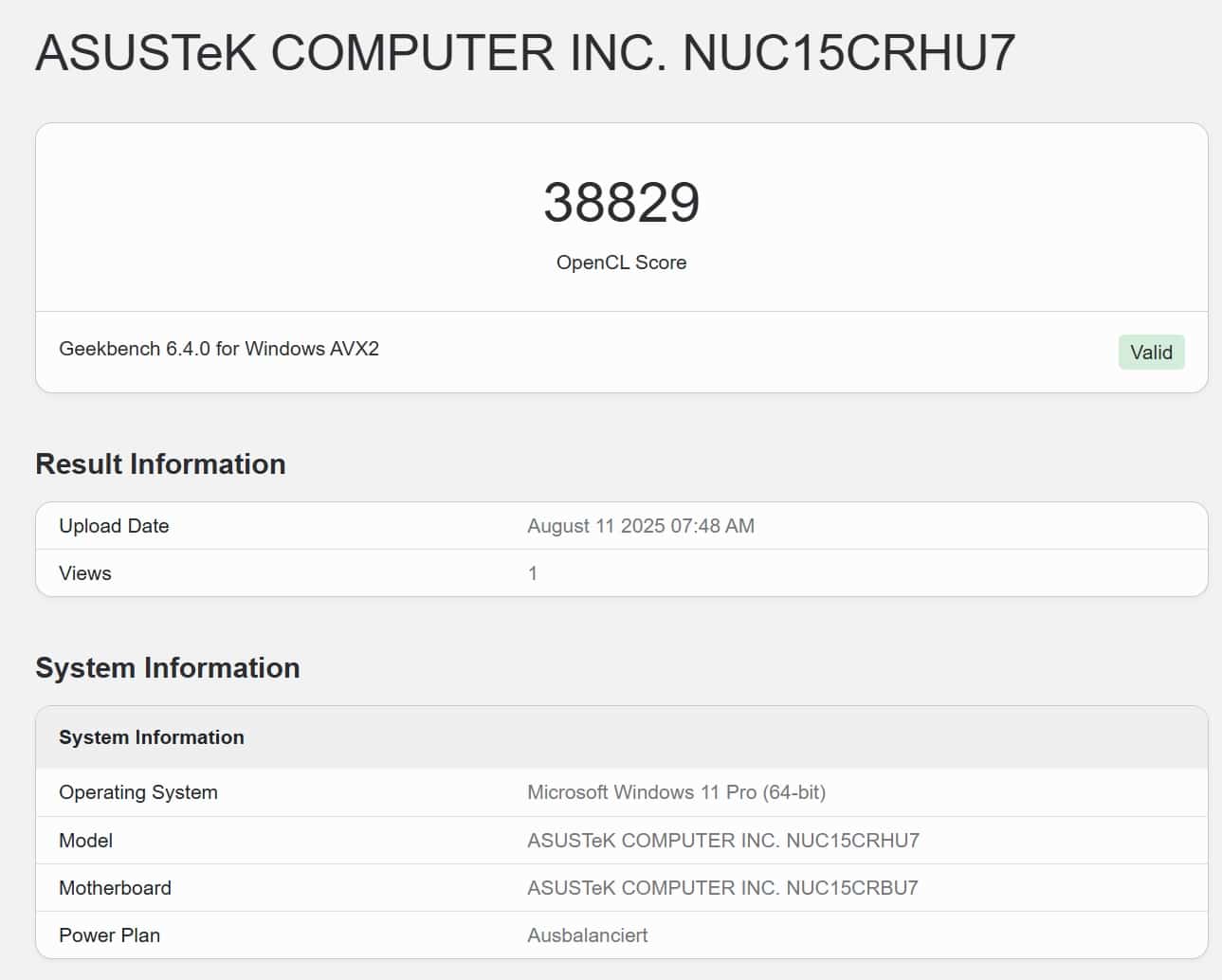
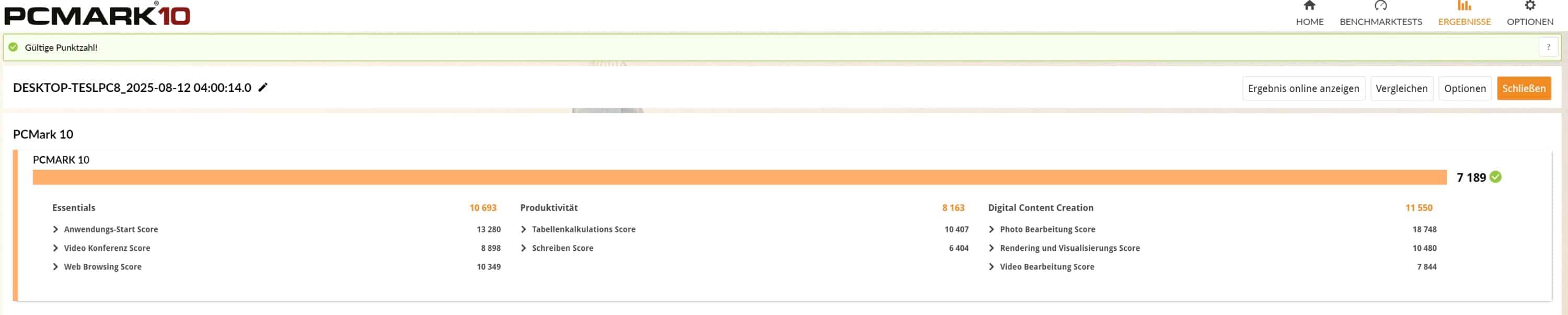
In terms of system performance, the NUC also performs at a very good level and delivers the performance that can be expected from the Core Ultra 7. In terms of performance data, the mini PC is undoubtedly at desktop level. In particular, the CPU performance is once again noticeably higher than that of the Ryzen AI 7 chip used in the ExpertXenter PN54. This also largely applies to the comprehensive PCMark10 system test, although the NUC 15 Pro shows unusual drops in productivity here.
| Benchmark | Result |
| Cinebench 2024 Multi Core | 1,077 pts. |
| Cinebench 2024 Single Core | 129 pts. |
| Cinebench R23 Multi Core | 18,802 pts. |
| Cinebench R23 Single Core | 2,148 pts. |
| PCMark 10 total score | 7,189 pts. |
| PCMark 10 Essentials | 10,693 pts. |
| PCMark 10 Productivity | 8,163 pts. |
| PCMark 10 Digital Content Creation | 11,550 pts. |
| Geekbench 6 Multi Core | 14,435 pts. |
| Geekbench 6 Single Core | 2,816 pts. |
| Geekbench 6 GPU | 38,829 pts. |
Unfortunately, the gaming benchmarks could not be run in full, as 3DMark, for example, apart from Fire Strike, showed an error in every test and could not complete the run. However, the tests I was able to run – also in conjunction with the GPU test results from Geekbench – show that the Intel Arc 140T performs at desktop level.

In practice, this means that even demanding games such as F1 25, The Witcher 3, Anno 1800 or GTA V run absolutely smoothly on the mini PC – even without a dedicated graphics unit – in low or medium details in Full HD. So gaming is undoubtedly possible.
Asus NUC 15 Pro Review: Conclusion
The Asus NUC 15 Pro is a very powerful mini PC that definitely has what it takes to replace a real desktop PC. The high-quality workmanship, the ingeniously simple maintenance options and the multitude of modern connections are particularly appealing. The equipment is also up to date, making the computing dwarf suitable for more demanding tasks and gaming.
Only the audible fan noise under load and the higher price compared to most Chinese competitors are a little annoying. Nevertheless, the Asus NUC 15 Pro is absolutely worth the money. Especially thanks to the practical add-in cards.

VORTEILE
- Excellent workmanship
- Simple maintenance
- Modern equipment
- Many modern connections
- Modular add-in cards
NACHTEILE
- Comparatively high price
- Fan clearly audible under load
Fazit
Enormously high-quality mini PC with top modern equipment, ingenious maintenance options and powerful performance.


