


Ready for gaming, content creation and more: With the ASUS ROG NUC (2025) presented at gamescom 2025, the manufacturer is launching a new mini PC that succeeds the ASUS ROG NUC 14 (our review) and aims to impress with its brute performance. The top model comes with an Intel Core Ultra 9 275HX, NVIDIA GeForce RTX 5080 laptop GPU and modern features. But is it worth buying? And if so, for whom? Our test.
Technical data
| The product | |
| Processor | Intel Core Ultra 9 processor 275HX (24 cores, 36 MB total cache, 2.7 GHz to 5.4 GHz) |
| Graphics performance | NVIDIA GeForce RTX 5080 Laptop |
| Storage space | 1 TB SSD (NVMe PCIe 5) installed |
| Working memory | 32 GB (2 x 16 GB), DDR5, 6,400 MT/s |
| Operating system | Windows 11 Home |
| Connectivity | Wi-Fi 7; Bluetooth 5.4 |
| Dimensions (W x D x H) | 282.4mm x 187.7mm x 56.5mm |
| weight | 3.12 kg (without power supply) |
| Price | € 2,819.00 * |
ASUS ROG NUC (2025) review: Stylish design on less than 3 liters
With the ROG NUC (2025), ASUS has a mini PC in its range that combines gaming power and desktop flexibility in a very compact format. With dimensions of around 28.2 × 18.8 × 5.7 cm and a housing volume of just under 3 liters, it is larger than typical mini PCs, but remains significantly smaller than classic mini-ITX systems.
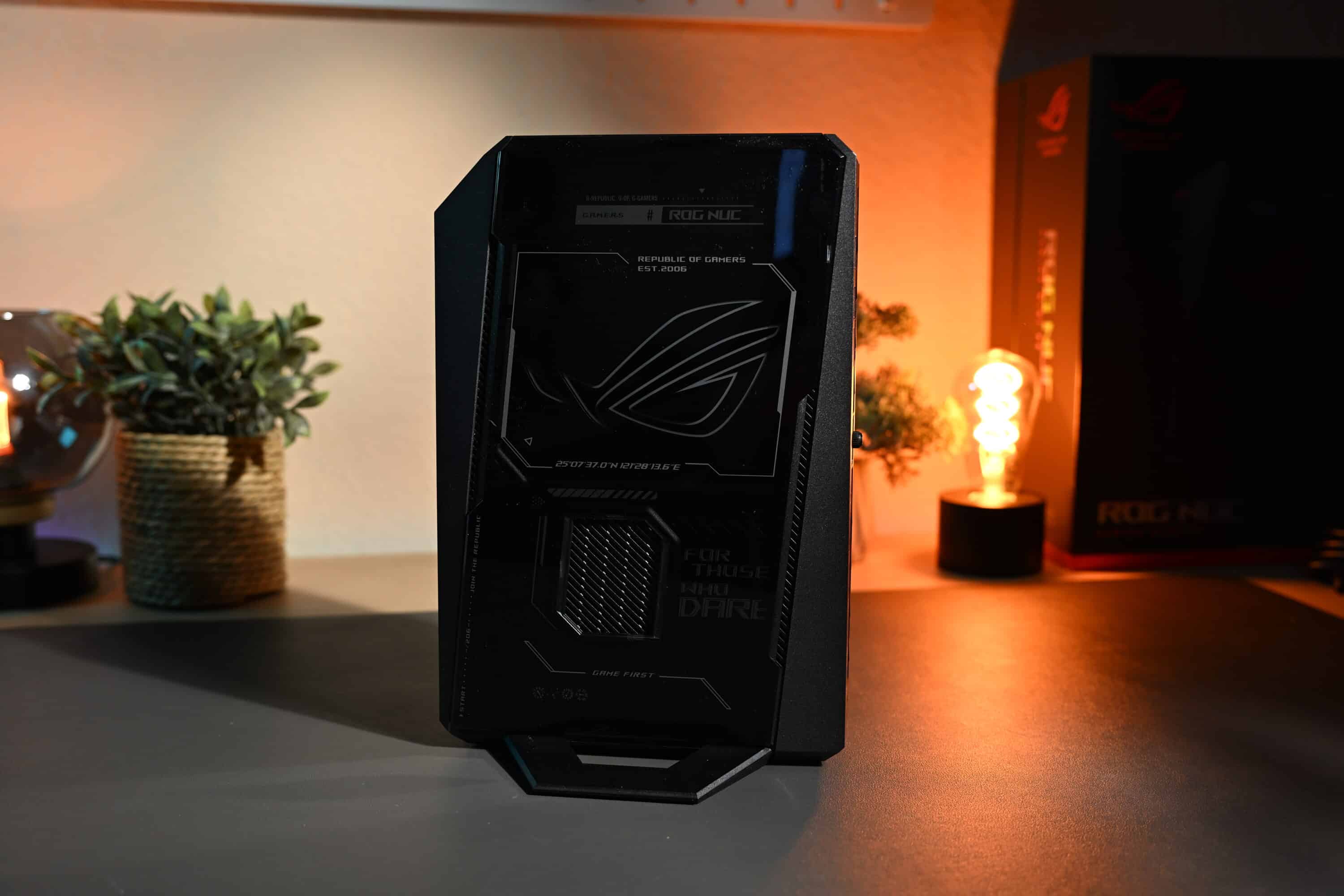
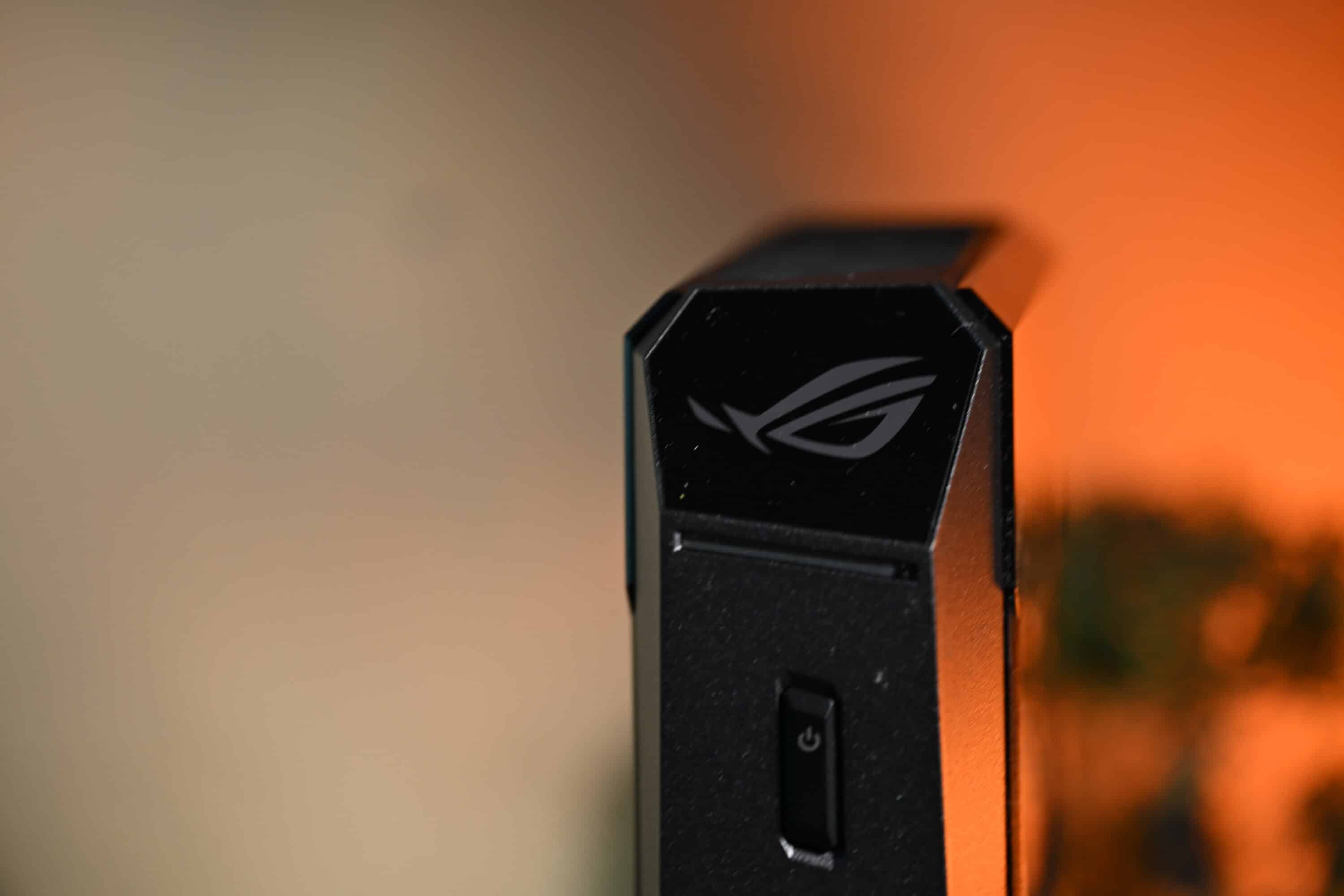
The design is very reminiscent of the ASUS ROG NUC 14 from last year, although the new model is noticeably larger and heavier at 3.12 kg – this is partly due to the more powerful hardware and the increased cooling, but more on that later.
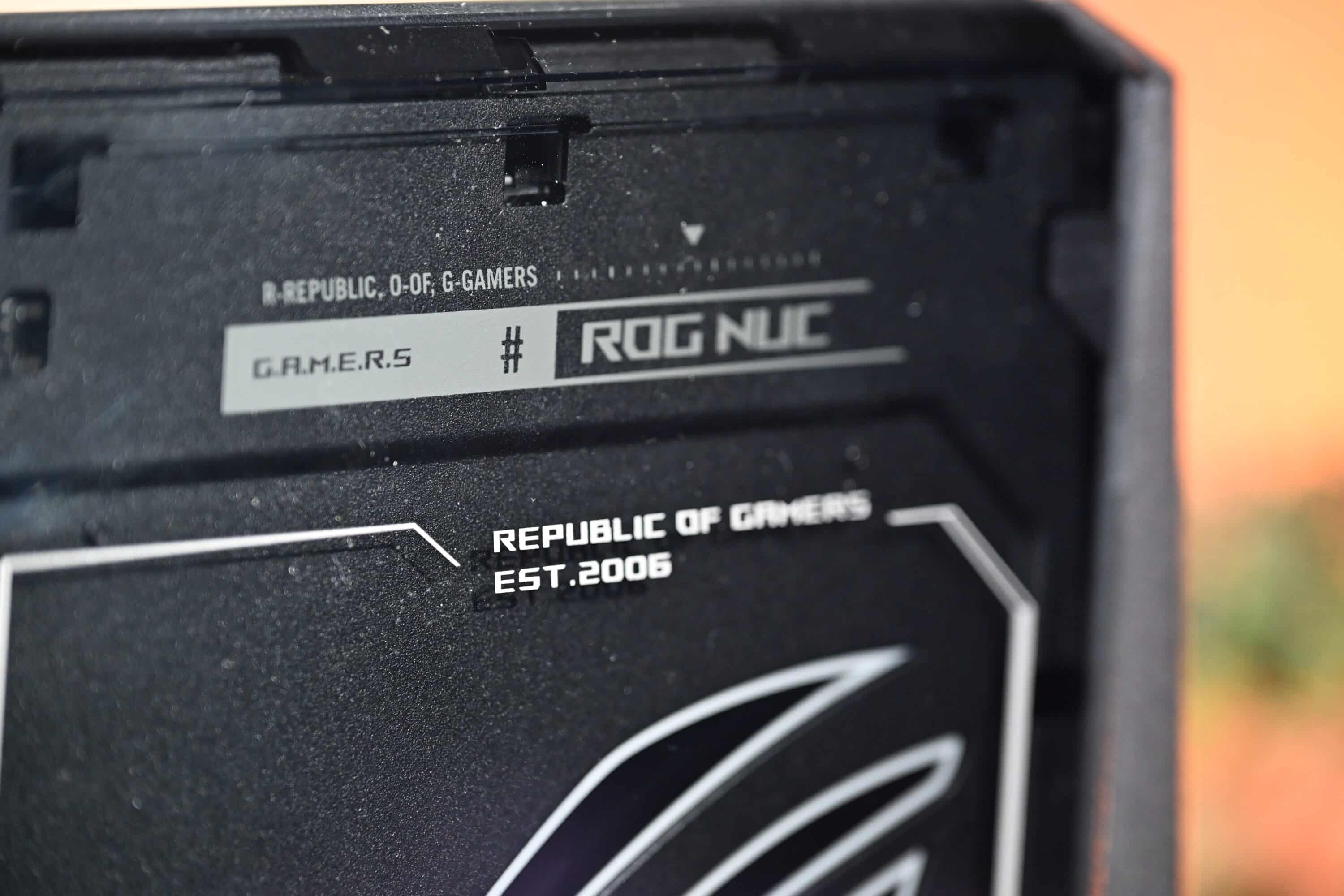
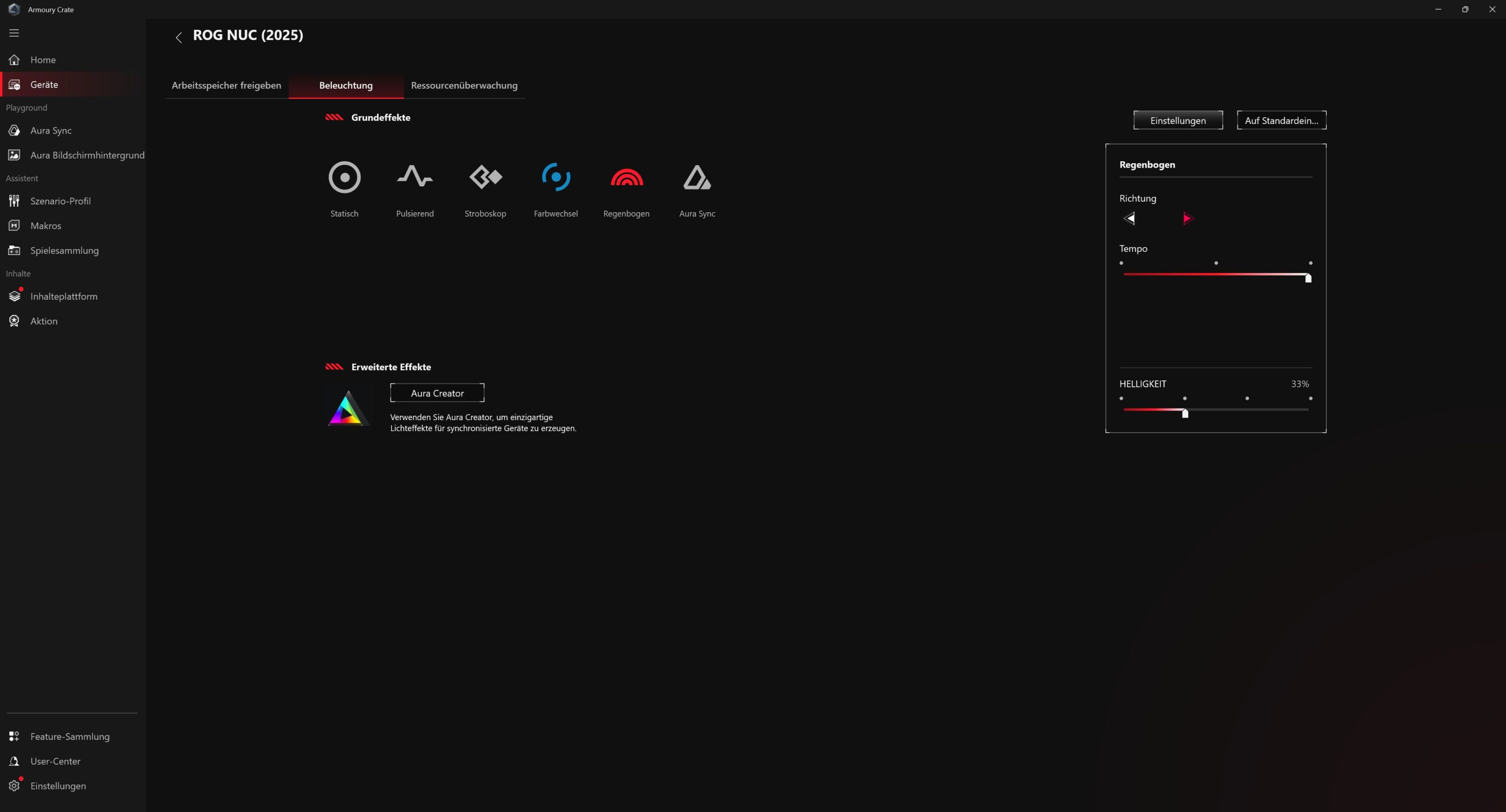
Visually, it clearly bears the signature of the Republic of Gamers series: eye-catching edges, a mixture of matt black and subtle glossy elements, plus an illuminated ROG logo and an RGB strip on the front. The lighting can of course be individually adjusted via the Armoury Crate software or deactivated completely, depending on whether you prefer it subtle or colorful.
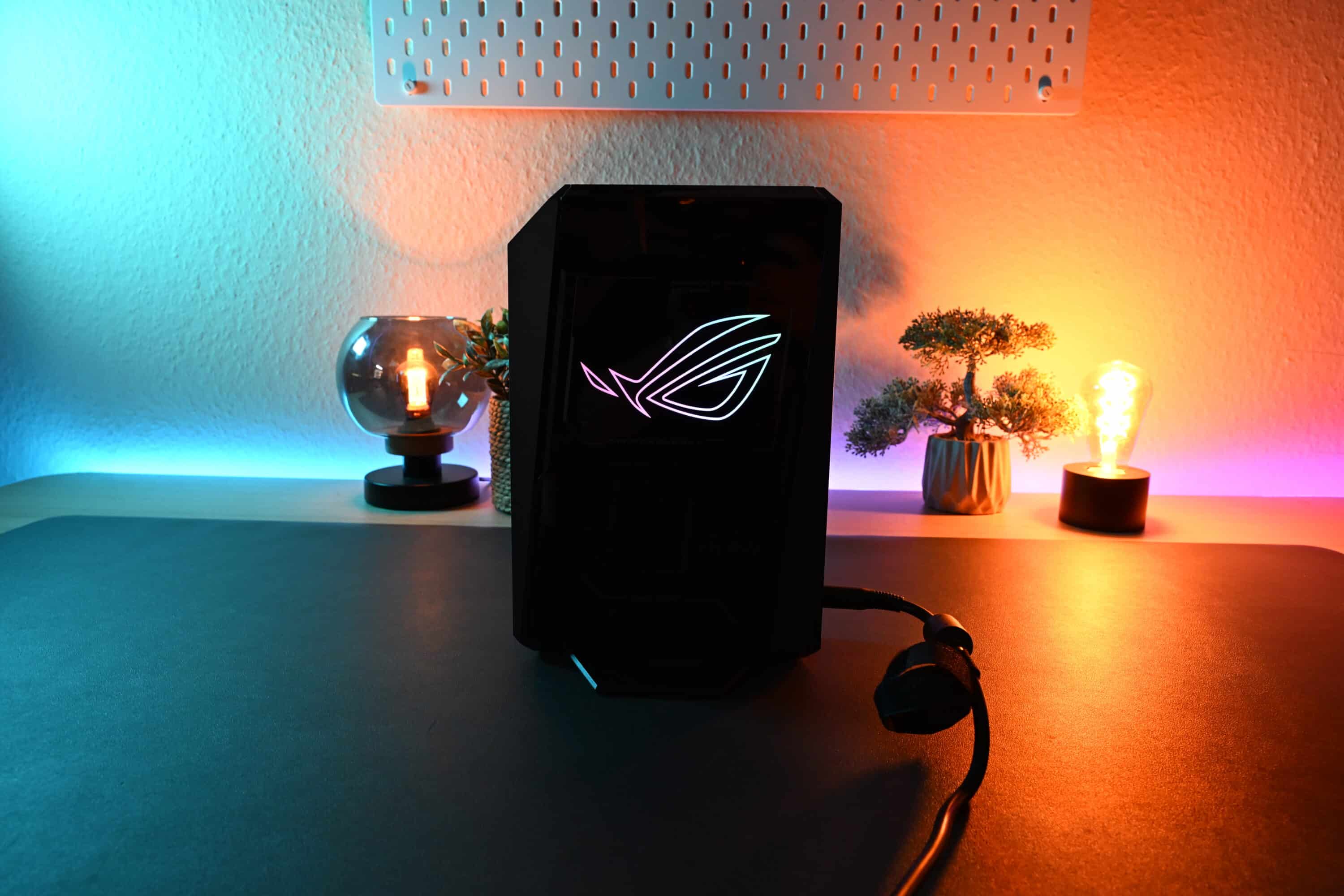

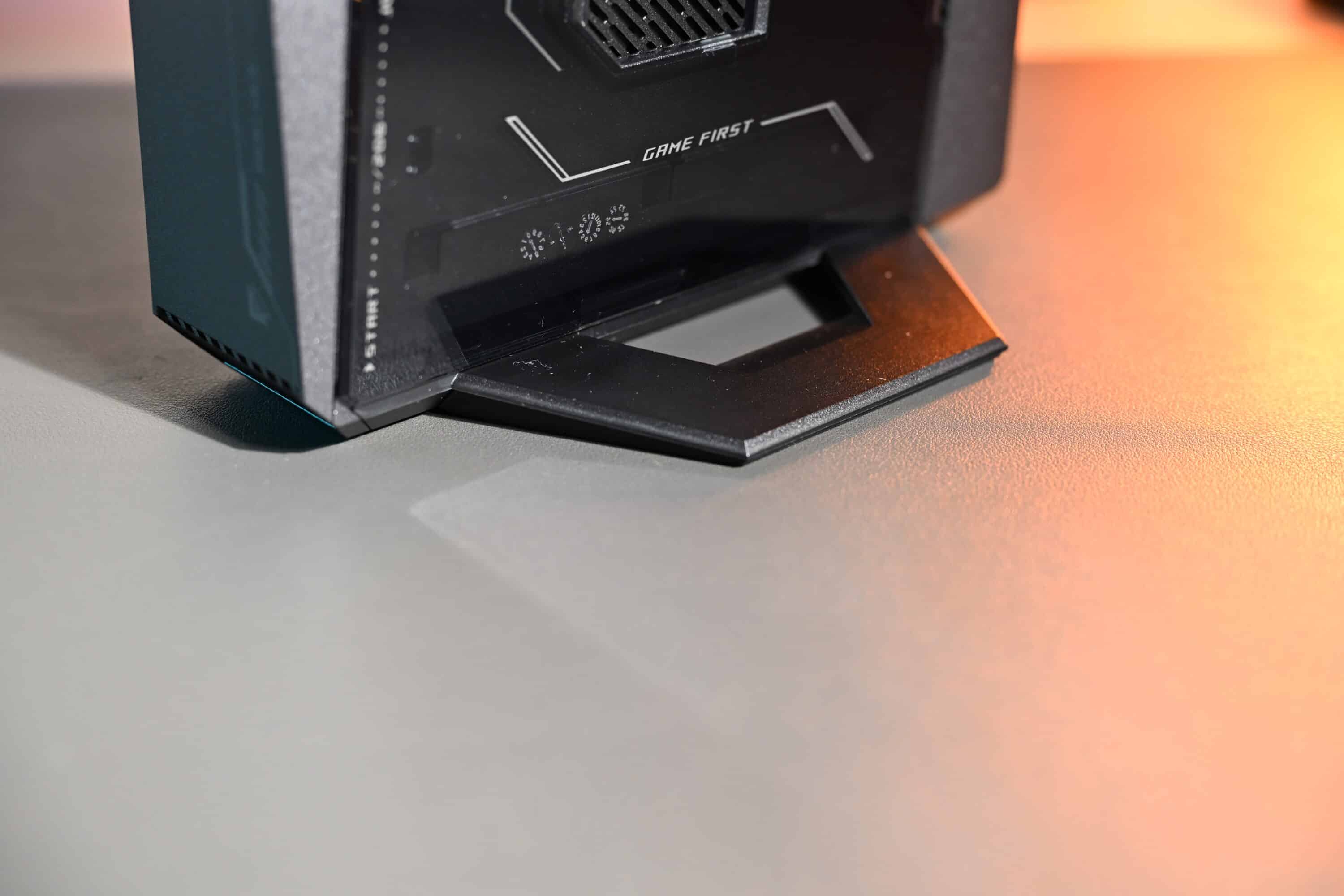
The workmanship is extremely high quality. All parts are stable, there are no sharp edges or warping. It is noticeable that ASUS has optimized the design not only for looks, but also for cooling: The ventilation slots are large and clearly designed for airflow.
Maintenance and connections of the ASUS ROG NUC (2025)
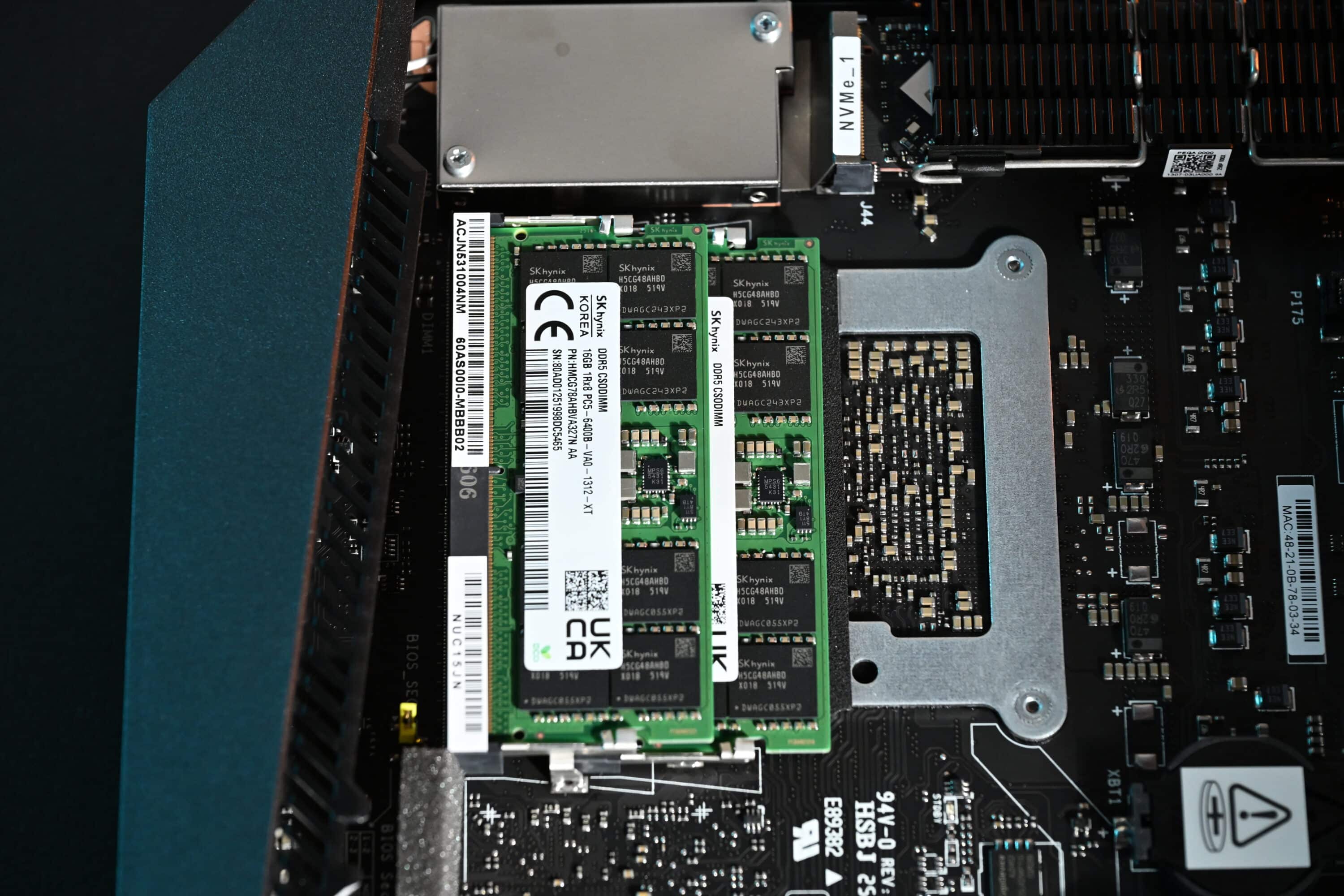
A major strength of the ROG NUC is its ease of maintenance. ASUS has designed the case so that it can be opened with a single thumbscrew on the back. Once this is loosened, the transparent housing can be pushed upwards – this requires a lot of force the first time, but is much easier afterwards.

You then have immediate access to the RAM banks and M.2 SSD slots – completely tool-free. This is a clear advantage for users who want to expand their system or upgrade it later. The ASUS ROG NUC (2025) can accommodate a maximum of two DDR5 SO-DIMMs and two M.2 SSDs. The gaming mini PC can be equipped with a maximum of 48 GB DDR5 RAM and 2 TB M.2-2280 PCIe 4.0 or 5.0 memory.
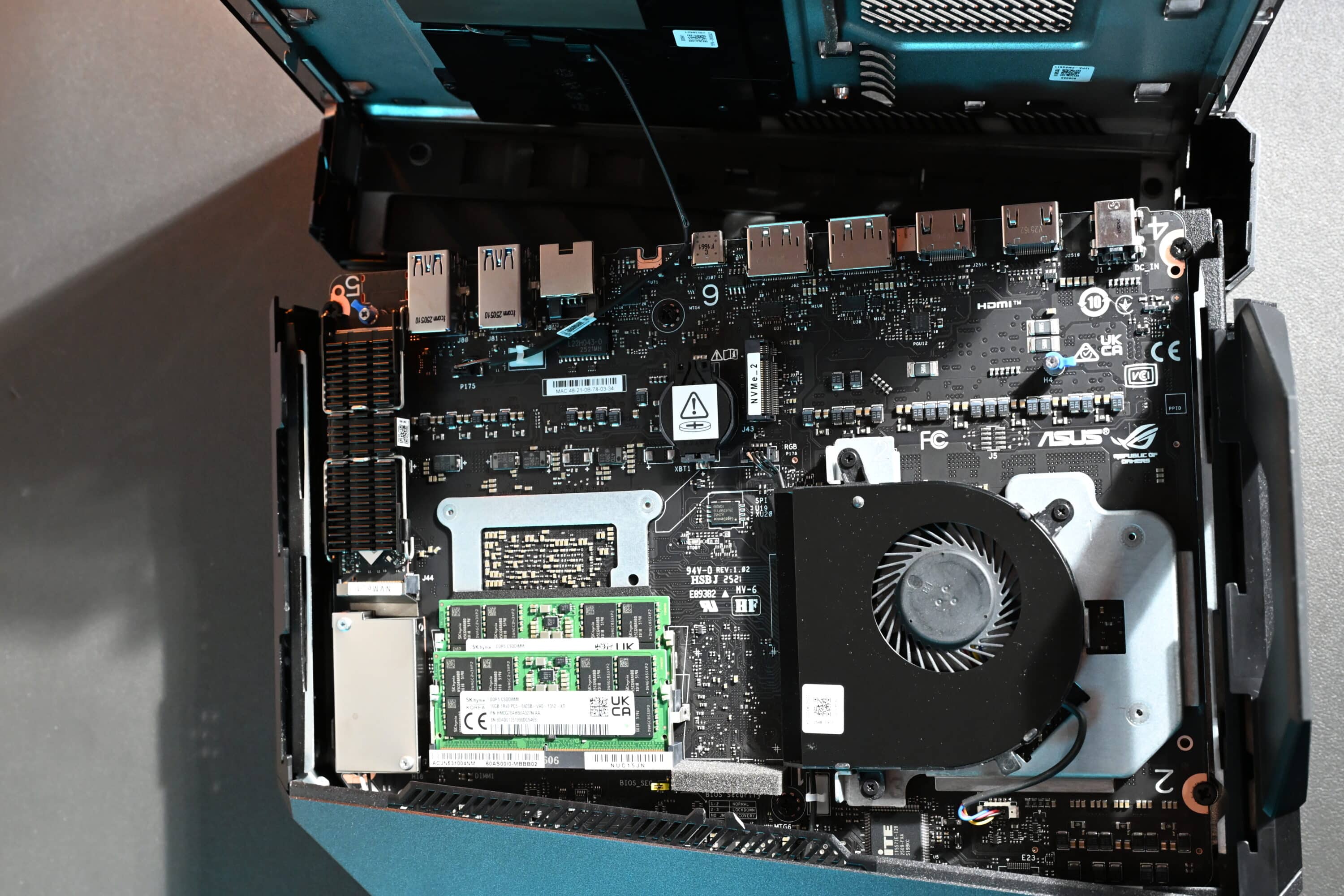
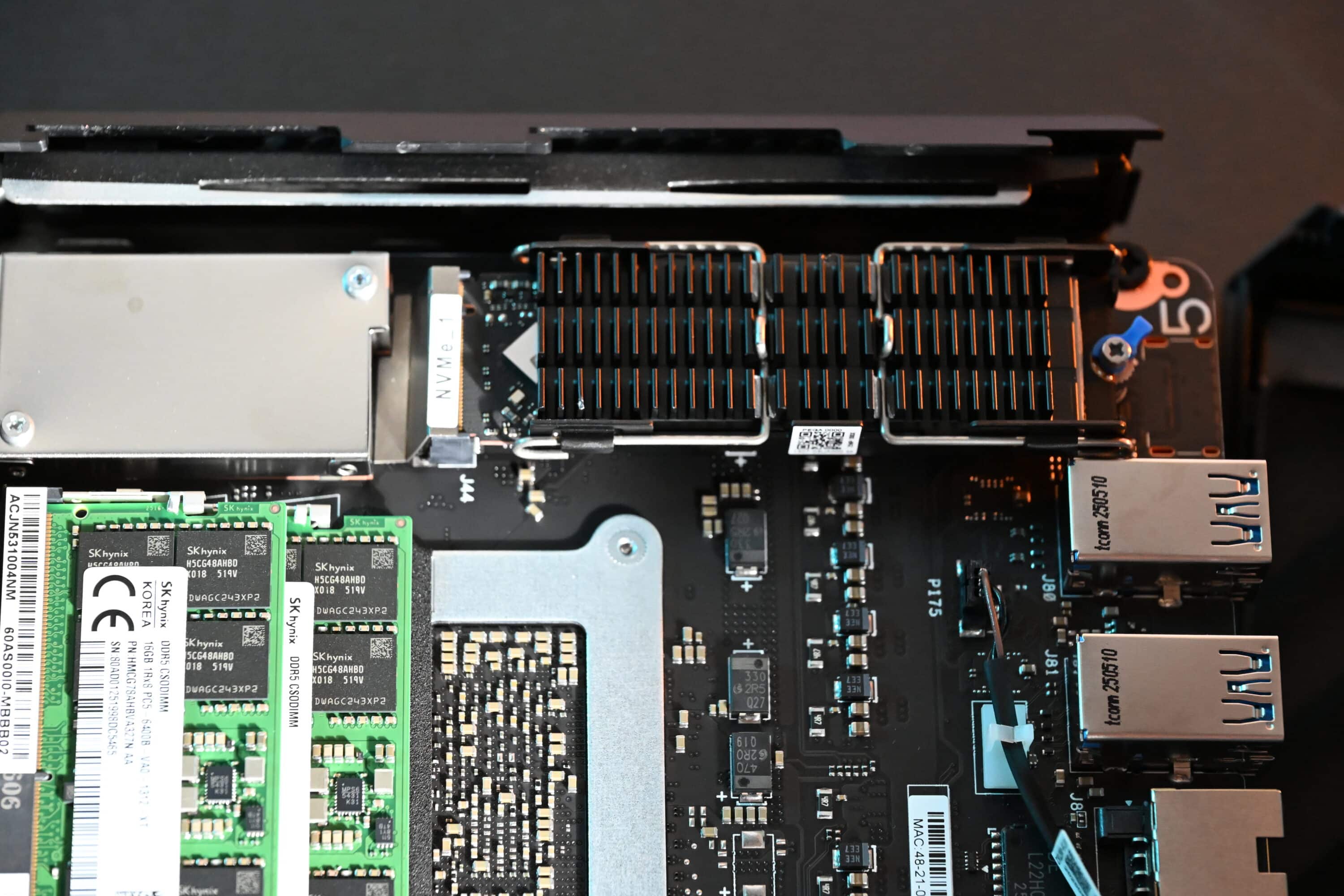
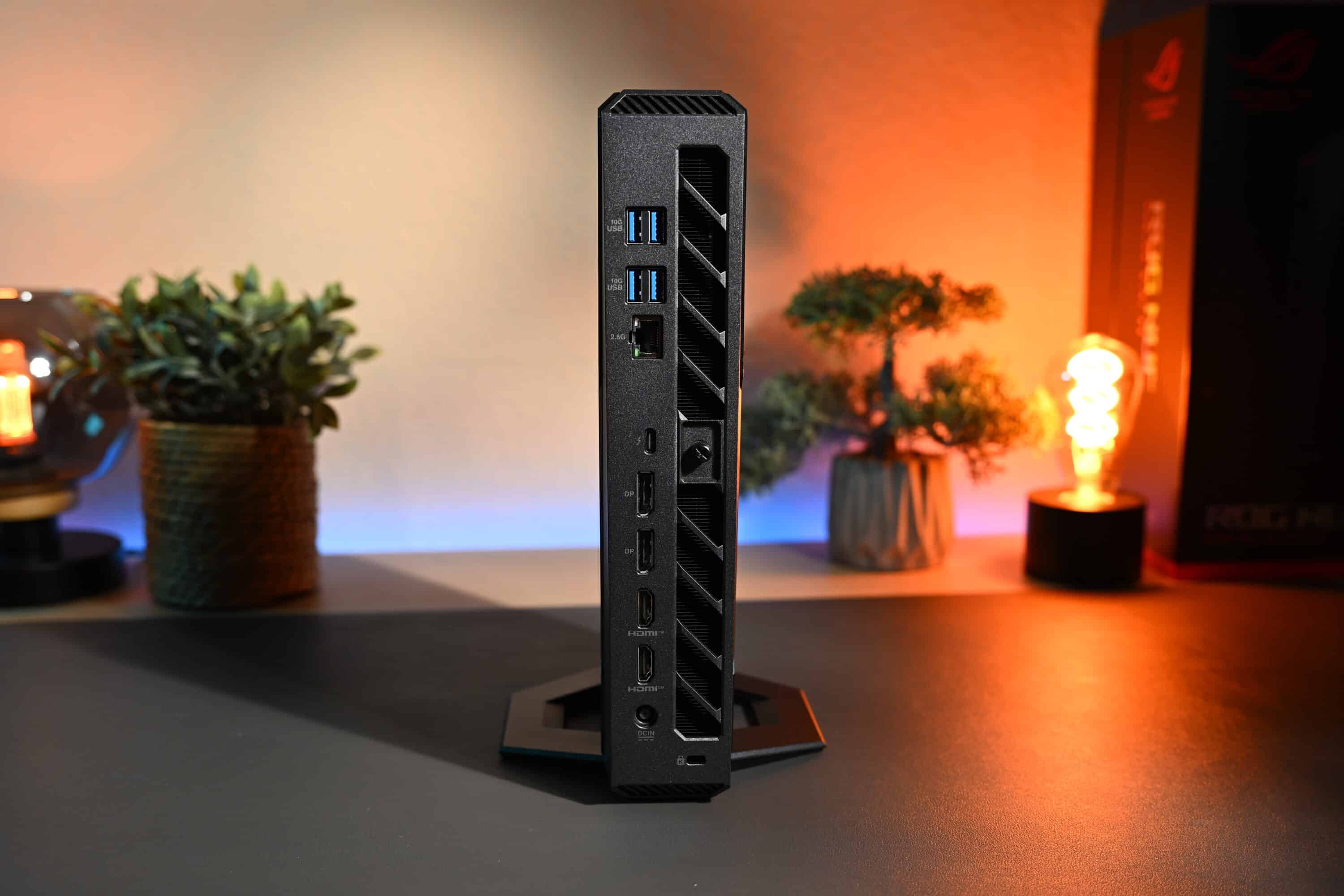
The variety of connections is just as impressive. On the back you will find:
- 4× USB-A 3.2 Gen 2
- 2× HDMI 2.1
- 2× DisplayPort 2.1
- 1× Thunderbolt 4
- 1× USB-C 3.2 Gen 2
- 1× 2.5 Gbps Ethernet
- 1× jack audio output
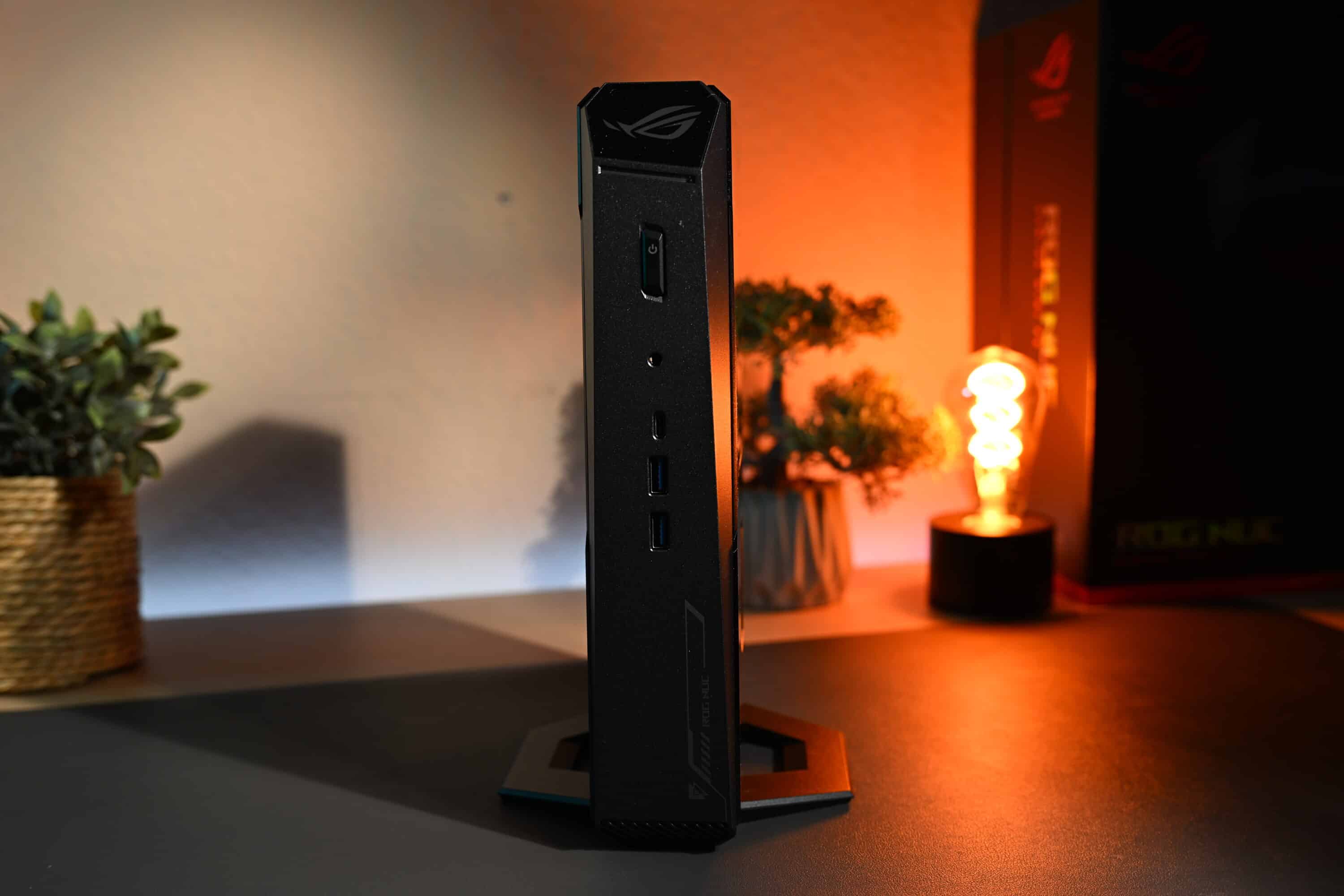
There are also USB-A and USB-C ports on the front for quick access. This enables the ROG NUC to operate up to four displays simultaneously – a truly unique selling point for such a small device.
ASUS offers wireless Wi-Fi 7 and Bluetooth 5.4, i.e. highly modern standards. Unfortunately, the Wi-Fi signal is somewhat weak, which is probably due to the compact antennas. The speeds cannot quite keep up with desktop systems, but are still absolutely sufficient.
Modern equipment
The ASUS ROG NUC (2025) aims to compete with real gaming PCs and notebooks and comes with modern features. All models of the mini PC come with an Intel Core Ultra 9 275HX processor, which has 24 cores, 24 threads and clock rates of up to 5,400 Hz.
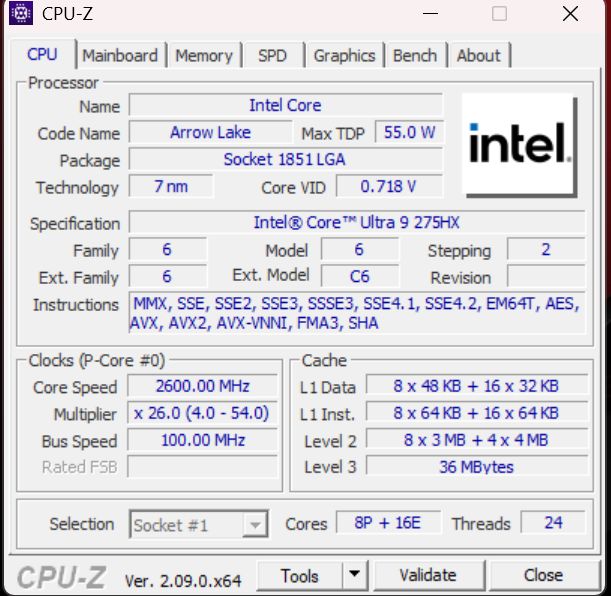
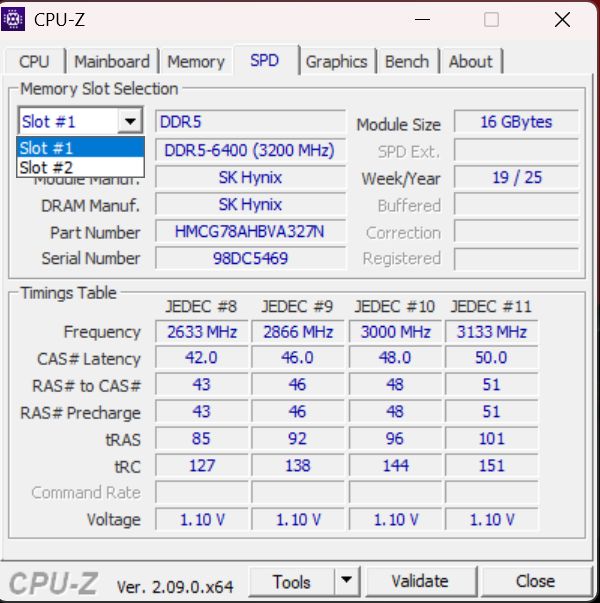
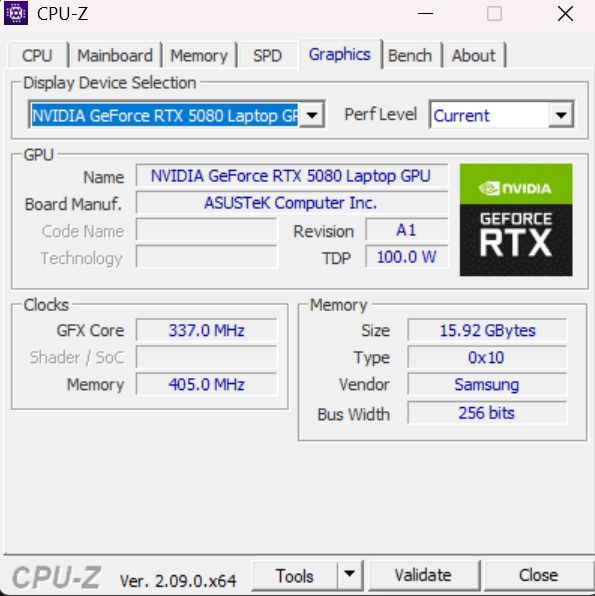
The new NUC is available with either an NVIDIA GeForce RTX 5070Ti or RTX 5080 GPU, with both graphics units of the Ada-Lovelace architecture being the corresponding laptop models. So you can’t expect the performance of the desktop counterparts, but the ROG NUC (2025) is still perfectly equipped for current and upcoming games.

It also comes with 16 GB of DDR5-6400 RAM as standard and a 1 TB or 2 TB PCIe 4.0 x4 SSD. ASUS even installs its own SSD cooler to prevent thermal throttling under continuous load.

The cooling system has been revised and greatly improved compared to its direct predecessor. Three fans and a double vapor chamber should be able to handle even maximum continuous loads. There is also a large, dedicated CPU cooler that can cope with an output of up to 135 watts.
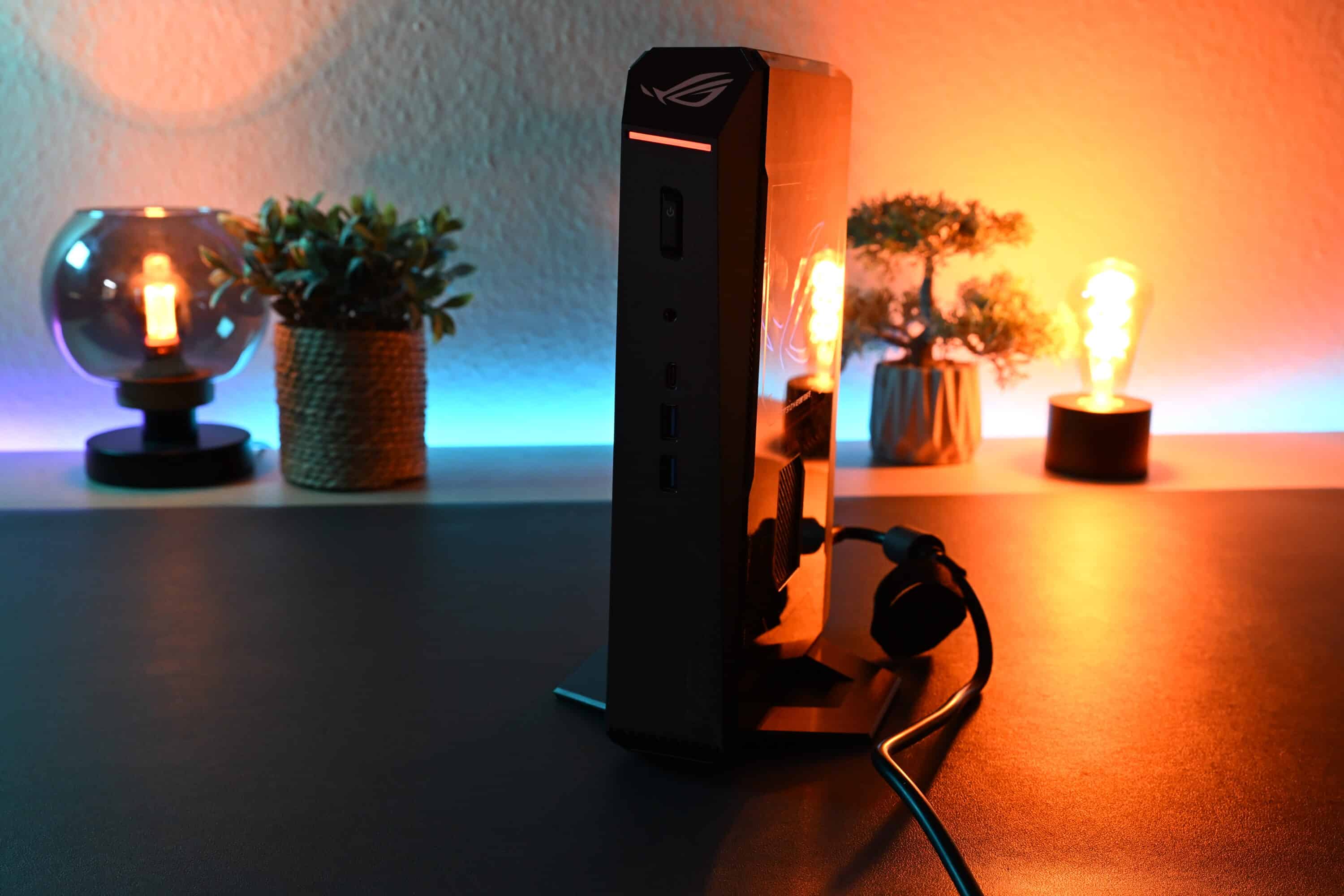
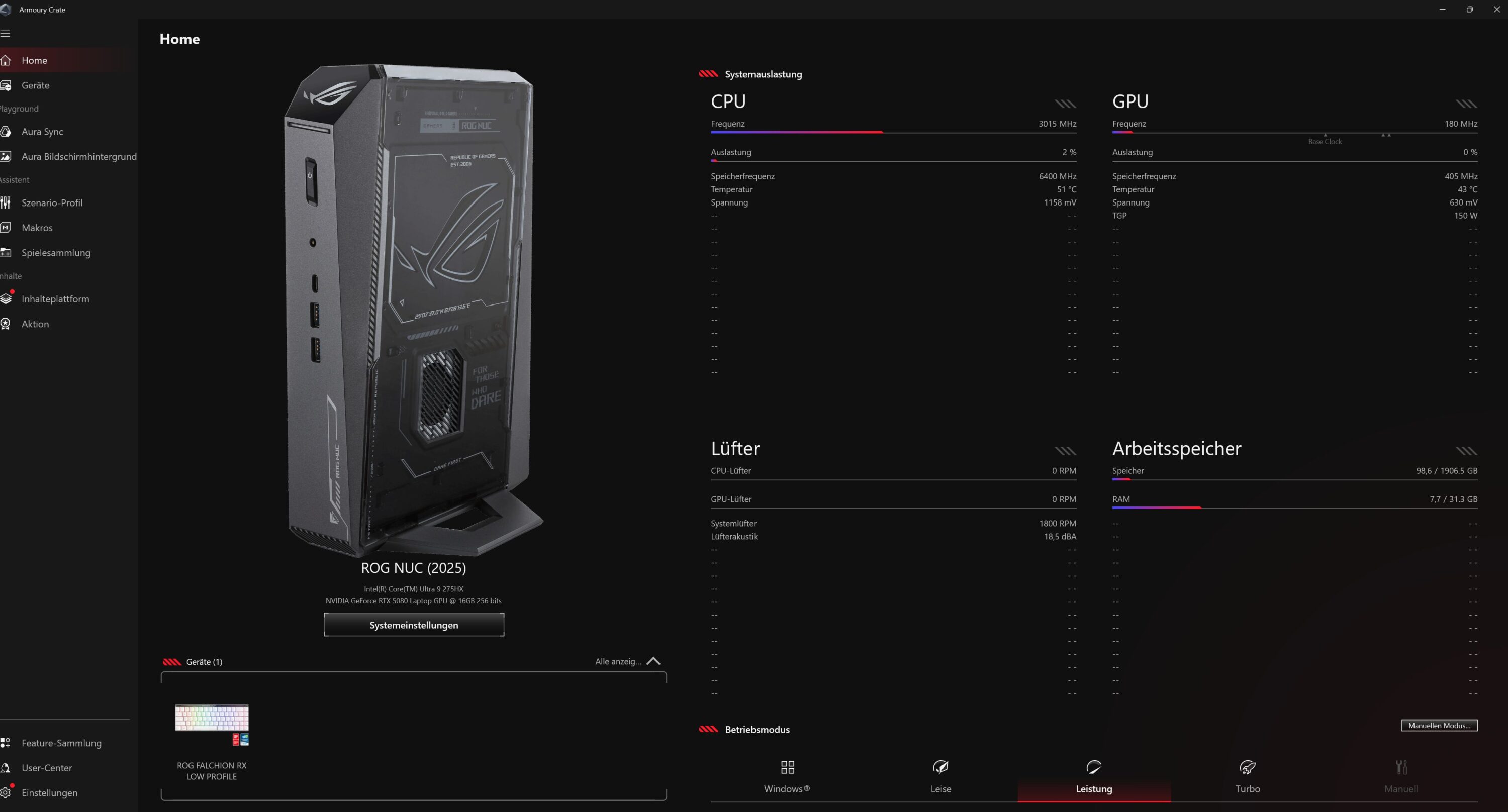
ASUS has also integrated its Armoury Crate software suite, which not only controls RGB lighting, but also enables fan profiles, network prioritization and even overclocking. This allows the ROG NUC to be flexibly tuned for quiet office work or maximum gaming performance.
Practical test, volume and heat development
In everyday use, the ROG NUC 2025 impresses with its amazing versatility. In Eco mode (Windows), it works almost inaudibly during everyday tasks such as surfing or office work. The fans barely rev up and the waste heat remains moderate. In gaming mode, the fans turn up significantly higher, so the ROG NUC does not remain inaudible, but is much quieter than current gaming laptops with comparable features, not to mention dedicated gaming PCs.

Under gaming load, it is clear that ASUS has the cooling well under control. Even after longer sessions, the case remains lukewarm while the CPU and GPU run at stable frequencies. During normal, everyday tasks, the ASUS ROG NUC (2025) reaches a measured temperature of around 25°C at the case, while under continuous load the gaming mini PC reaches around 55°C at the rear air outlet.
As already mentioned, the noise level is also moderate. I measured around 36 dB(A) during normal everyday tasks such as office, surfing or video streaming, and a maximum of 49 dB(A) during gaming load tests, which is a really very good value.

For comparison: The comparably equipped (and with excellent cooling) gaming notebook Alienware 18 Area-51 (our test) is noticeably louder at 56 dB(A) and gets noticeably warmer at 63 °C.
ASUS ROG has therefore done an excellent job with the cooling system. The ROG NUC (2025) has no problems maintaining the maximum output of around 240 watts on a permanent basis.
Performance of the ASUS ROG NUC (2025)
Unsurprisingly, the ASUS ROG NUC (2025) is a real gaming powerhouse and easily achieves smooth frame rates of 60 fps and more in 4K resolutions, even with demanding modern games.
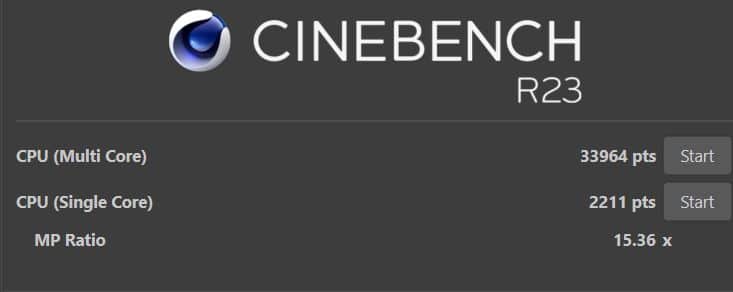
| Cinebench R23 Multi Core | 33,964 pts. |
| Cinebench R23 Single Core | 2,211 pts. |
| Cinebench 2024 Multi Core | 1,897 pts. |
| Cinebench 2024 Single Core | 128 pts. |
| PCMark 10 total score | 8,880 pts. |
| PCMark 10 Essentials | 10,995 pts. |
| PCMark 10 Productivity | 9,528 pts. |
| PCMark 10 Digital Content Creation | 18,135 pts. |
| Geekbench 6 Multi Core | 19,745 pts. |
| Geekbench 6 Single Core | 2,999 pts. |
| Geekbench 6 GPU | 208,484 pts. |
The performance in games is even noticeably higher than that of comparably equipped gaming notebooks, which is also due to the high performance of the GPU. The RTX 5080 can consume up to 175 watts.
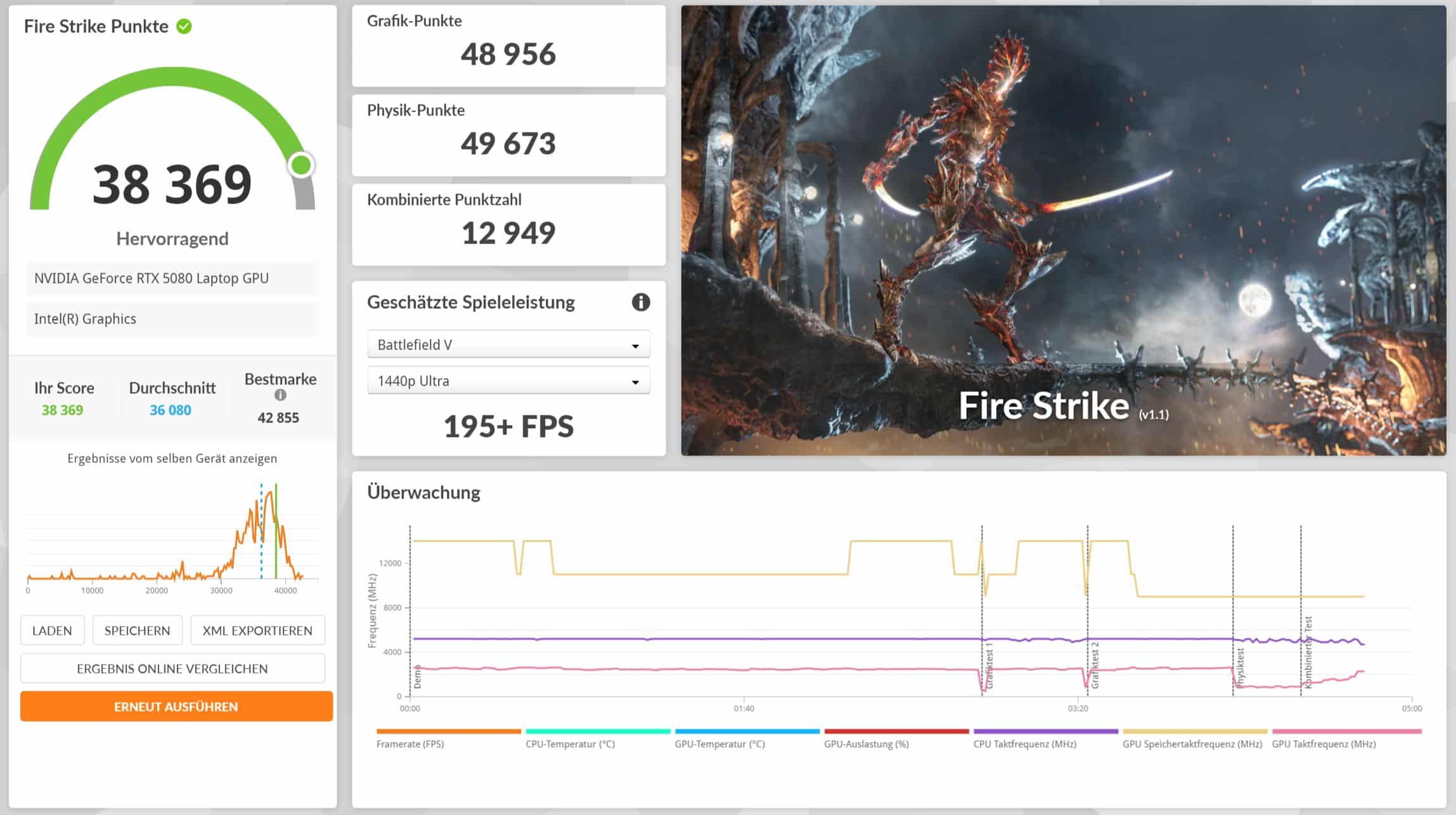

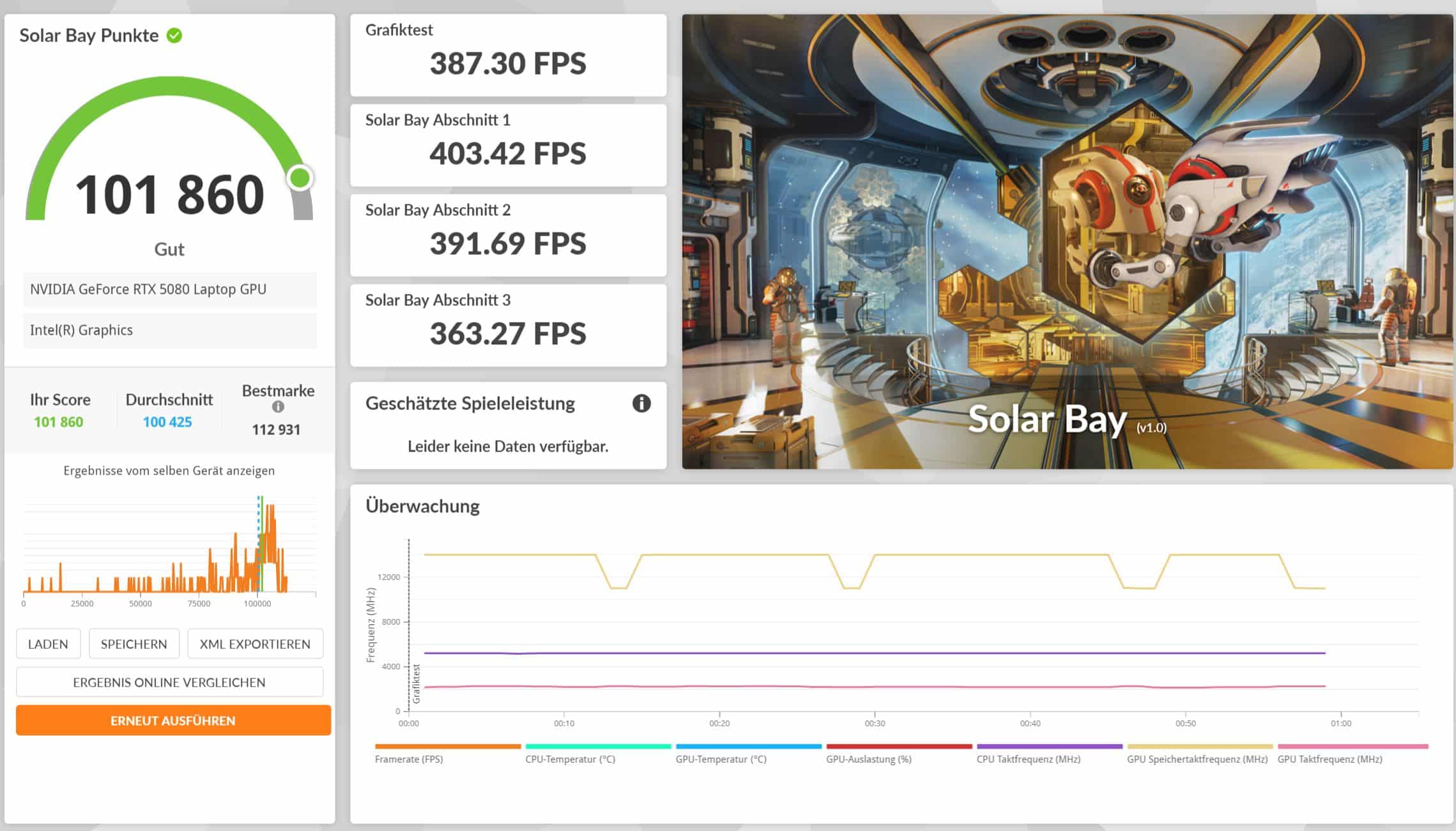

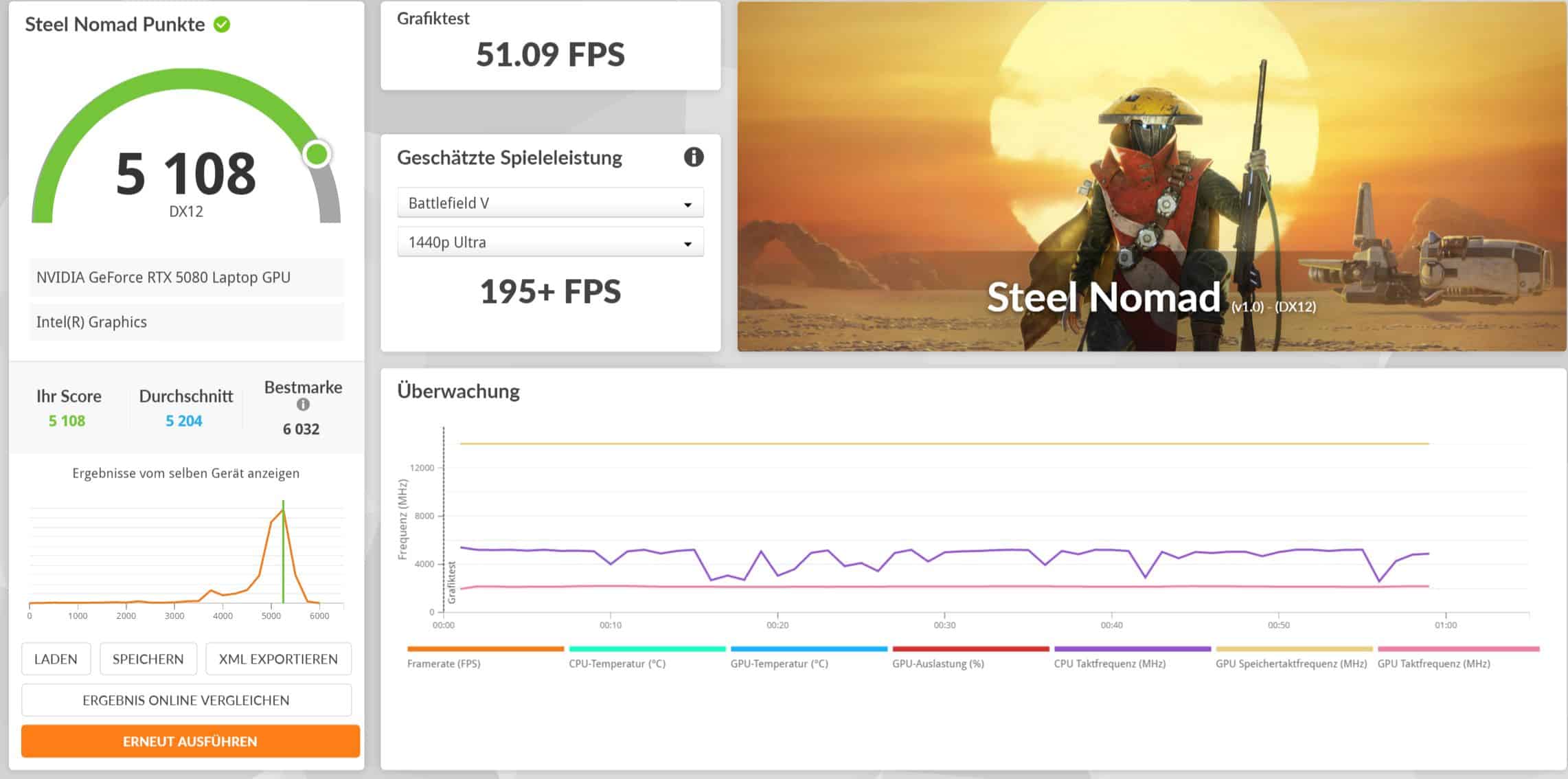

This means that the performance is very close to that of the RTX 5090 Mobile, while the ROG NUC can constantly maintain the performance without losses. The 5090 in question, which is used in the Alienware Area-51, for example, delivers noticeably more performance, especially in synthetic tests, not to mention a desktop RTX 5080 such as the ASUS ROG Astral GeForce RTX 5080 OC (our test), which alone costs half as much as the entire NUC (2025).
I think it’s a shame that ASUS ROG doesn’t offer an option for an RTX 5090 here. This would be considerably more expensive, but interesting for anyone who really wants to get the most out of it.


In real-life gaming tests, the mini PC masters demanding games such as Black Myth: Wukong including DLSS at 82 fps or Cyberpunk 2077 at 119 fps – in 4K, mind you, and at maximum graphics settings. In short: Absolutely every game runs smoothly on the NUC, which is pretty impressive.
| Benchmark | Results |
| Fire Strike Total | 38,369 points |
| Time Spy Total | 20,497 pts. |
| Time Spy Extreme Total | 12,169 pts. |
| Port Royal Total | 13,780 pts. |
| Speed Way Total | 5,608 pts. |
| Solar Bay Total | 101,860 pts. |
| Steel Nomad Total | 5,108 pts. |
| F1 24 (Ultra Preset) – 4K | 67 fps (average) |
| F1 22 (Ultra Preset) – 4K – DLSS performance | 82 fps (average) |
| FBlack Myth Wukong – 4K – DLSS performance | 80 fps |
| Final Fantasy XV (High Quality) – 4K | 9,178 pts. |
| Shadow of the Tomb Raider (Ultra) – 4K | 101 fps |
| Shadow of the Tomb Raider (Ultra) – 4K – Performance | 181 fps |
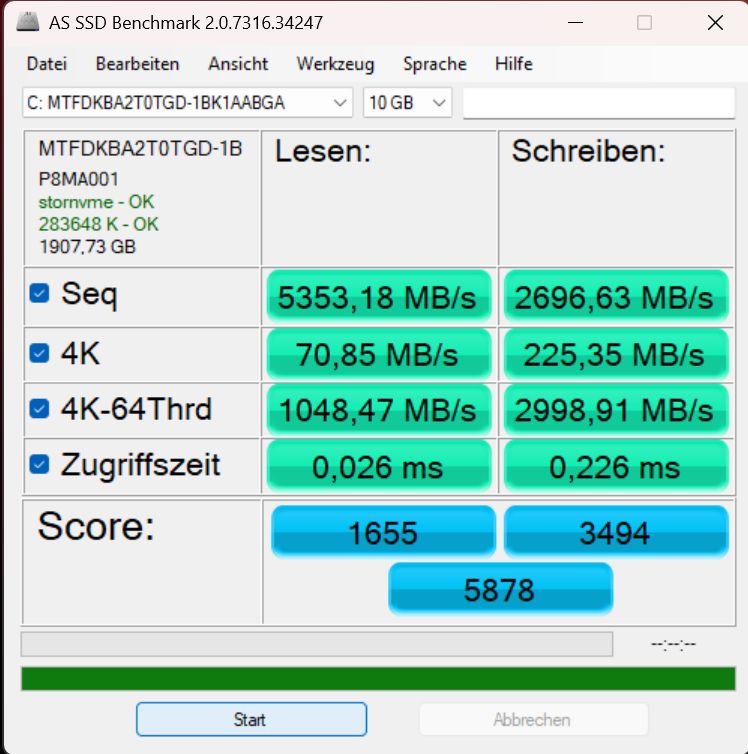
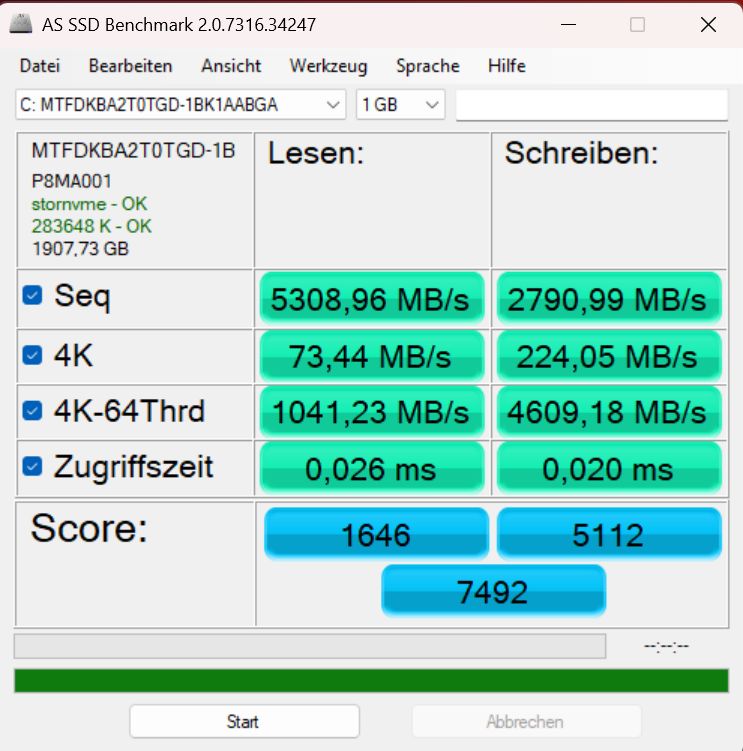
The SSD also plays its part and impresses with outstanding performance, which can also be maintained very well in the long term.
ASUS ROG NUC (2025) test: Conclusion
The ASUS ROG NUC (2025) is a powerful mini PC that scores with an outstanding cooling system, very good port selection and excellent performance. The modern CPU and powerful RTX 5080 deliver absolutely smooth and convincing performance even in current games in 4K, which is superior to comparably equipped gaming notebooks.
In quiet Windows mode, the performance is still sufficient for demanding scenarios, while the upgrade options are impressive. It is a shame that there is no option for an RTX 5090, while the Wi-Fi module would also like to work faster. However, the price is steep.

VORTEILE
- Compact and stylish
- Powerful performance
- Many modern connections
- Excellent maintenance
- Very good cooling
NACHTEILE
- Fan audible under load
- Wi-Fi somewhat slow
- High price
Fazit
Compact and powerful mini PC with great cooling and excellent performance at a high price.


