


Mini PCs are becoming increasingly popular due to their compactness and low power consumption. After Intel made a start several years ago with the NUC series, more and more manufacturers are trying their hand at developing compact mini PCs. This includes the manufacturer NiPoGi. Behind the name NiPoGi is the Chinese manufacturer Minipc Union, which develops and sells mini PCs worldwide under various brand names. With the NiPoGi E3B, we have another offspring of the manufacturer in our test today, which is designed to provide a fast working speed with an AMD Ryzen 5 7430U and 16GB RAM.
NiPoGi E3B test: Technical data
| Model designation | NiPoGi E3B |
| color | Black color |
| Processor | AMD Ryzen 5 7430U (6x 2.3 GHz, 12 threads, up to 4.3 GHz turbo clock) |
| Graphics unit | AMD Radeon RX Vega 7 (1.8 GHz) |
| Storage space | 1x m.2 SATA (occupied by Longwings Semiconductor 512GB M.2 2280 SSD SATA (max. 2TB) 1x m.2 SATA/NVMe PCIe 3.0 (max. 2TB) |
| Memory | 1x Kinsotin 16GB DDR4 2666MHz (1x slot free, max. 64GB) |
| Operating system | Windows 11 Pro |
| Connectivity | MediaTek Wi-Fi 6E MT7902 (802.11ax/ac/n/abg, WiFi 6E, Bluetooth 5.2) |
| Ports | 6 x USB-A (USB 3.2 Gen 1, 5Gbit/s) 1 x USB-C (USB 3.2 Gen 2, 10Gbit/s, DisplayPort) 1x HDMI 2.0 (4K@60Hz) 1x DisplayPort 1.4 (4K@60Hz) 1x 3.5 mm jack 1x 1 GBit/s Ethernet LAN |
| Dimensions (W x D x H) | 128 x 128 x 52 mm |
| Weight | 560 g (Mini-PC) 355 g (65W power supply unit) |
| Price | € 289.99 * (with the voucher code BASIC3B you pay only 263€ until 13.7.25) |
| Energy consumption |
20W to 30W |
NiPoGi E3B test: packaging and scope of delivery
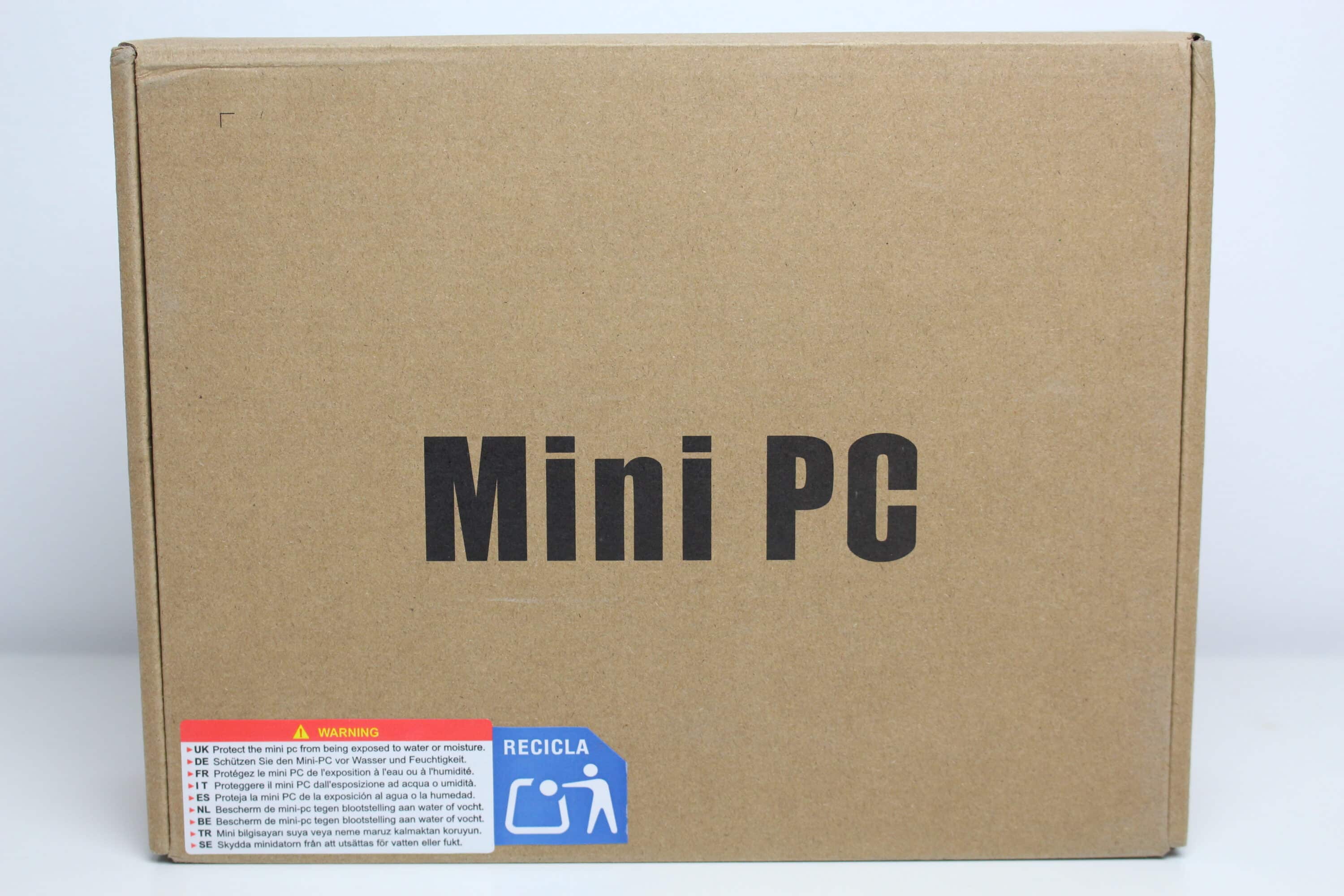
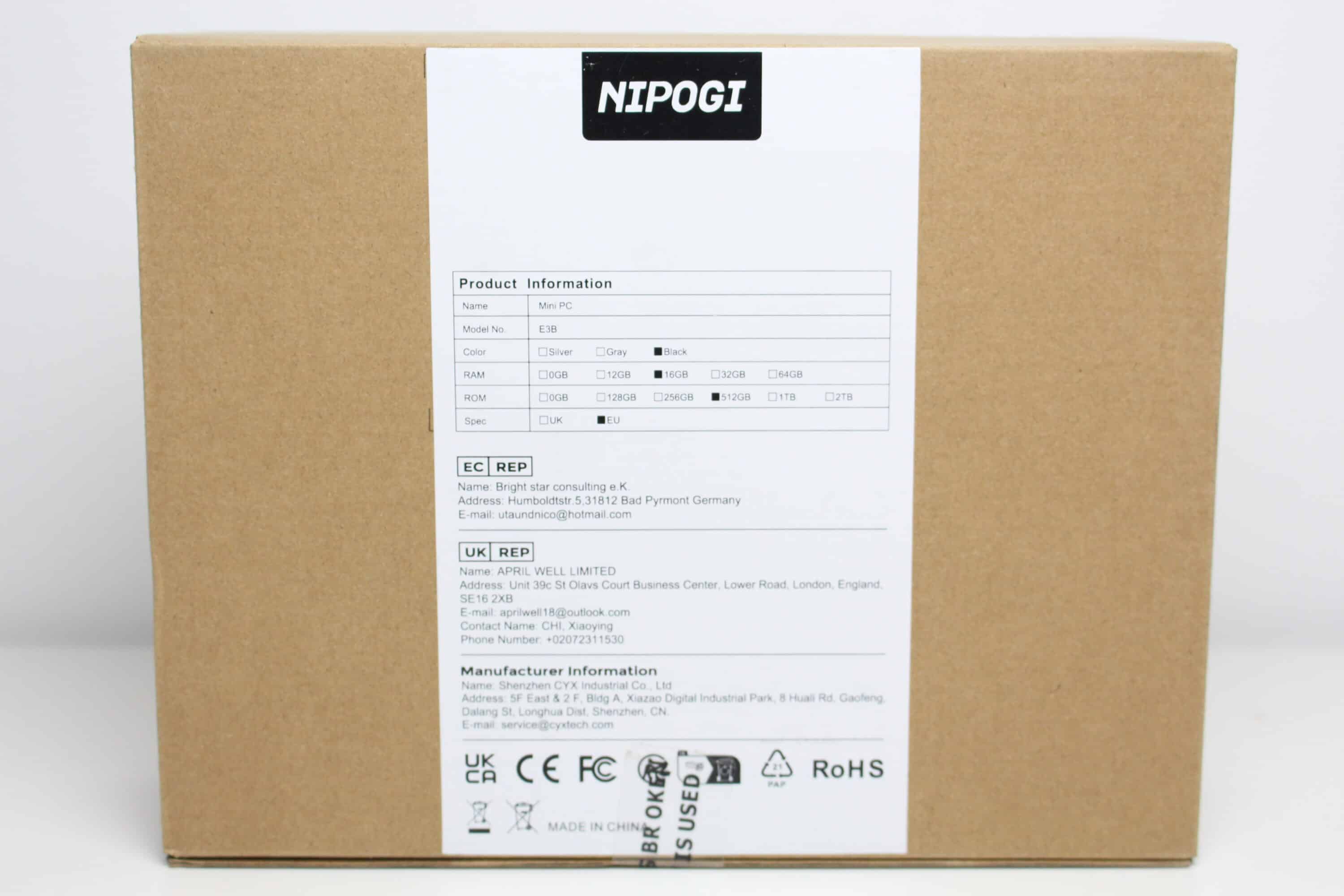
NiPoGi packs the E3B in a simple brown cardboard box. The manufacturer only prints the words “Mini PC” on the front of the box. On the back of the box we find a white sticker on which basic features such as the color and the amount of RAM or hard disk space have been marked accordingly. Information about the manufacturer and the German sales partner can also be seen here.
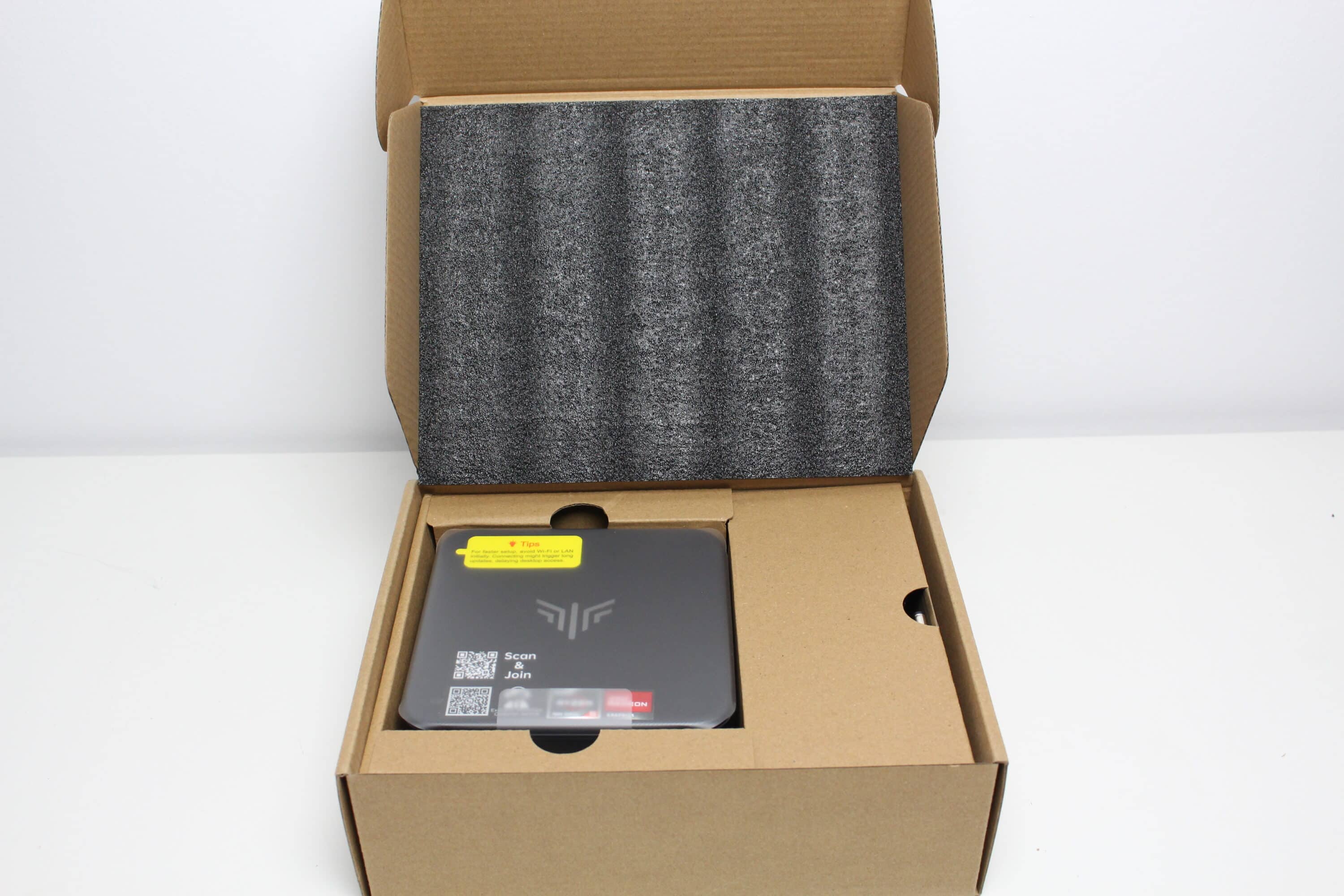
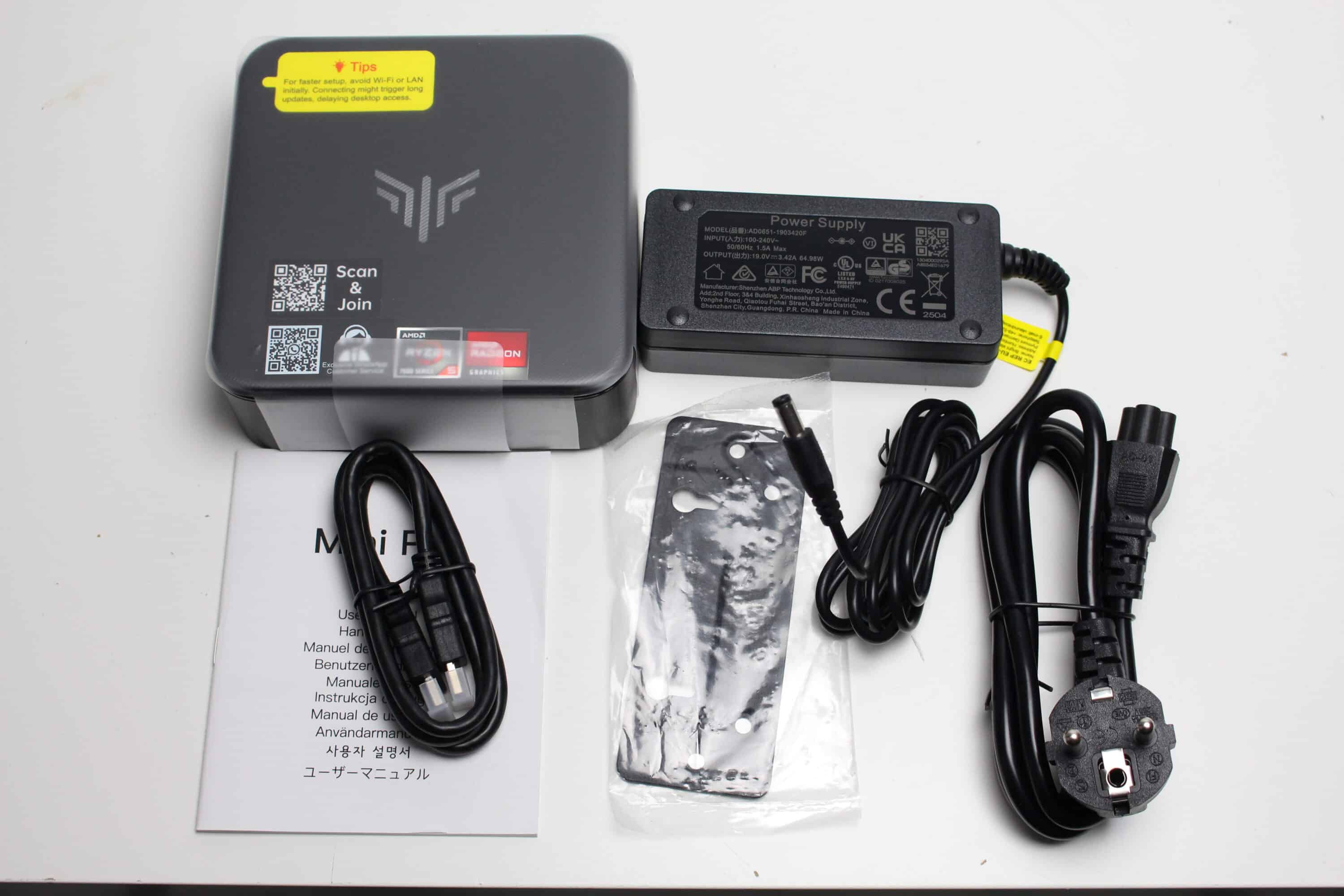
When you open the box, you are first greeted by a thin layer of foam. Underneath, we immediately find the Mini E3B, which has been wrapped in an additional plastic film to protect it from scratches. To the right of the Mini PC, the manufacturer stores the accessories in a small compartment. These include a short HDMI cable, mounting screws, a VESA mount, the 65W power supply unit and a quick start guide.
NiPoGi E3B test: design and workmanship
In terms of size, the NiPoGi E3B is neither particularly large nor particularly compact. Its dimensions are approximately 13 centimeters wide, 13 centimeters deep and 5 centimeters high. The weight of 560 grams for the mini PC and 355 grams for the power supply unit are also typical values, making it light enough to take with you in your backpack.
The housing of the E3B is made entirely of black plastic, which has a decent overall material thickness and a reasonable feel. Of course, this cannot be compared with a metal housing, but we don’t expect that with a purchase price of € 289.99 *.
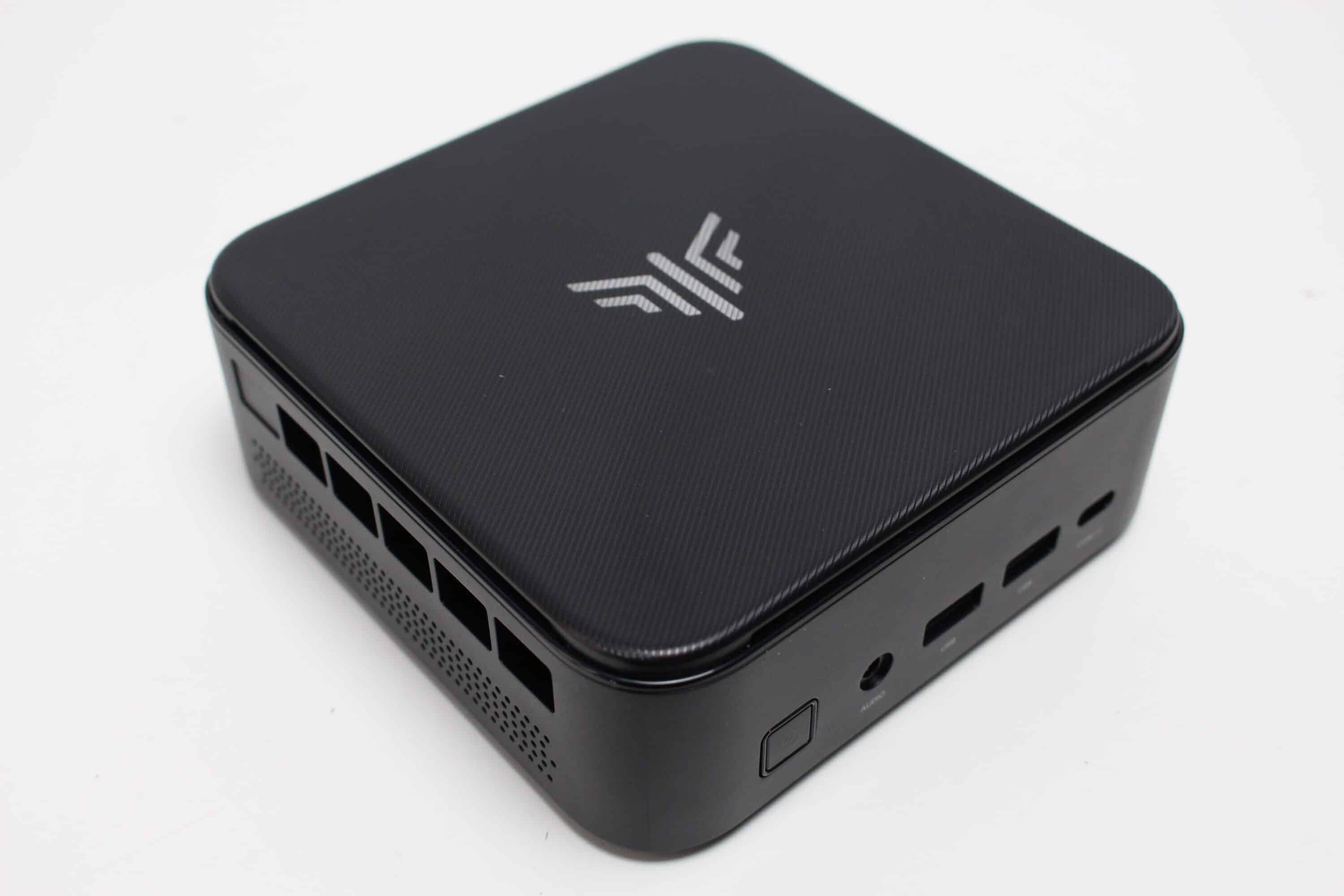
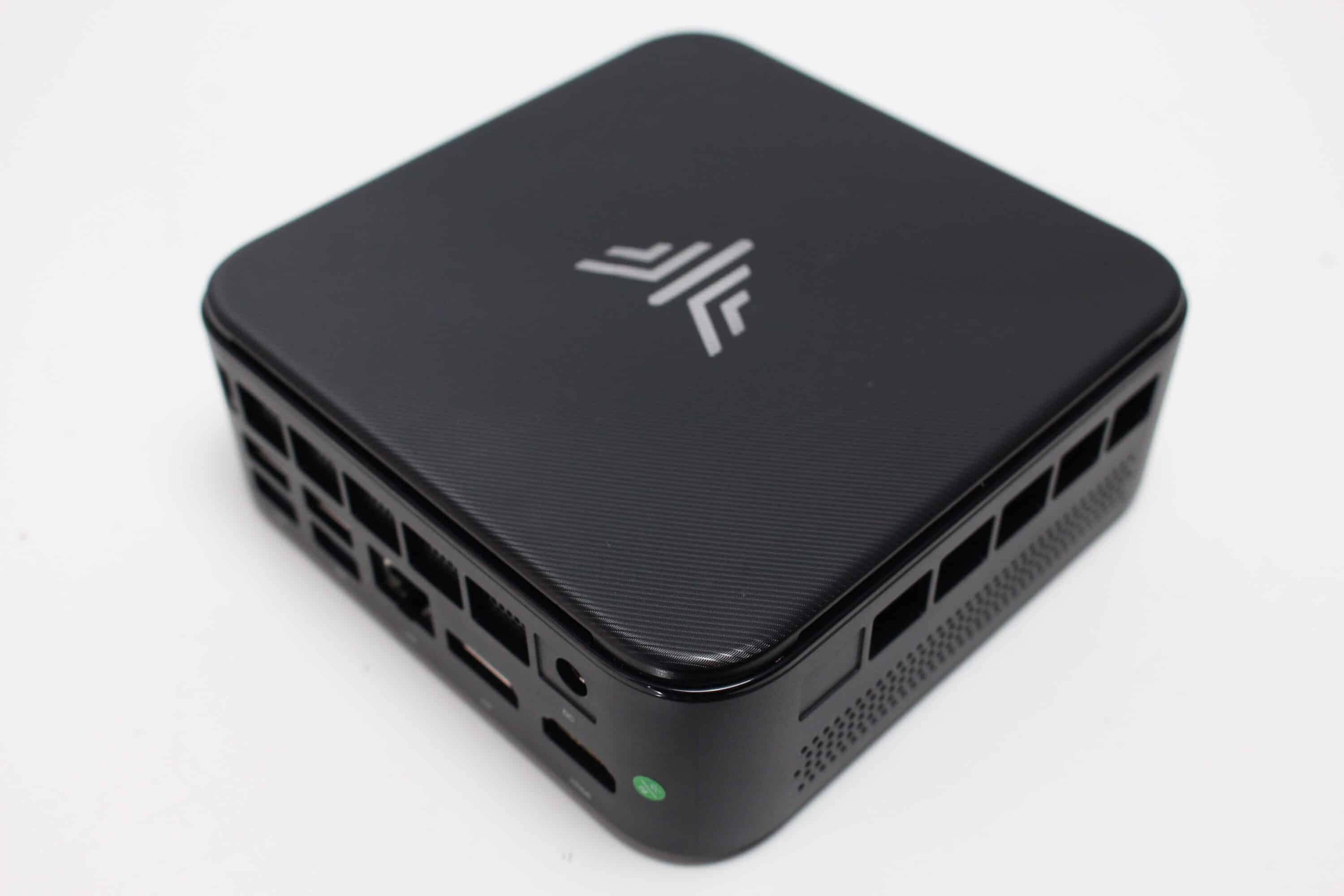
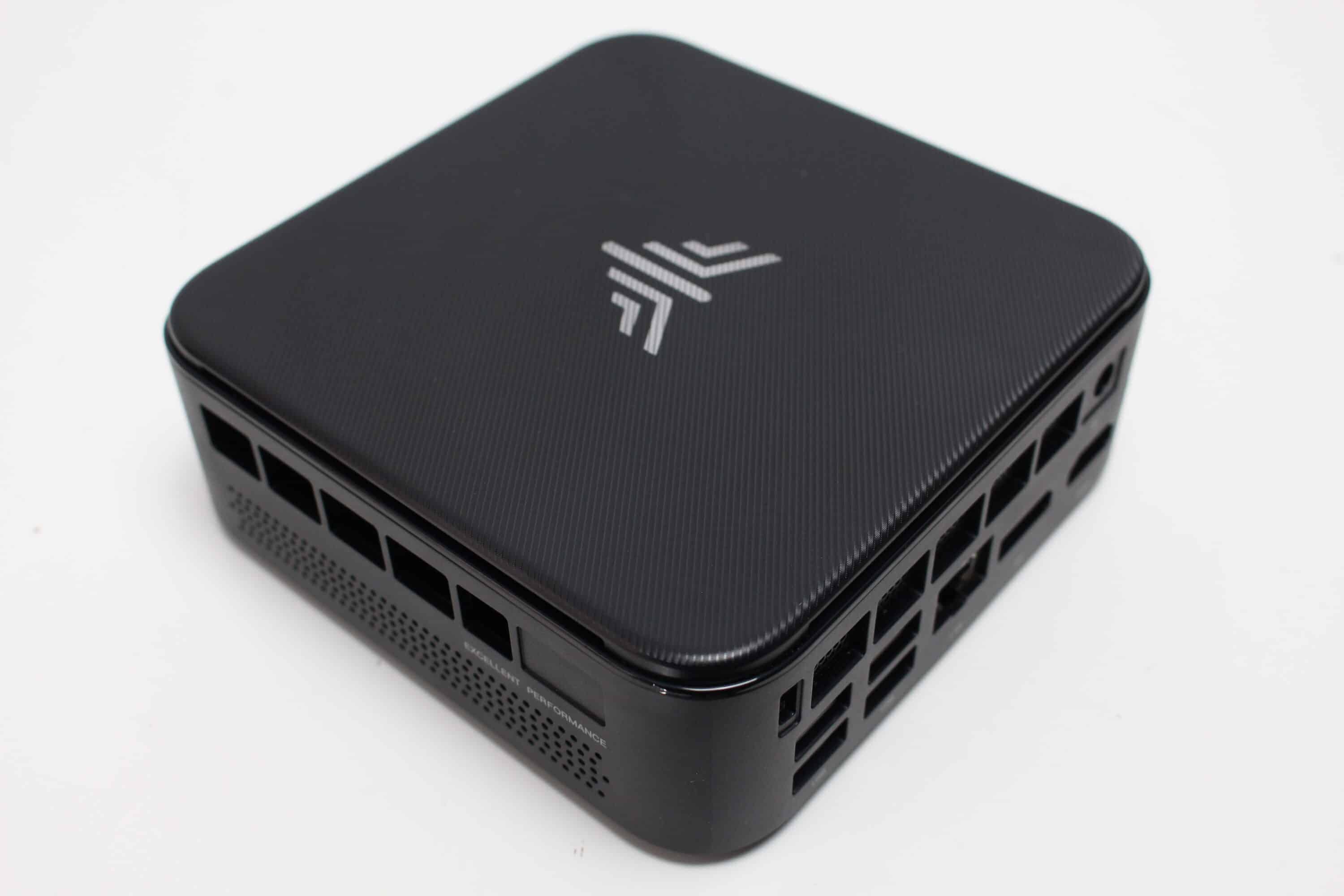
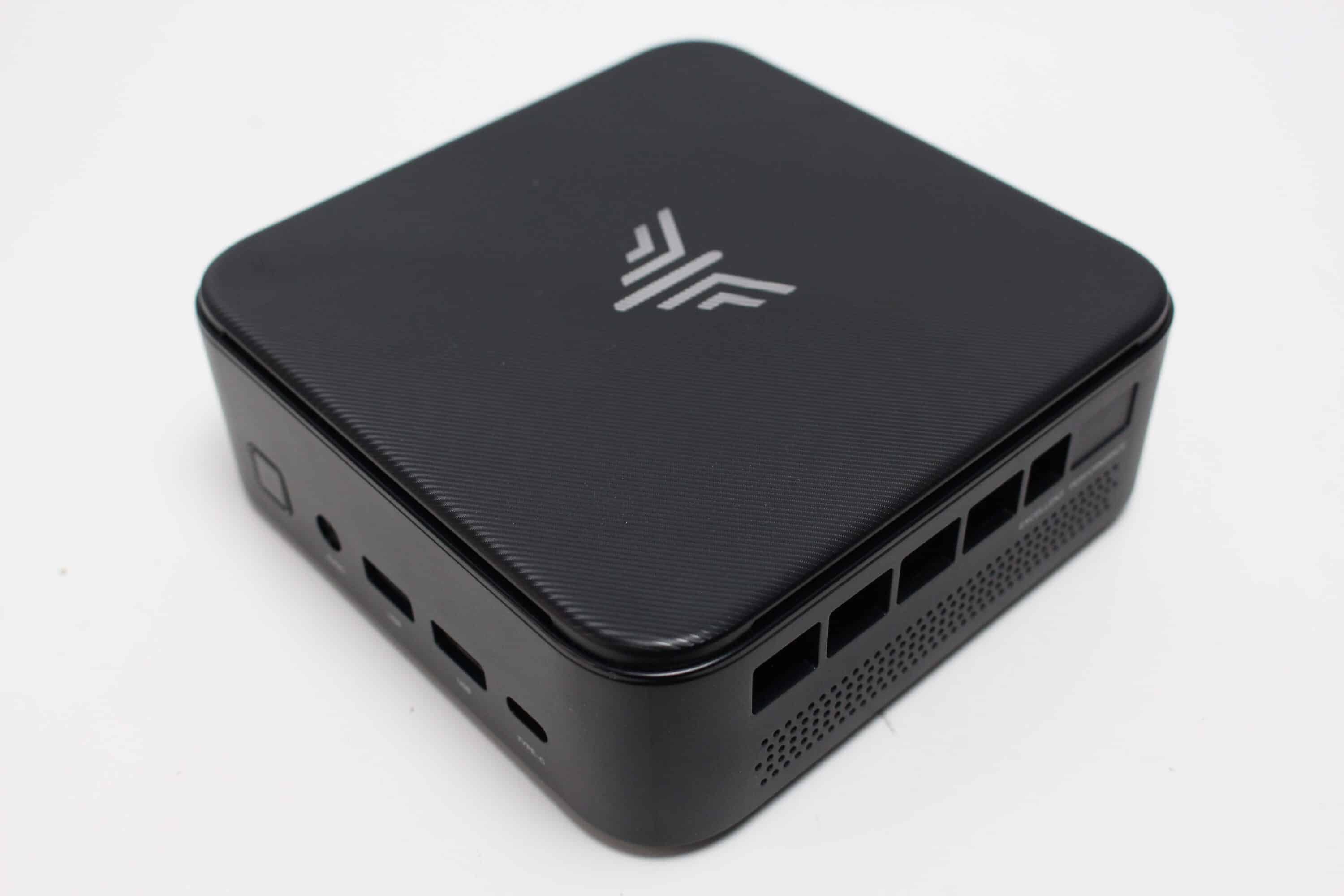
To liven up the look, the housing cover is slightly grooved and features a silver manufacturer’s logo. However, the grooves make the cover particularly susceptible to fingerprints. There are also some stickers on the top from the factory, which fortunately could be removed almost without leaving any residue.
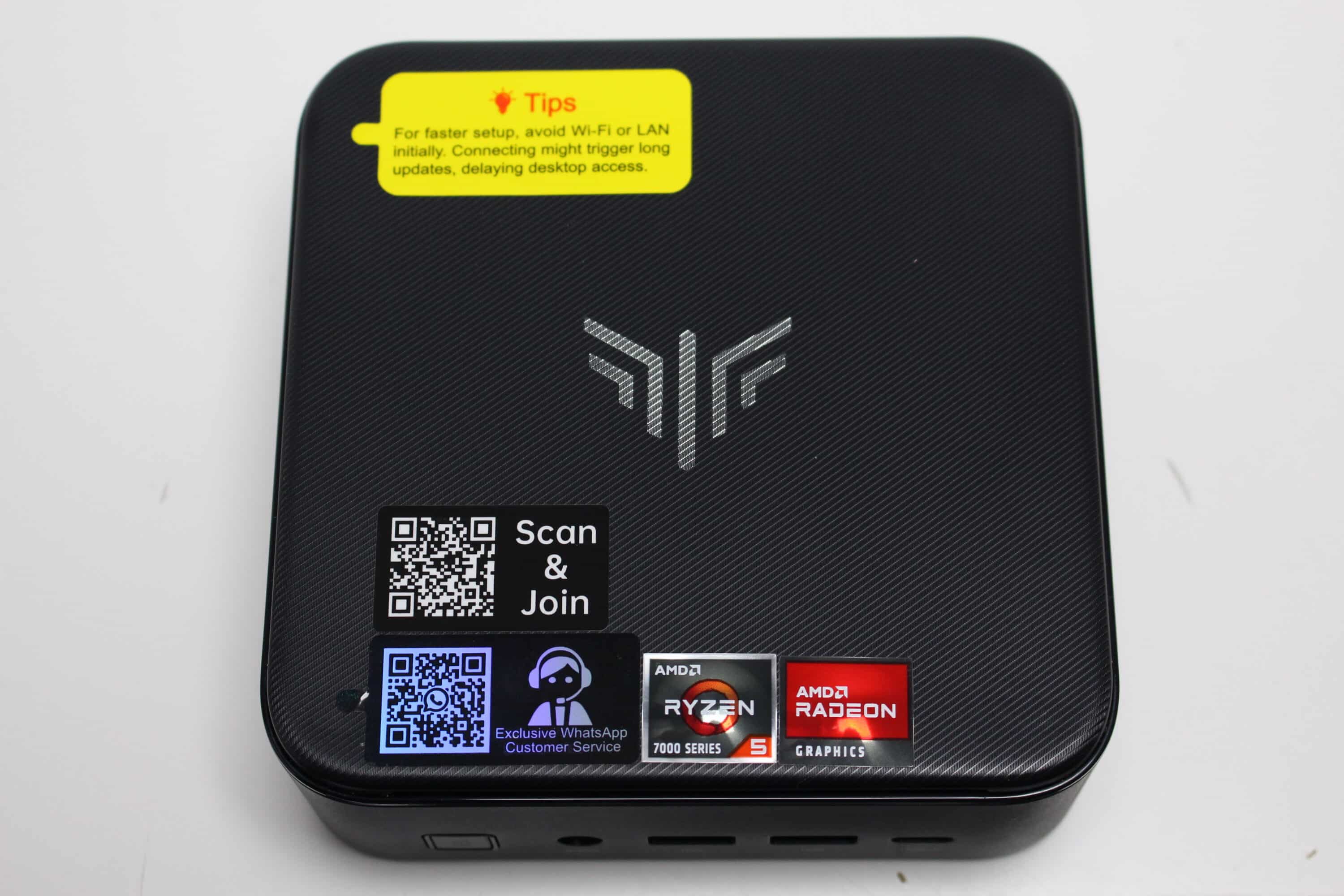
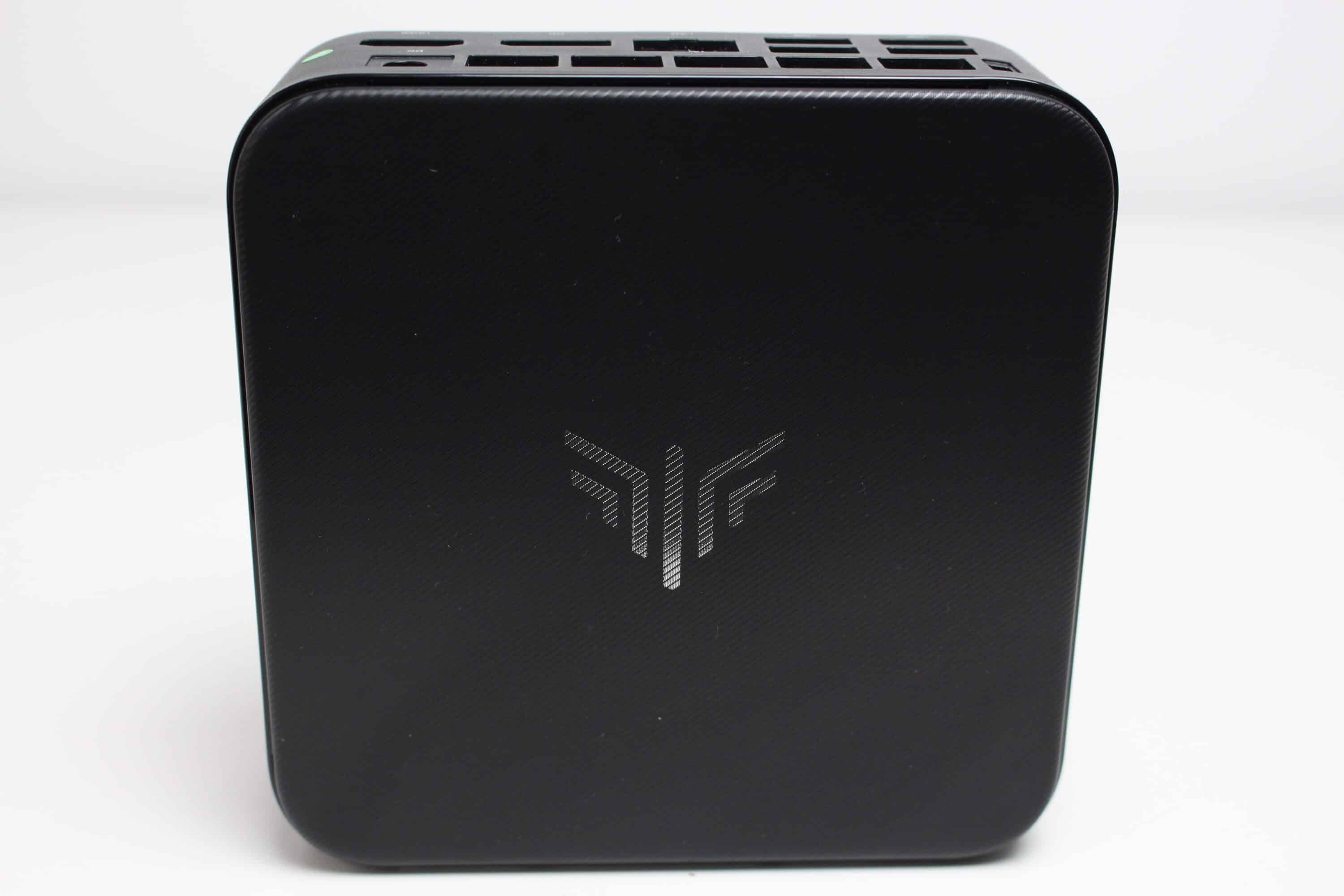
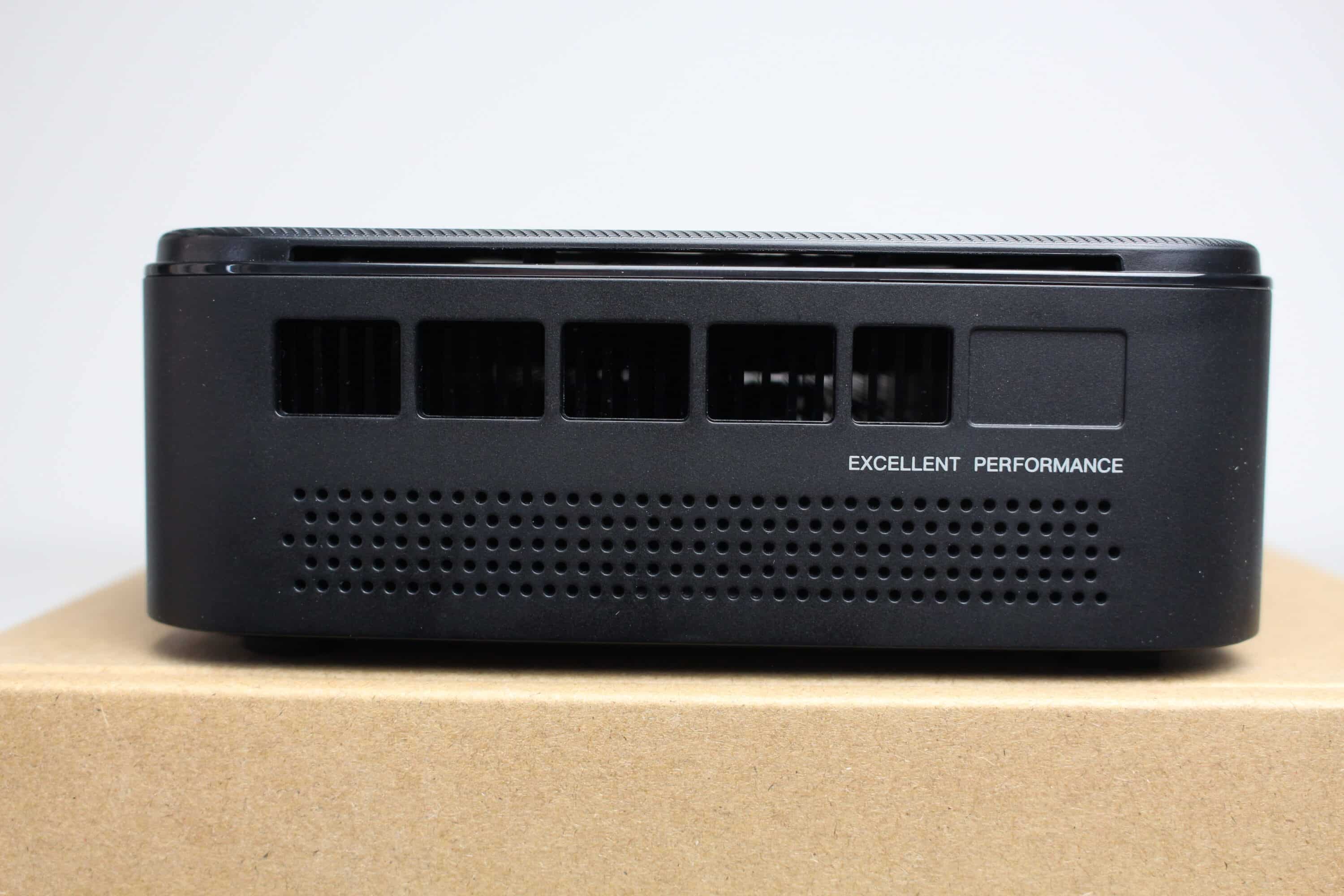
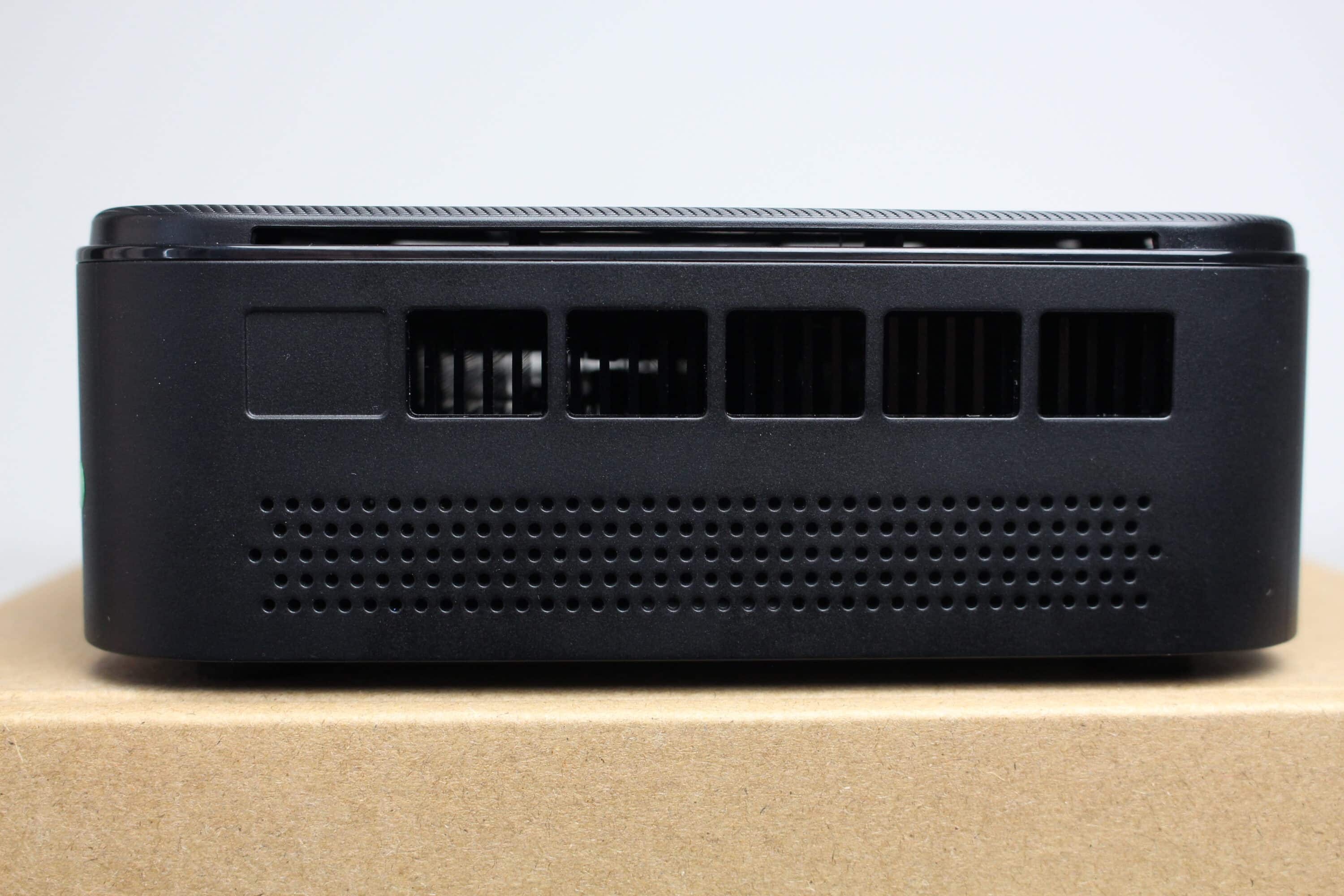
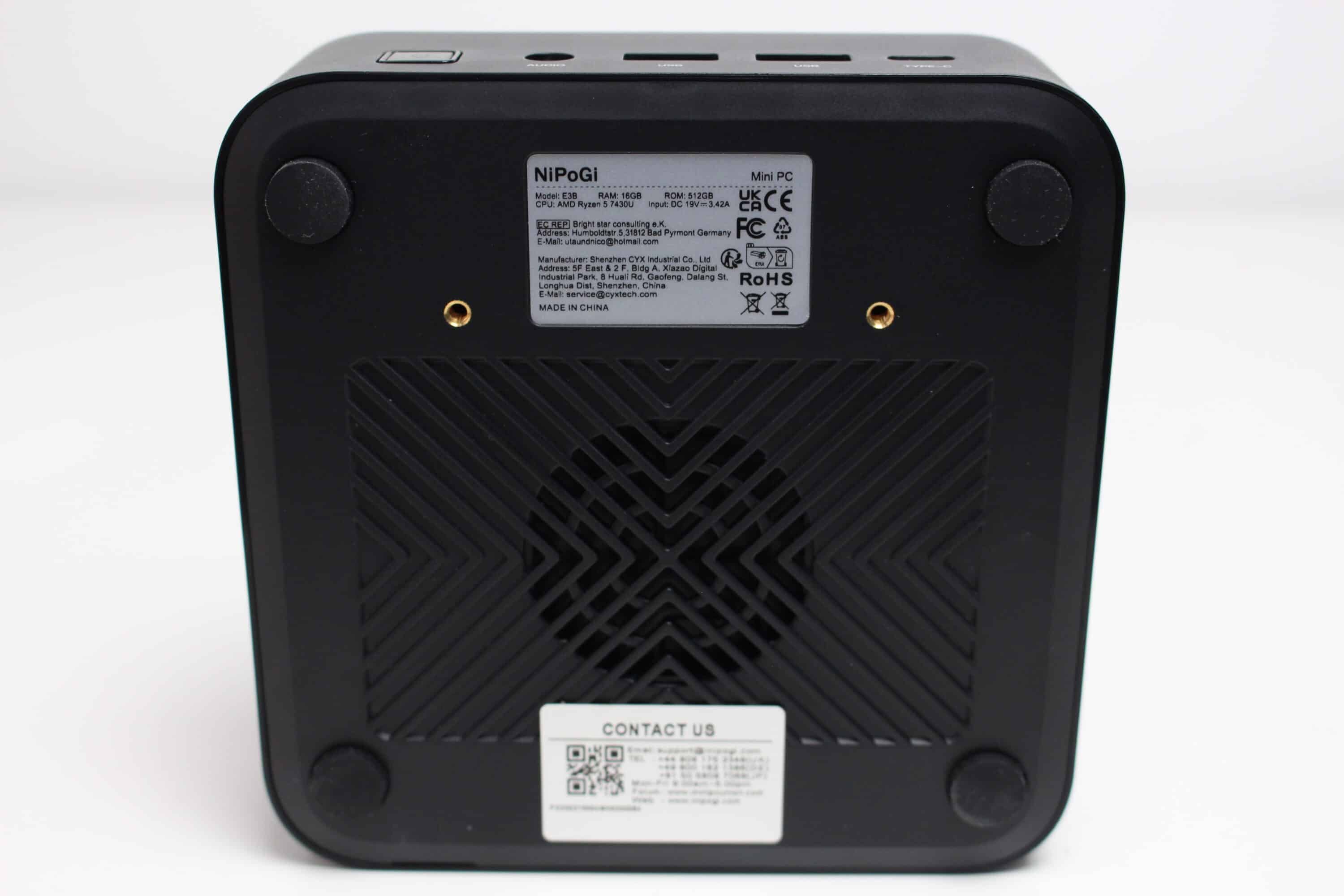
The manufacturer has placed the connections on the front and rear and slightly larger ventilation openings can be seen on both the front and sides, behind which a black heat sink can be seen. On the underside, we only find four small rubber feet, two nameplates, the mounting holes for the VESA mount and a round ventilation opening.
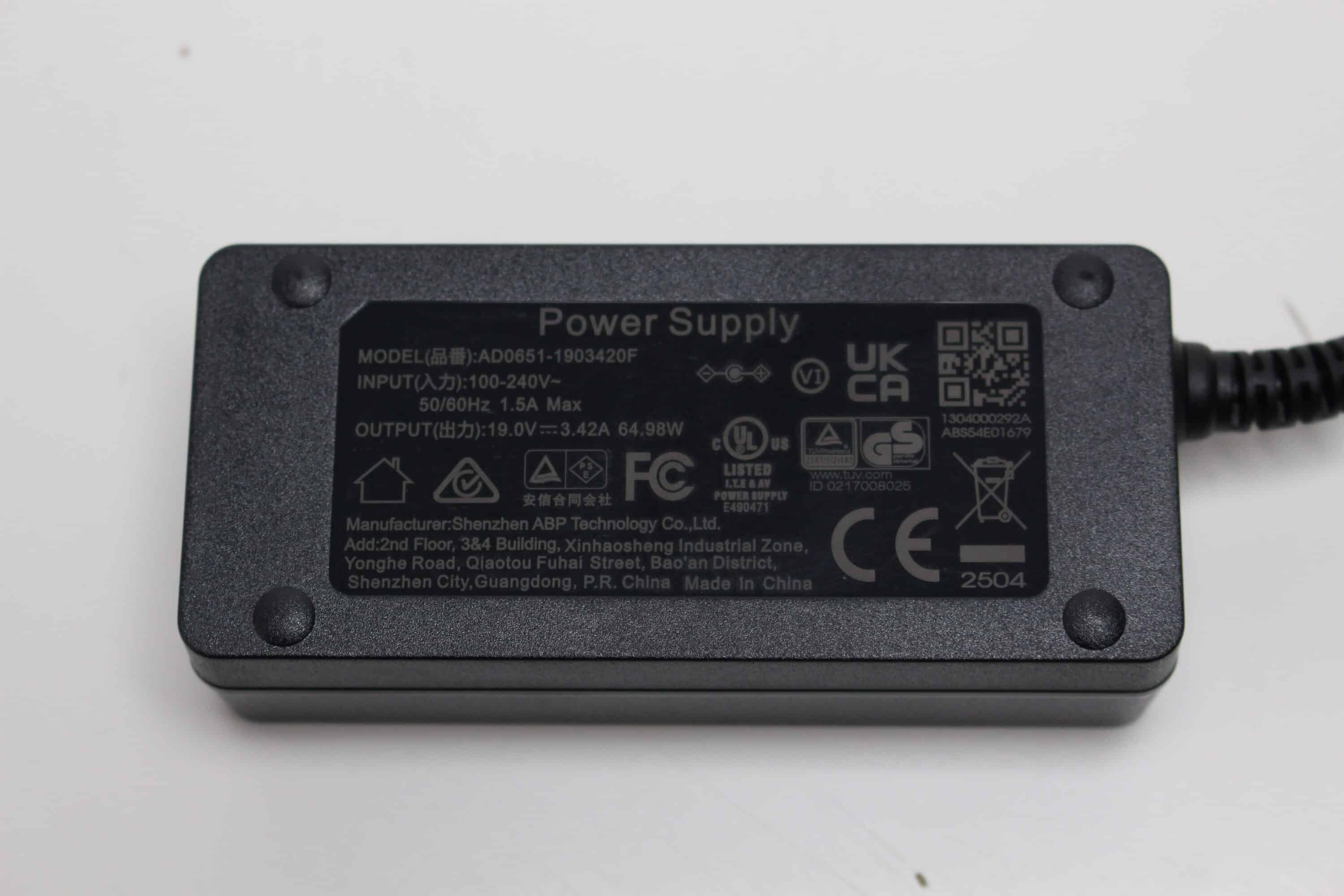
The supplied external power supply is black and has a 1.5m connection cable and an output power of 65W. In terms of specifications, it appears to be the same power supply unit as the NiPoGi CK10.
Features and maintenance
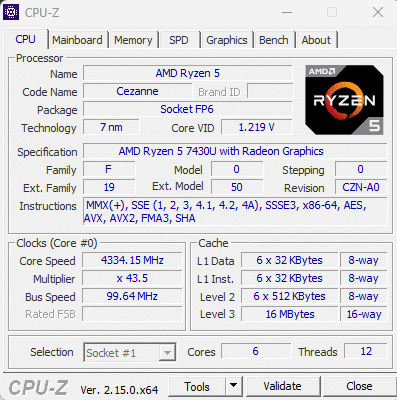
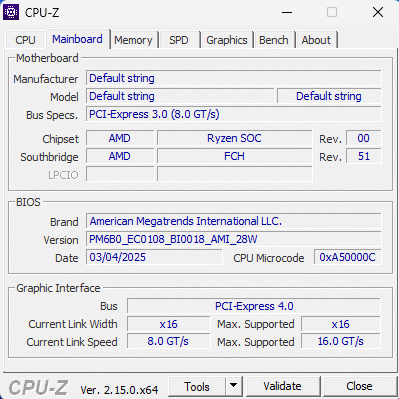
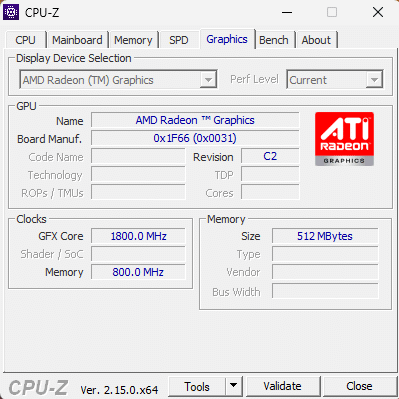
An AMD Ryzen 5 7430U is used as the processor in this variant of the E3B. This Zen3 chip is the successor to the Ryzen 5 5625U and is generally located in the lower mid-range for notebook CPUs. The CPU is made up of six cores with a base clock of 2.3 GHz and a turbo clock of up to 4.3 GHz. It also has hyperthreading or SMT and therefore calculates with up to 12 threads. An AMD Vega 7 graphics unit with a clock speed of up to 1.8 GHz is also integrated into the processor.
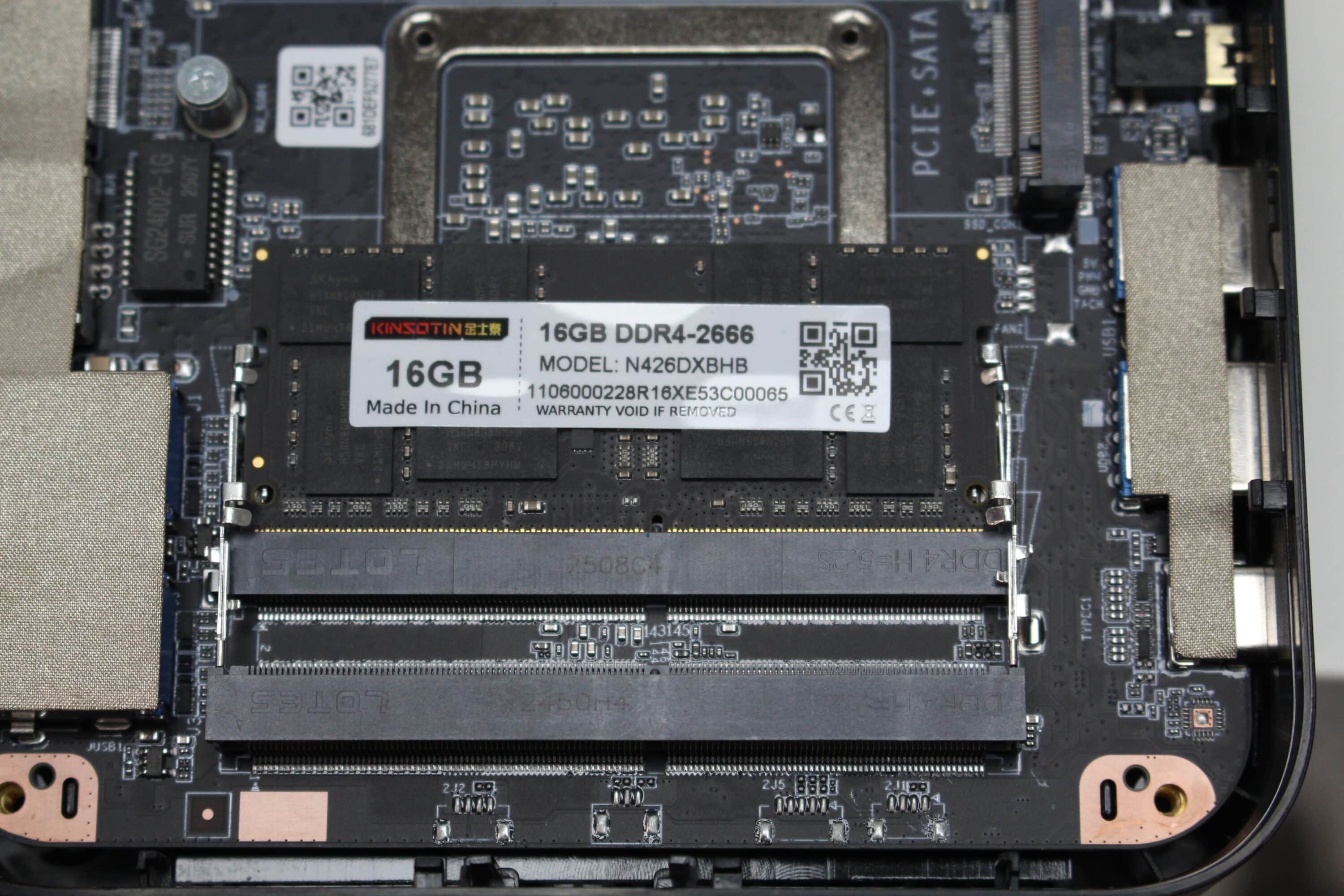
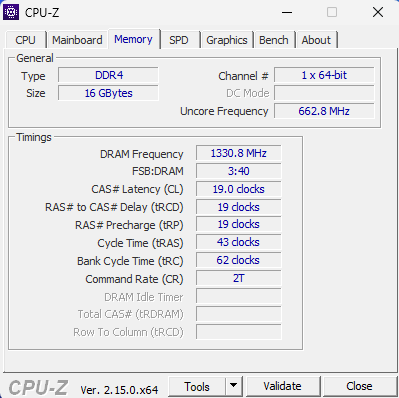
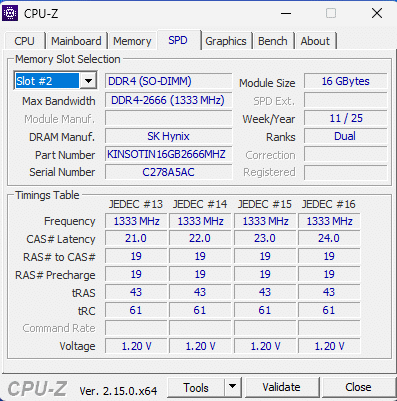
The volatile memory used in this Mini-PC is a DDR4 bar (SO-DIMM) from the manufacturer Kinsotin with a capacity of 16GB and a clock rate of 2666 MHz. If required, the memory can be expanded with a second bar or up to 64 GB. Although the single RAM bar is good for expandability, it is bad for the general performance of the AMD Ryzen 5, which is known to benefit greatly from a dual-channel configuration.
The pre-installed Windows 11 Pro was installed on a SATA SSD in m.2 format, which was manufactured by the unknown manufacturer Longwings Semiconductor. It is specified with a capacity of 512GB and has the m.2 2280 format. The NiPoGi E3B has a total of two m.2 slots, only one of which is fitted ex works. One of the slots only supports SSDs with the m.2 SATA interface and the second is compatible with an m.2 SATA or an m.2 NVMe SSD (PCIe 3.0).
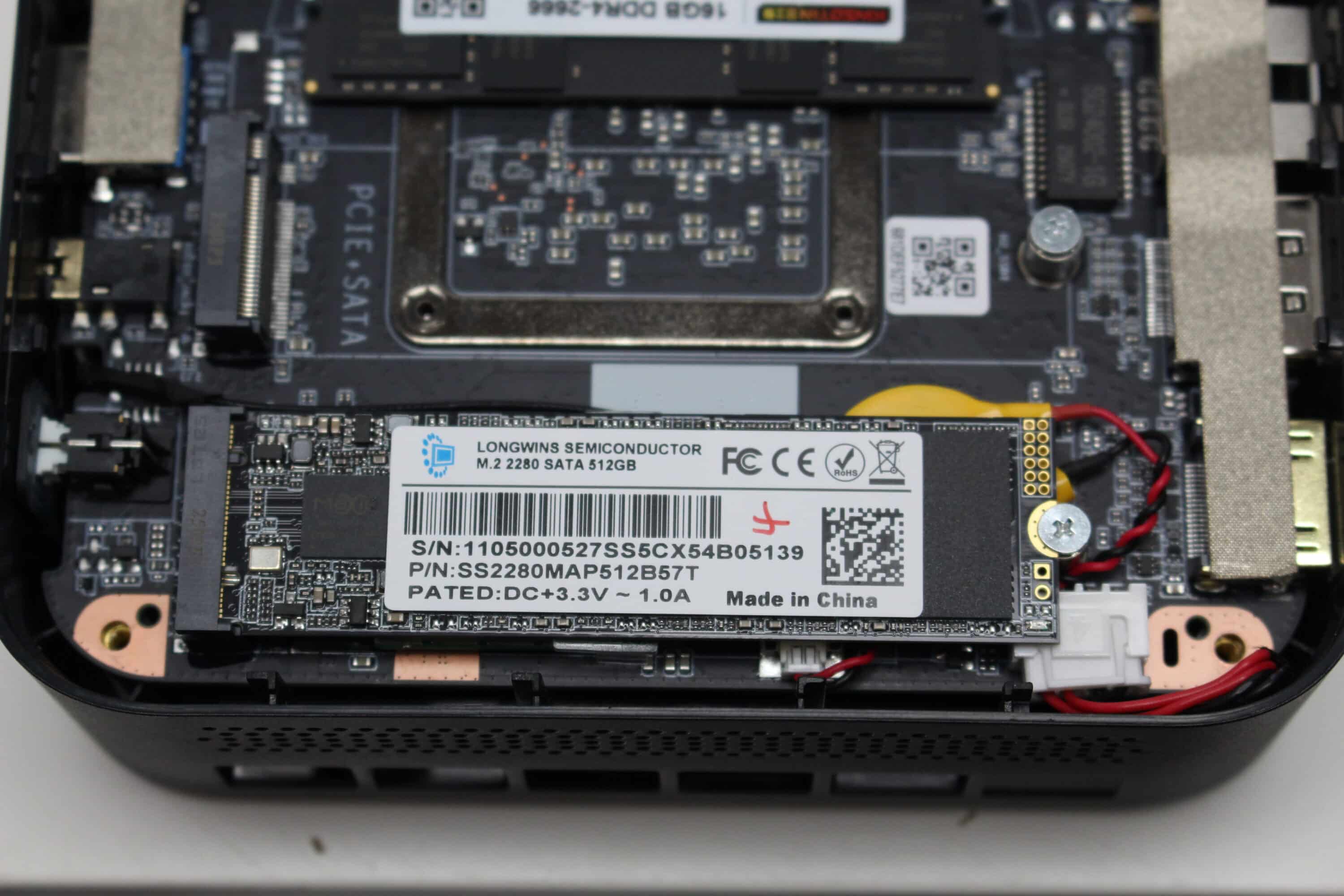
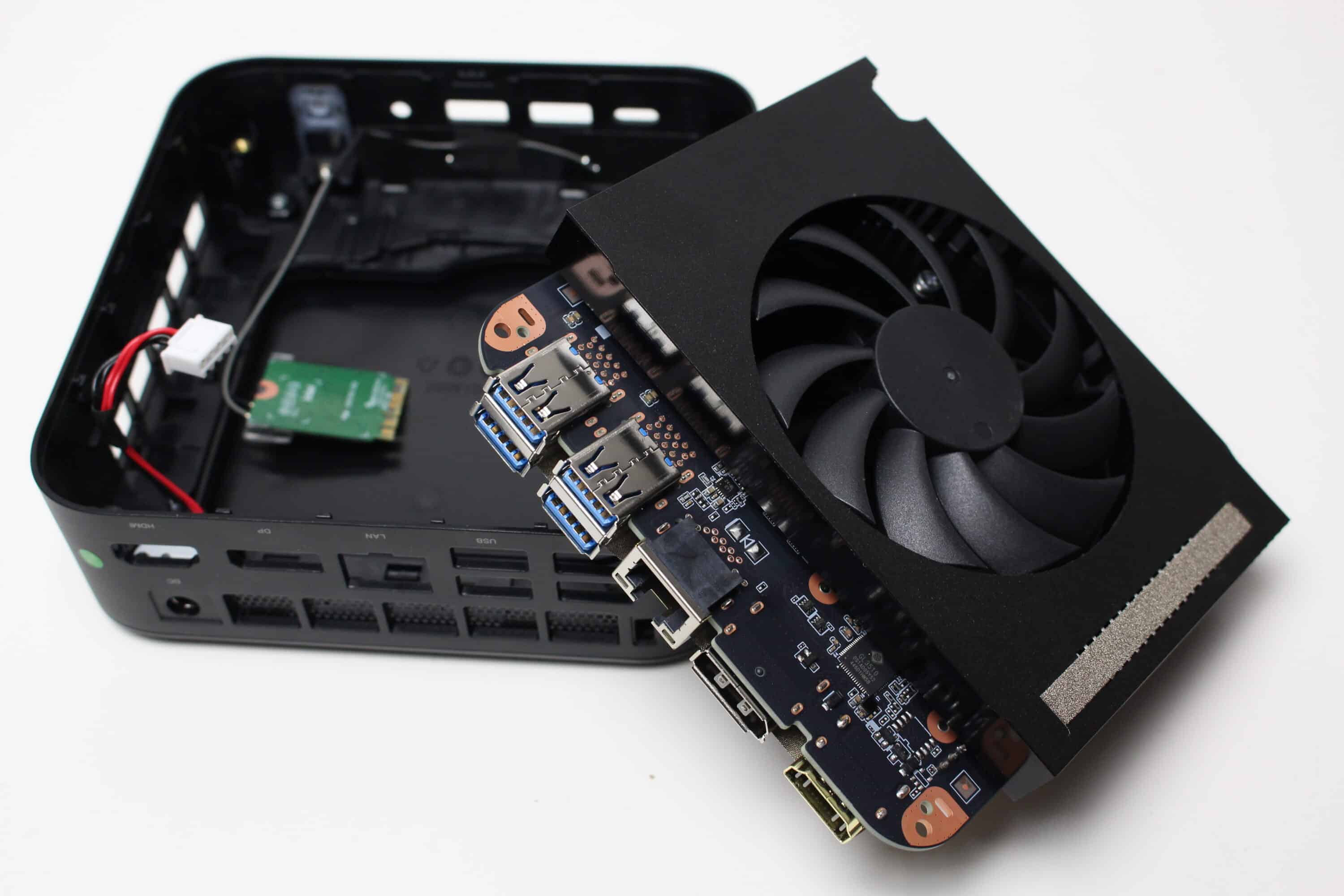
To replace the above-mentioned components, you first have to remove the four glued-on rubber feet on the underside. Then loosen the four screws and carefully lever off the cover. You will now come across a black metal plate, which is also attached with four screws. Once these have also been removed, you can access the two RAM and m.2 slots as well as the BIOS battery and the WLAN and Bluetooth card, which are also modular.
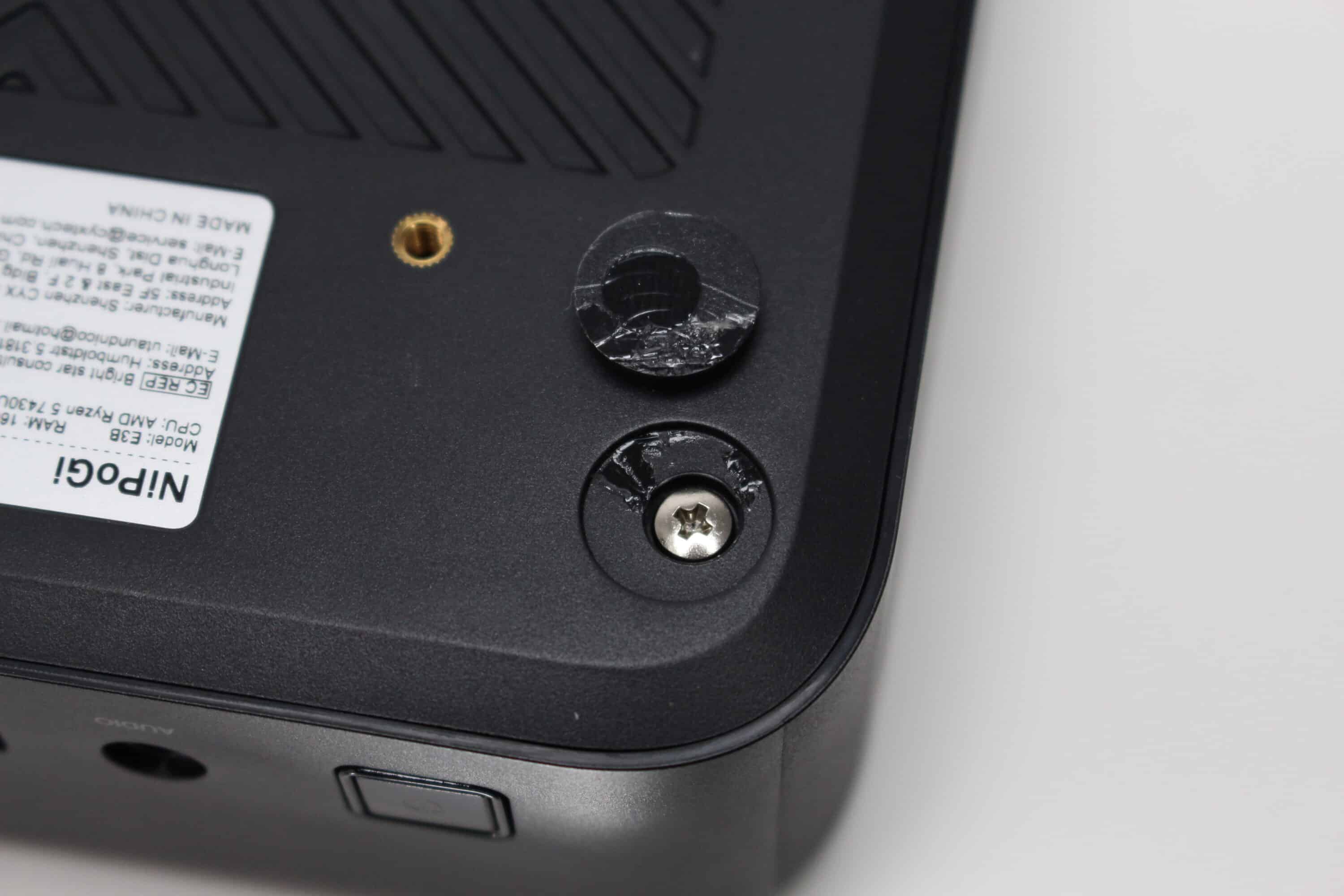
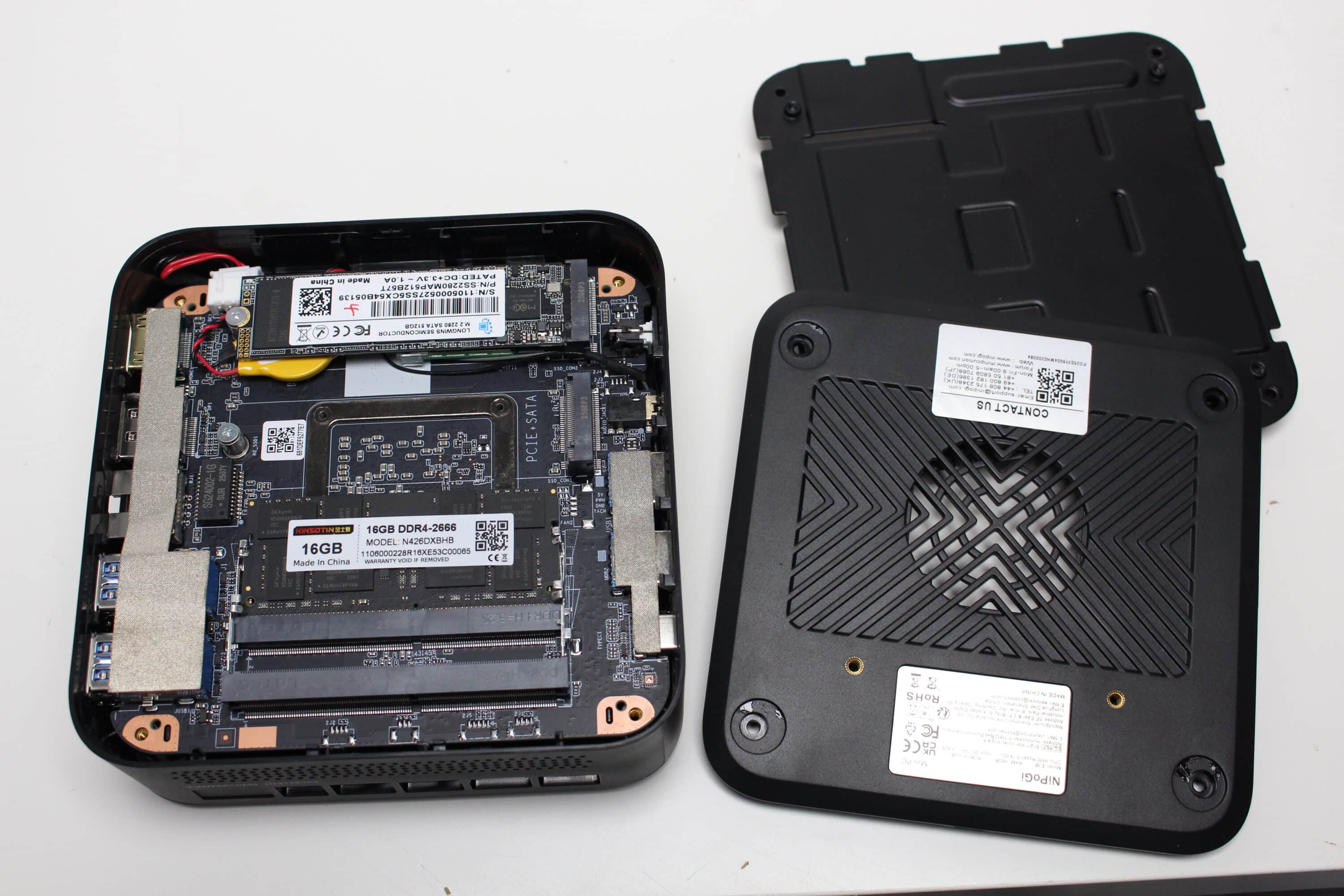
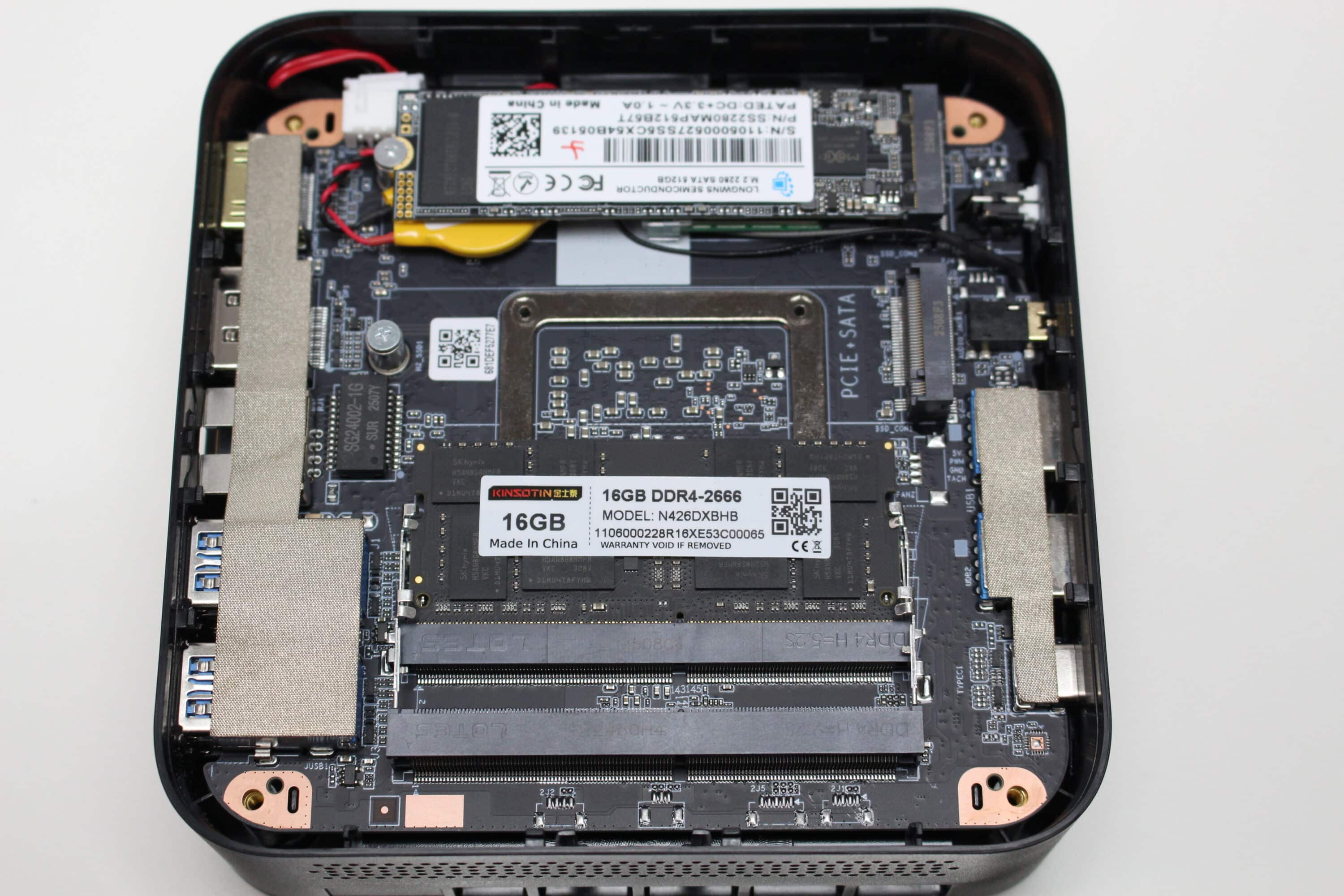
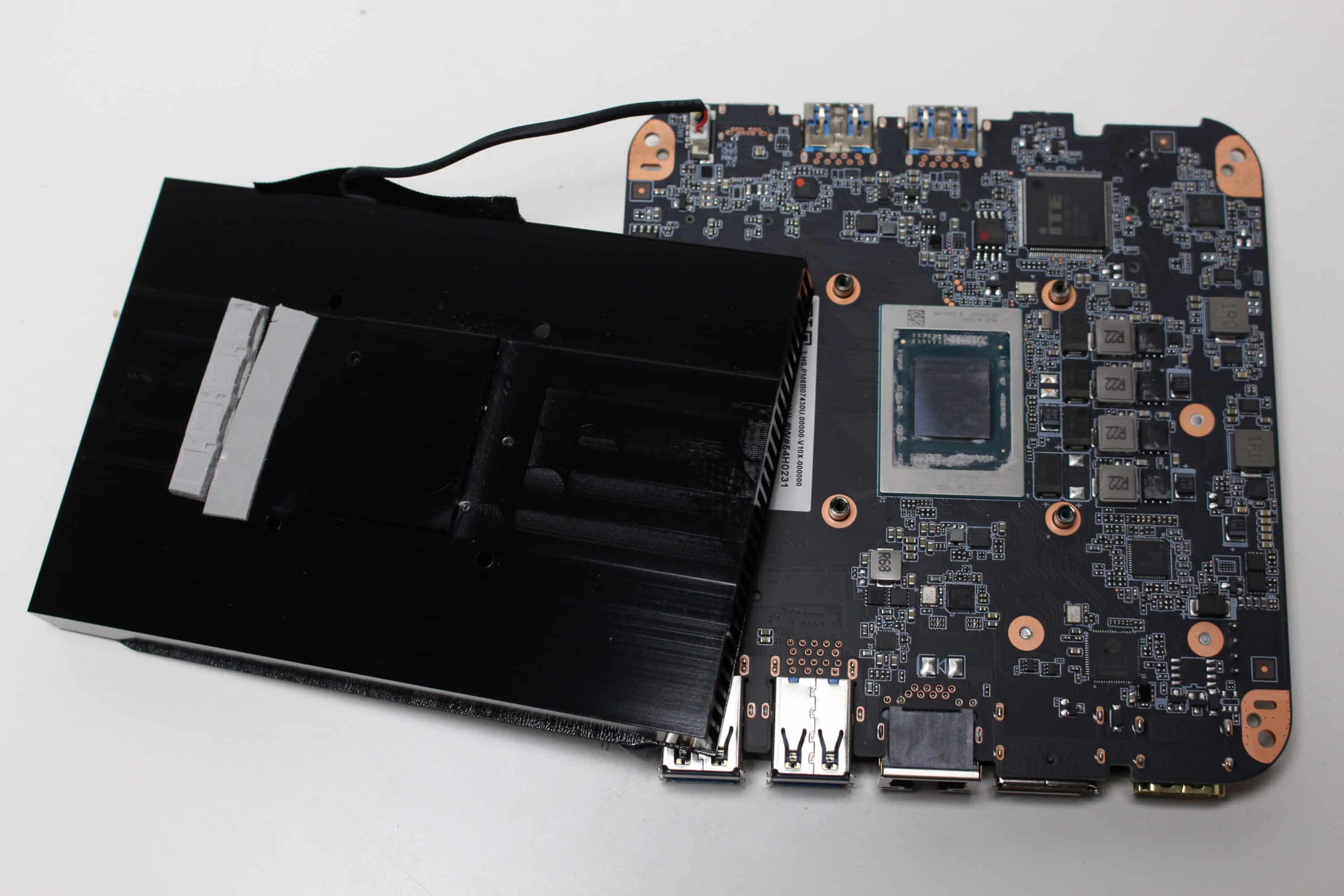
If necessary, you could also remove the entire circuit board from the housing. However, as this requires the housing to be bent dangerously to the side and the WLAN antennas are most likely attached to the housing, you should be particularly careful here. The only purpose of a complete disassembly would be to replace the thermal paste and clean the CPU cooler. Interestingly, the aluminum heat sink is also completely painted in the area of the contact surface above the CPU. If the contact surface is sanded very finely, this could perhaps lead to slightly better temperatures.
NiPoGi E3B test: The connections
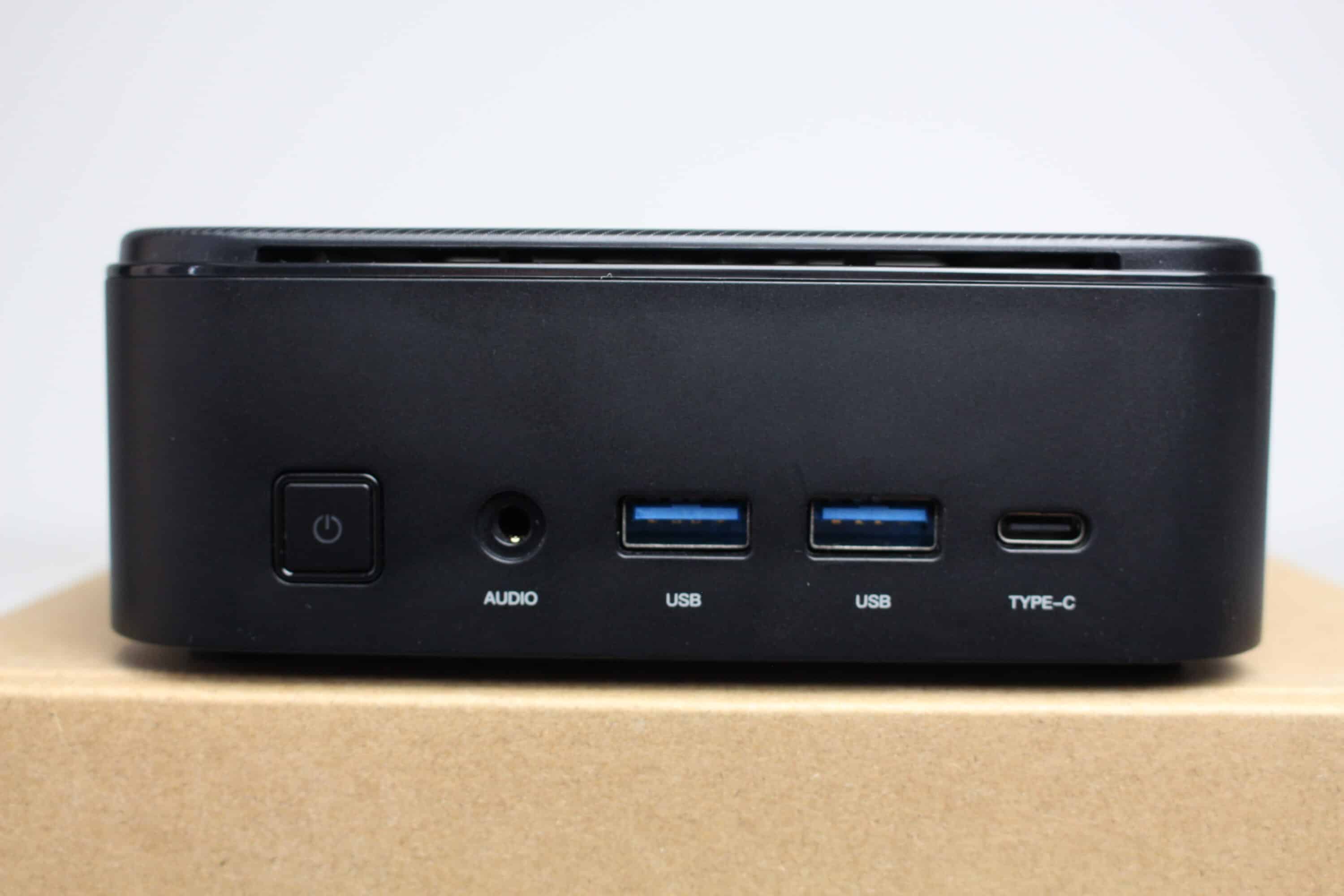
The NiPoGi E3B has a good range of connections. The manufacturer has installed a white backlit power button on the front, a 3.5mm HD audio jack, two USB-A 3.2 Gen 1 ports and a USB-C 3.2 Gen 2 port with DisplayPort. The latter also supports multiple monitors simultaneously via a docking station.
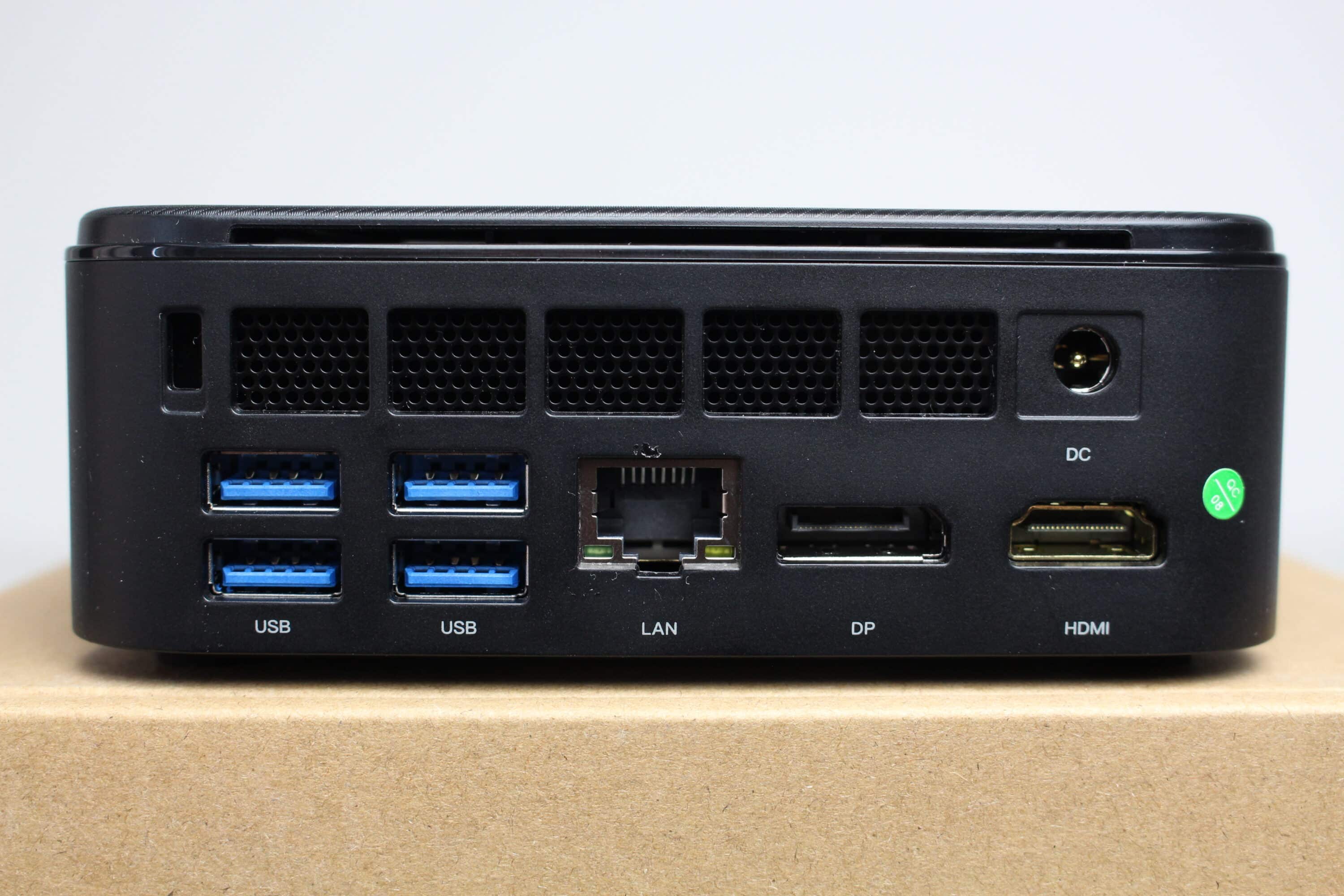
There is plenty more on the back. There are four additional USB-A USB 3.2 Gen 1 ports, an RJ45 socket with Gigabit support and two additional display ports in the form of DisplayPort 1.4 and HDMI 2.0. In total, the NiPoGi E3B allows buyers to control up to three screens simultaneously.
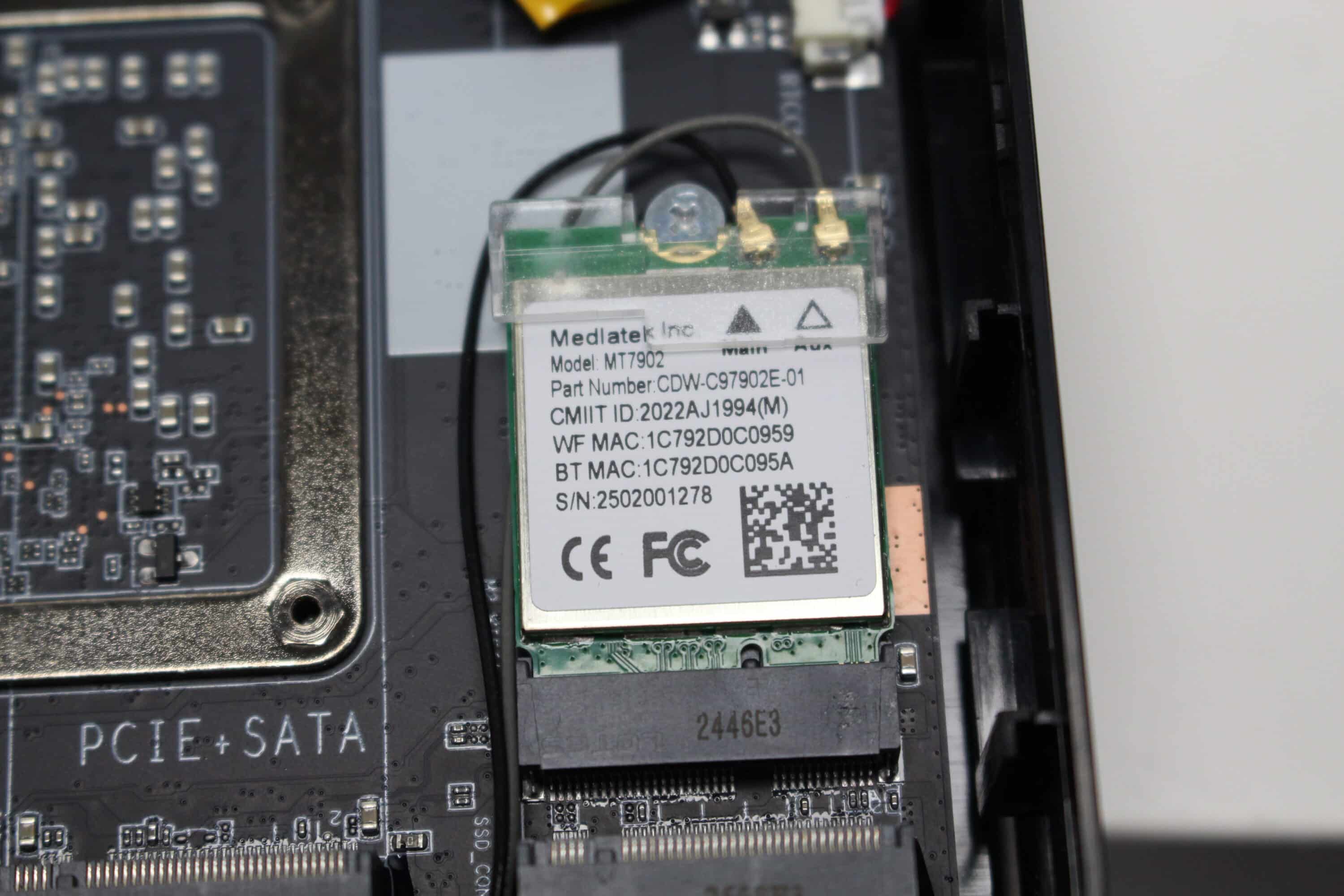
To enable wireless connections, NiPoGi uses a Wi-Fi or Bluetooth adapter from MediaTek. This is the MT7902 chip, which supports Wi-Fi 6E and Bluetooth 5.2 and can also be replaced if necessary. Unfortunately, a look at the search engine of choice shows a number of articles in which the adapter is said to have failures and unstable transmission.
NiPoGi E3B test: practical impressions
Setting up the NiPoGi E3B was quick and easy, as the mini PC comes with Windows 11 Pro pre-installed. A few seconds after switching it on, we were greeted by the Windows 11 setup wizard. This was followed by the selection of the language, the (de)activation of the data protection options and the assignment of a name for the local user account. It is not necessary to set up a Microsoft account, at least as long as you follow the warnings and do not connect the device to the Internet during the initial setup.
The initial setup was followed by the installation of Windows updates, which unfortunately presented us with a small challenge. Unfortunately, the latest cumulative update from June 2025 could not be installed and we kept getting an installation error. Even a repair with the usual Windows board tools could not solve the problem. So unfortunately the only option was to completely reinstall Windows 11 Pro.
This led us straight to the next problem. Apparently, the driver for the WLAN or Bluetooth adapter is not part of the Windows 11 standard package and NiPoGi does not offer its own website with a download center. So the relevant packages had to be downloaded via minor detours from other manufacturers (e.g. Lenovo, HP), who also rely on the built-in network adapter for certain products.
As part of the malware issue with the manufacturers NiPoGi and Acemagic, we also carried out a complete malware scan on the NiPoGi E3B using various solutions (Microsoft Defender, Trend Micro, Avast etc.). Fortunately, none of the scans found any threats and the suspicious folders were not even present. However, as we had to reinstall the system anyway, we did not address the issue any further
The fan installed in the E3B remains very restrained in idle mode and under low load (e.g. YouTube videos (1080p)) and does not draw attention to itself with annoying background noises. As soon as a little more load is applied, the fan speeds up quite a bit and you can hear a slightly audible noise. Depending on the load, it also turns up a little more, only to stop completely and start up again a short time later. Unfortunately, this is much more annoying than if the fan simply remained at a certain speed.
We were able to test the installation and operation of a Linux distribution (in this case Linux Mint 22.1) successfully for the most part. However, the WLAN and Bluetooth adapter once again threw a spanner in the works. Apparently there are no drivers for Linux and the Internet is full of articles trying to get the adapter to work.
Benchmark: Productivity, system, SSD and gaming
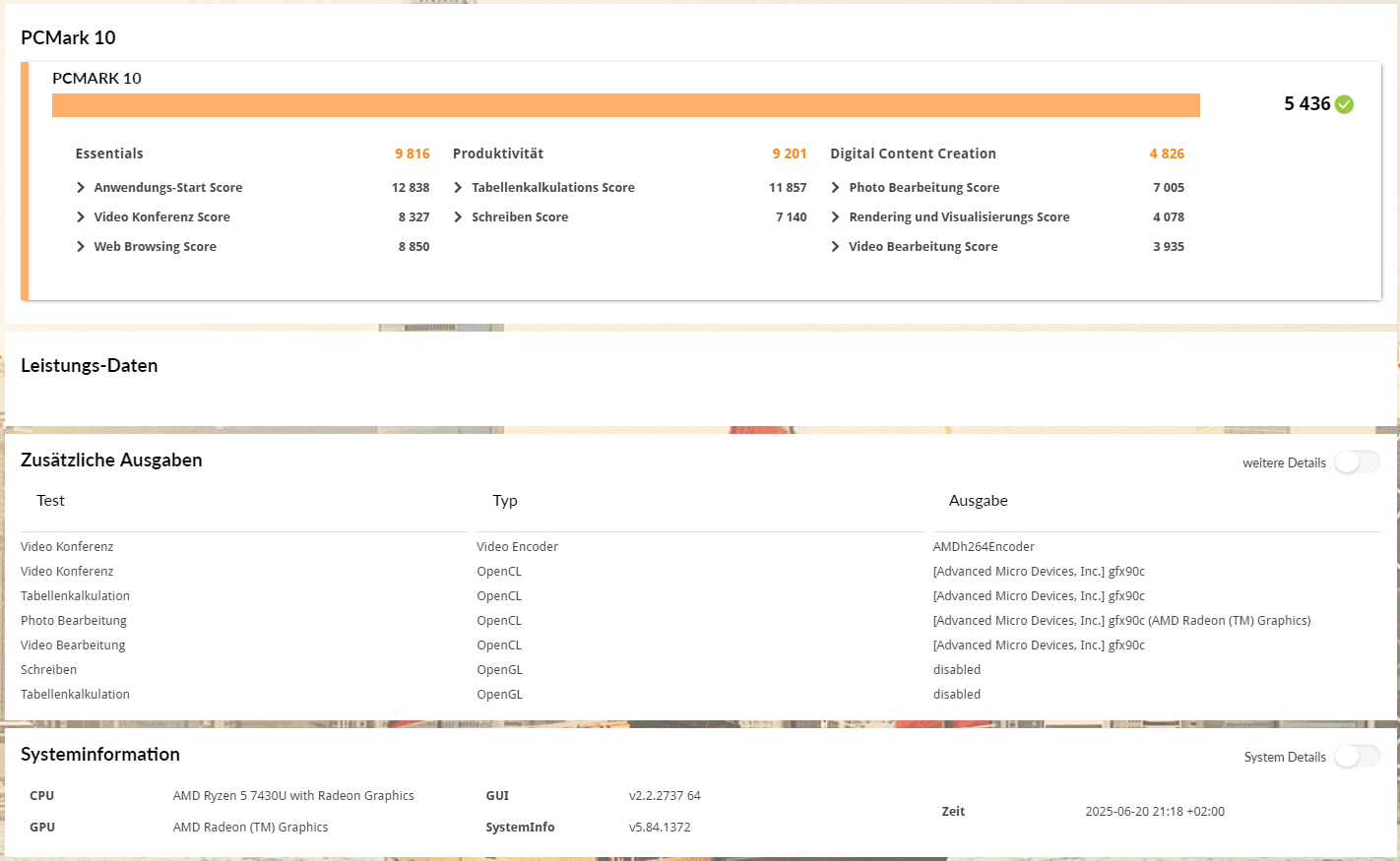
Let’s move on to the benchmarks so that we can back up the manufacturer’s claims with a few figures. We measure the productivity and system performance with PCMark 10 and Cinebench R23. PCMark 10 simulates different workflows when running the benchmark, which include word processing, surfing the Internet and spreadsheets.
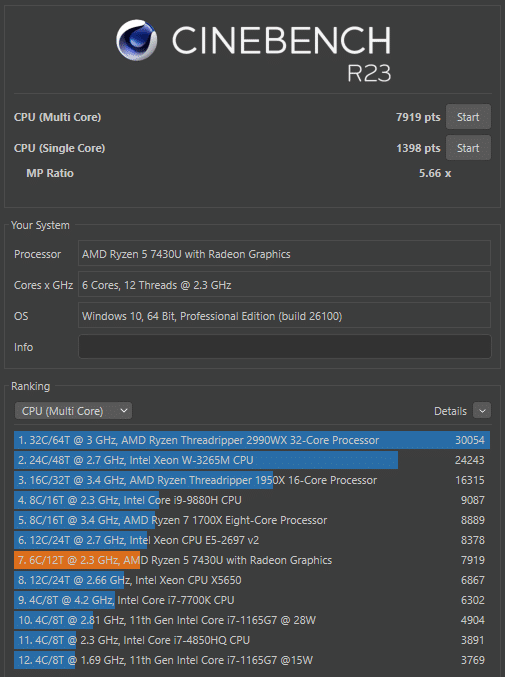
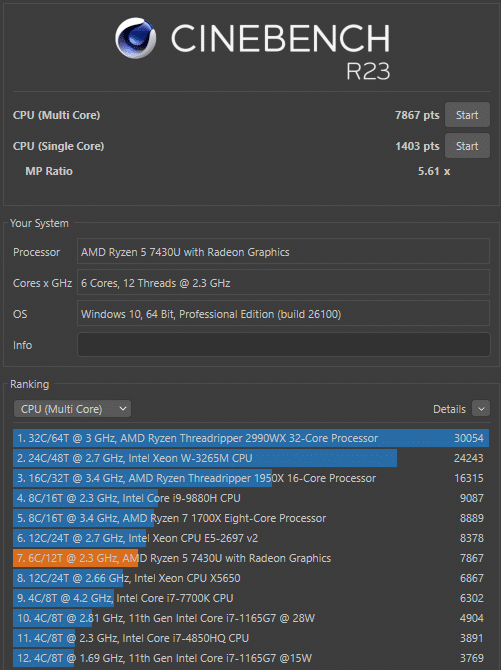
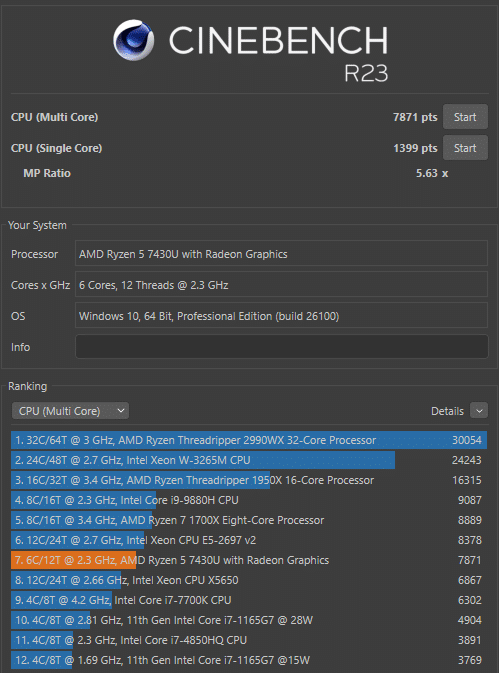
Cinebench, on the other hand, measures the speed of the CPU cores individually and in multi-core mode. All benchmarks were always carried out three times and the average value from the three test runs was then determined.
NiPoGi advertises the E3B as a system for home office, home entertainment and casual gaming. That’s why we also test the 3DMark Fire Strike and 3DMark Time Spy benchmarks on this Mini PC.
SSD benchmark: AS SSD
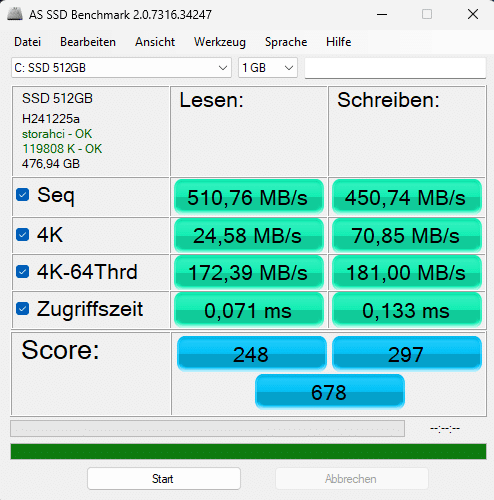
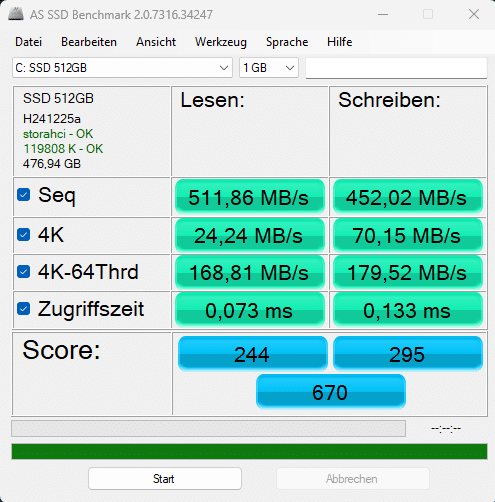
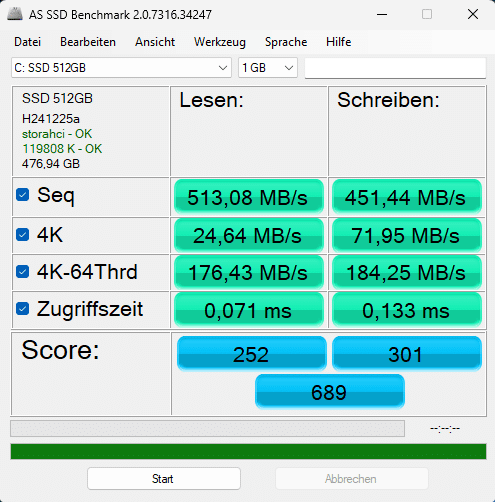
As already mentioned, the built-in m.2 SSD comes from Longwings Semiconductor and is unfortunately only based on the SATA standard. This means that it stops at 510 MB/s for reading and 450 MB/s for writing. This is sufficient for everyday tasks, but as the NiPoGi E3B also has an m.2 slot with PCIe 3.0 standard, it could have been equipped accordingly given the current prices for data carriers.
Cinebench R23 and PCMark 10
The AMD Ryzen 5 7430U achieves a score of 7886 points in the Cinebench R23 multi-core benchmark. Compared to a desktop CPU, this is roughly on a par with a Ryzen 7 1700, but consumes only a fraction of the power. In terms of single-core performance, the Intel Ryzen 5 7430U with a score of 1400 is on a par with a Core i5-11400 or a Ryzen 9 3950X, for example.
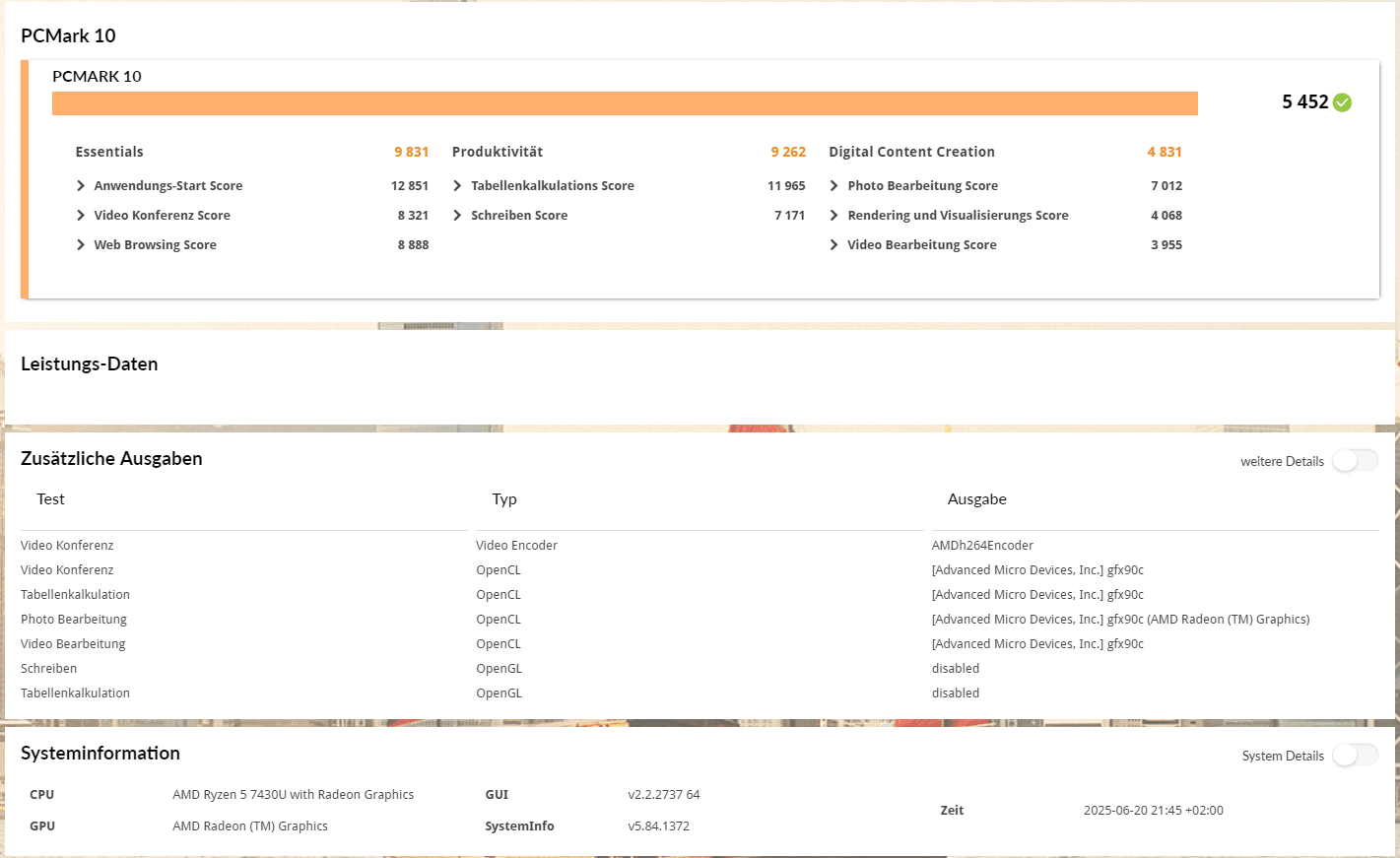
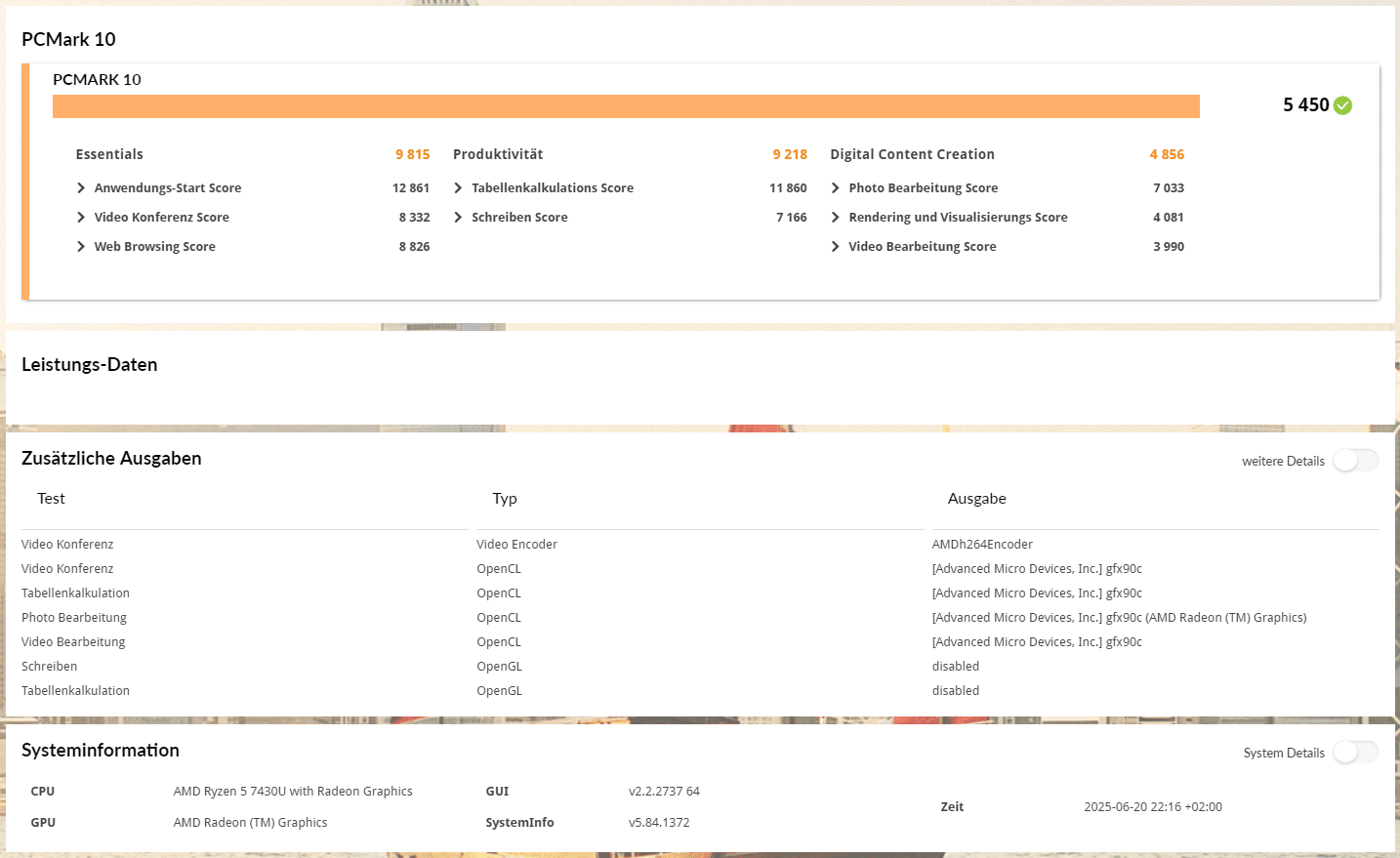
Unlike Cinebench, the SSD also has an influence on the benchmark results in PCMark 10. While the Ryzen 5 7430U with integrated Vega 7 graphics unit leaves a good impression for the most part, the SATA SSD slows down some areas of this benchmark quite a bit. Nevertheless, the performance is more than sufficient for a typical office or multimedia PC and the NiPoGi E3B should be able to handle even simple image or even video editing without any problems.
| Benchmark | Result |
| Cinebench R23 Multi-Core | 7886 pts. |
| Cinebench R23 Single-Core | 1400 pts. |
| PCMark 10 total score | 5,446 pts. |
| PCMark 10 Essentials | 9,821 pts. |
| PCMark 10 Productivity | 9,227 pts. |
| PCMark 10 Digital Content Creation | 4,838 pts. |
Graphics performance
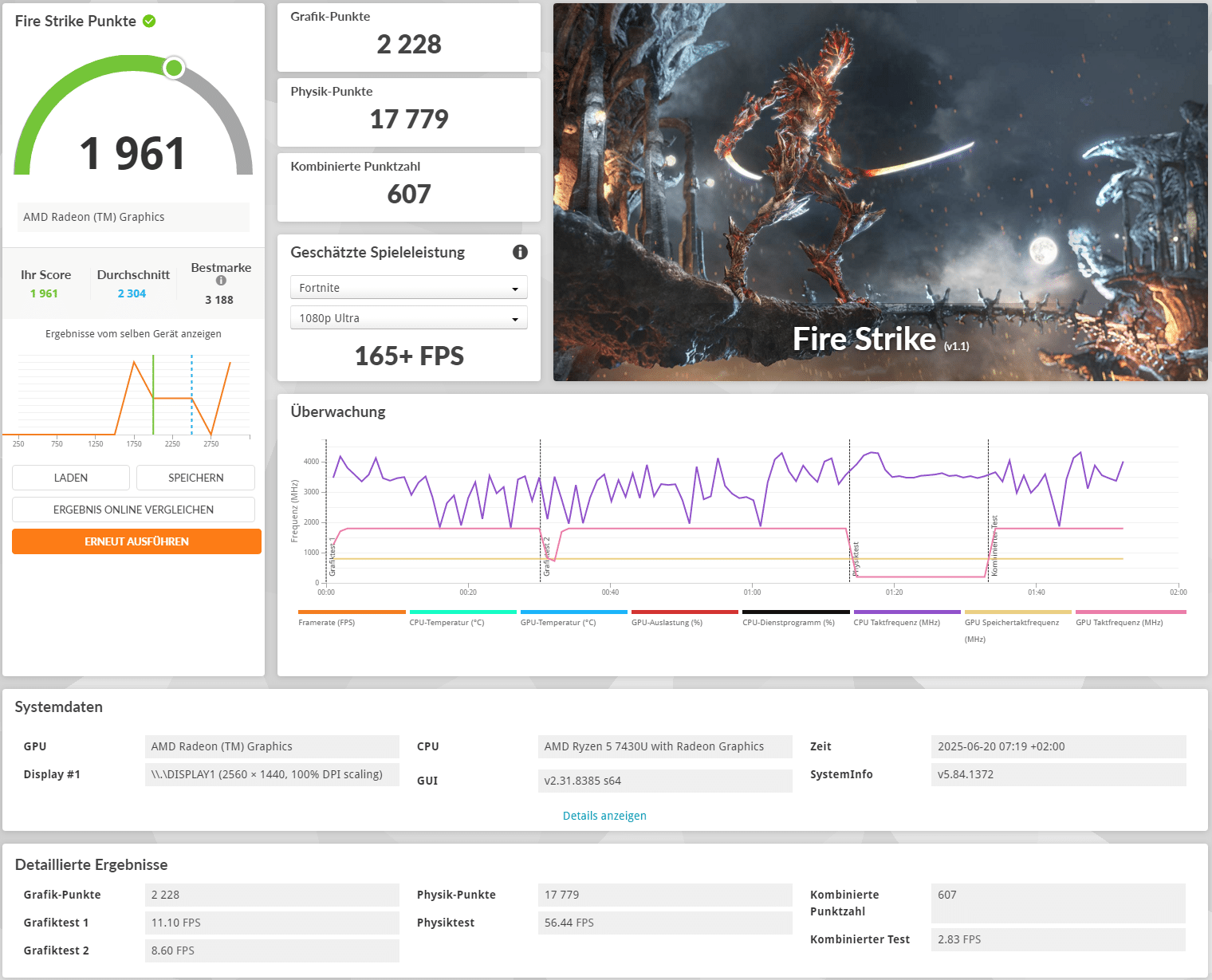
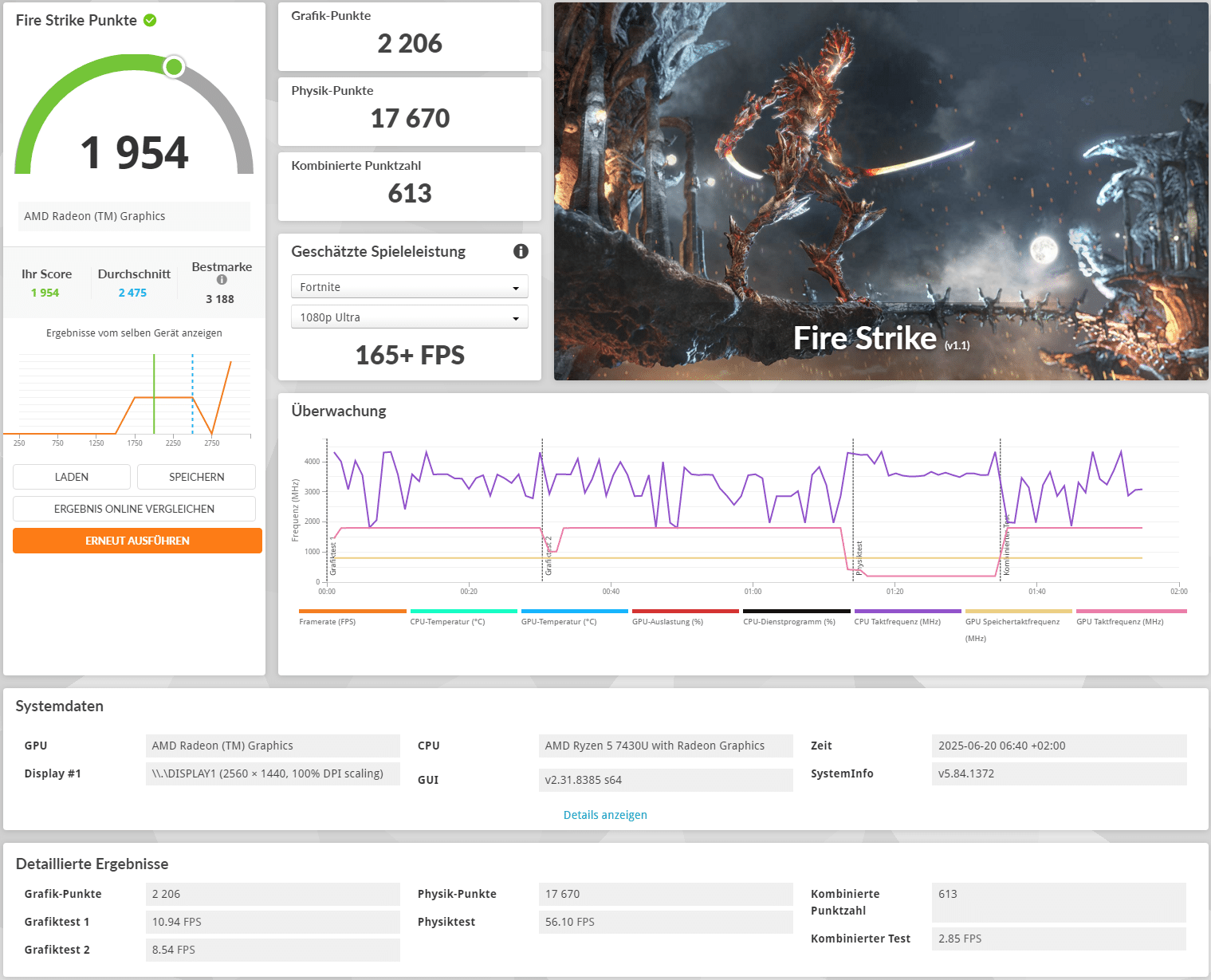
The Vega 7 integrated in the processor is significantly faster than many integrated graphics units in Intel GPUs, but even classic e-sports titles such as Fortnite or Counter Strike 2 run more poorly than good in the standard configuration with just one RAM stick and at greatly reduced resolutions and quality settings. With older games, however, things look a little better and the NiPoGi E3B could also be a good emulation PC. However, if you want to get the most out of this mini PC, you should install a second 16GB RAM bar or swap the existing one for two with a higher clock rate.
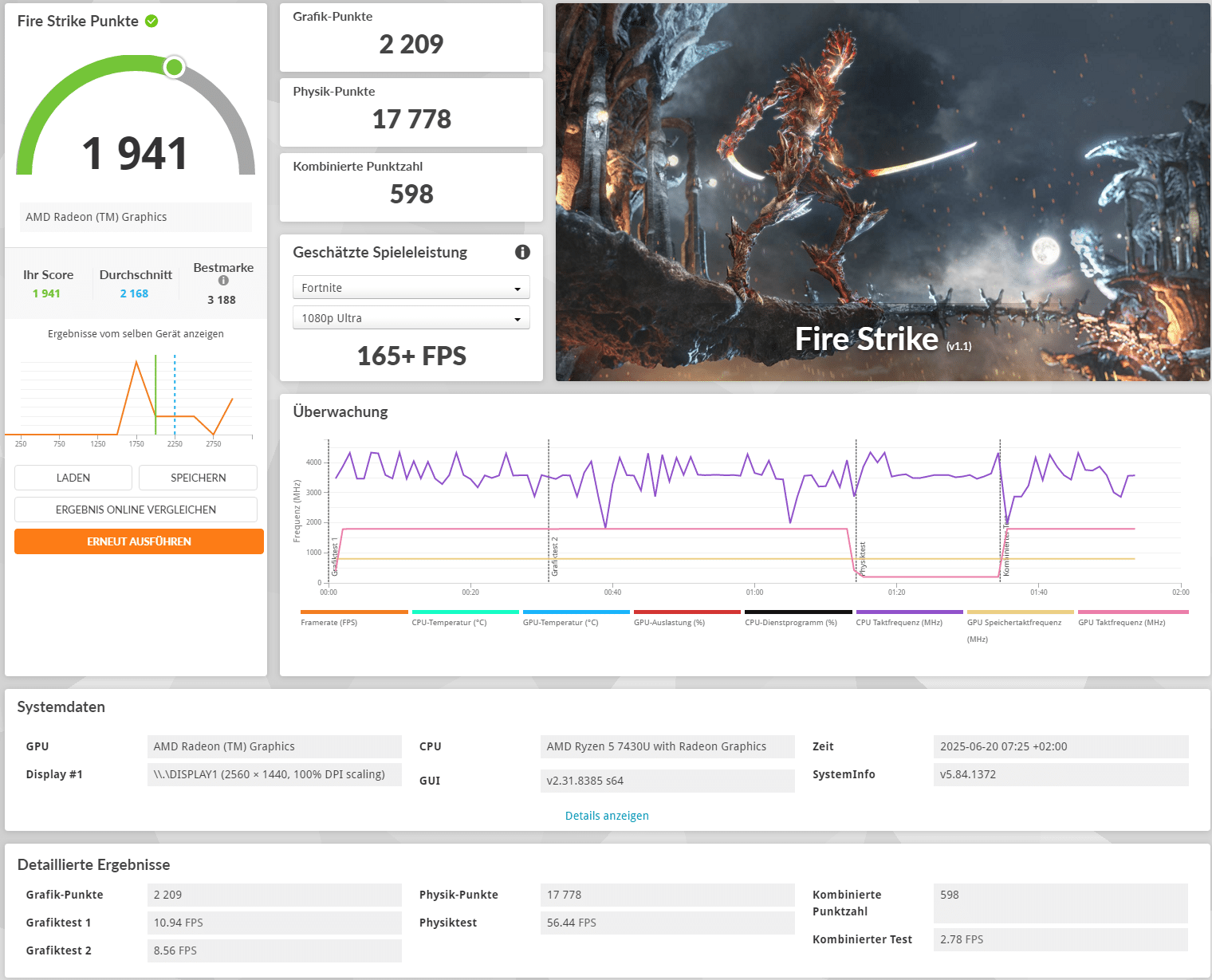
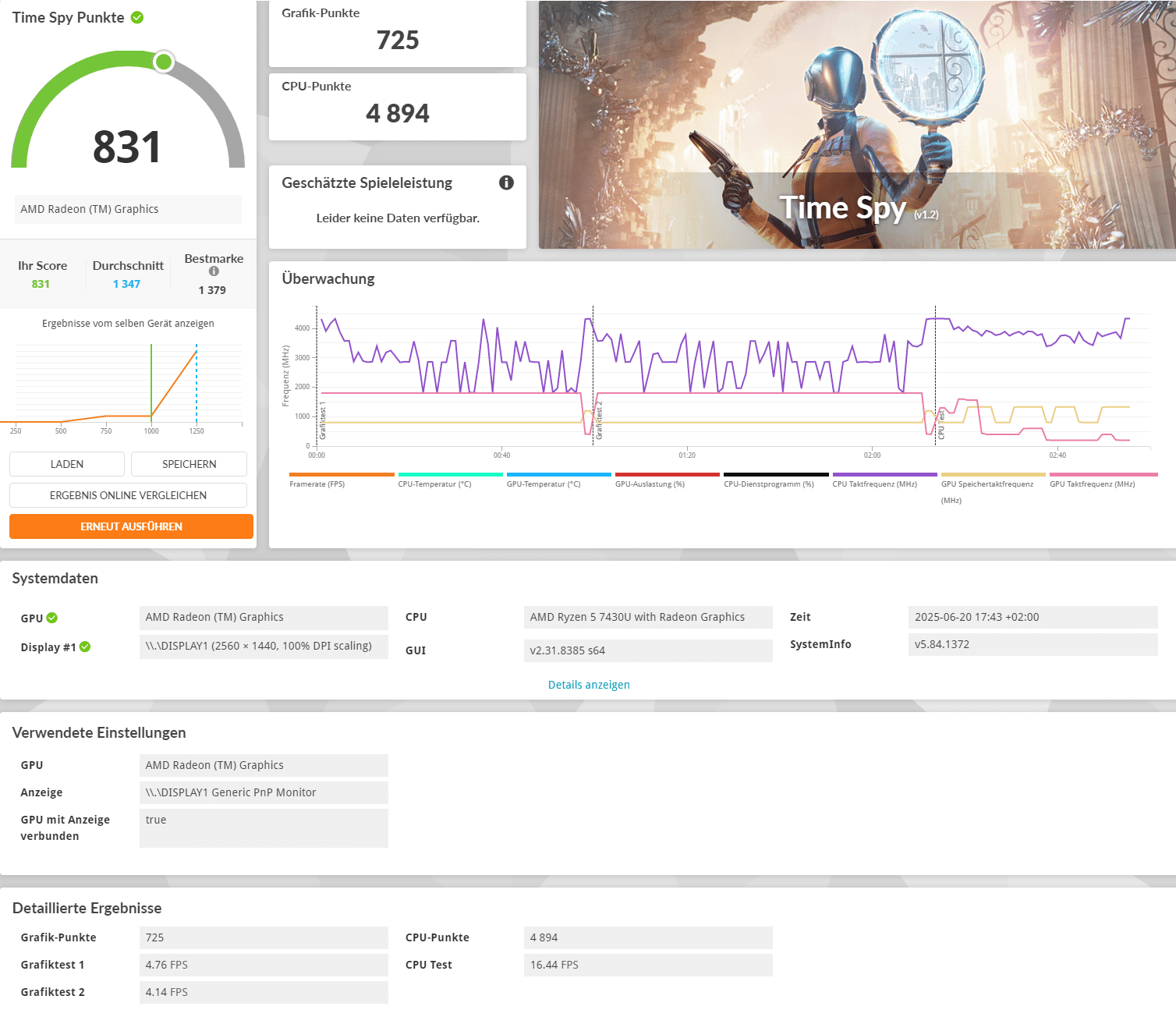
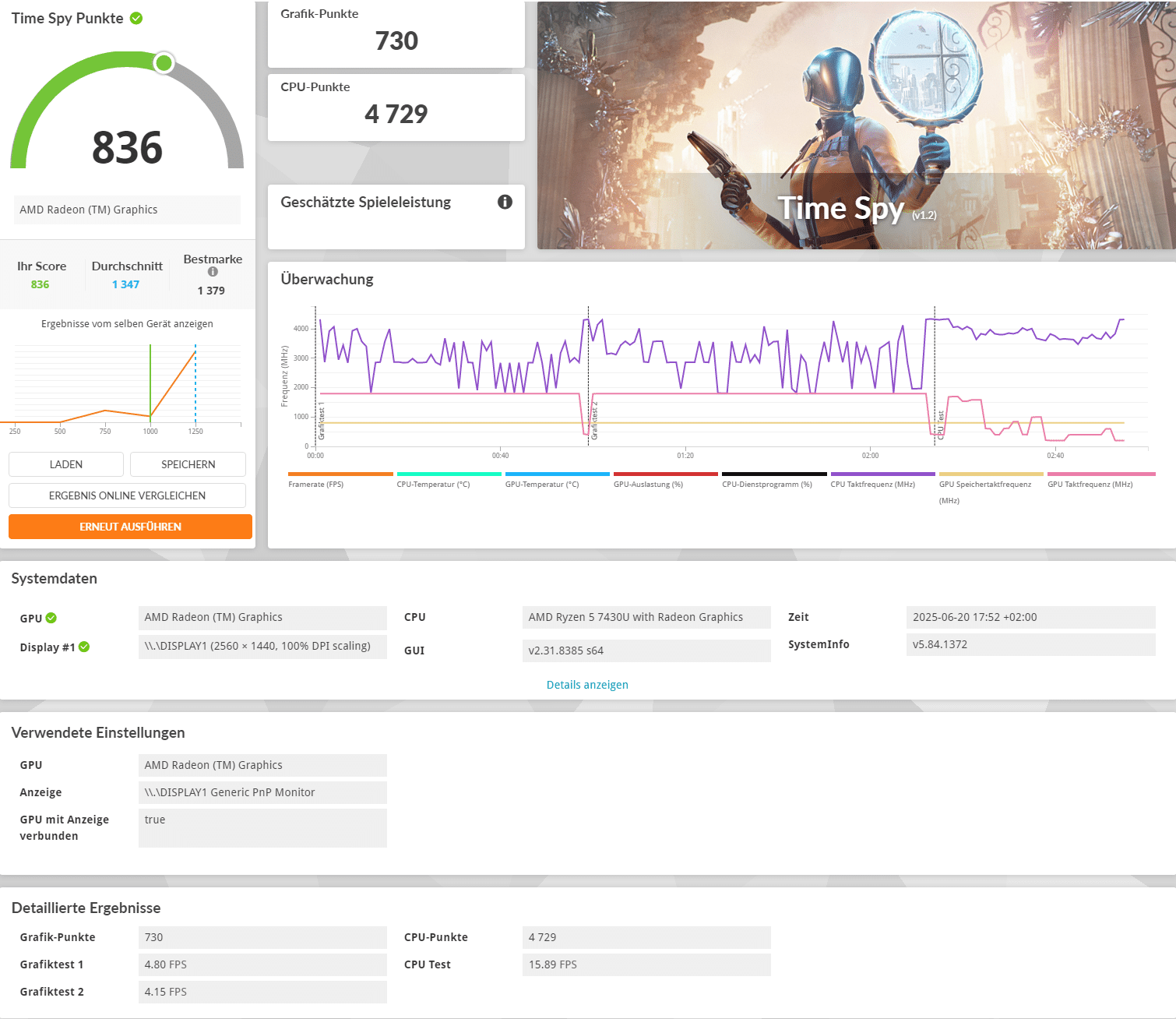
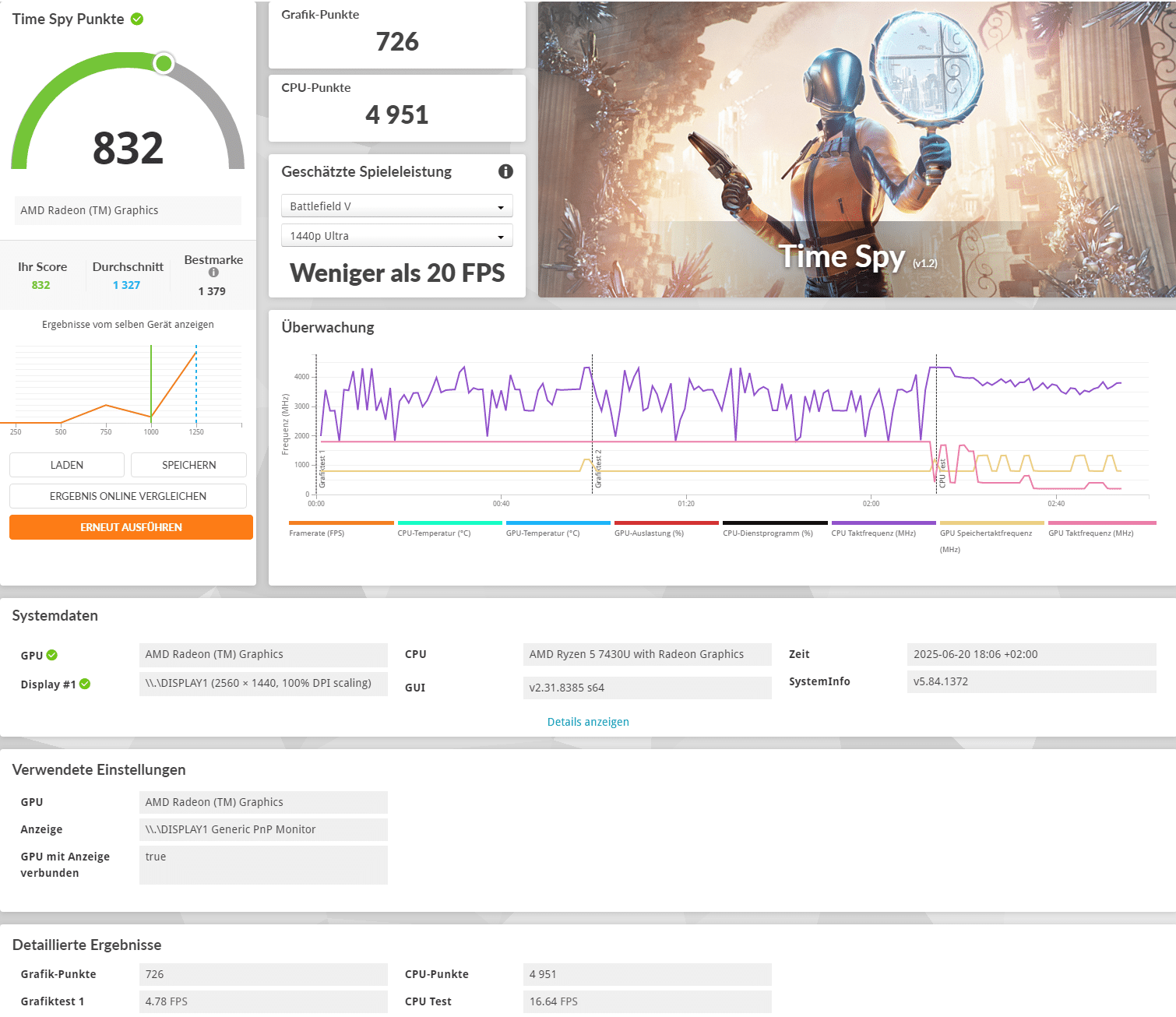
NiPoGi E3B test: What are the benefits of dual channel RAM?
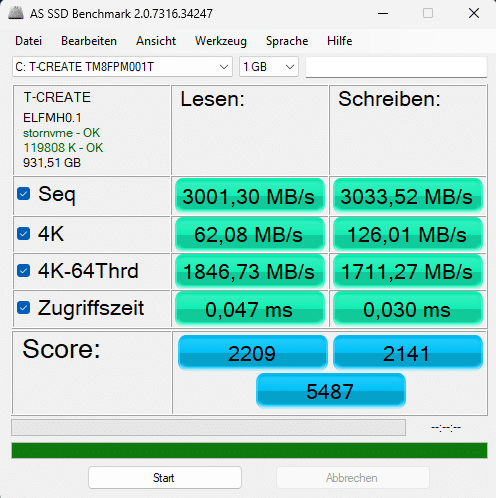
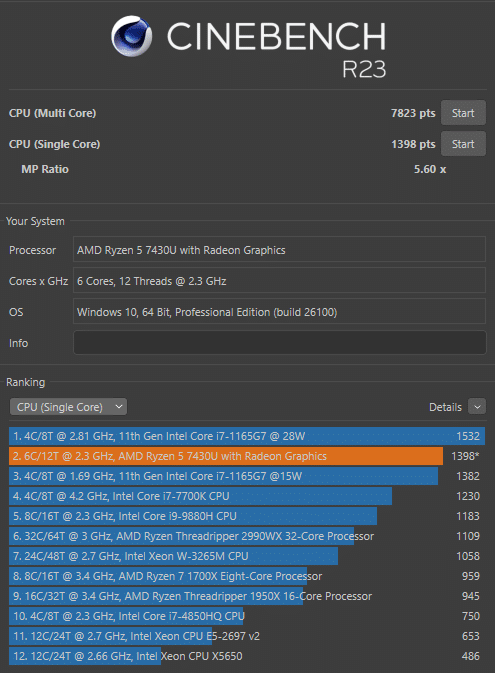
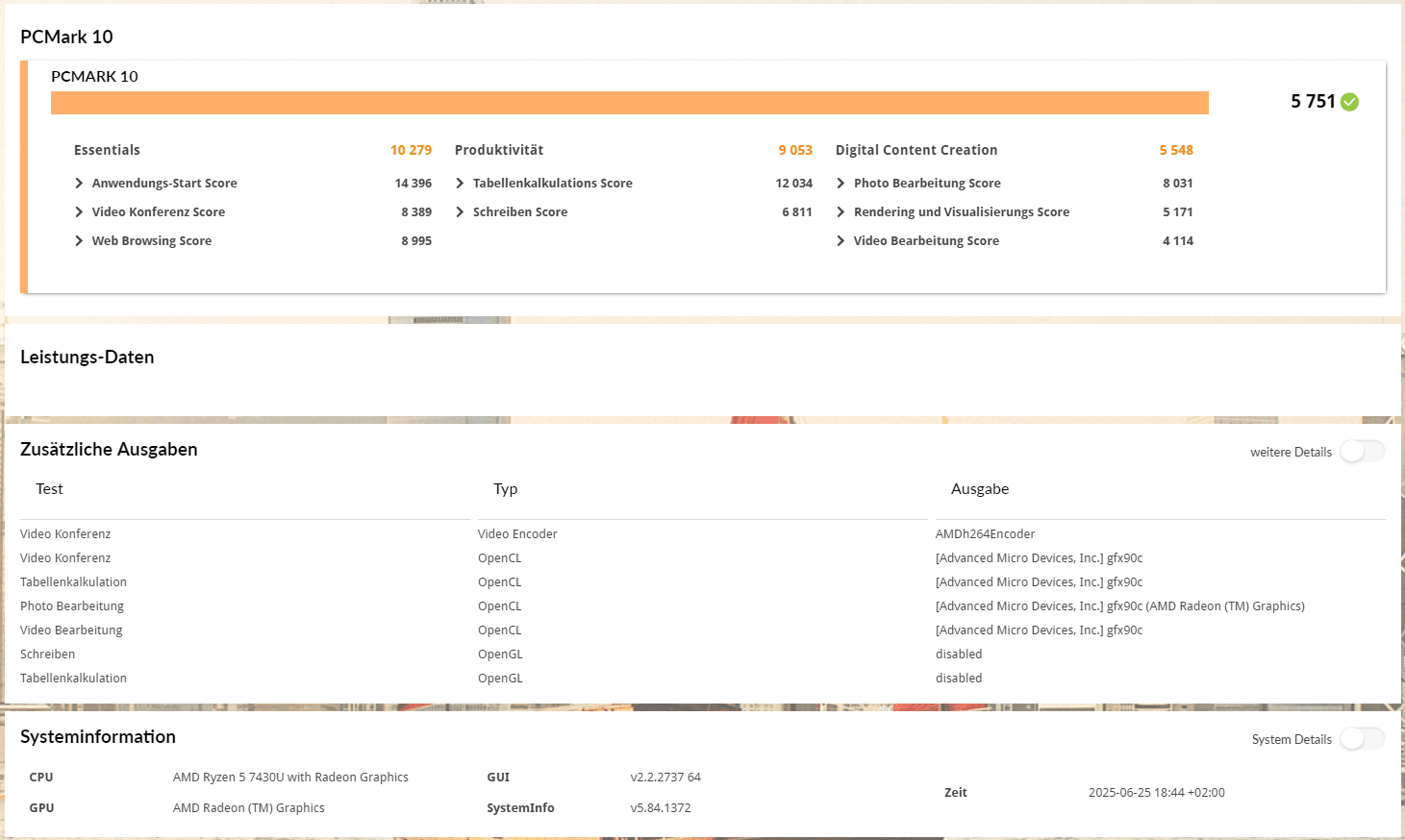
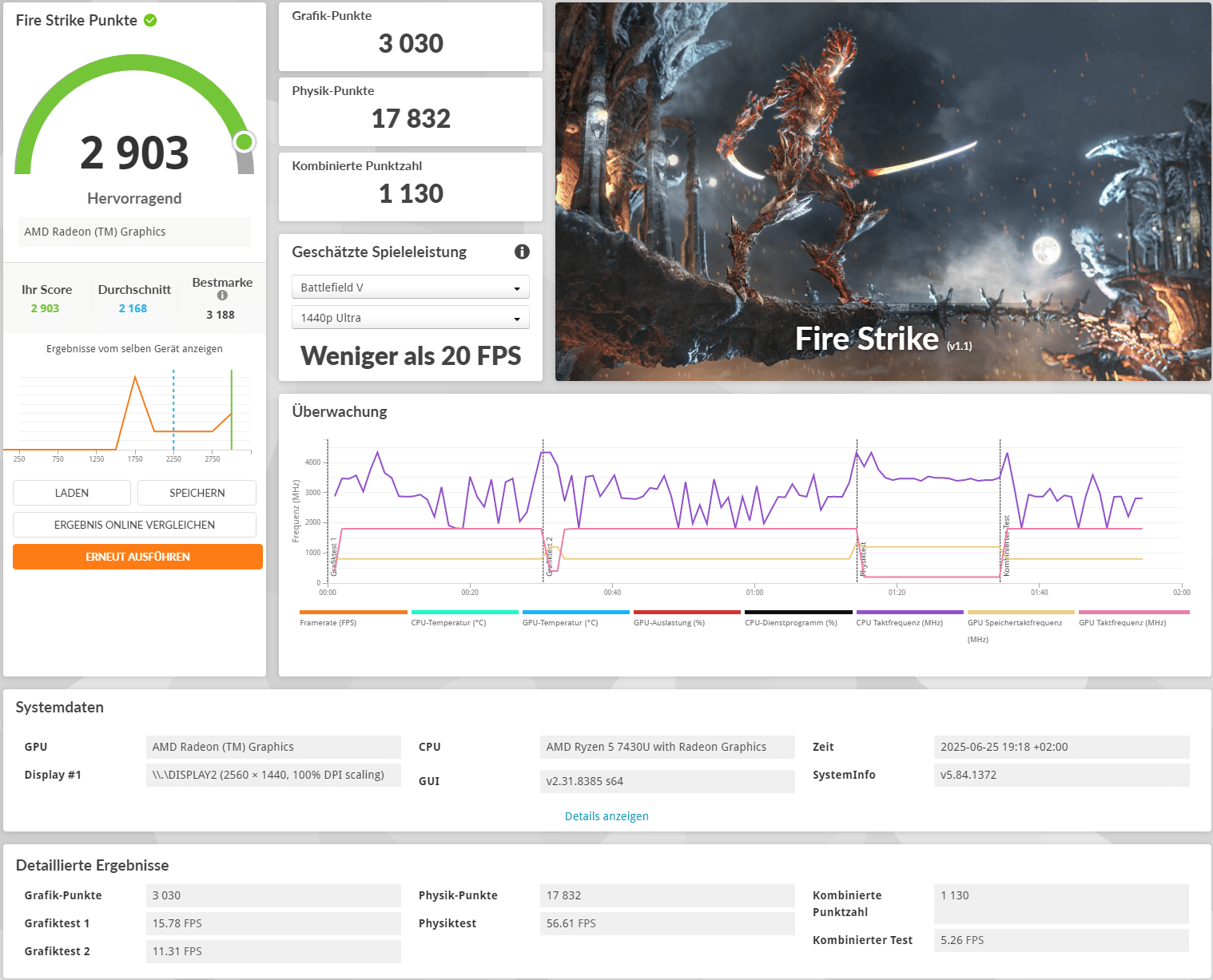
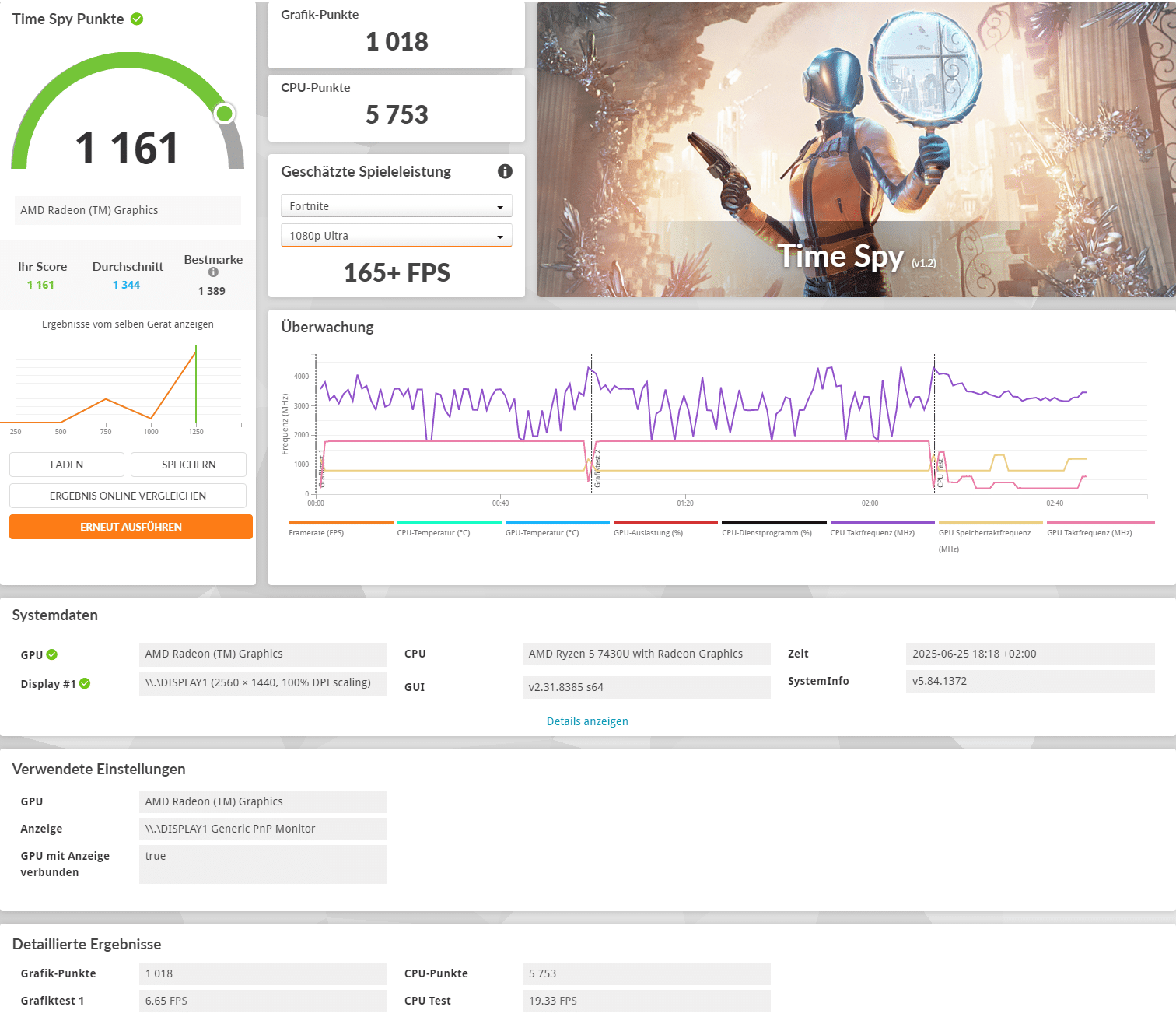
Since Ryzen CPUs and especially the integrated Vega 7 graphics unit benefit greatly from RAM in dual channel, we ran all benchmarks again with 64GB total capacity in the form of two 32GB bars with a clock rate of 3200 MHz. We also replaced the SATA SSD with a PCIe 3.0 SSD. The results are listed below in the form of screenshots and a table.
| Benchmark | Result |
| Cinebench R23 Multi-Core | 7823 pts. |
| Cinebench R23 Single-Core | 1398 pts. |
| PCMark 10 total score | 5,751 pts. |
| PCMark 10 Essentials | 10,279 pts. |
| PCMark 10 Productivity | 9,053 pts. |
| PCMark 10 Digital Content Creation | 5,548 pts. |
| 3DMark Fire Strike | 2,903 pts. |
| 3DMark Time Spy | 1,161 pts. |
The use of two RAM bars with a higher frequency has little to no effect on the CPU-heavy benchmarks. However, the values are significantly higher in all graphics-heavy benchmarks and the tested games also ran noticeably better. So if you want to equip the NiPoGi E3B optimally, you should also purchase a second RAM bar.
NiPoGi E3B test: Conclusion
We liked the simple, black look of the NiPoGi E3B mini PC, the general variety of connections and the support for up to three 4K monitors with 60Hz each. The Ryzen 5 7430U ensures a decent working speed and the built-in 16 GB RAM is more than sufficient for office and multimedia use. In addition, the RAM, data storage and WLAN card can be easily expanded or replaced if necessary. Finally, it should not go unmentioned that the NiPoGi E3B comes with pre-installed and activated Windows 11 Pro.
Unfortunately, this Windows 11 had an update error that could only be rectified by a complete reinstallation. We also noticed that the NiPoGi E3B was slightly louder under load. Although you don’t have a vacuum cleaner in front of you, the fan is still audible under higher loads. It also suffers from strong speed fluctuations at times. Another major shortcoming is that only a SATA SSD is installed ex works. Although this has the m.2 format, it is simply too slow compared to today’s standards. Finally, the Ryzen 5 7430U and the integrated Vega 7 graphics unit lose a lot of performance as only one RAM bar is installed ex works.
The current purchase price of € 289.99 *, which is occasionally reduced to around €300, is in a typical price range. Competing products such as the Geekom A5 2025 or the ACEMAGIC K1 are in a similar price range and offer almost identical features. So if you are looking for a simple and compact mini PC that can perform office and multimedia tasks quickly and reliably or play the odd retro game, you can’t go wrong with the NiPoGi E3B. However, you should consider purchasing a second RAM bar and be prepared for a slightly higher noise level under load.

VORTEILE
- RAM, SSDs and WLAN card interchangeable
- Simple look
- Many connections
- USB-C with DisplayPort
- Good price/performance ratio
- Windows 11 Pro pre-installed and activated
NACHTEILE
- Performance falls short of expectations (RAM in single channel)
- Slow SATA SSD
- Fan audible under load
- Pre-installed Windows 11 with update errors
Fazit
The NiPoGi E3B is a well-equipped mini PC that offers many connections and expansion options. It can also drive up to three 4K monitors. Unfortunately, the built-in SATA SSD and the speed fluctuations of the fan are negative. The Ryzen 5 7430U also loses some performance due to the single RAM bar.


