


This keyboard is broken! No, not what you’re thinking: with the ASUS ROG Falcata, the manufacturer has split its latest gaming keyboard into two parts. The split design is intended to set new ergonomic standards, especially in competitive gaming. If you need space, you only use the left half around the WASD keys. An exciting concept, but also a good keyboard? Our test reveals more.
Technical data
| Product name | Falcata |
| Switch type | Hall effect |
| Button switch type | ROG HFX V2 Magnetic Switch |
| Offered switch types | Linear |
| Switch interchangeable | Yes |
| Keycaps interchangeable | Yes |
| Material | ABS plastic |
| Material keycaps | PBT doubleshot |
| Dimensions (L x W x H) | 327 mm x 127 mm x 38 mm |
| Onboard memory | 5 profiles |
| Connectivity | 2.4 GHz, Bluetooth 5, USB 2.0 |
| Cable connection | USB type C |
| Operating modes | Typing; Gaming |
| Sampling rates | 8,000 Hz |
| price | € 396.99 * |
ASUS ROG Falcata review: Design and build quality
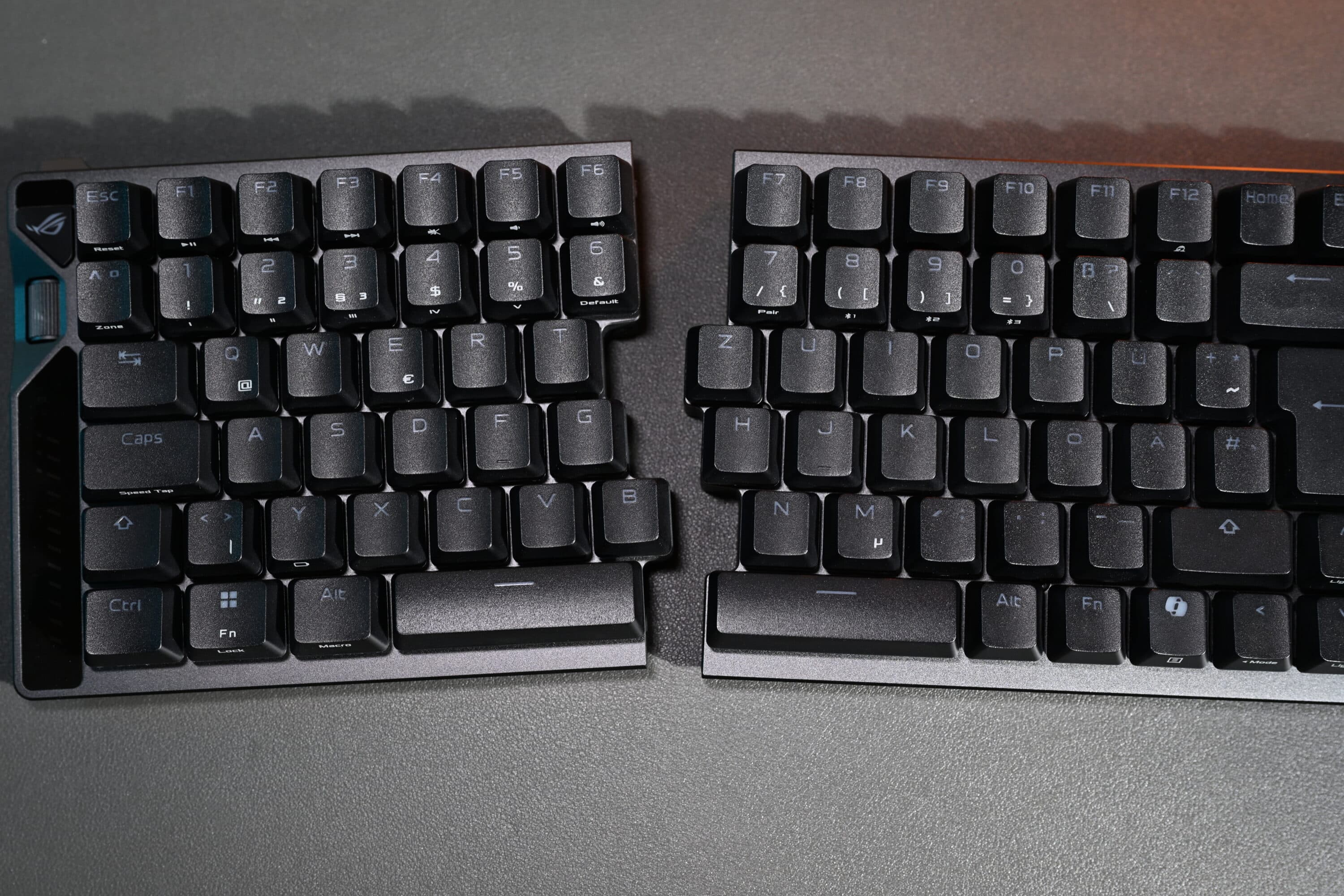
The ASUS ROG Falcata is a 75% split gaming keyboard designed for ergonomic flexibility and maximum precision. The most striking feature is that it can be split into two modules, so you can use only one half, align both parts freely or use them together like a classic keyboard. The choice is yours, as both halves dock together magnetically and are connected via a USB-C cable.

The advantage of this is that gamers can use the left half alone and gain significantly more space for mouse movement, which is particularly beneficial in intensive FPS and e-sports scenarios. This flexibility makes the Falcata practically unique compared to many conventional 60 to 75 percent keyboards.
The workmanship of the keyboard is absolutely outstanding. The housing is made of durable POM plastic on the underside, which ensures a deeper, richer sound when the keys are struck. The keycaps are made of robust PBT doubleshot, which guarantees durability despite intensive use and provides a pleasant typing feel. The special “snap-fit” design of the keys prevents any wobbling that could affect the magnetic triggering accuracy. In addition, the layout is designed to support both gaming and typing comfort in the best possible way.
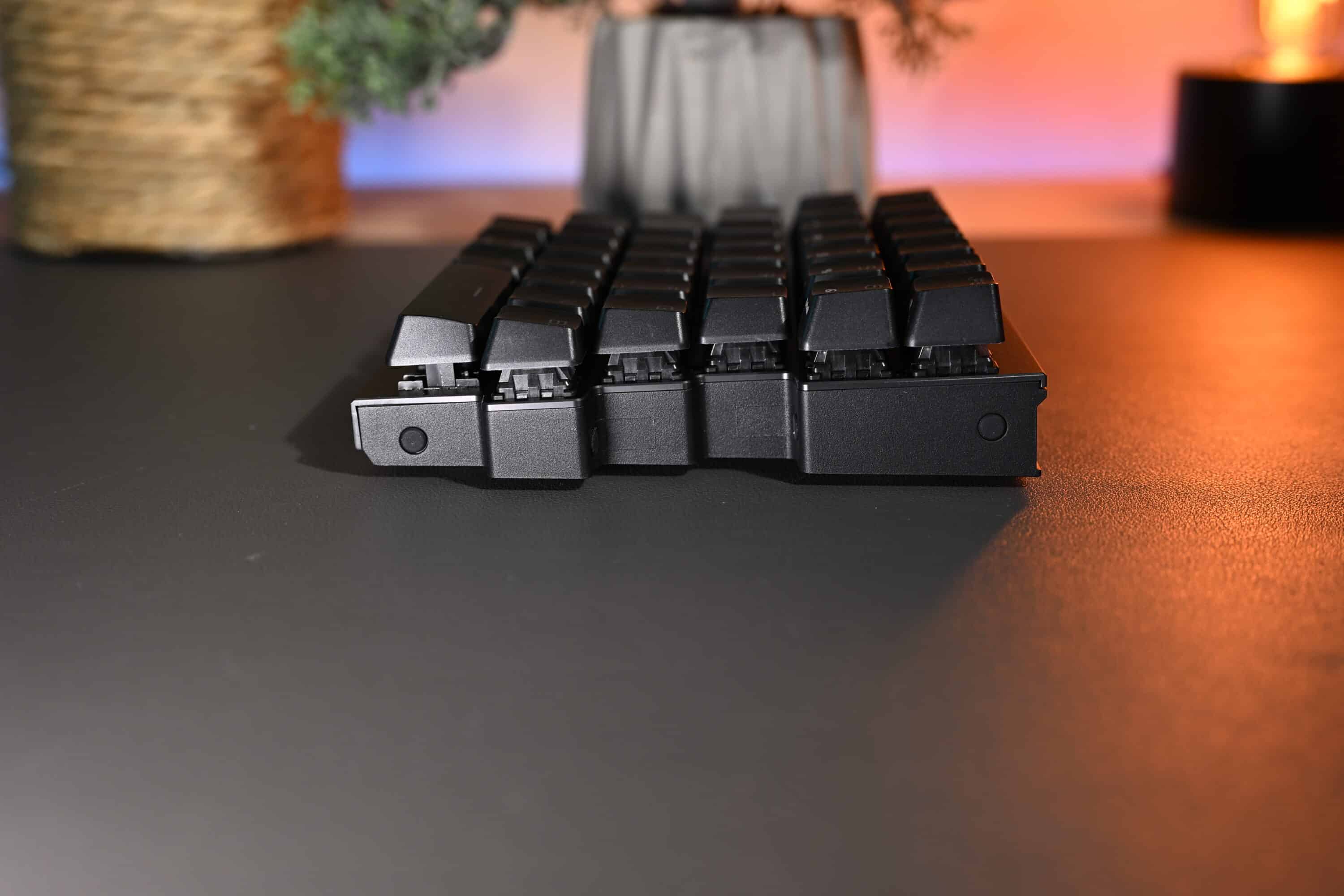
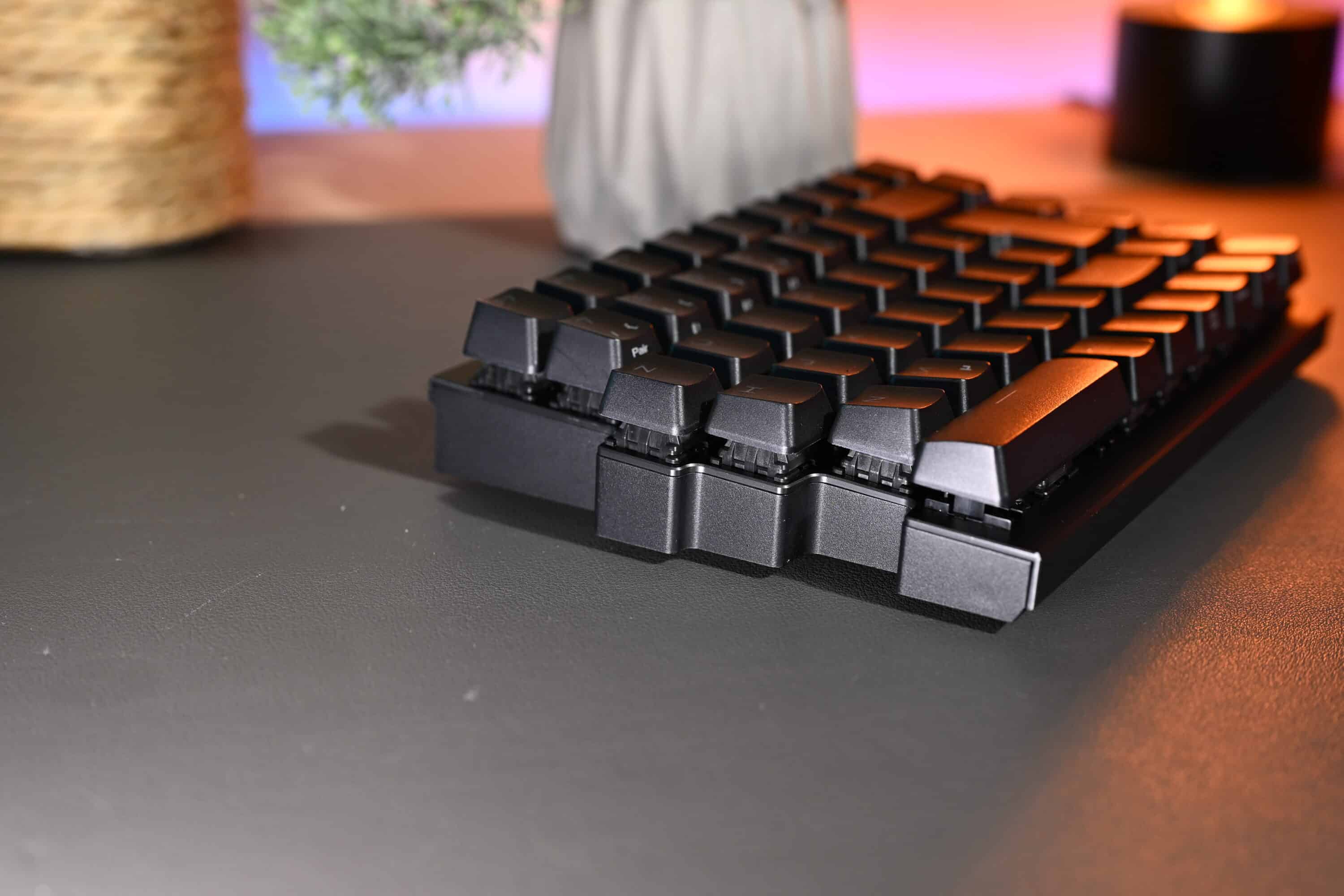
A four-layer sound insulation made of materials such as silicone and Poron foam ensures a muted typing noise, which drastically reduces the background noise. The ASUS ROG Falcata comes with a removable silicone palm rest on a metal bed, which can be used as an option.
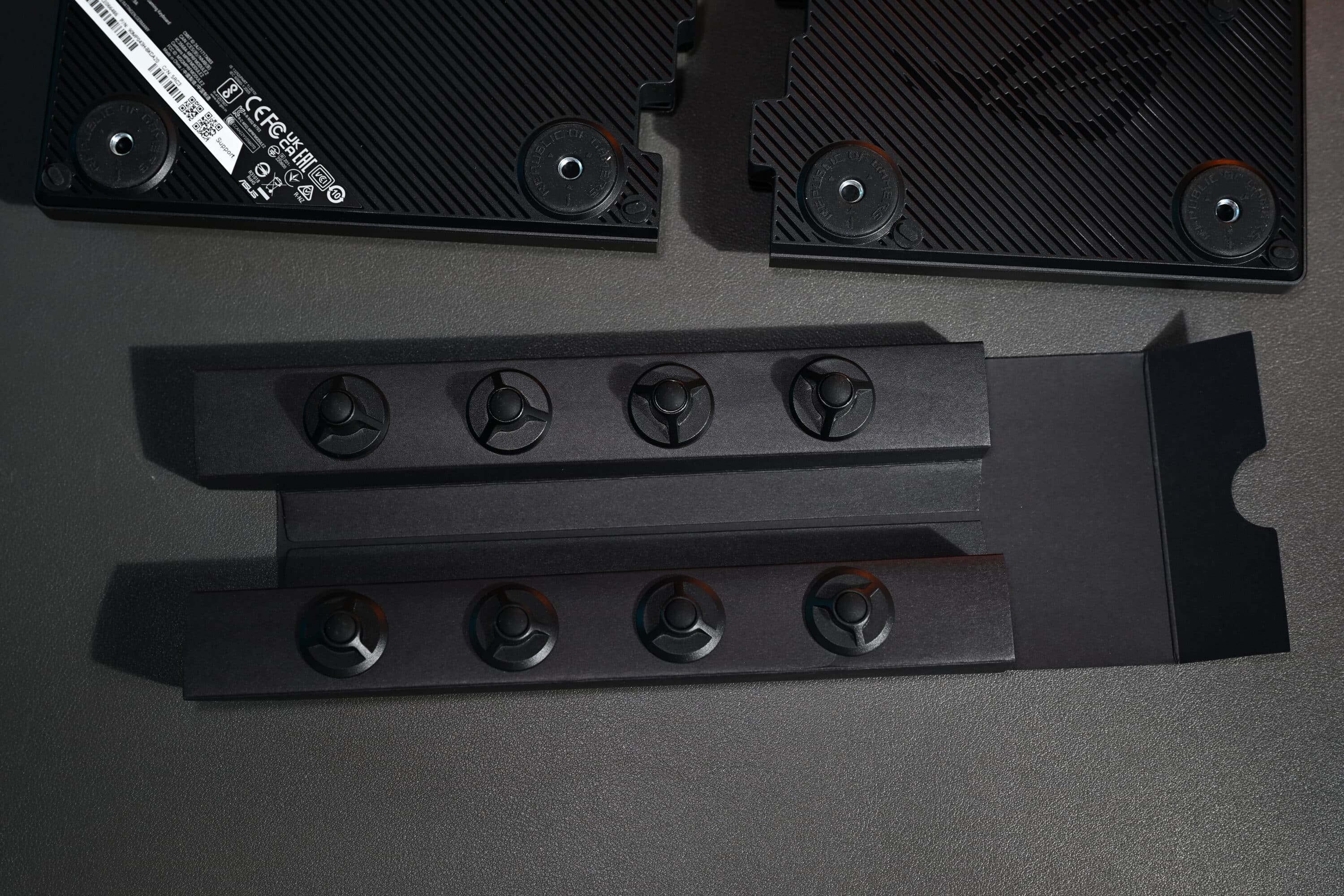
There are also four different feet included in the scope of delivery, which are simply screwed to the underside if you want to use the Falcata at a different angle – very practical.
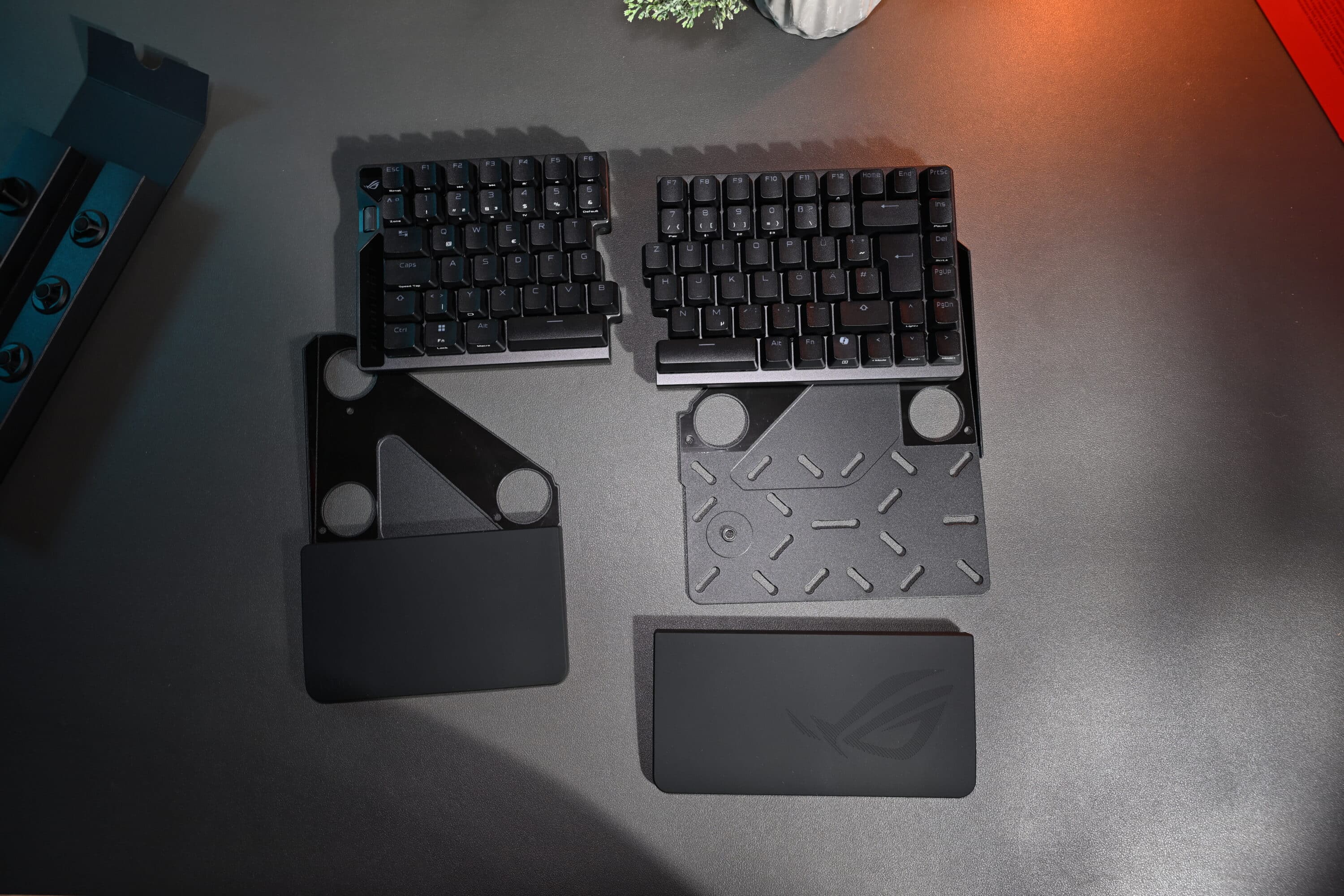
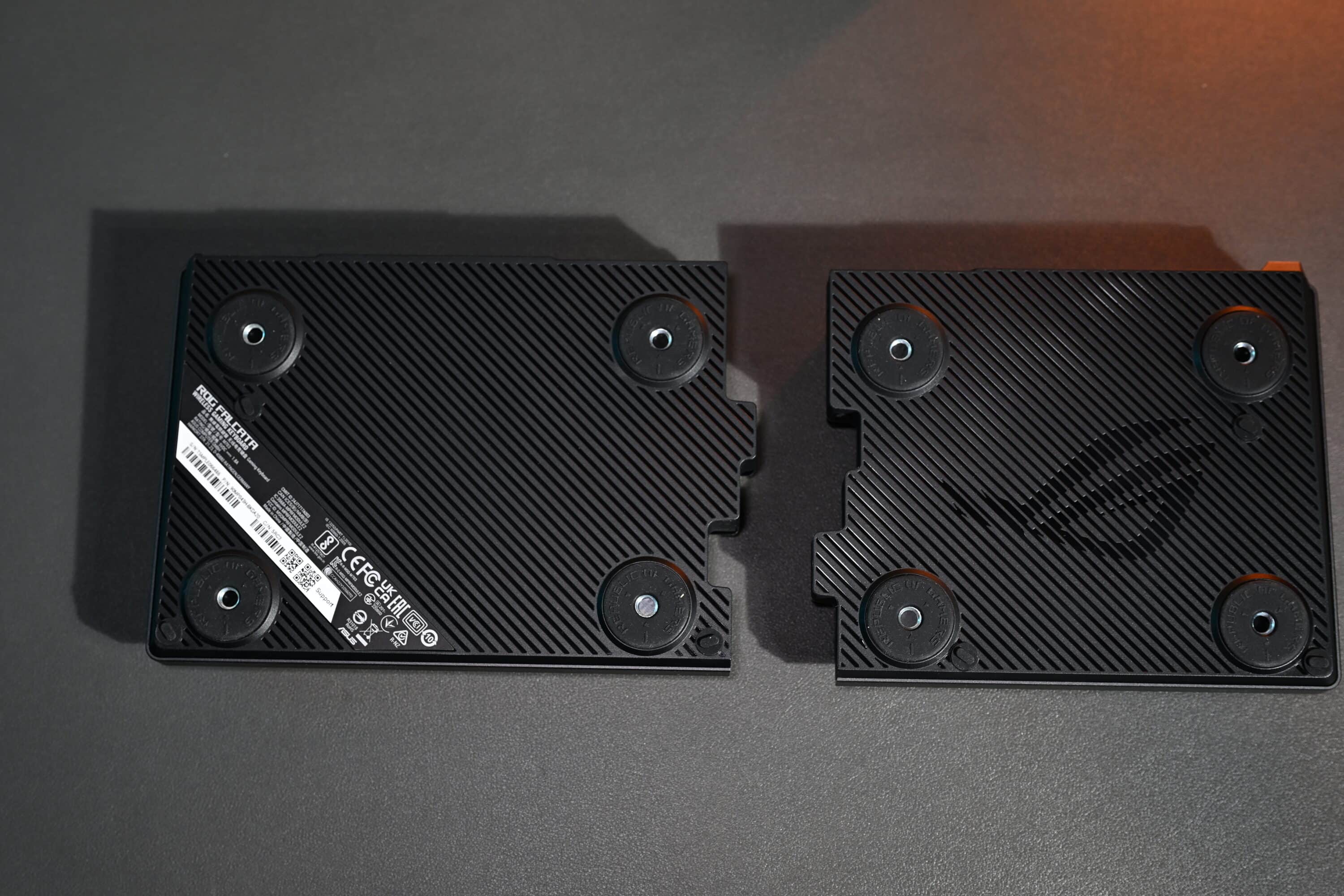
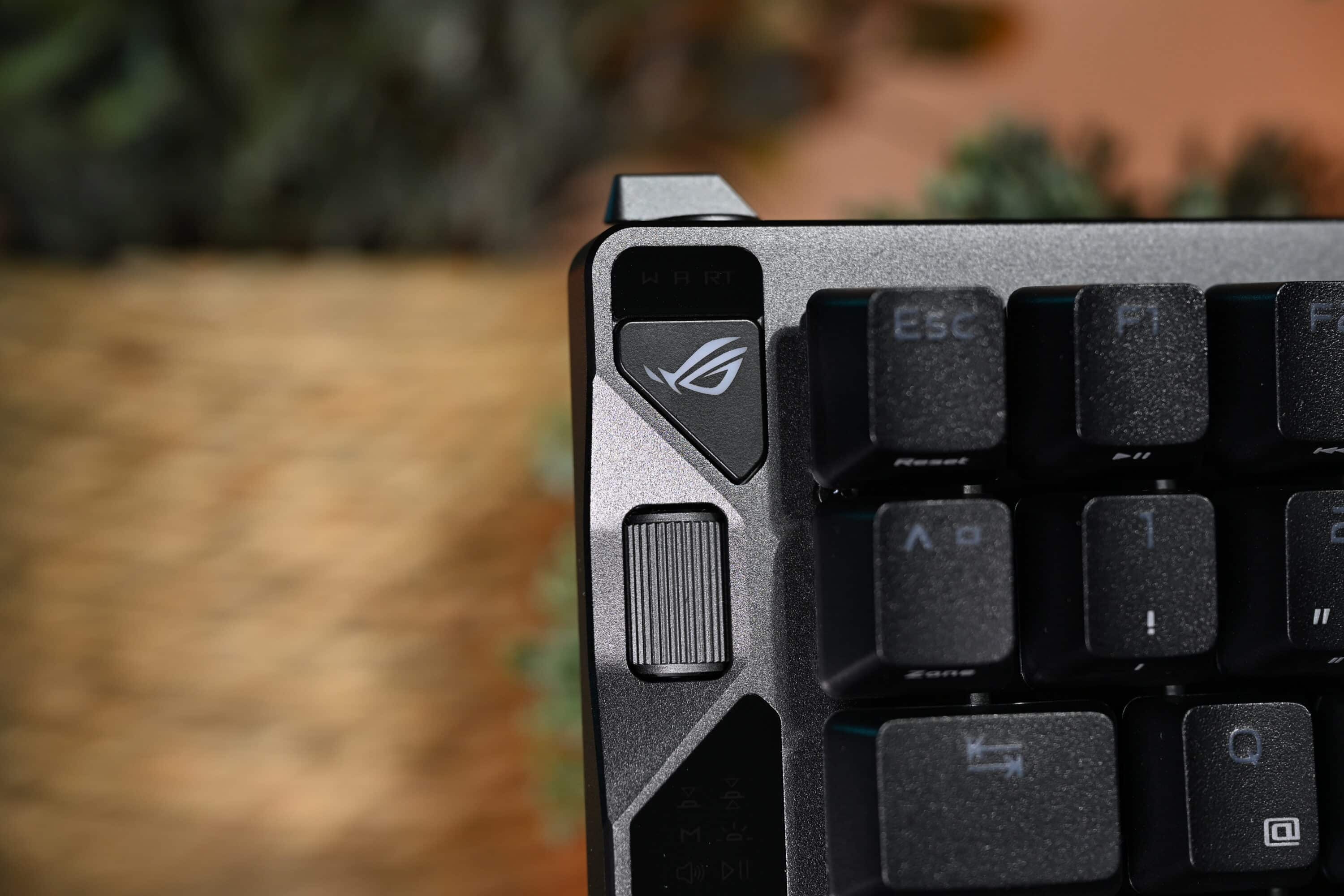
The design is complemented by a multifunctional scroll wheel on the left, which is used for volume, lighting and other settings, although the scroll wheel still requires some force and precision to operate. Overall, the ROG Falcata makes a robust and well thought-out impression.
Features: Hall effect and 8,000 Hz
The technical features of the ASUS ROG Falcata meet even the most demanding gaming requirements. At its heart are the hot-swappable ROG HFX V2 Magnetic Switches, which feature patented Hall sensor technology. These switches offer an individually adjustable trigger travel between 0.1 and 3.5 millimeters, which can be adjusted in tiny increments of 0.01 mm.

The pre-installed switches are pre-lubricated to ensure a comfortable typing experience and have a tremendous durability of over 100 million keystrokes, making them incredibly long-lasting.
Hall-effect technology ensures outstandingly precise actuation and fast response time, as it does not rely on physical contacts like conventional mechanical switches, but detects magnetic field changes. A special snap-fit mechanism further improves keycap stability, while a “walled stem” design reduces key wobble while maintaining compatibility with common keycaps.
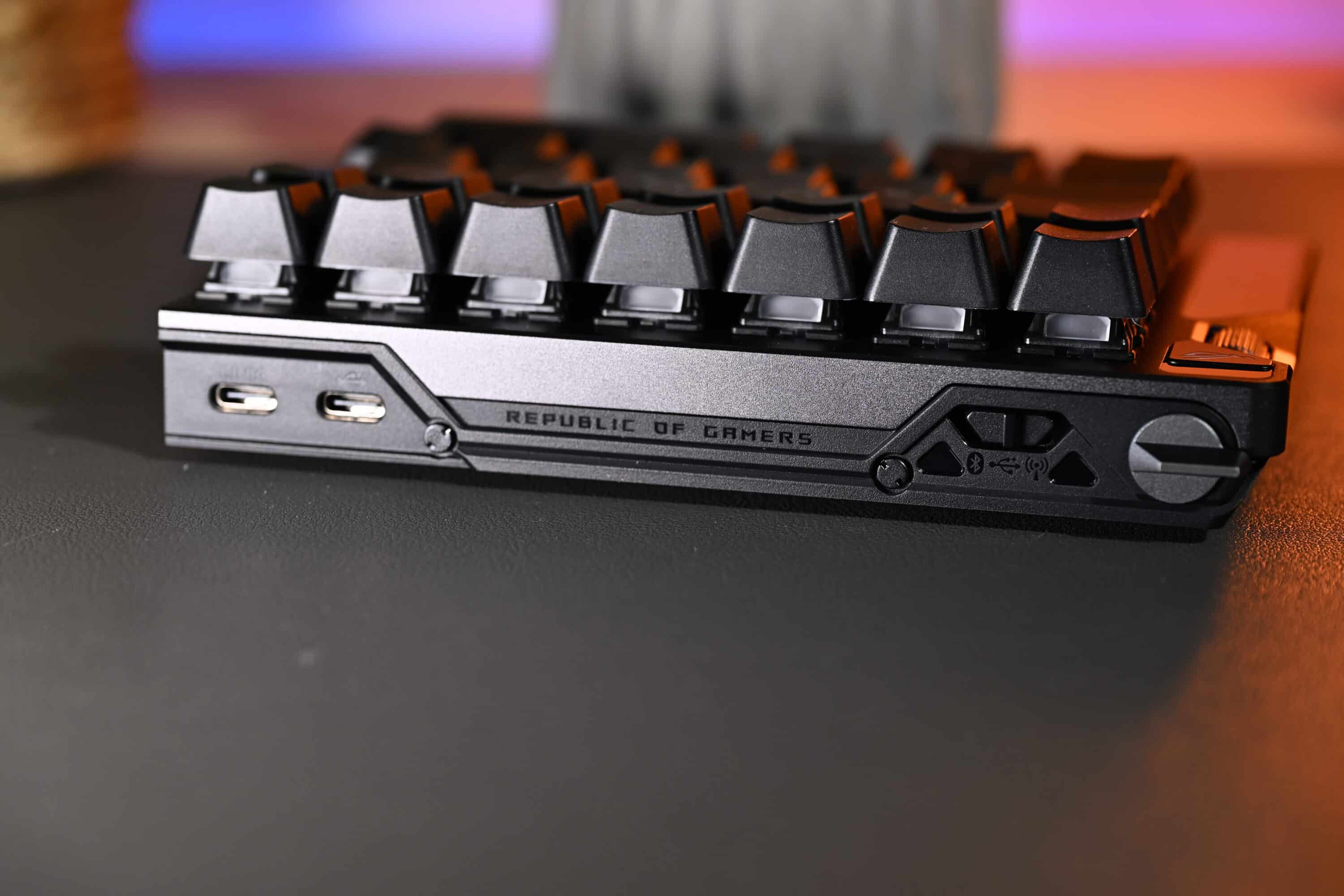
The keyboard supports an extremely fast polling rate of 8,000 Hz, which means ultra-fast transmission of input and thus ensures a delay (input lag) of only up to 0.125 ms. Connectivity options include a wired USB Type-C interface, Bluetooth 5.0 with multipoint support for up to five devices simultaneously and the innovative ROG SpeedNova 8K Wireless with 2.4 GHz connection. The latter ensures a stable wireless connection with extremely low latency, almost identical to a cable connection. A “Zone Mode” automatically optimizes the polling rate when the right half is disconnected to save energy and improve performance.

On the left edge, the Falcata places a rotary wheel on a multifunction button, which can be used to adjust various settings such as rapid trigger sensitivity, keyboard trigger point, volume, media playback, lighting and user-defined commands. The Rapid Trigger Toggle activates a function in which keys can be triggered extremely quickly one after the other without the switch having to return to the starting point – ideal for quick multiple keystrokes in games.
Battery life and software
The ASUS ROG Falcata offers an impressive battery life of up to 200 hours with moderate use. According to the manufacturer, those who can do without the customizable RGB lighting should even be able to use the keyboard for up to 610 hours. This means that the keyboard is also suitable for longer gaming sessions without a permanent power supply.
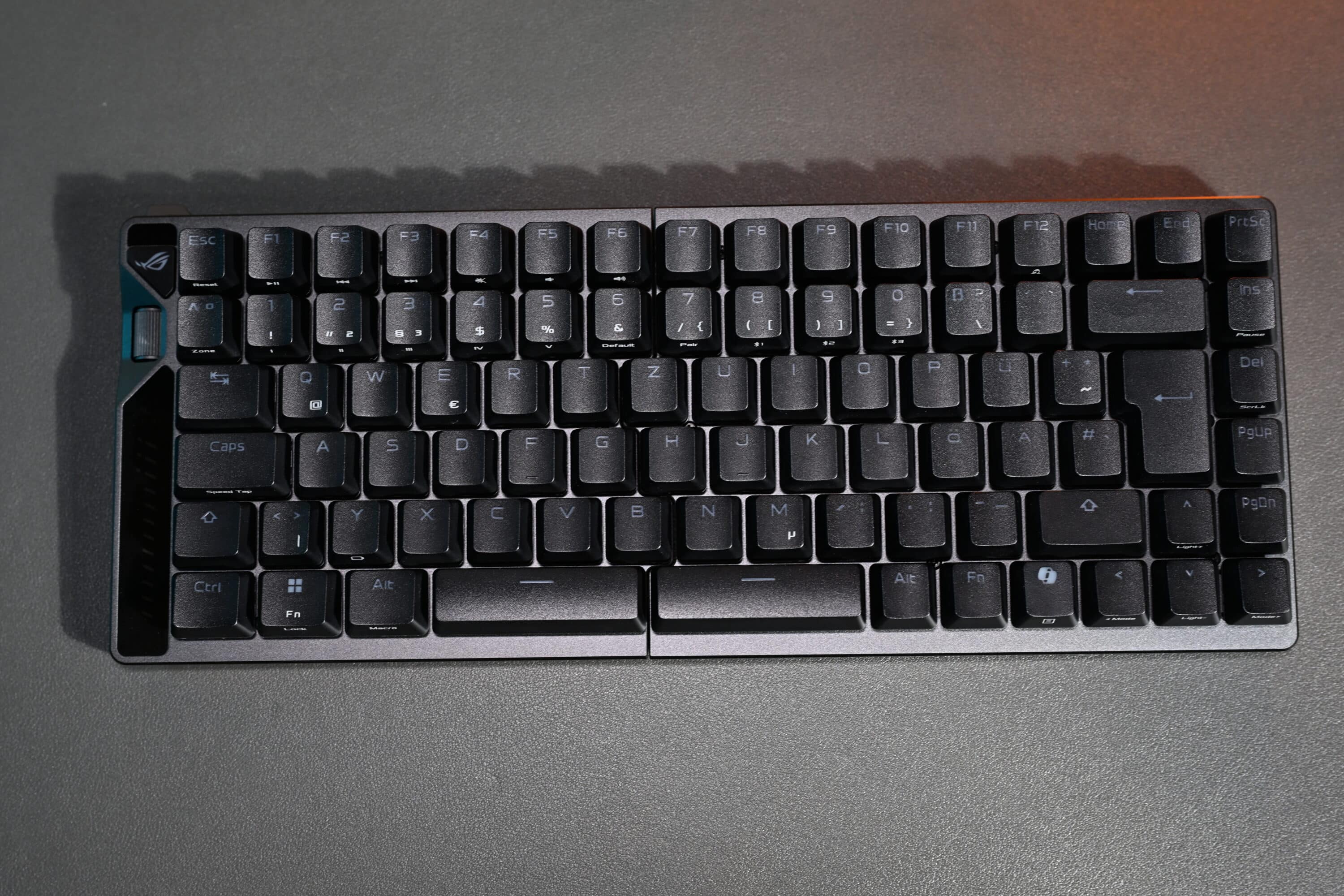
The 8K SpeedNova wireless technology guarantees ultra-fast signal transmission with minimal delay and a stable connection. This makes wireless use practically as powerful as the wired version, which is particularly important for esports enthusiasts.
The Falcata uses the Gear Link web interface for configuration, which fortunately eliminates the need for the resource-hungry Armoury Crate software. It can be used to manage and save parameters such as lighting effects, trigger point, rapid trigger settings, macros and profiles.
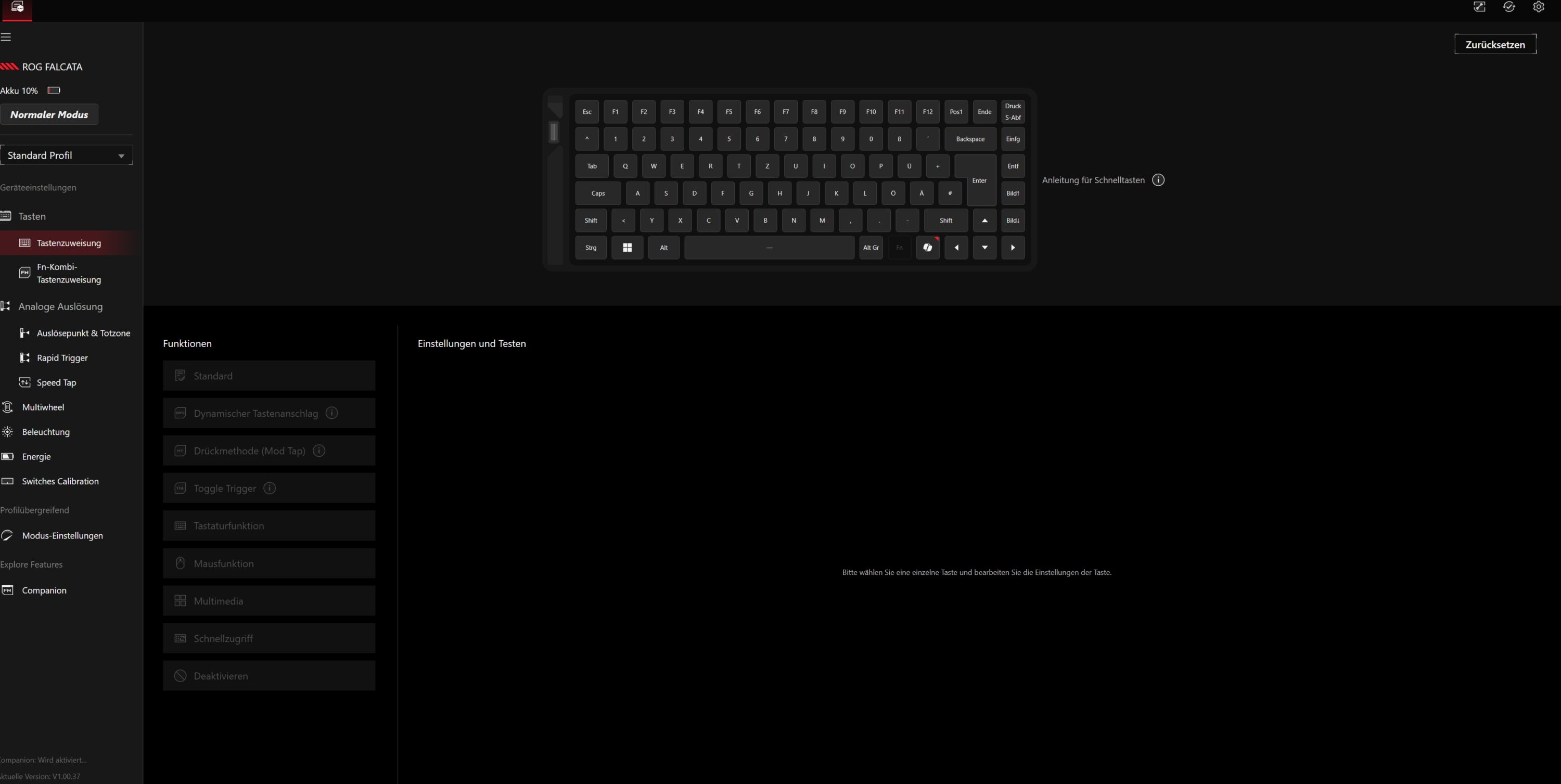
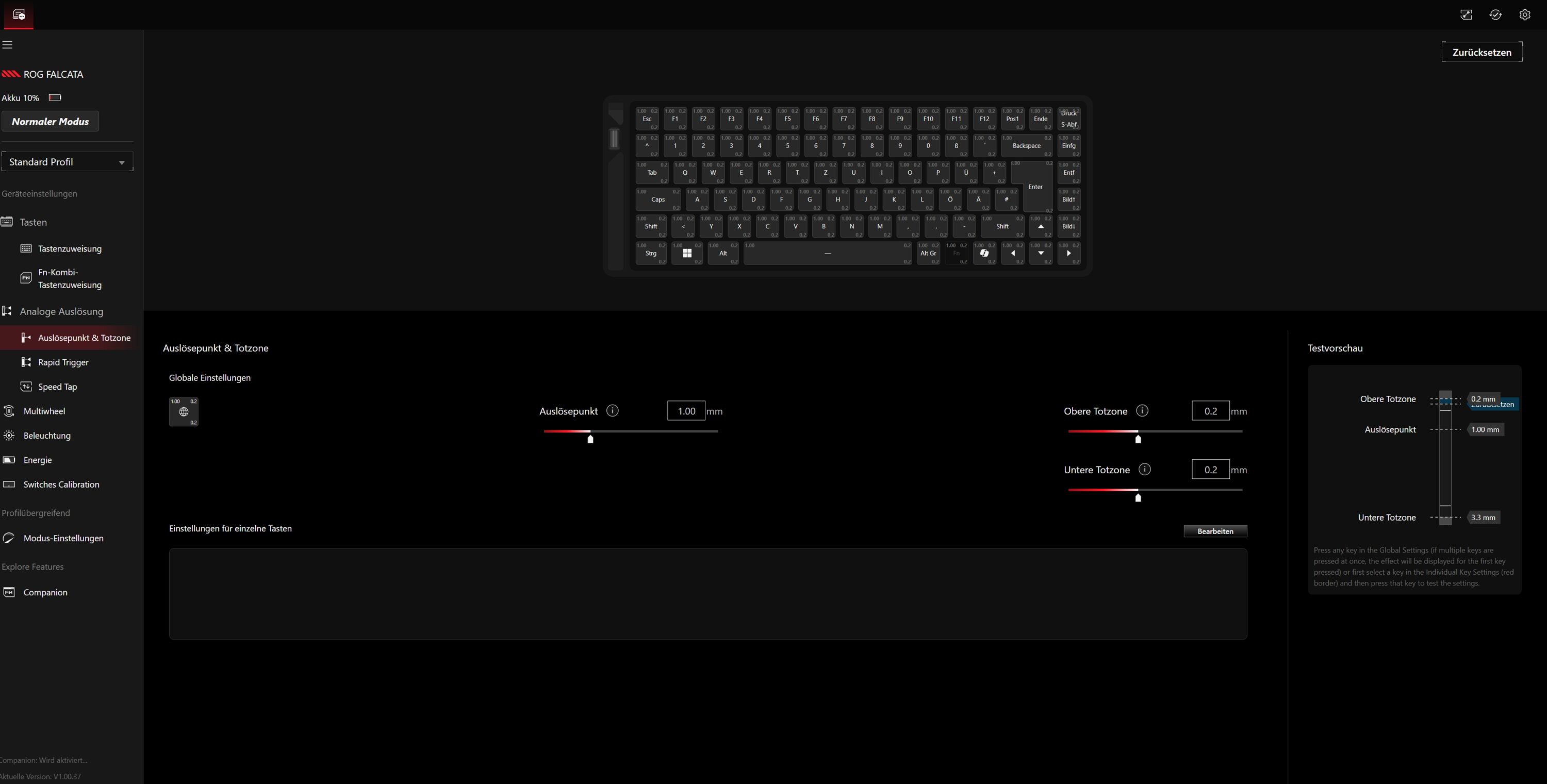
Unfortunately, it still has a few problems with the new keyboard, especially when it comes to intuitive operation, onboard settings or customizing the multifunction wheel and button. Even the calibration of the keys, which the web interface actually enables, did not work during the test.
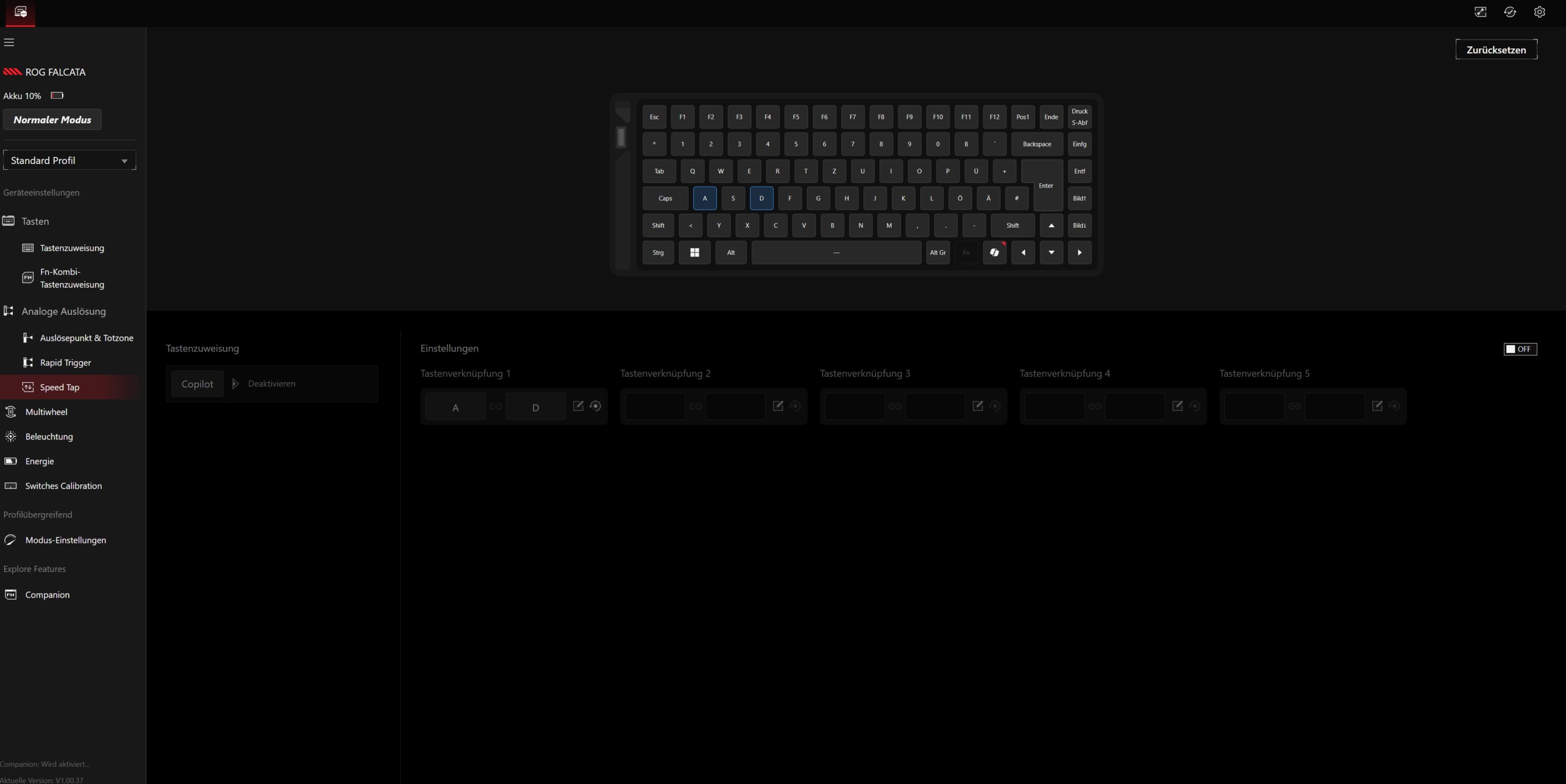
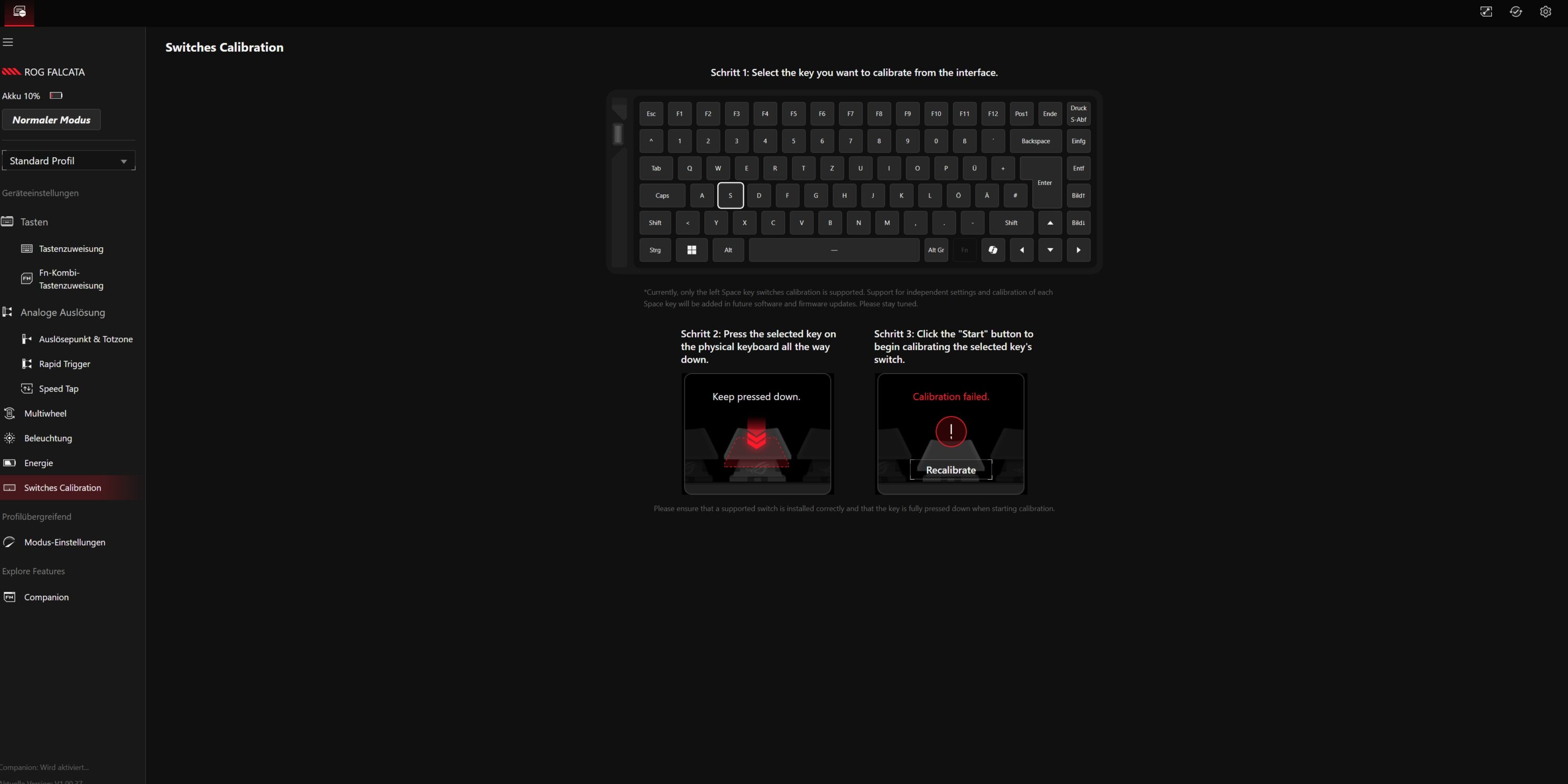
Onboard memory allows up to five user profiles to be stored directly on the keyboard, which increases convenience on the go and allows settings to be made without computer access. Tri-mode connectivity with USB, Bluetooth and 2.4 GHz radio allows easy switching between multiple devices, further emphasizing its versatility.
Practical test of the ASUS ROG Falcata
In practical use, the ASUS ROG Falcata impresses with its technically impressive features. The Hall-effect switches in particular are among the best I have seen in the field of magnetic switches and respond accurately to the lightest touch. This allows lightning-fast inputs, which can be decisive, especially in fast-paced games such as shooters and strategy titles. The adjustable trigger travel offers the option of adapting the typing behavior precisely to personal preferences.

If you only play with the left half, you create a minimum space requirement that is significantly less than that of a standard 60% keyboard, which is a clear advantage for e-sports professionals when making fast and large mouse movements. The stability of the keys and the mechanical resistance feel high-quality and precise. The pre-set four-layer damping ensures a very pleasant and undistracting typing noise.
The multi-function wheel and the associated switch offer quick adjustment options while playing or working, but I find them a little clumsy and stiff in practice.

However, the ASUS ROG Falcata clearly serves a niche with its split design, which is also reflected in the ergonomics. Because no matter what angle I place the two halves at: It’s not really ergonomically comfortable (especially for writing). Especially as both halves always need to be connected via one of the two very short USB cables supplied. Third-party cables are not supported.
But even in gaming use, the fact that both sides can be separated initially seems unusual and I simply couldn’t find a position in which I didn’t want to use them parallel to each other in the classic way.

This makes it difficult to recommend the keyboard in general. Competitive shooter pros will undoubtedly benefit from the divisibility by only using the left side. However, everyone else will find gaming keyboards from the competition and from ASUS ROG itself that deliver comparable performance at a noticeably lower price.
ASUS ROG Falcata test: Conclusion
The ASUS ROG Falcata with its split design is undoubtedly a special concept. But it is also one that is aimed at a very special target group that is willing to invest around 400 euros in a keyboard.
Esports pros who want maximum desk space and only want to use the left side for WASD will certainly benefit from the design, but everyone else will find similarly equipped and fast keyboards for significantly less money.
To be honest, I’m struggling to find a reason to buy the Falcata. Especially since, unfortunately, it couldn’t really convince me in terms of ergonomics.

VORTEILE
- Excellent switches
- Strong features
- Excellent workmanship
- Good battery life
NACHTEILE
- Disappointing ergonomics
- Extremely expensive
- Short USB link cable
- Software with errors and bugs
Fazit
Despite the great, modern features, the split design of the ASUS ROG Falcata is not ergonomically convincing and is aimed at a clearly defined niche that will certainly have a lot of fun with it.


