


New ultrawide gaming monitor at a bargain price: The LC-POWER LC-M34-UWQHD-180-C aims to impress with a resolution of 3,440 x 1,440 pixels and 180 hertz. Is the price-performance ratio right here, similar to the LC-M34-UWQHD-100-C-V3 around three years ago? Our test will tell you.
Technical data
| The product | LC-M34-UWQHD-180-C |
| Display size | 34 inch |
| Display resolution | UWQHD (3,440 x 1,440 pixels) |
| Screen refresh rate | 180 Hz |
| Panel type | VA |
| Screen surface | non-glare |
| Aspect ratio | 21:9 |
| Brightness | 350 cd/m² |
| Contrast ratio | 4.000:1 |
| Screen colors | 16.7 million |
| Color space | 99 % sRGB 83 % Adobe RGB 92 % DCI-P3 |
| Viewing angle | H: 178° / V: 178° |
| Curvature | 1500R |
| Response time | 1 ms (MPRT) |
| Connections |
|
| audio | 1x audio out (3.5mm jack) |
| Integrated speakers | no |
| color | black |
| VESA mount | 75 x 75 mm |
| weight | 7.84 kg |
| Energy consumption | 31 kWh / 1000 h |
| Standby consumption | 0,5 W |
| Price | € 289.37 * |
LC-POWER LC-M34-UWQHD-180-C: Simple 34-inch display with a touch of RGB
- Good workmanship
- Slightly slanted display
- red illumination
As is typical for the manufacturer, the LC-POWER LC-M34-UWQHD-180-C arrives safely packed in plain packaging. In addition to the monitor and stand, various power cables as well as an HDMI and DisplayPort cable are included so that you can get started right away.
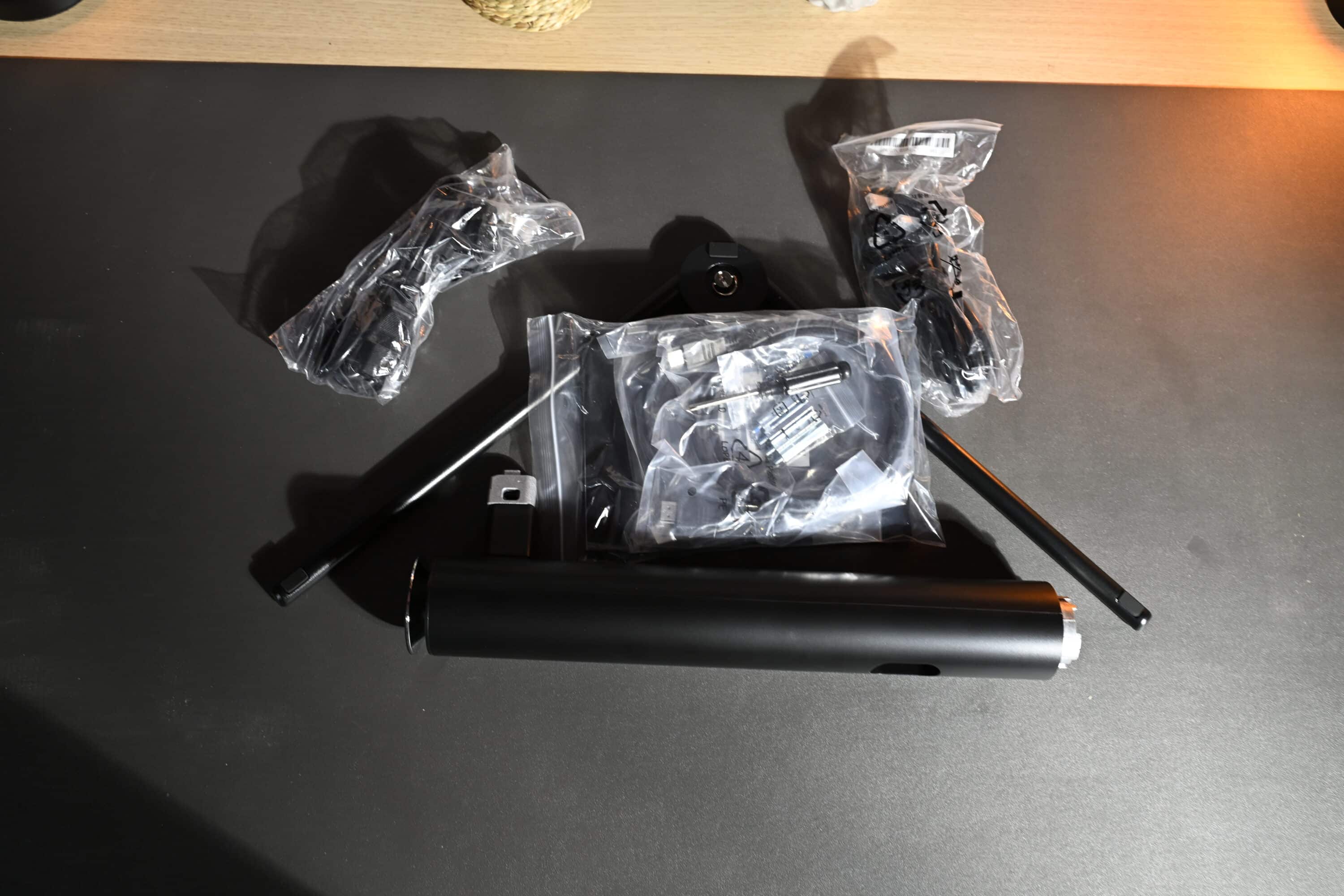
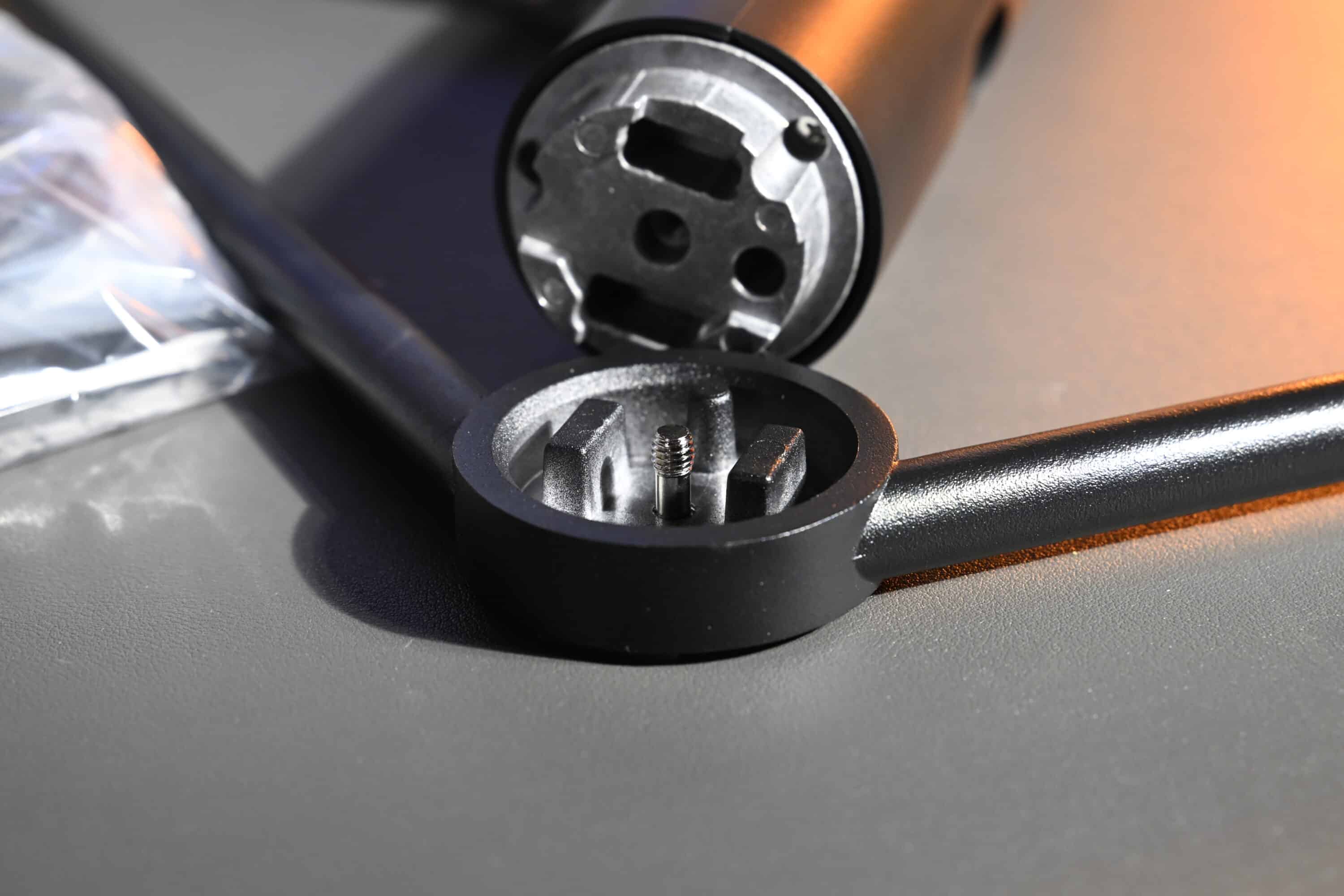
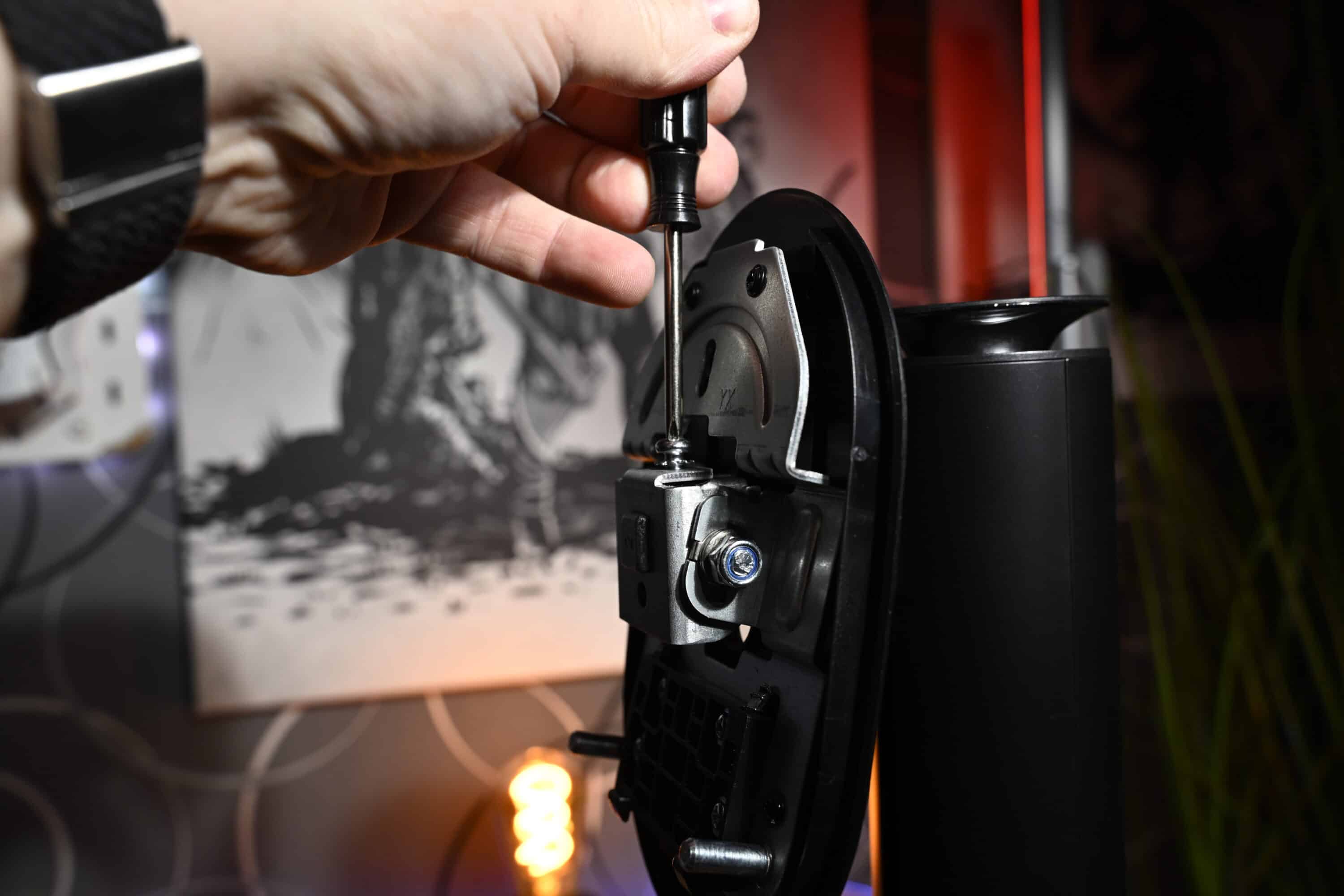
There are also mounting screws for the VESA mount, as well as a screwdriver and Phillips screws, as the monitor unfortunately cannot be assembled without the help of tools. But that’s not too bad, because the assembly is still extremely quick: screw the stand and bracket together, insert it into the back of the display and off you go.
And then it’s in front of you. A rather bulky, ultra-wide 34-inch monitor that is quite light at around 8 kilograms. This is due to the plastic construction, which naturally keeps the weight down, but doesn’t feel as robust as the more expensive competition.
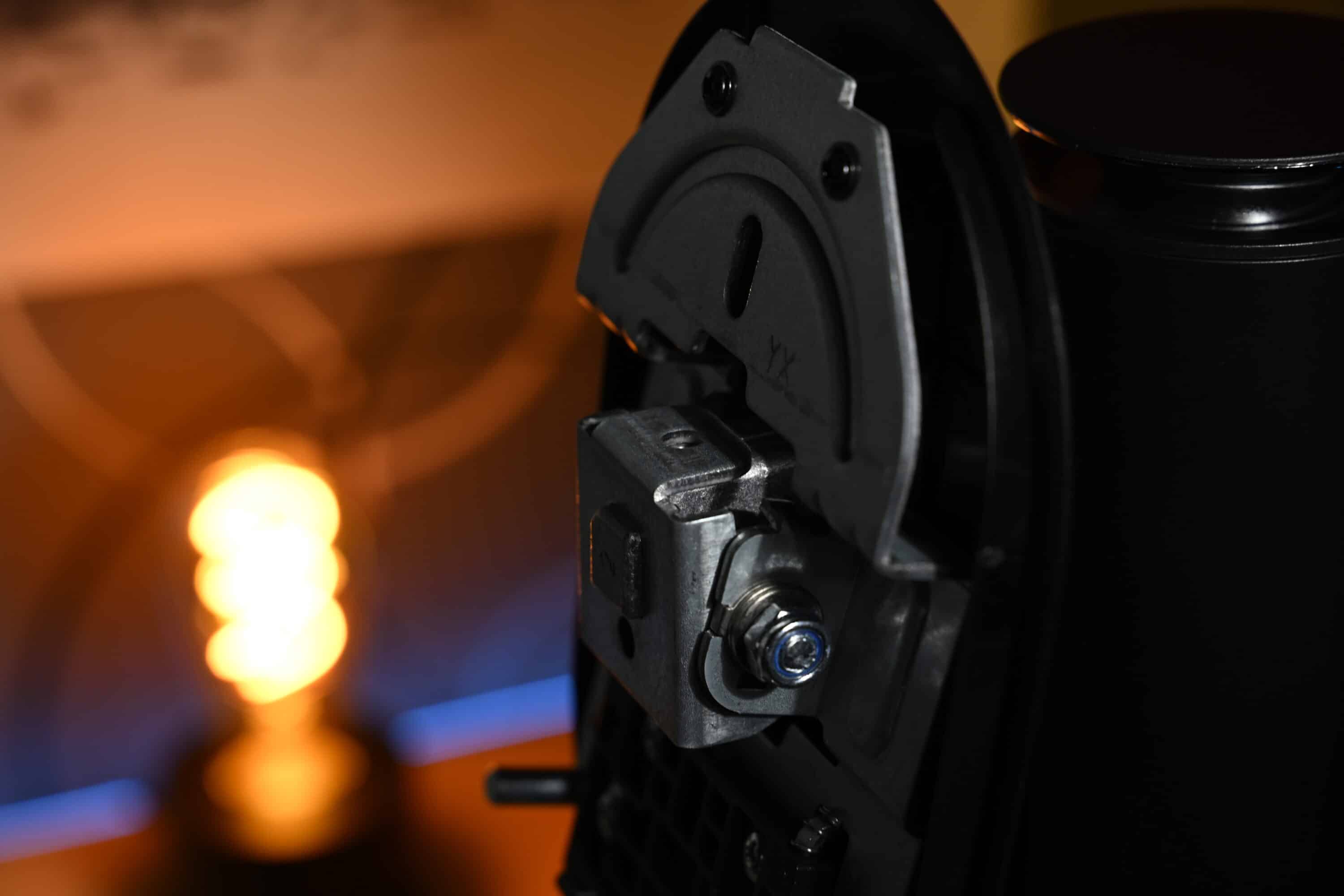
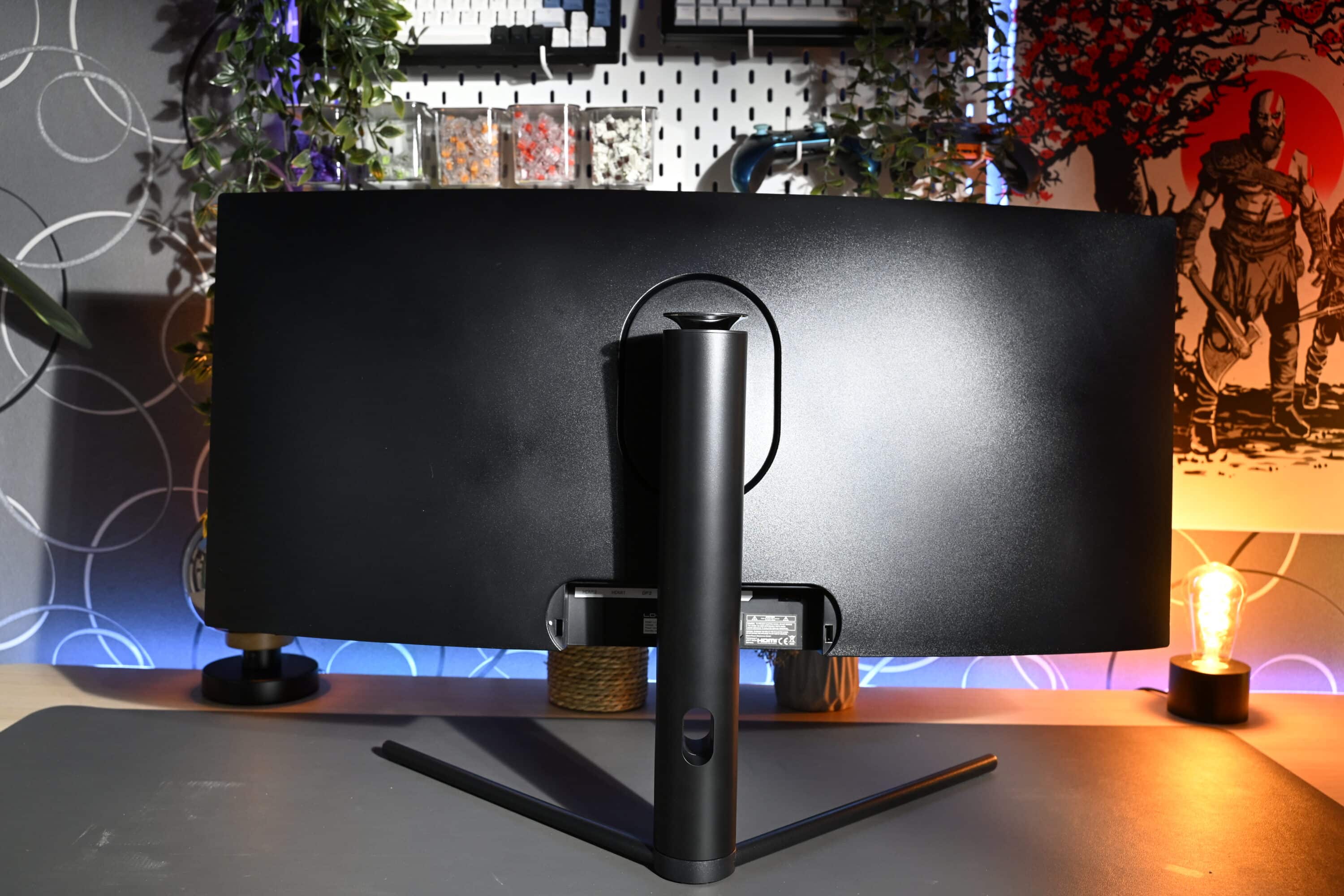
Nevertheless, the workmanship is largely okay. However, I was not able to align the display completely straight. It was always at a slight angle. Maybe 2-3 degrees, but not by much. This is quite annoying, as the ergonomic options do not allow the sides to be tilted. Only a rotation of 15 degrees, a tilt between 5 degrees and 15 degrees and a height adjustment of 100 mm are possible.
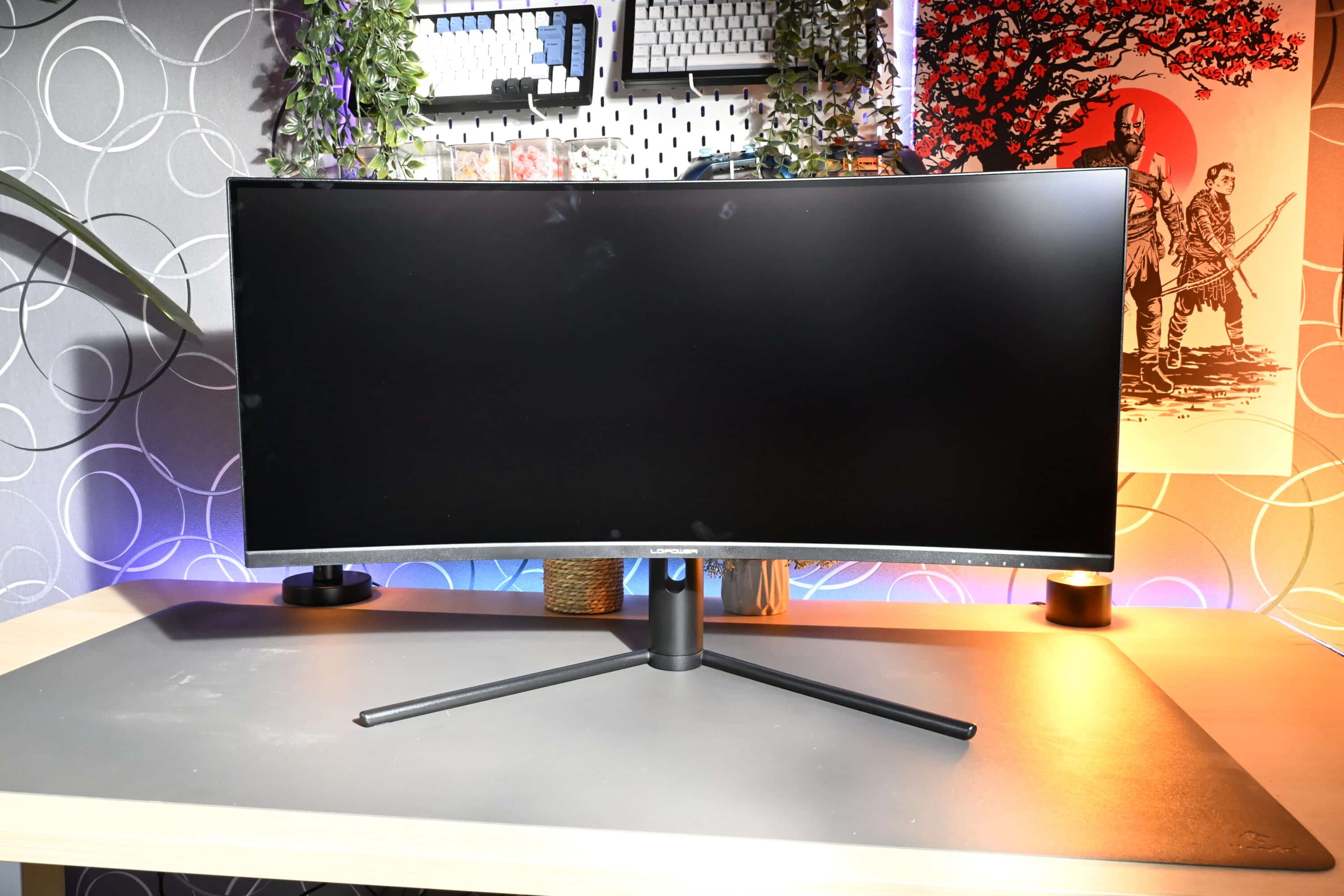
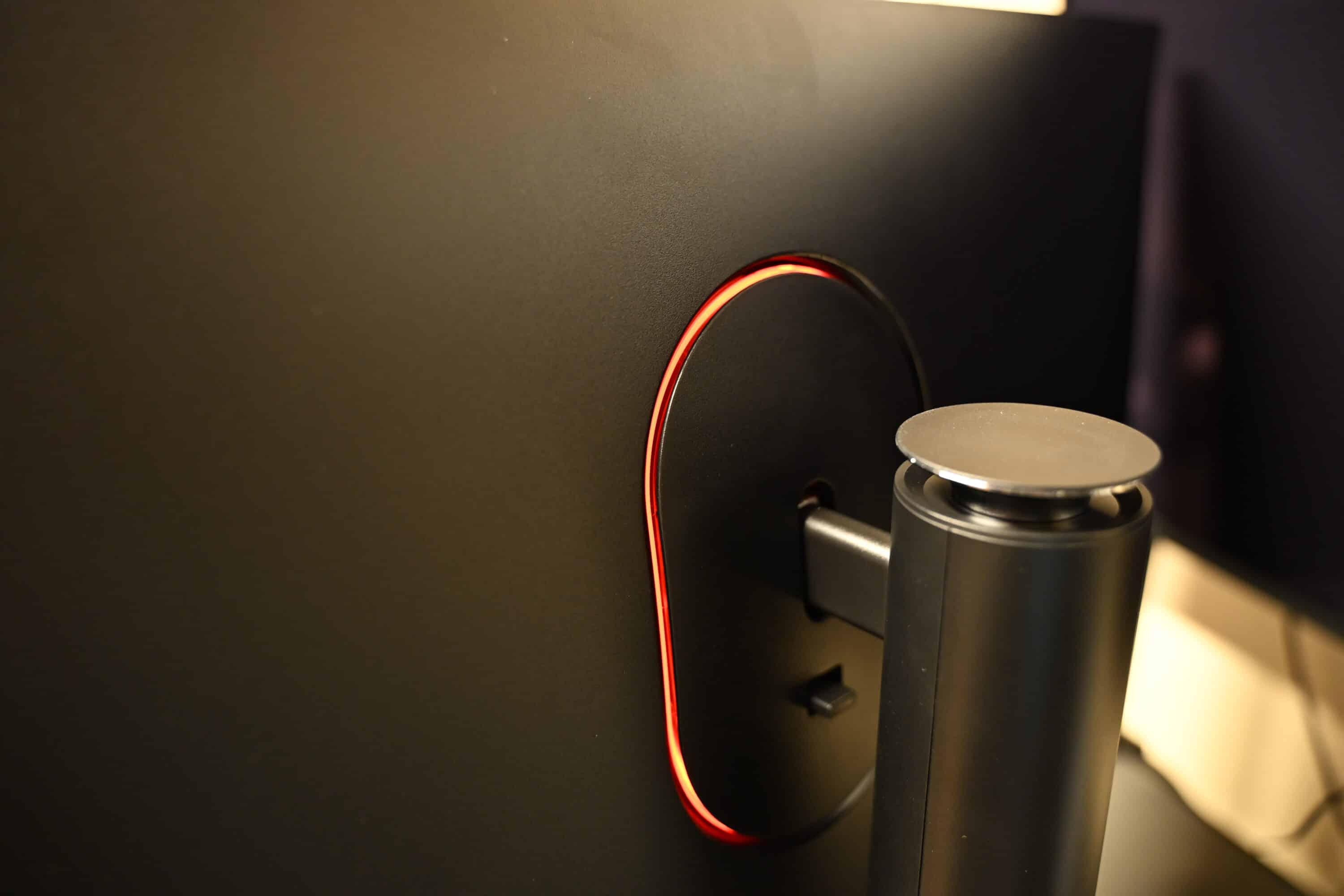
The monitor has a black plastic frame with a three-sided frameless display. A colored illuminated ring, which we already know in this form from the previous models, extends around the stand. This glows red during operation and cannot be adjusted. However, the light can also be switched off if desired.
Connections, features and operation
- 2x HDMI 2.0, 2x DP 1.4
- no USB ports
- 1500R curvature
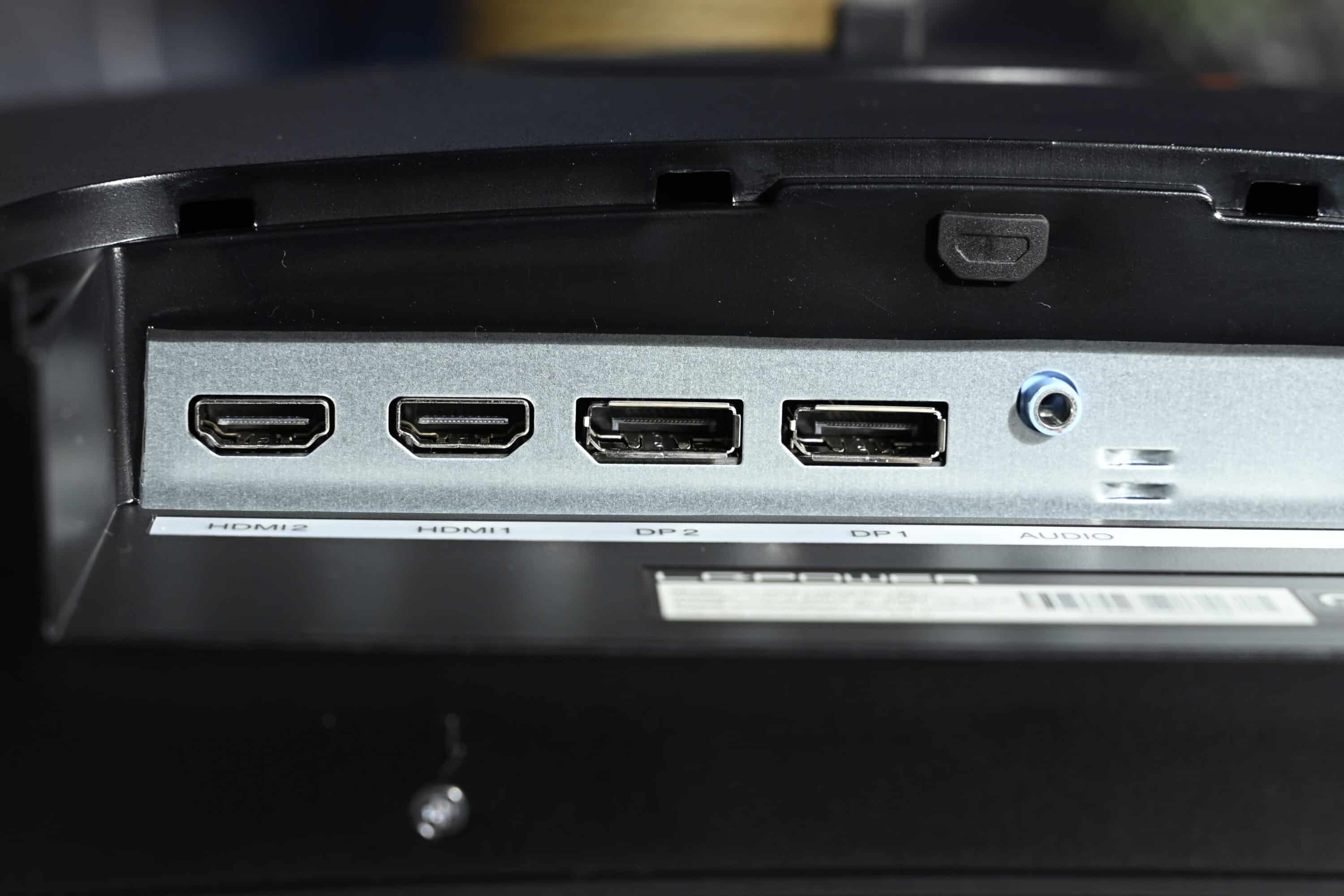
The connections of the LC-POWER LC-M34-UWQHD-180-C are located in the middle of the rear. These are also protected by a removable cover, which you can replace after connecting if you wish.
The port selection is fine. Two HDMI 2.0 and two DisplayPort 1.4 are available for image output, and there is also a 3.5 mm jack connection. However, the monitor does not have a USB hub.
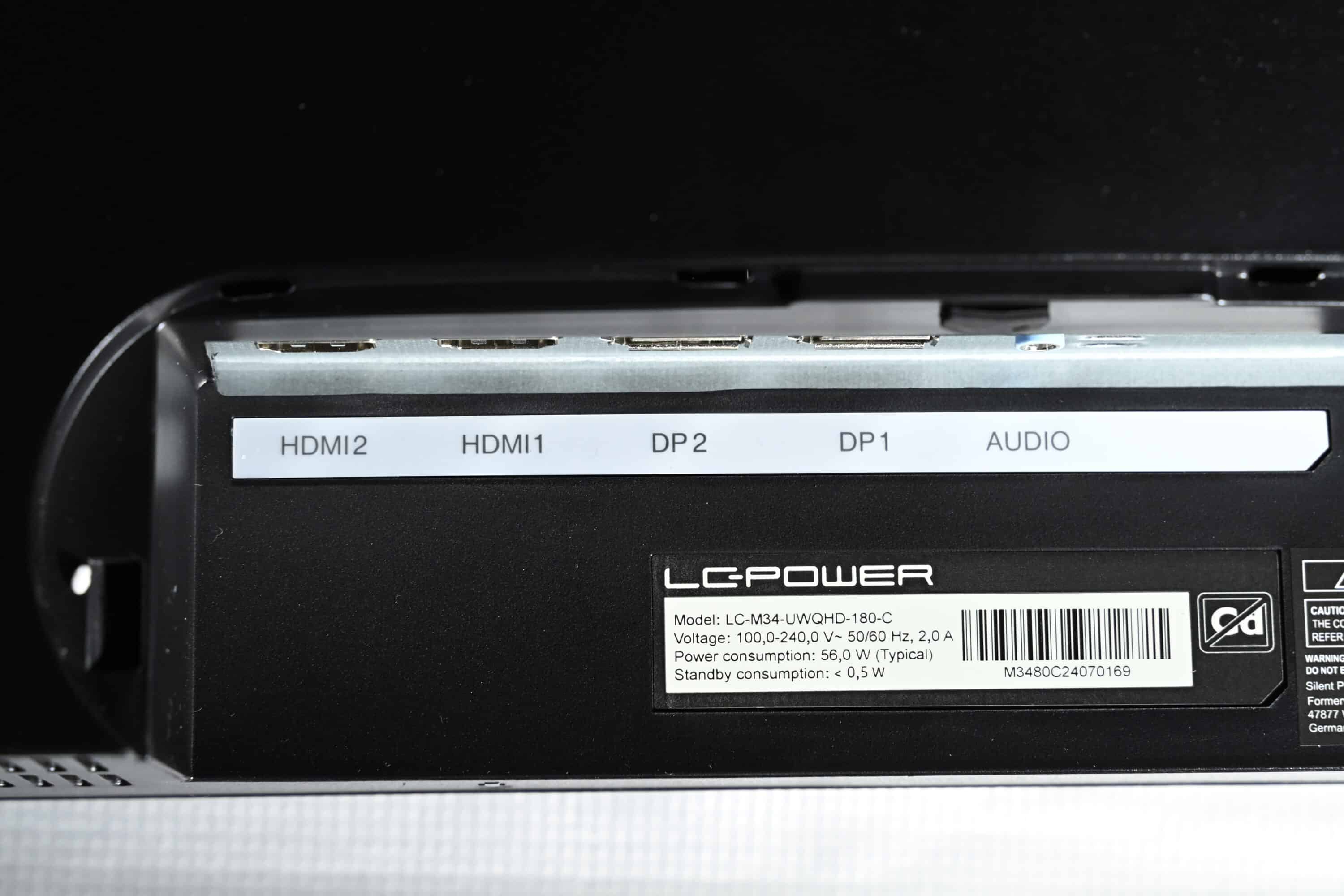
If several sources are connected, simultaneous display is possible using Picture-by-Picture (PbP) or Picture-in-Picture (PiP). In addition, the LC-POWER LC-M34-UWQHD-180-C supports Adaptive Sync for synchronizing the refresh rate with the graphics card and is said to achieve deeper blacks and richer colors thanks to HDR 400.
There is also an Overdrive mode, which is designed to speed up images when switching between black and white to enable a clearer picture during fast-paced games. The features are rounded off by a Low Blue mode, which reduces blue light, as well as a GamePlus function and various picture modes for different game genres. However, you shouldn’t expect a noticeable difference here.
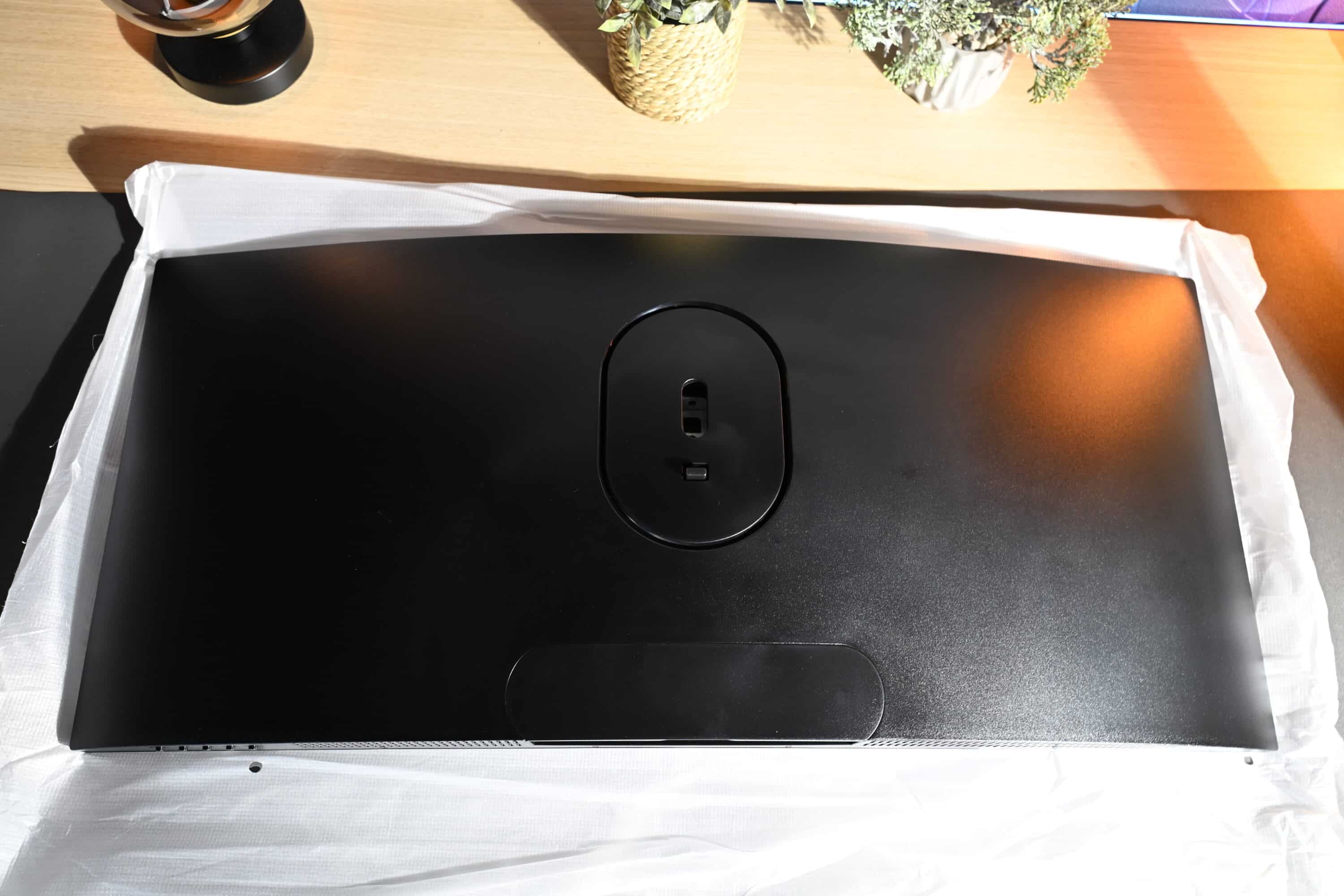
The LC-M34-UWQHD-180-C uses a VA panel with a resolution of 3,440 x 1,440 pixels and a frame rate of 180 Hz. It also comes with a 1,500R curvature, which noticeably increases immersion when gaming.
Operation of the LC-POWER LC-M34-UWQHD-180-C
- Operation via five elements
- Labeling on the front
- Clear OSD
The LC-POWER LC-M34-UWQHD-180-C is operated via a total of five control elements on the right-hand edge of the underside. Their position and function are also explained by symbols on the front.
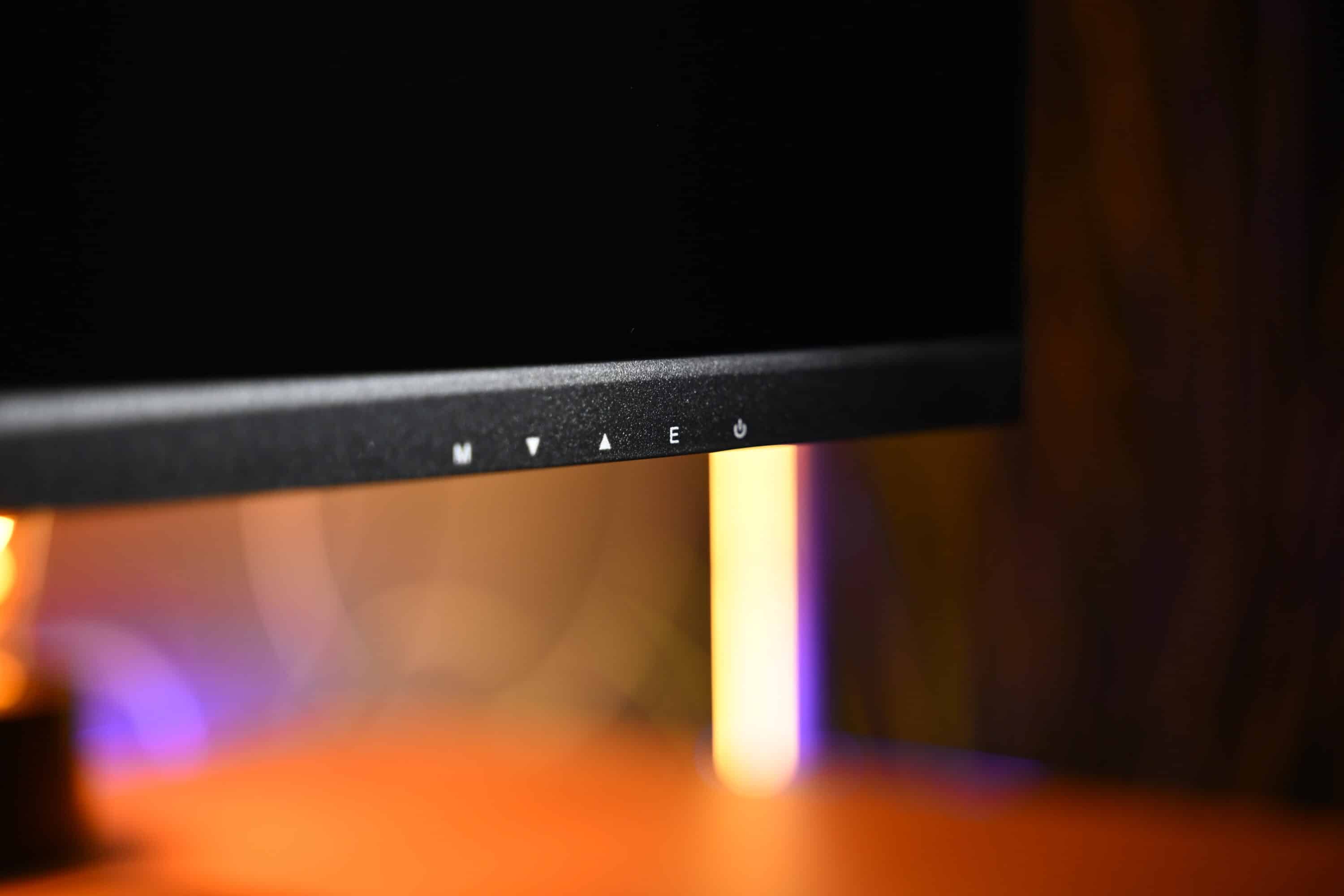
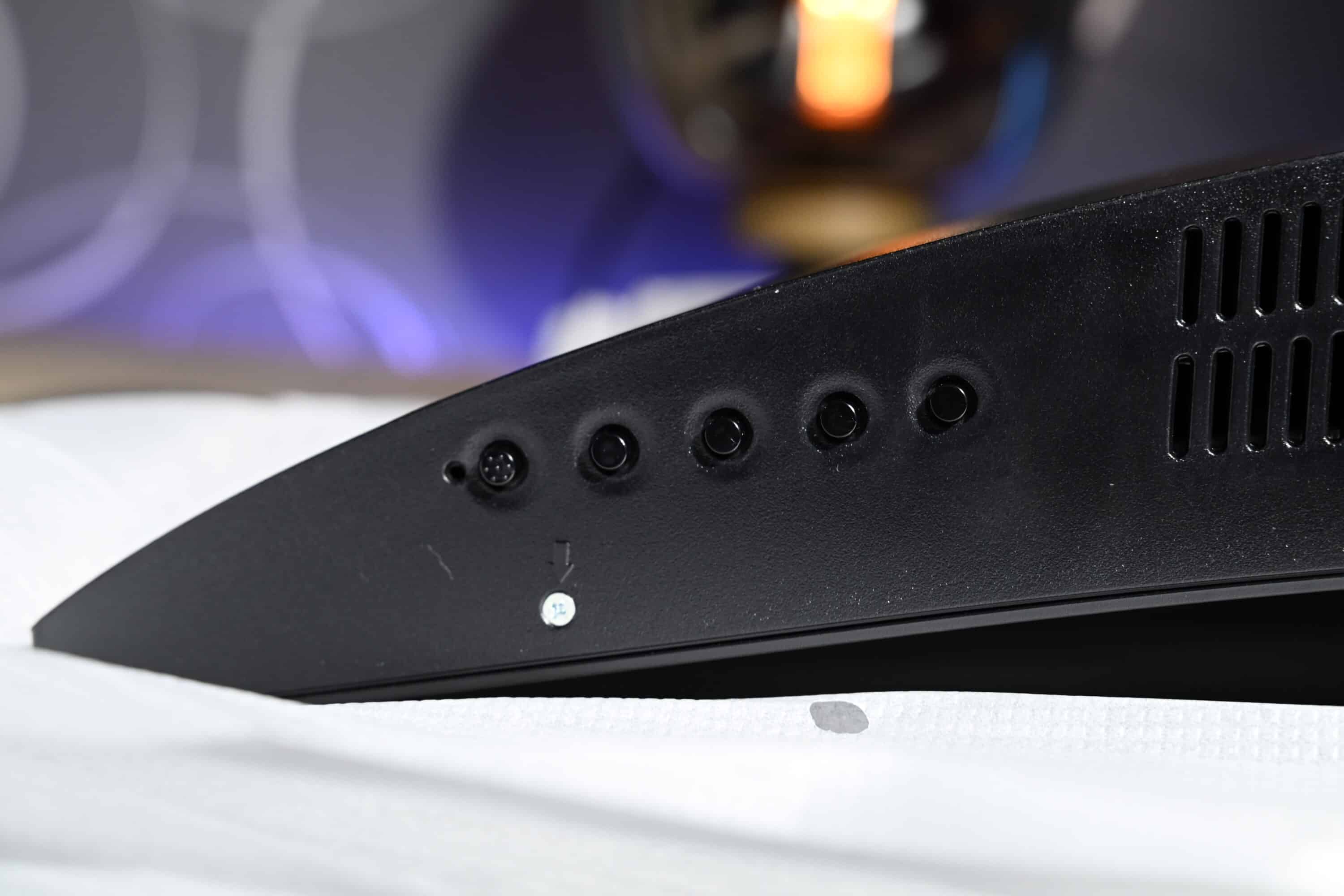
The left button takes you to the on-screen display (OSD) and then to the next submenu; the buttons next to it are used to navigate up or down. The “E button” goes back one step in the menu, while the power button is on the far right. Self-explanatory and simple.
The OSD looks very modern with its black and red tones and is clearly laid out. You can see the resolution and frame rate directly at the top, while six tabs guide you through the menus.
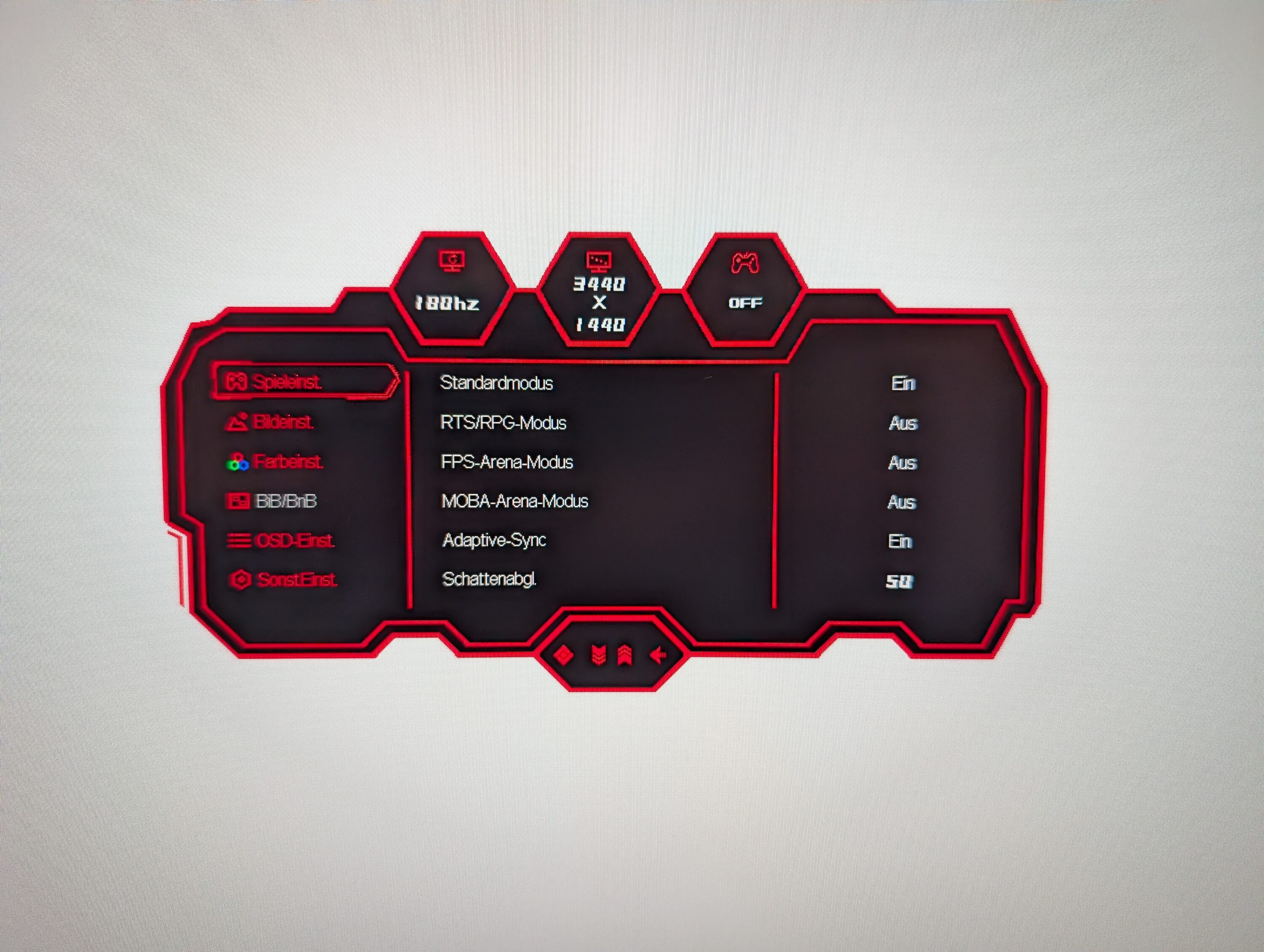
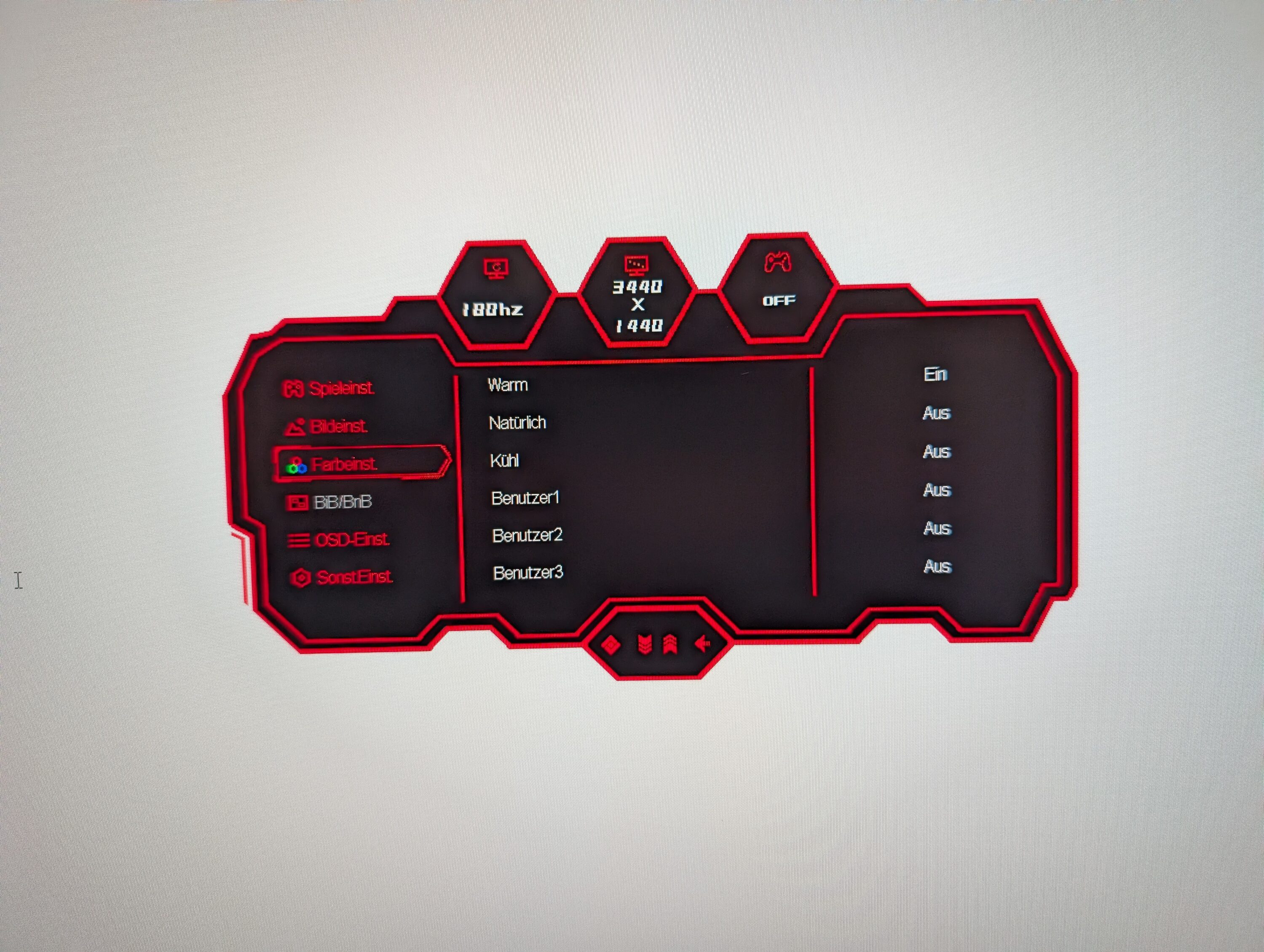
Here you can adjust brightness, contrast, sharpness or Adaptive Sync, for example, as well as switch between the various picture profiles. The gamma value can also be adjusted, and LC-Power also offers various color profiles to make the picture warmer or colder, for example – you can also create your own profiles.
Picture quality of the LC-POWER LC-M34-UWQHD-180-C
- Good contrasts and colors,…
- … if you adjust the picture slightly
- Lower area too bright; illumination not uniform
The LC-POWER LC-M34-UWQHD-180-C comes with a VA panel, which can of course play to its strengths, especially in gaming use. For example, the high contrast ratio of 4,000:1, which is clearly superior to IPS panels.
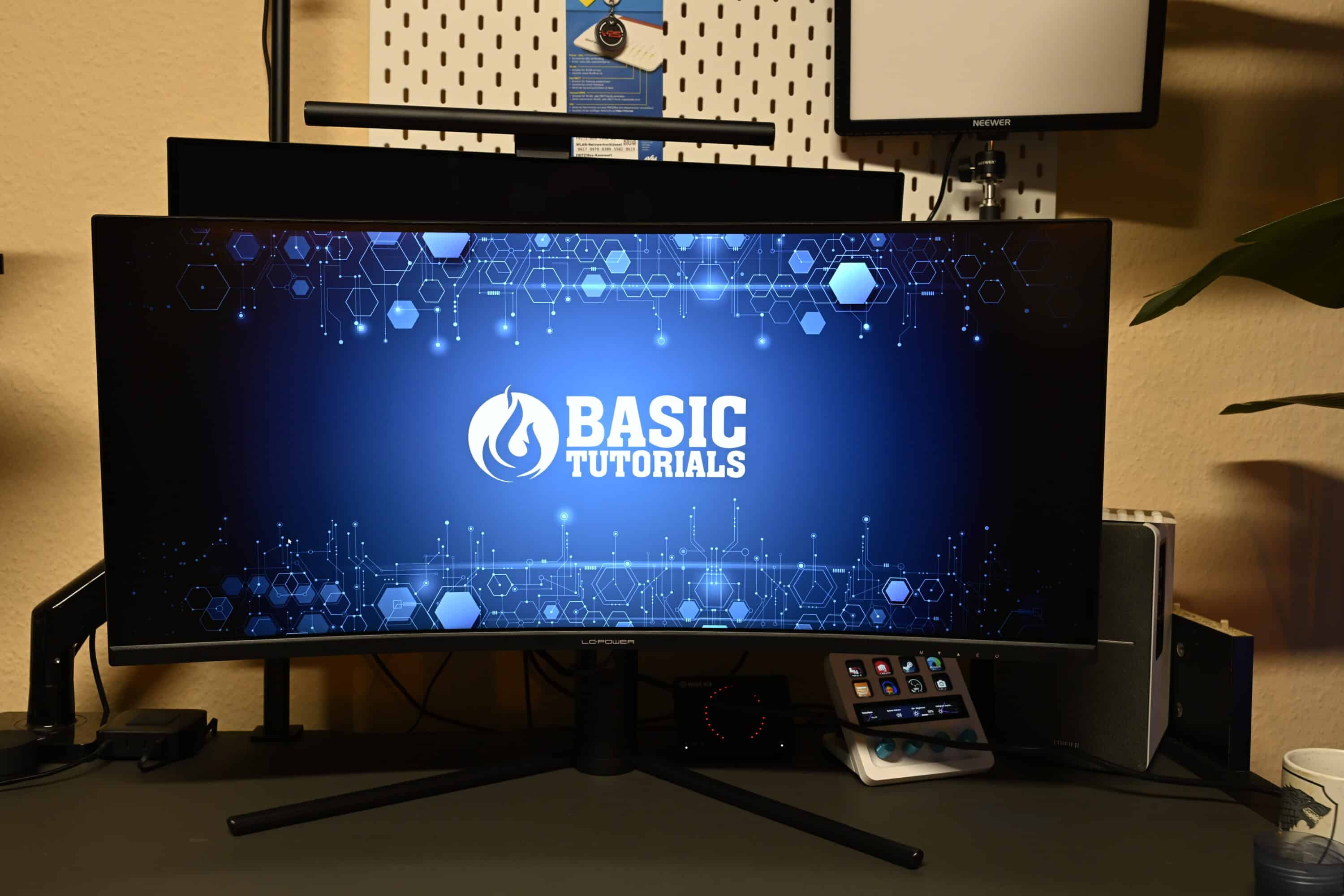
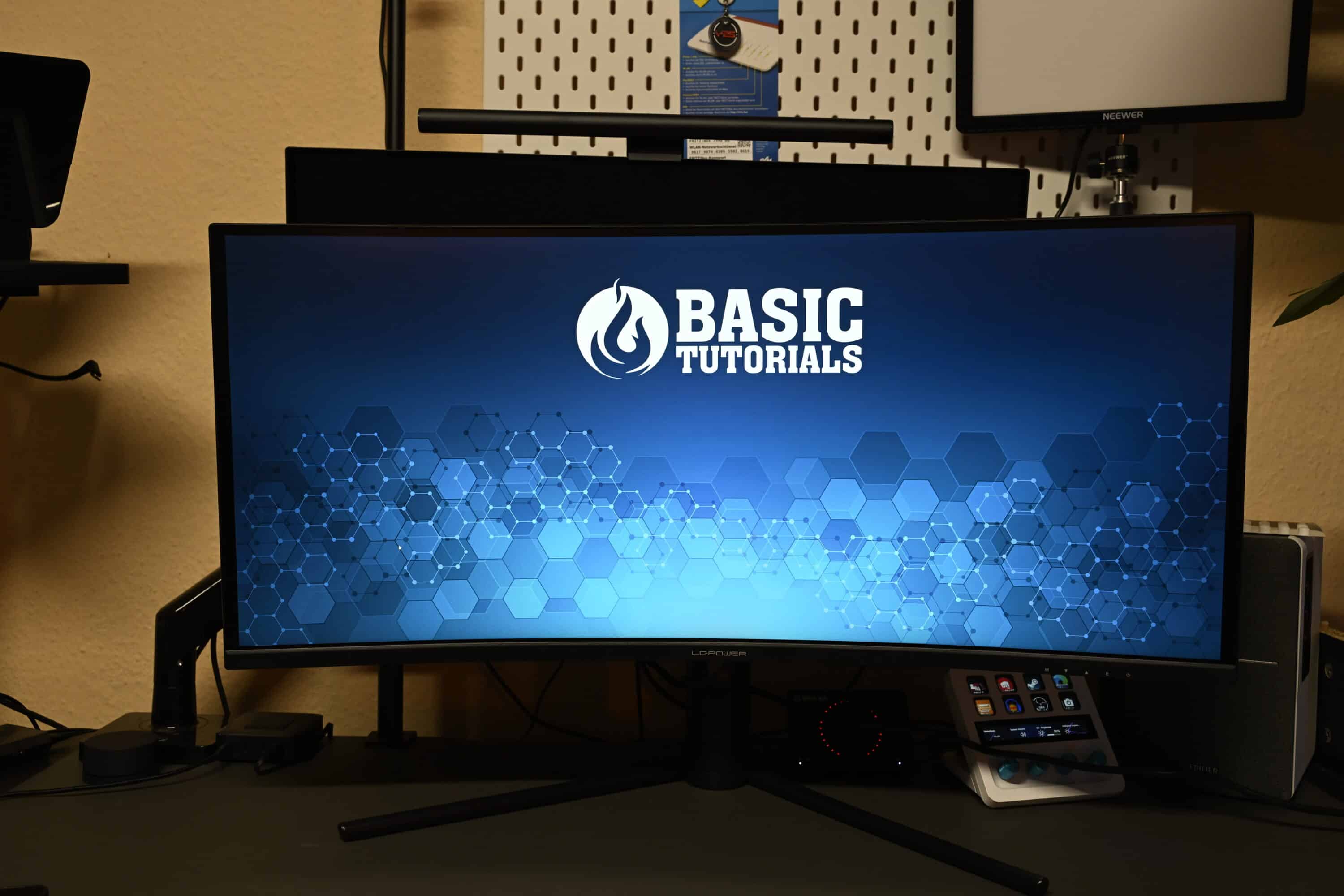
The color reproduction is also pleasing, while the low response time of 1 ms MPRT ensures a razor-sharp image in fast games, even when the content moves faster. According to the manufacturer’s specifications, the maximum brightness is 350 cd/m², but in practice this is a little higher. The matte non-glare panel is also very well protected against reflections.
However, when the LC-POWER LC-M34-UWQHD-180-C is switched on for the first time, the picture initially appears very low in contrast and color. It is therefore essential that you adjust the OSD yourself to get the best out of the monitor.
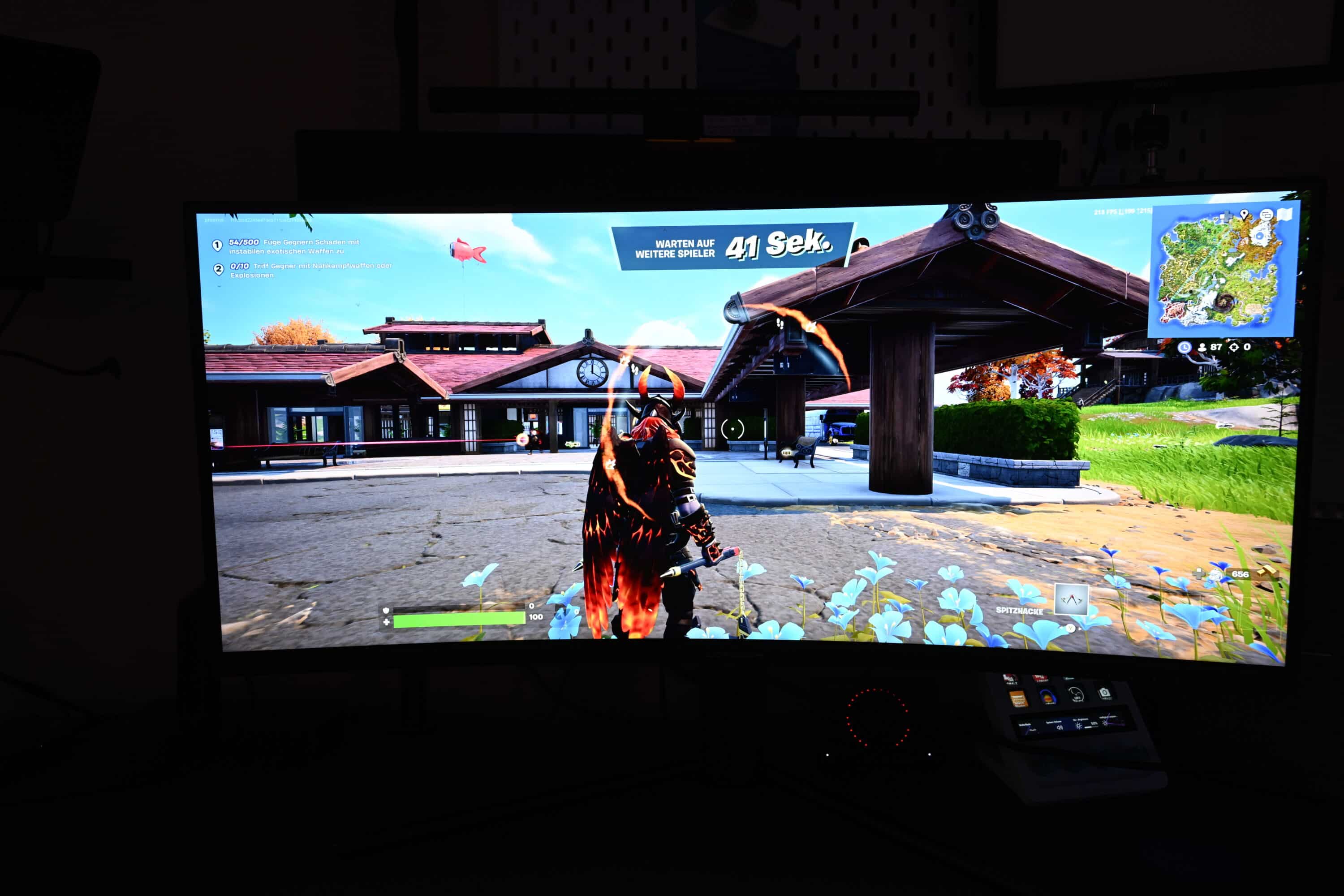
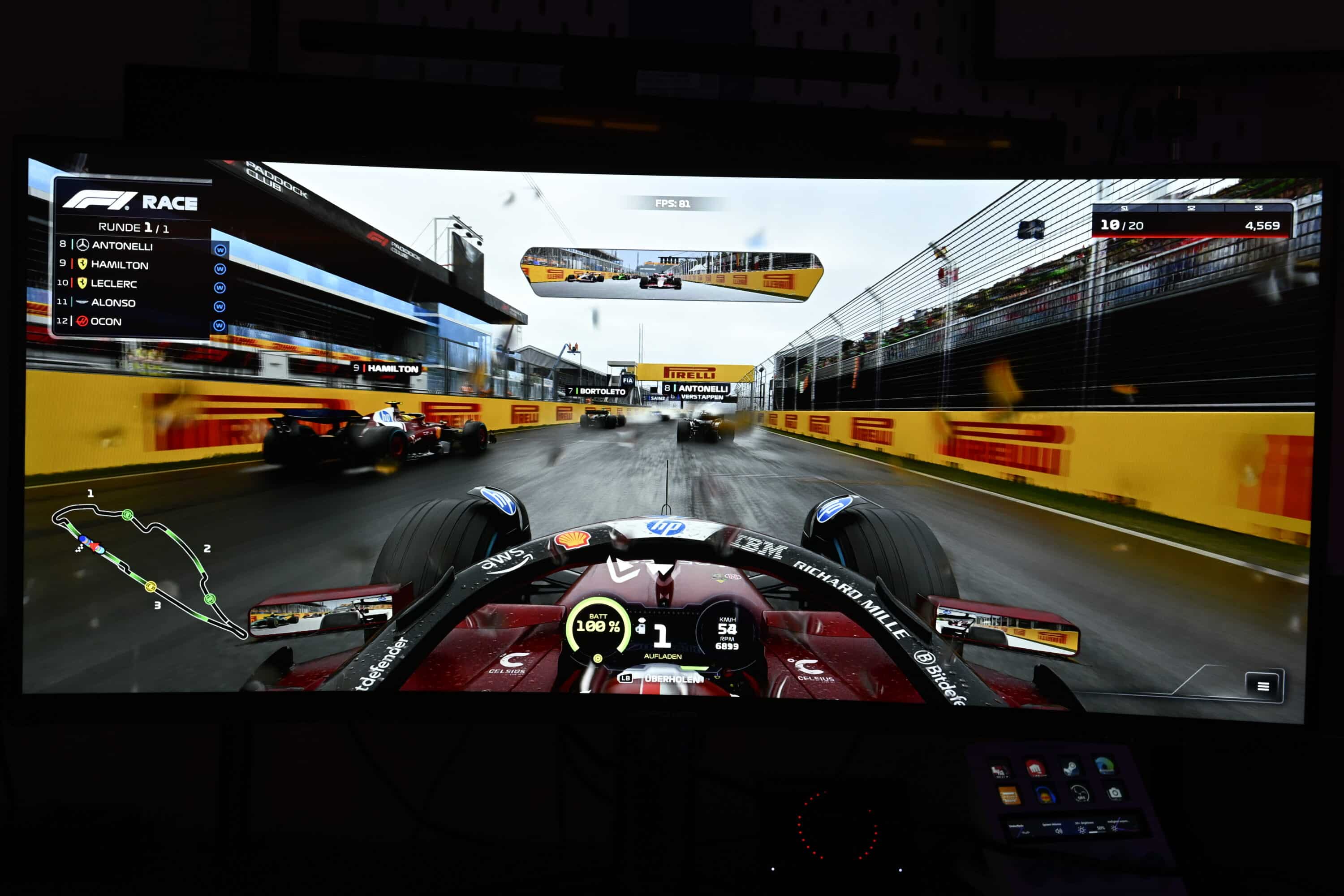
And with a few adjustments, for example in terms of contrast, brightness and color profile, the UWQHD gaming monitor really does deliver a good picture. The display really comes into its own when gaming: The picture is rich in contrast and color and doesn’t struggle with ghosting even during fast movements.
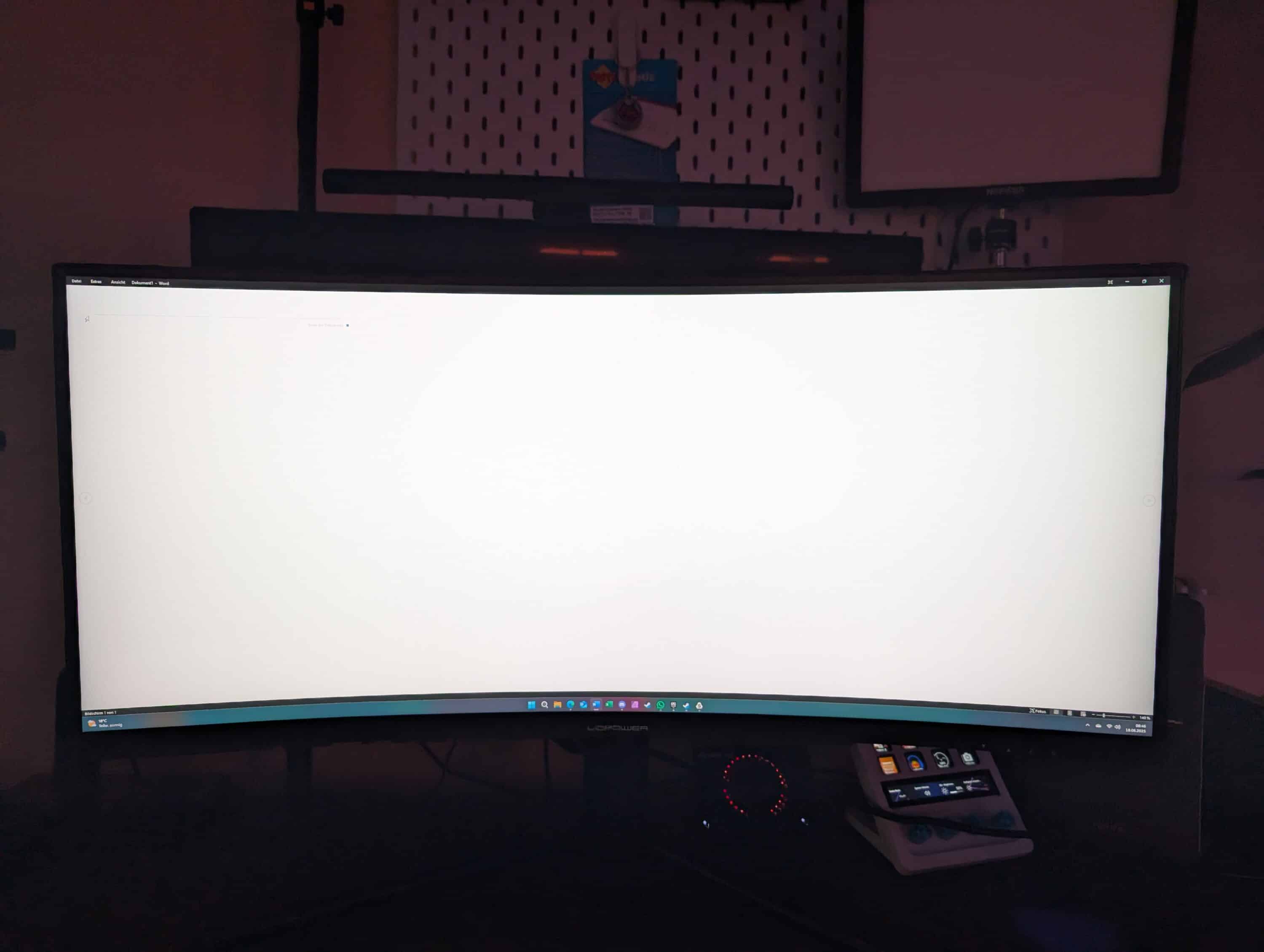
In desktop mode, however, things look a little different. At low contrasts, it is clear that the lower area is much brighter than the upper edge. There seem to be problems with the uniformity of the illumination here – which should also be confirmed in the lab test (but is difficult to capture in photos).
You can counteract this somewhat by increasing the gamma value (e.g. to 2.4 or 2.6). Nevertheless, the LC-POWER LC-M34-UWQHD-180-C also impresses in office use with easy-to-read texts and clear fonts.
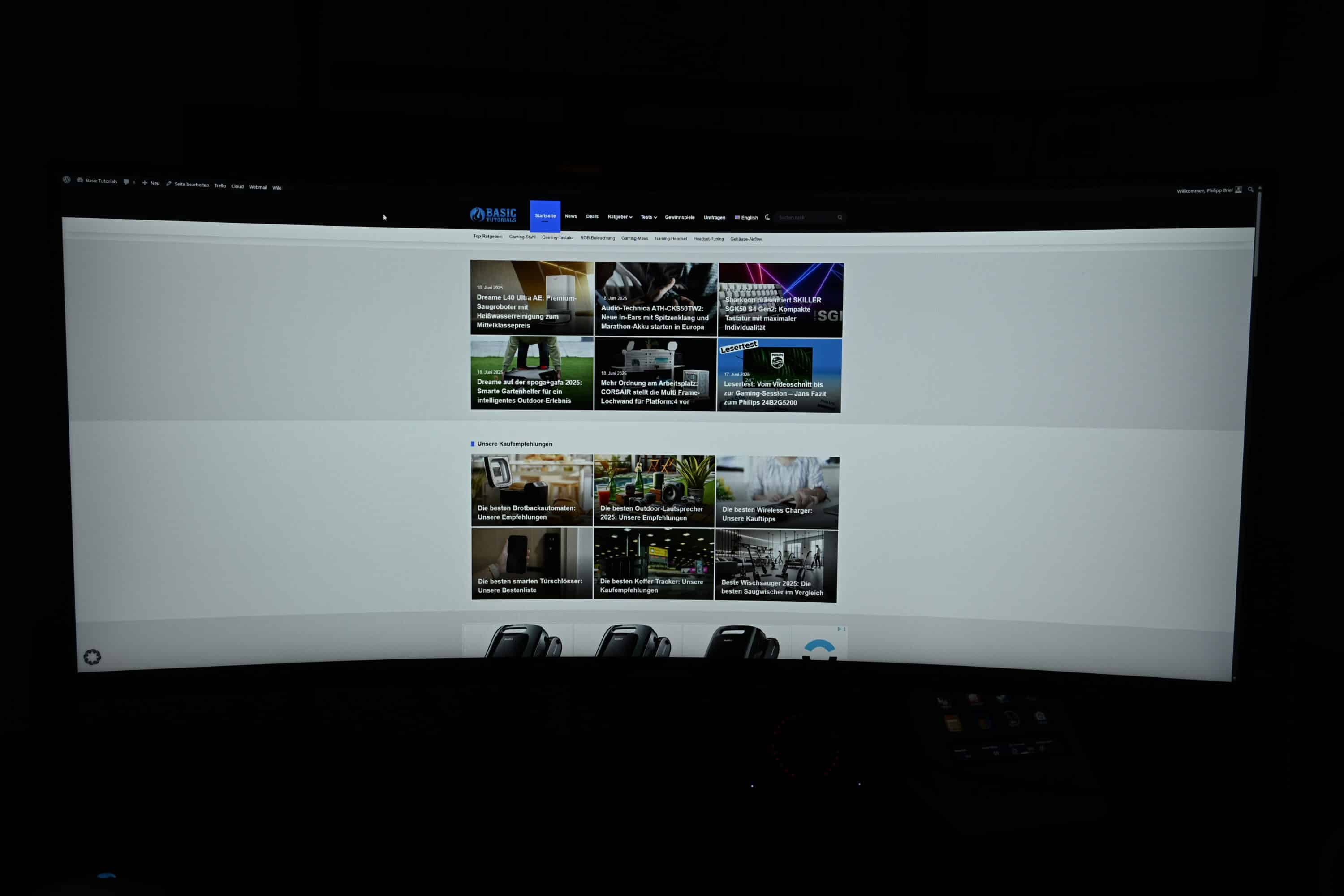
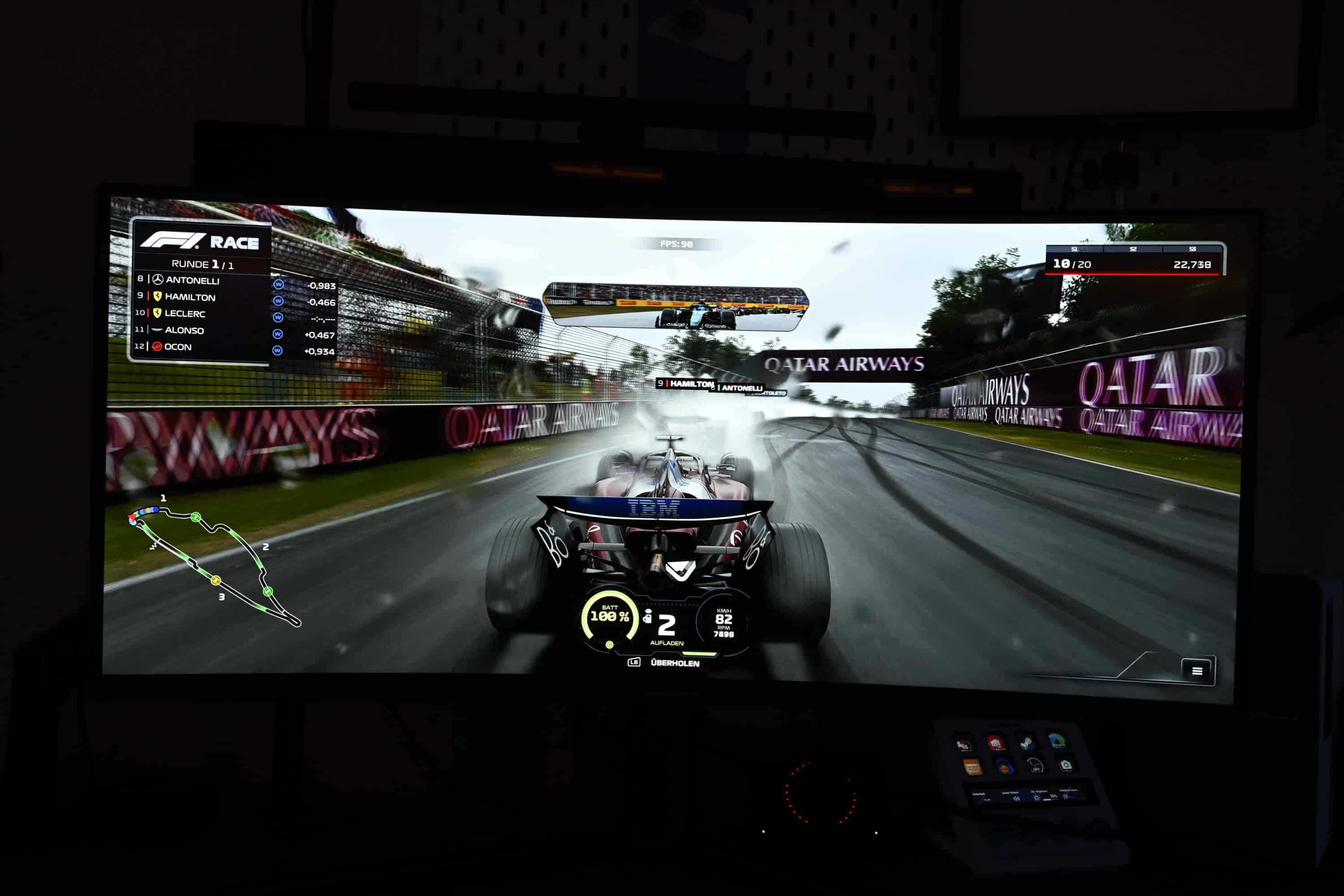
However, the monitor is hardly suitable for color-critical work, as the color space coverage is simply too low. Only 99% of the sRGB color space is covered and 92% of the DCI-P3 color space – at least according to the manufacturer.
Laboratory test of the LC-POWER LC-M34-UWQHD-180-C
As always, I took a closer look at the image of the LC-POWER LC-M34-UWQHD-180-C in the lab using the Datacolor SpyderX Elite. To do this, I first reset the monitor to factory settings to determine the values you get when you buy the monitor.
With a little fine-tuning in the on-screen display, you can noticeably improve the picture quality, which the LC-M34-UWQHD-180-C can definitely do with.
In terms of color spaces and color fidelity, the LC-POWER LC-M34-UWQHD-180-C lives up to its promises and exactly matches the manufacturer’s specifications.

The color accuracy is also really impressive. With an average value of Delta E 1.82, the monitor achieves good values, although the deviations are noticeably higher, especially in the grayscale, but also in cyan.

What we have already observed in the past with monitors from LC-Power is also evident here: Although the gamma curve is exact, the set value is too low. The set value of 2.2 is more like 2.0 – so always go 0.2 steps higher than you are used to. I would actually recommend the maximum value of gamma 2.6.

On a positive note, the maximum brightness of 445.3 cd/m² is much higher than promised by the manufacturer. The contrast ratio is also at a good level, but does not quite reach the specification – but it is definitely better than IPS, and significantly so.

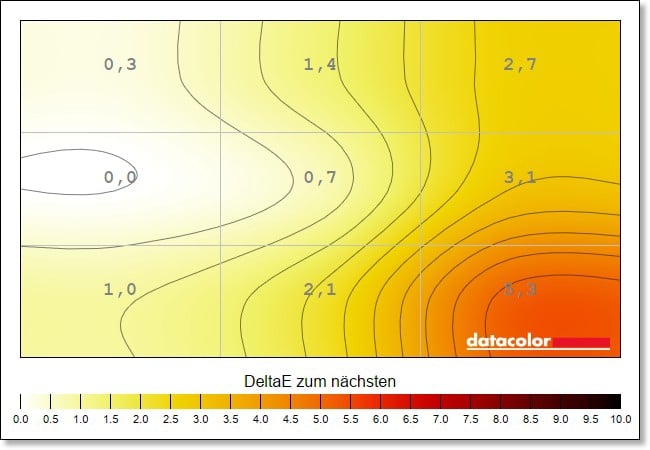
The problems with uniformity already noticed in practice are also evident in the colors and brightness. Interestingly, the LC-POWER LC-M34-UWQHD-180-C shows clear color deviations in the lower left corner at maximum brightness, while these tend to move to the lower right when the brightness is reduced.
And yet: the values are still at a good level. Even some much more expensive monitors achieve significantly higher deviations here.
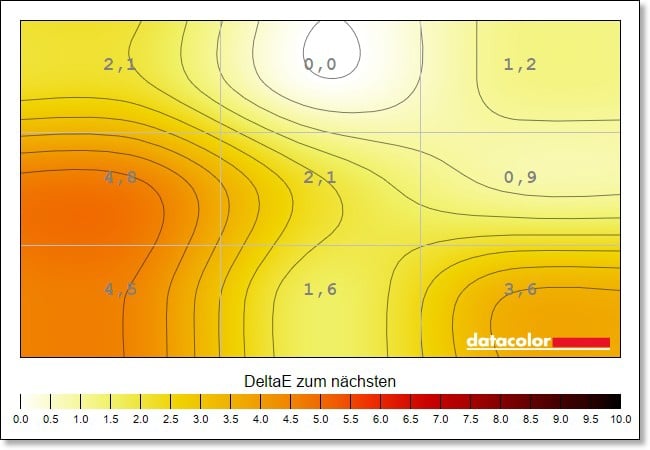
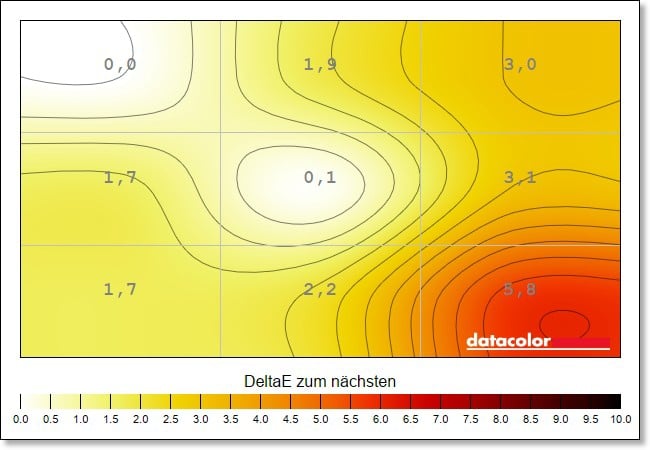
The situation is somewhat different with luminance homogeneity. While the upper third achieves good results across all brightness levels, the deviations in the lower third are already very high at up to 16 percent.
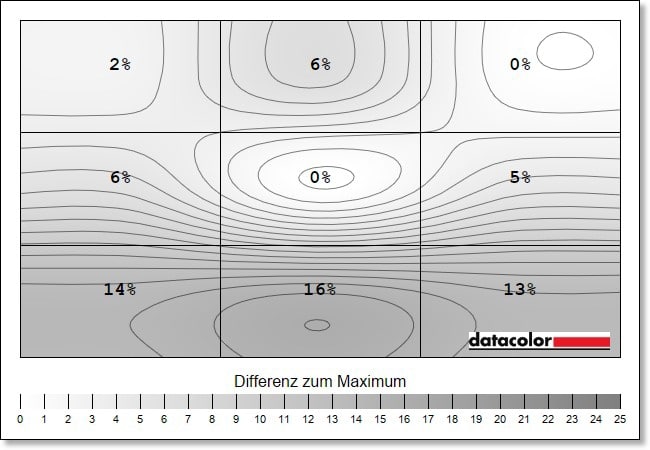
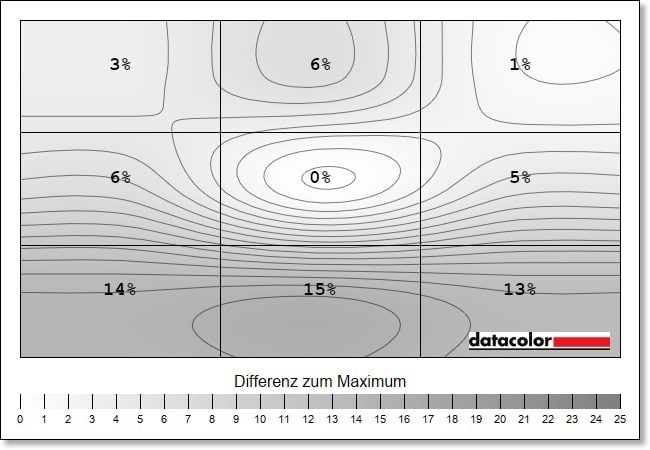
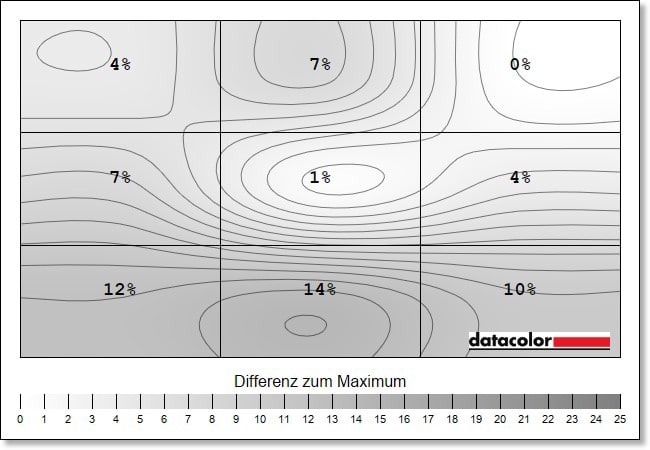
In practice, this means that if you achieve a maximum of 225.5 cd/m² in the center of the screen, it is only 190.5 cd/m² in the rectangle below – and you can clearly see that. In my eyes, the sweet spot is a brightness of 75 – 80 percent. The LC-POWER LC-M34-UWQHD-180-C achieves the best values here.
LC-POWER LC-M34-UWQHD-180-C Review: Conclusion
If you are looking for a fast ultrawide gaming monitor and don’t want to spend too much money, the LC-POWER LC-M34-UWQHD-180-C is a good choice. Of course, the workmanship could be better, the monitor completely lacks a USB hub and the picture needs some fine-tuning.
But if you take the time to set everything up correctly, the display delivers a really good picture quality with convincing contrasts, harmonious colors and a high speed of 180 Hz, which makes the monitor very suitable for competitive games.
And all this at an absolutely unbeatable price: If you want better features or a better picture, you’ll easily have to dig twice as deep into your pocket, making the LC-POWER LC-M34-UWQHD-180-C a real value-for-money tip.

VORTEILE
- 180 Hz at 3440 x 1440
- Good picture quality
- Coherent contrasts
- Strong price-performance ratio
NACHTEILE
- Mixed processing
- No USB ports
- Display on stand slightly slanted
- Picture not uniform
Fazit
Good picture quality, 180 Hz and an unbeatable price make the LC-POWER LC-M34-UWQHD-180-C a value-for-money tip.


