


At the beginning of July, Razer launched the BlackWidow V4 Tenkeyless HyperSpeed, a compact, wireless version of the popular gaming keyboard. If the mechanical model is still too big for you, you now have reason to rejoice: with the Razer BlackWidow V4 Low-Profile HyperSpeed, there is now a much flatter offshoot that doesn’t require you to make any compromises. We tested the compact tenkeyless version.
Technical data
| Product name | BlackWidow V4 Low-Profile HyperSpeed |
| Switch type | Mechanical |
| Button switch type | Razer Low Profile |
| Switch types offered | Linear; Tactical; Clicky |
| Switch interchangeable | No |
| Keycaps interchangeable | No |
| material | Plastic, CNC aluminum |
| Dimensions (L x W x H) | 356 mm x 160 mm x 18.5 mm |
| Onboard memory | 3 profiles |
| Cable connection | USB Type-C |
| Rollover technology | N-Key Rollover |
| Keycaps | PBT Double-Shot |
| Operating modes | Typing; Gaming |
| Sampling rate | 1,000 Hz |
| price | € 189.99 * |
Razer BlackWidow V4 Low-Profile HyperSpeed Test: Noble hip flask
- High-quality workmanship
- pleasantly flat
- practical functions
I admit it: I’m a big fan of low-profile keyboards. At least when they are well made. But only since the high-quality and all-round convincing ASUS ROG Falchion RX in 65 percent layout moved in with me. 
Now there is finally a new low-profile keyboard from Razer. The Razer Blackwidow V4 Low-Profile HyperSpeed is available both as a full-size keyboard and as a compact TKL version. The only difference between the two models is the size, as the TKL model lacks the numeric keypad.
Visually, the flatter BlackWidow V4 looks great. The keyboard uses the classic Razer black and combines a robust plastic housing with an anodized aluminium plate to create a harmonious look.
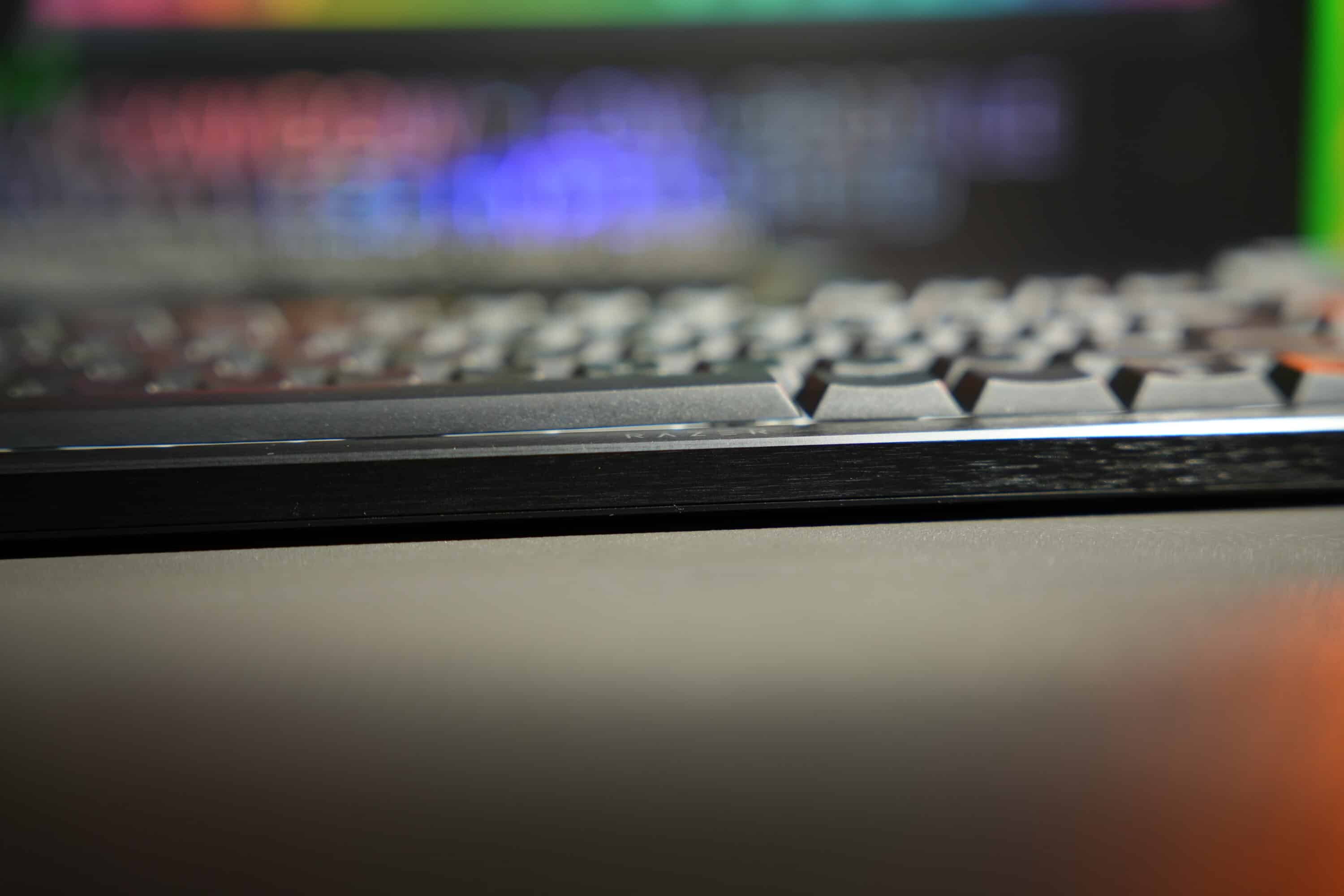
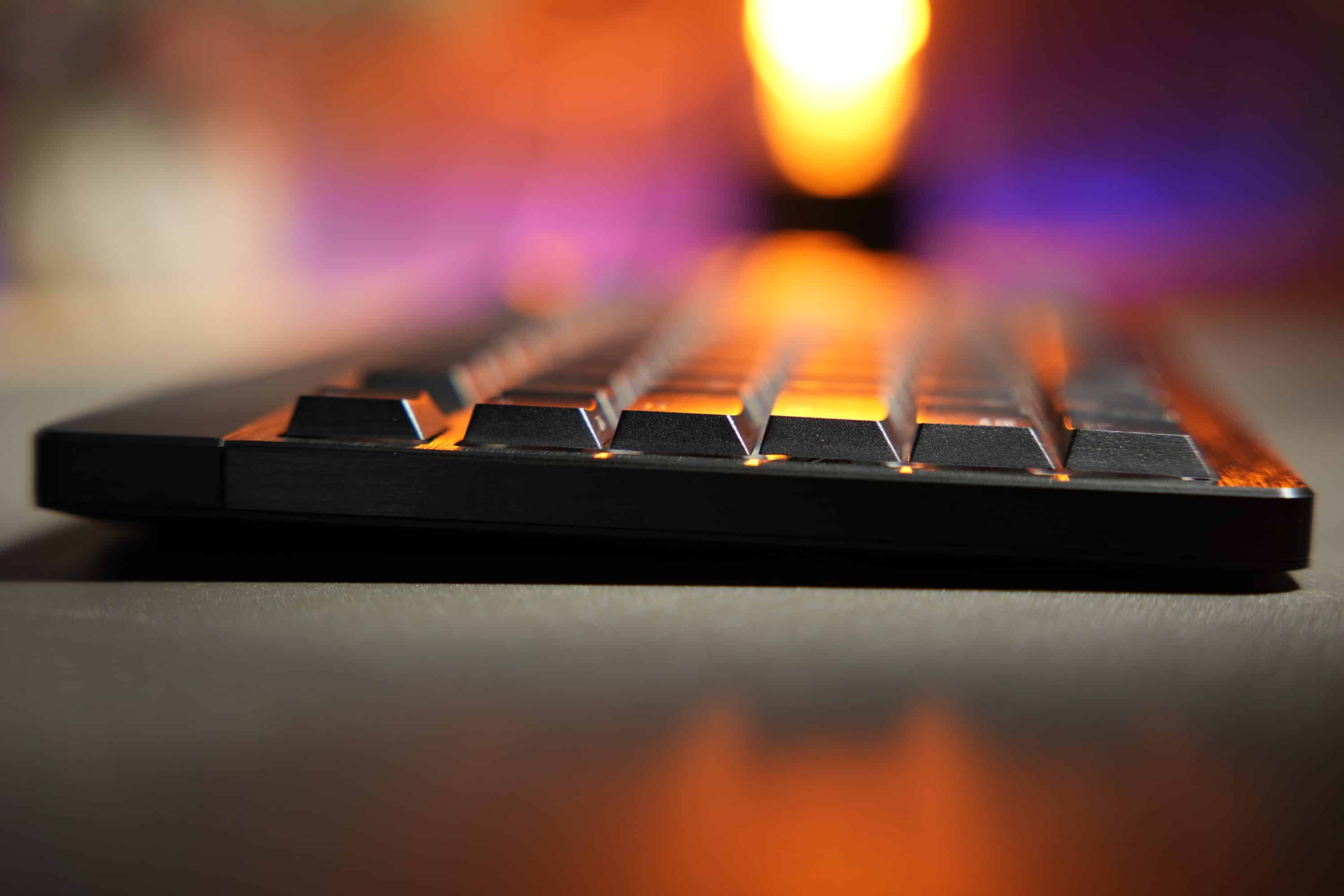
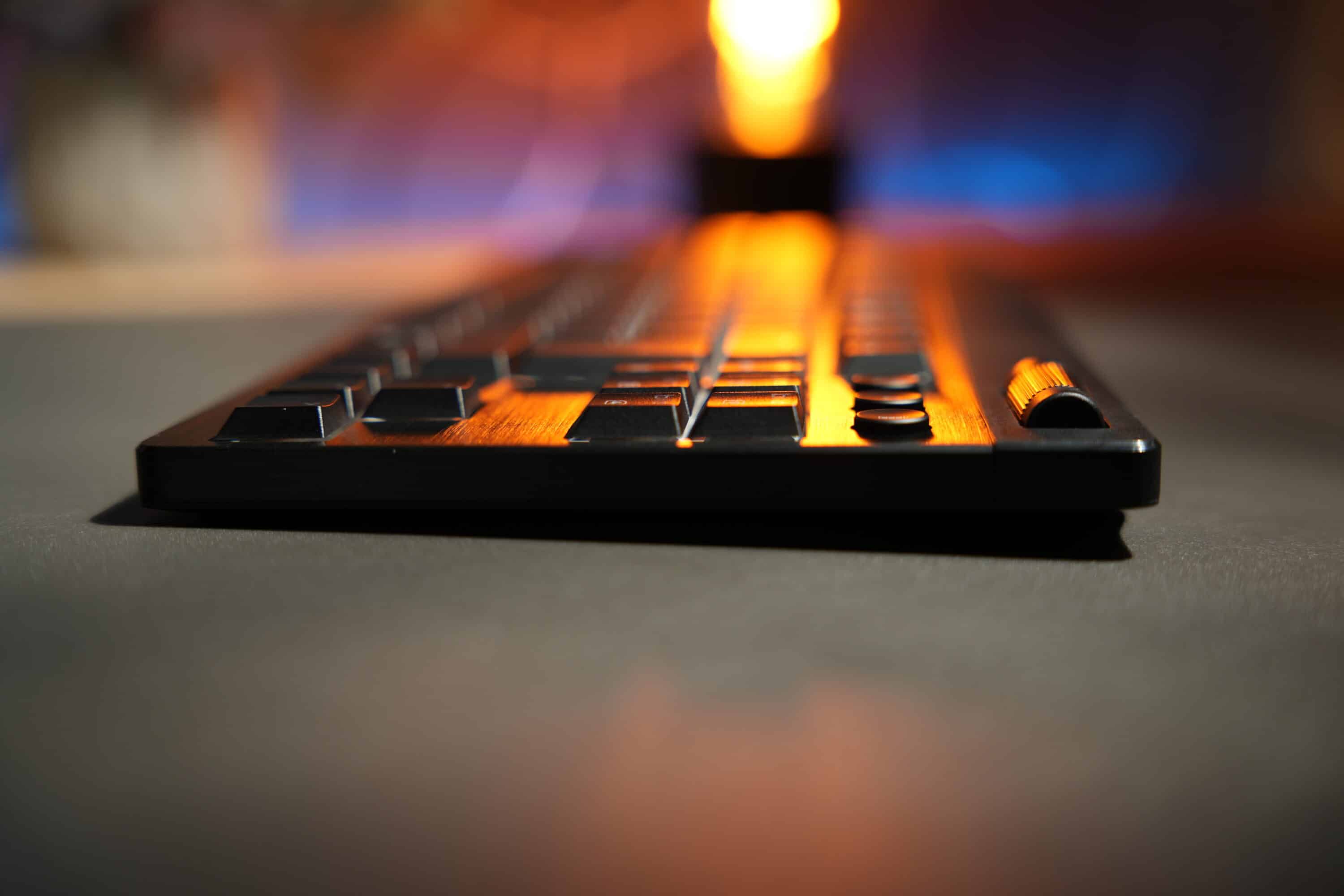
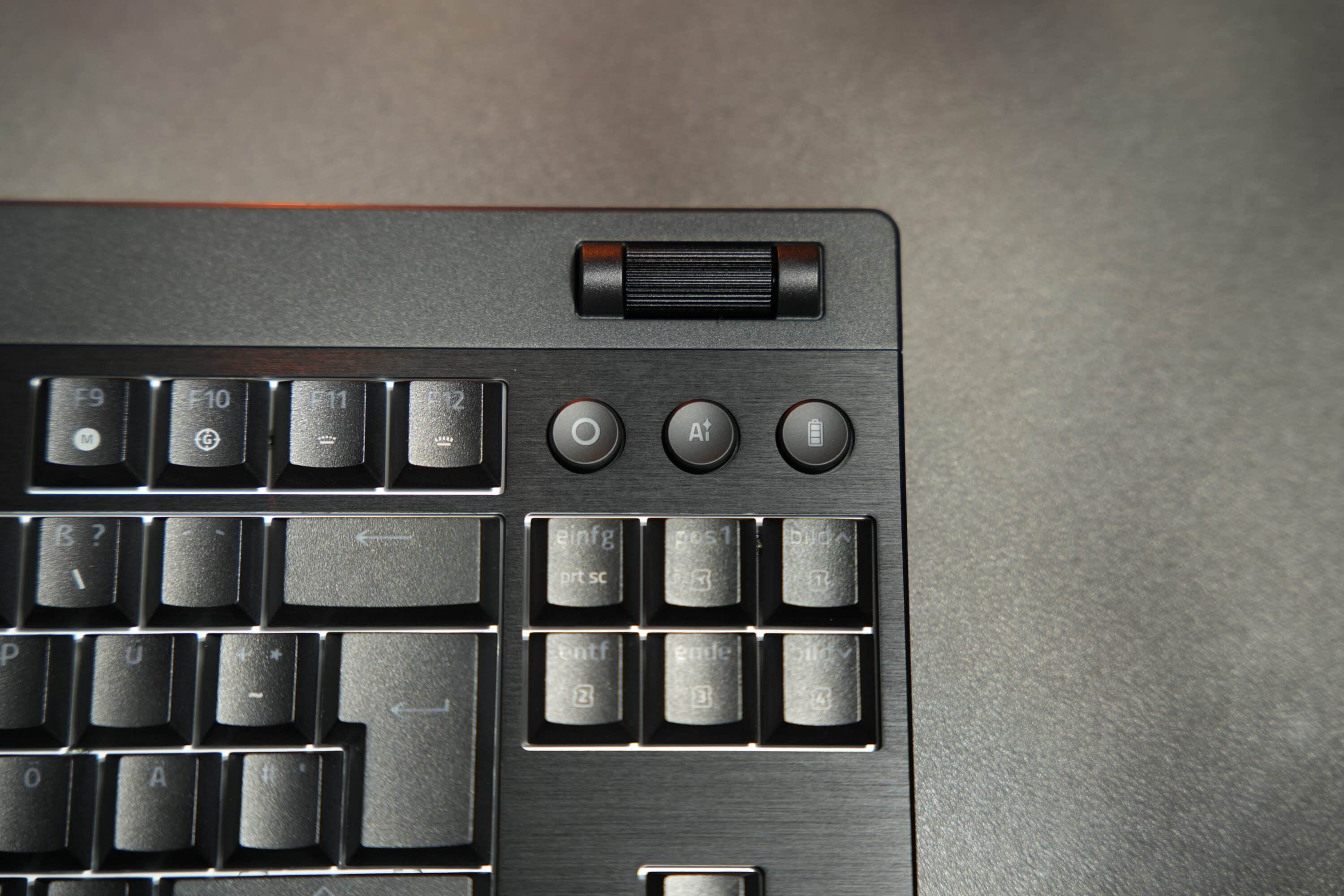
The Razer logo can be seen above the keys and the manufacturer’s lettering below the space bar. The multi-function rotary wheel, which has a pleasant grain, is also striking. Below it, to the right of the F-key row, the manufacturer has added three additional keys: The left button is used for media control, the middle “Ai” button opens the Ai Prompt Master (more on this later), while the right button provides information on the battery charge status at the touch of a button and subsequent illumination of the row of numbers.

I particularly like the latter feature, as I no longer have to look at the taskbar or companion app to know when my keyboard is running low.
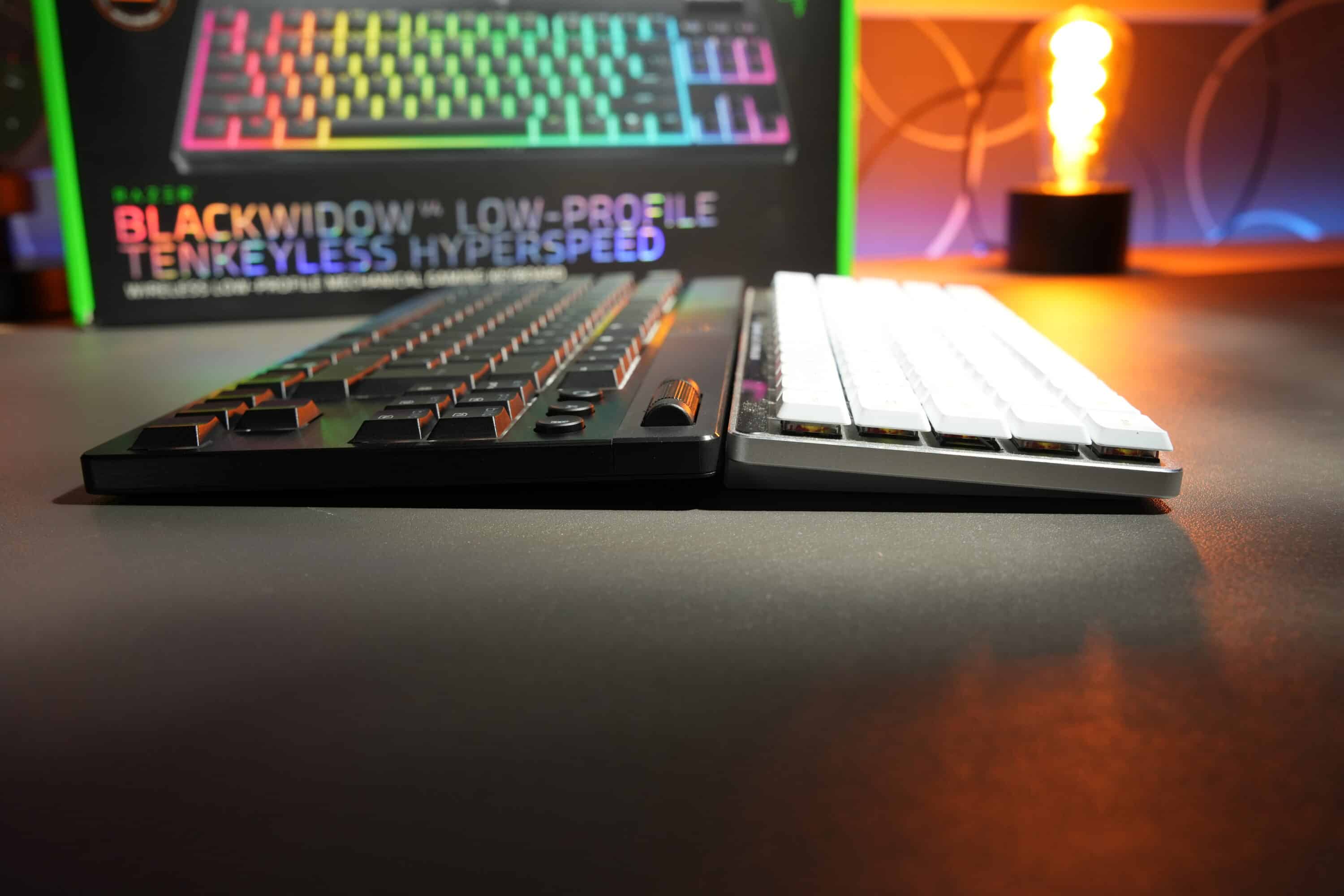
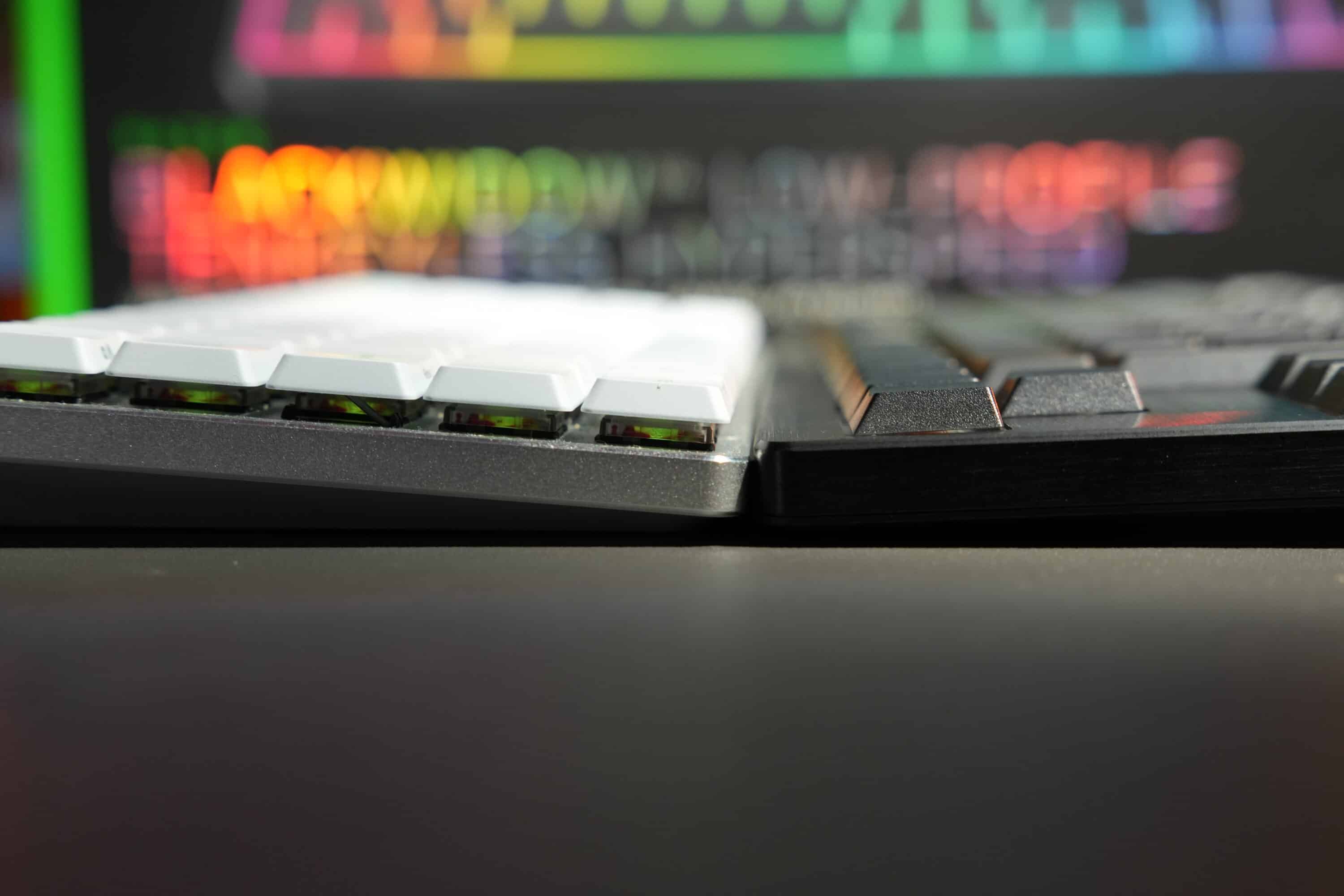
With a height of 18.5 mm at the front, the Razer BlackWidow V4 Low-Profile HyperSpeed is really pleasantly flat. The keycaps protrude significantly less from the case in direct comparison with the ASUS ROG version mentioned above, meaning that Razer has actually created the flatter keyboard overall.
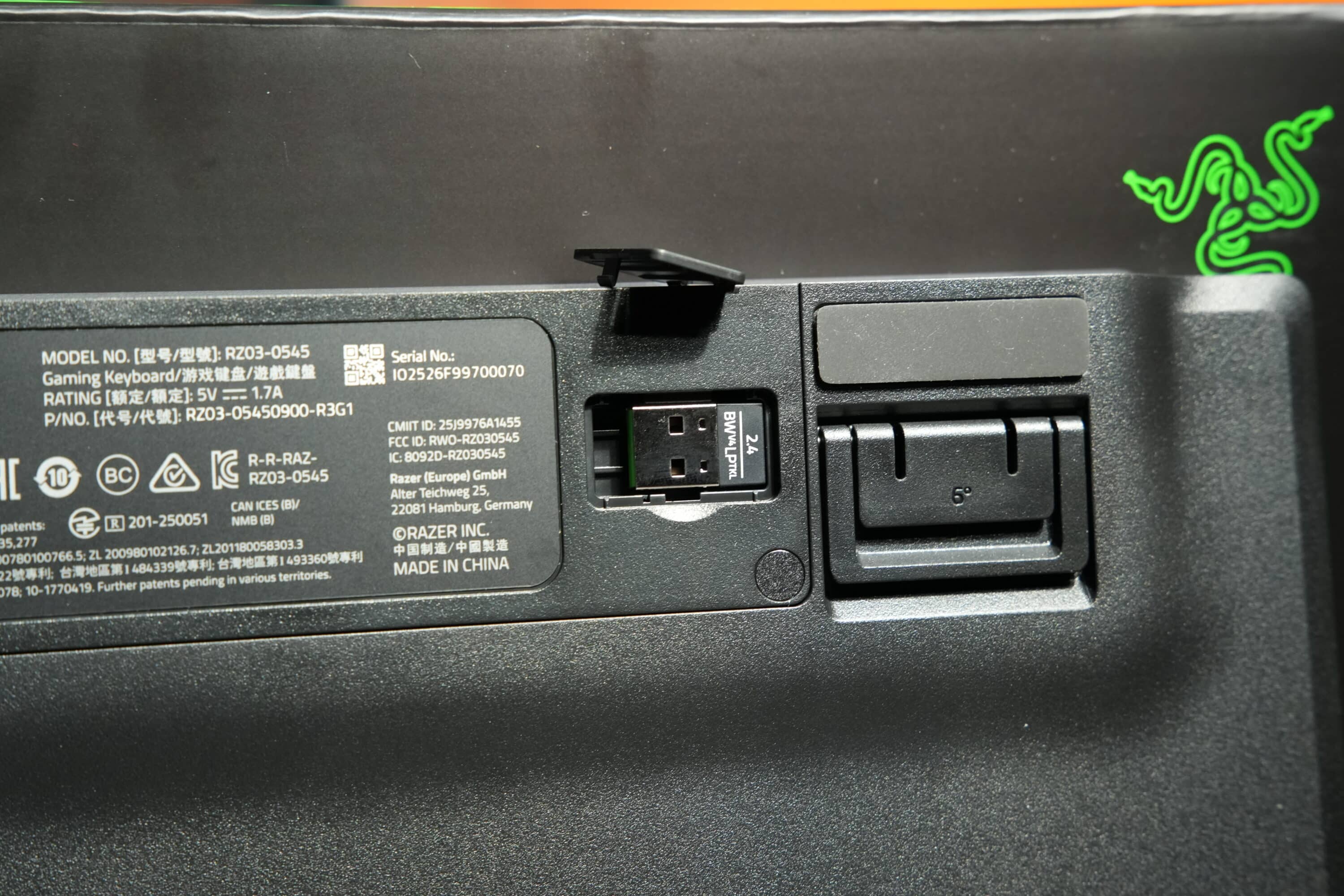
If this is too flat for you, you can also open the two-stage stand on the underside and position the keyboard at an angle of either 6° or 9°.
Impressive features
- Triple connectivity
- 1,000 Hz
- PBT Doubleshot keycaps
In terms of features, the Razer BlackWidow V4 Low-Profile HyperSpeed should also leave nothing to be desired. The keyboard can be connected wirelessly and almost latency-free via Razer’s HyperSpeed wireless technology or paired with up to three end devices via Bluetooth, which can be easily switched between using the FN key combination.

The wireless poling rate is 1,000 Hz, while the included HyperSpeed wireless dongle also allows additional pairing with other peripherals from the manufacturer. Without having to connect a second dongle – I think that’s absolutely brilliant, even though many manufacturers now offer this. Alternatively, you can simply connect the keyboard via cable.

There is also high praise for the built-in keycaps. For the first time in the BlackWidow series to my knowledge, Razer uses robust and durable Doubeshot PBT keycaps. These have an extremely pleasant texture and should therefore be particularly well protected against wear and tear.
This is also an advantage over ASUS ROG, which only uses ABS keycaps for its low-profile keyboard. However, the Razer BlackWidow V4 Low-Profile HyperSpeed also requires PBT keycaps, as neither the keycaps nor the mechanical switches can be replaced.

Keyword switches: Three different low-profile switches can be used here: green (clicky), orange (quiet, tactile) or yellow (quiet, linear). Our test model is equipped with the orange-colored switches.
The rest of the design is also impressive: the mechanical switches are lubricated to enable a particularly smooth keystroke. In addition, the keyboard is equipped with a double layer of damping foam to reduce reverberation and high noise levels.
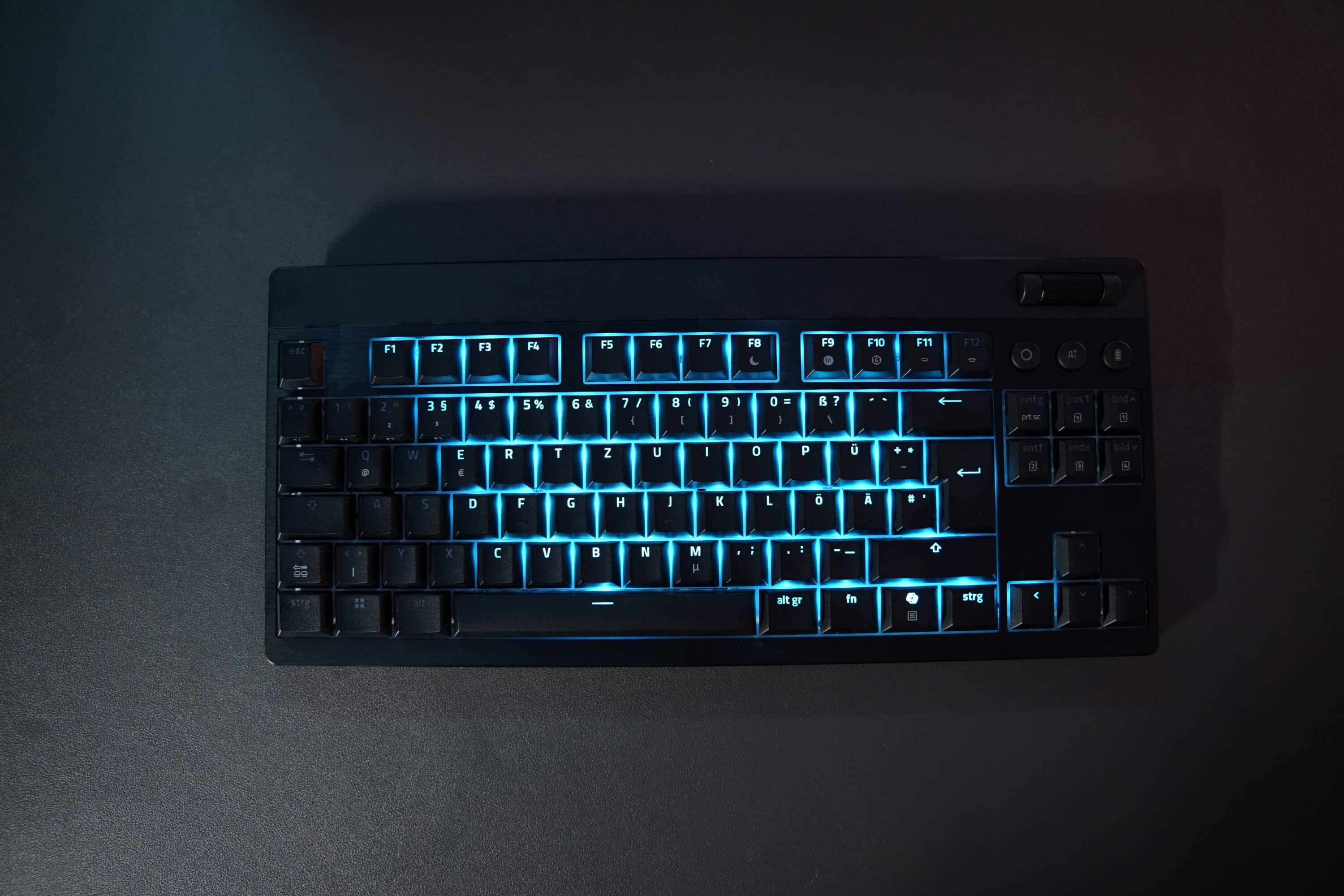
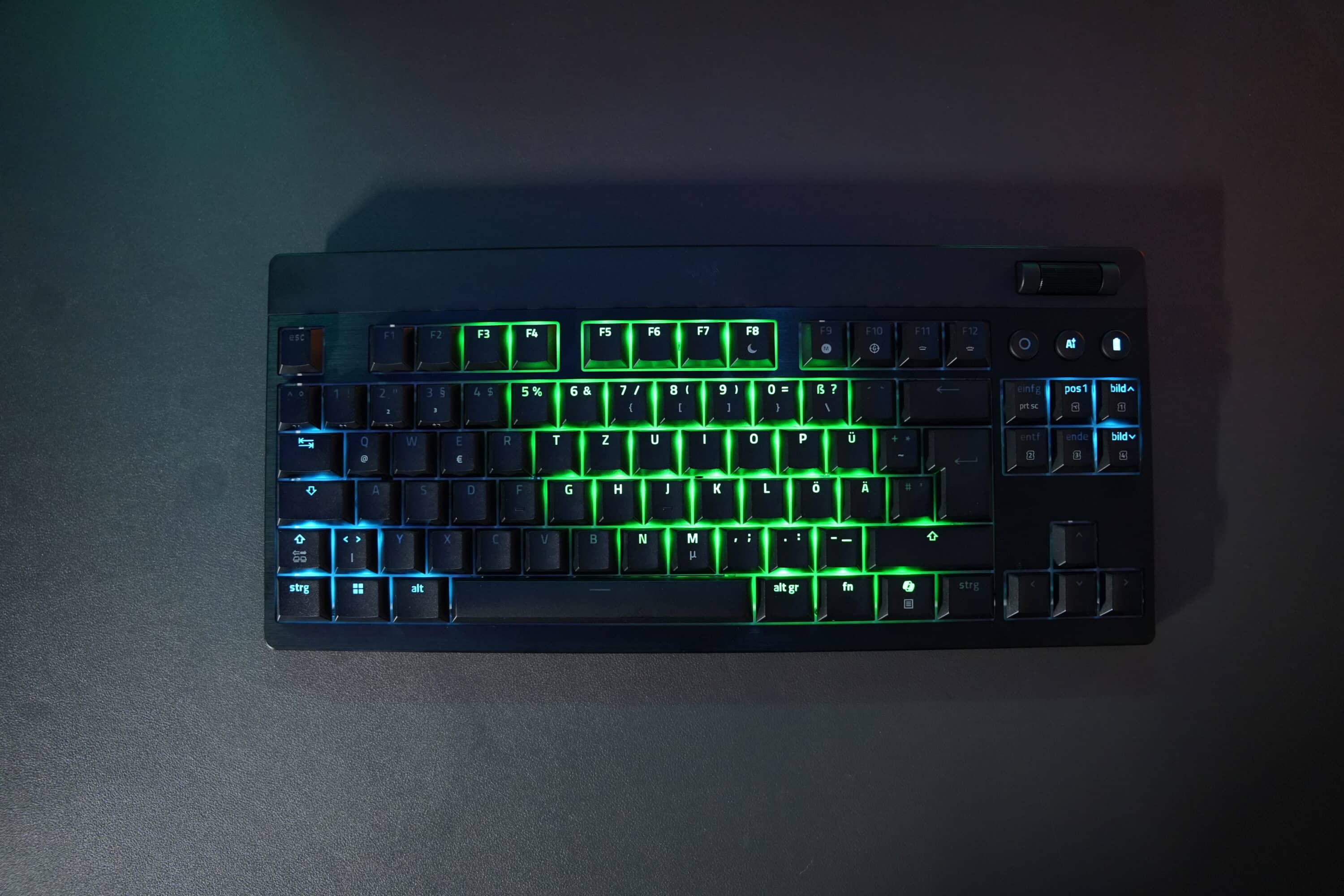
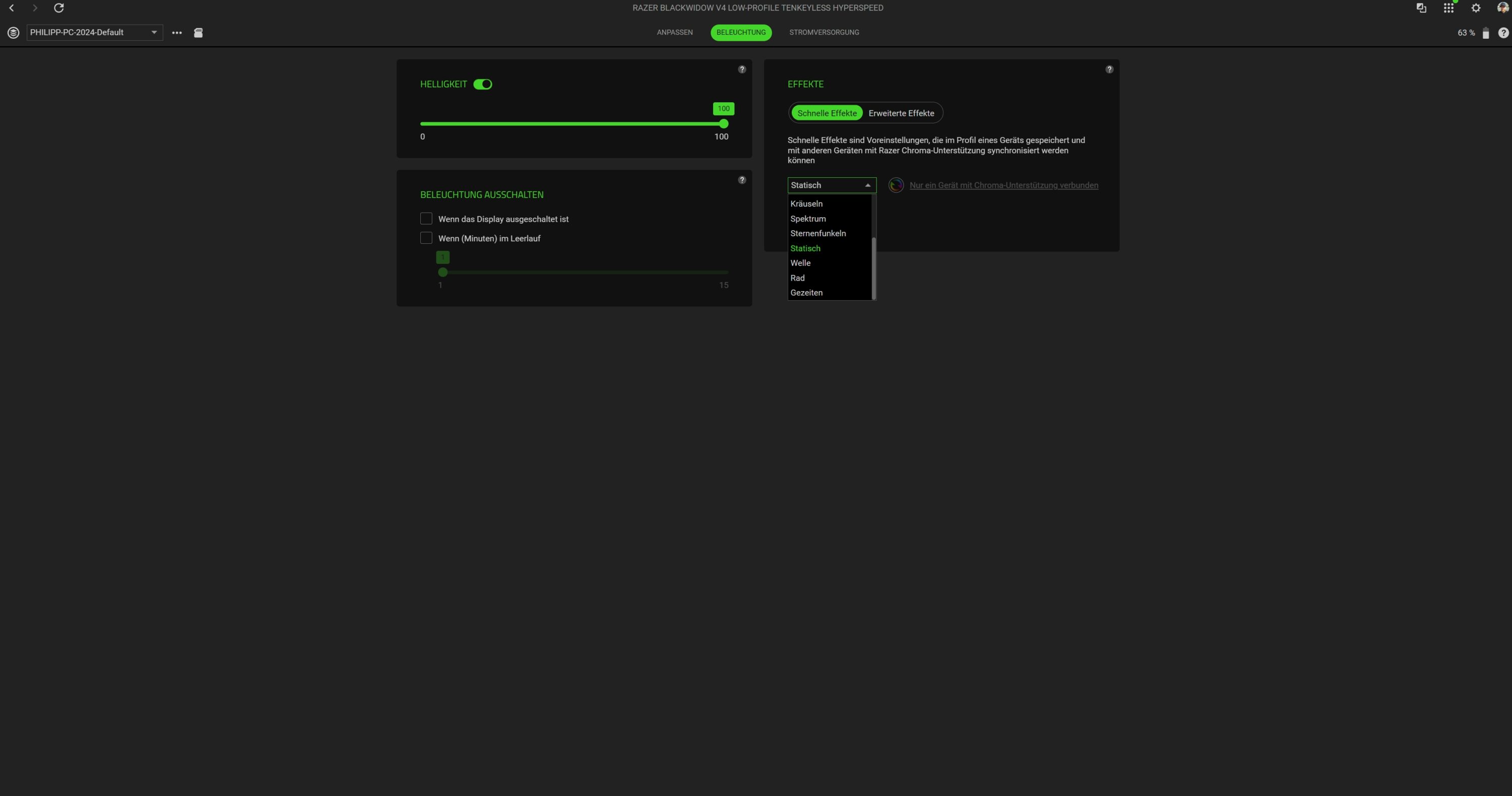
Of course, Razer also includes per-key RGB lighting, which can be adjusted with various effects in Synpase.
Strong battery life, convincing software
- Up to 980 hours of runtime
- Fast Charge
- Impressive software
Unfortunately, we did not have any details on the battery of the Razer BlackWidow V4 Low-Profile HyperSpeed. However, since the battery life is the same as the higher variant, the same generously sized battery is probably used here too.
And this enables a peak runtime of a whopping 980 hours, even in wireless mode. However, this is probably only the case when RGB lighting is deactivated. With RGB and 1,000 Hz, we couldn’t come close to achieving this value.
To save energy, Razer offers a number of practical power-saving functions. For example, if you hold down the battery button, the keyboard switches to energy-saving mode. This limits the sampling rate, switches off the keyboard lighting and pauses the connection to Razer Synapse. On the software side, you can also regulate after how many minutes of inactivity the keyboard dims the lighting and when the keyboard switches to sleep mode.

There is also a quick-charge function that fully recharges the drained battery in just under an hour.
That brings us to the software: Razer Synapse. Once again, this scores points with a tidy interface and numerous functions. Almost every key can be assigned alternatively, while HyperShift even allows you to create a second set of commands.
You also define the gaming mode, in which Alt + Tab and/or Alt + F4 can be deactivated in addition to the Windows and Copilot keys. Snap Tap, on the other hand, prevents selected keys from being registered at the same time, which is particularly practical in shooters.
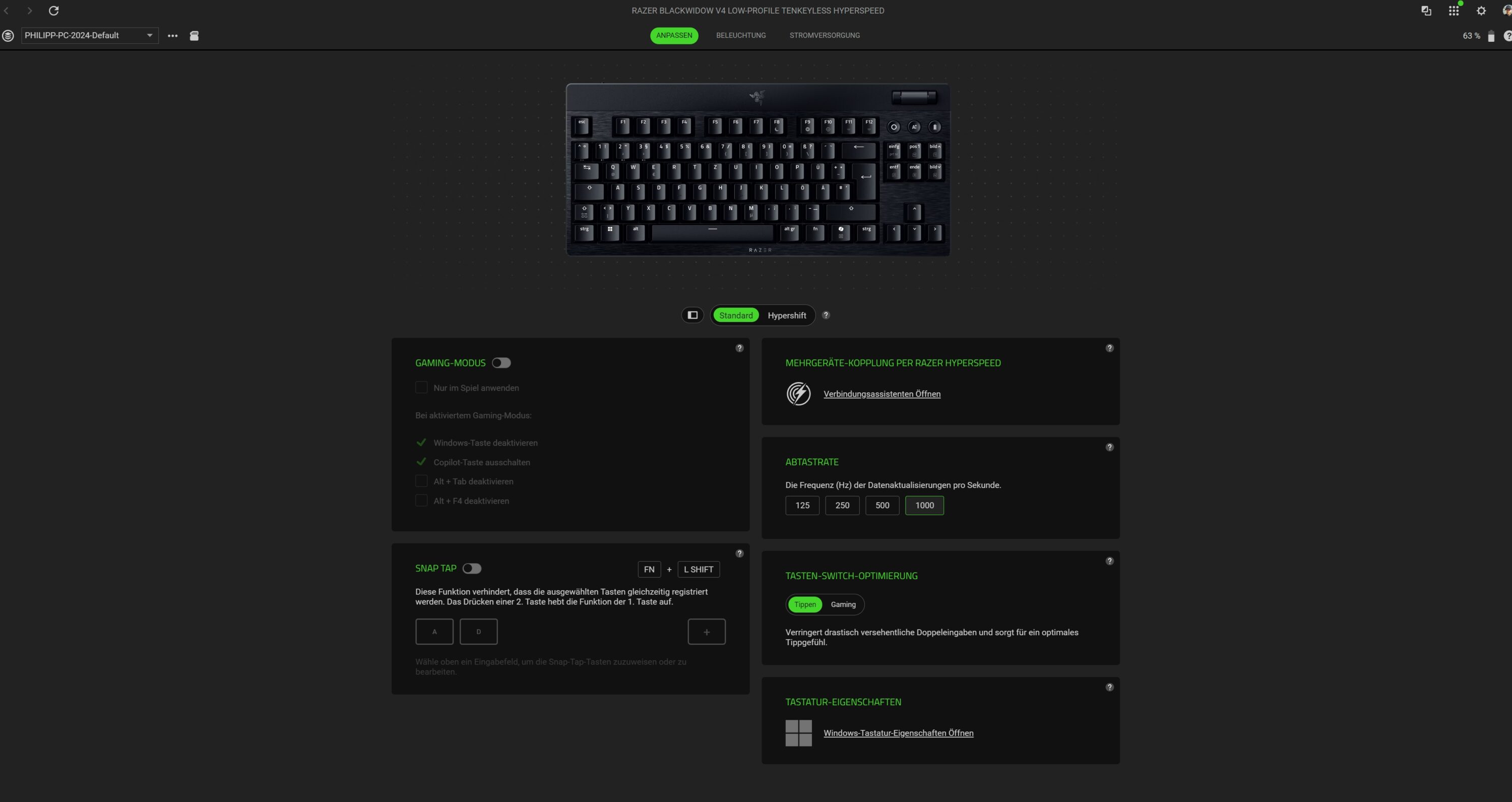
You can also choose between two options for key switch optimization. Typing or gaming. However, we couldn’t really make out a difference in the practical test.
The Razer BlackWidow V4 Low-Profile HyperSpeed can be equipped with a total of five profiles. Of course, macros can also be used. If you want to use prompts in addition to classic macro functions, you can do so via Exchange. This adds macros to the keyboard, which can be used to open YouTube, translate text via Gemini, summarize via AI chatbot ChatGPT and much more.

Keyword AI: The Ai button opens the Ai Prompt Master, which can be used to create rephrases, summaries or email texts via ChatGPT or Microsoft Copilot directly from the app.
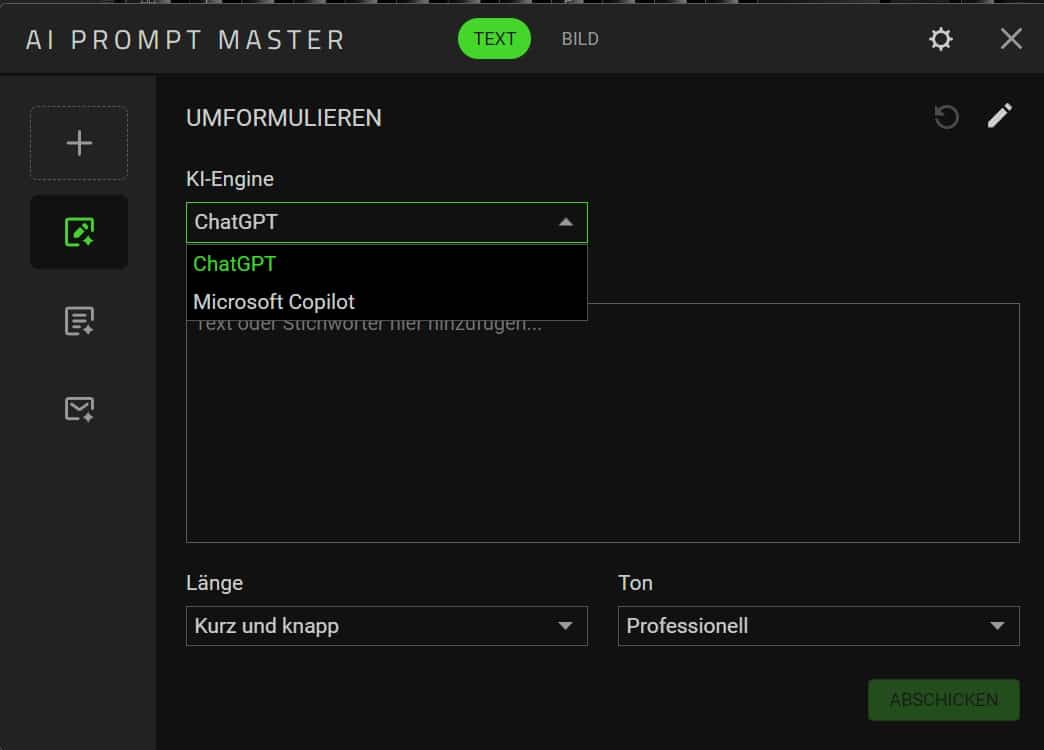
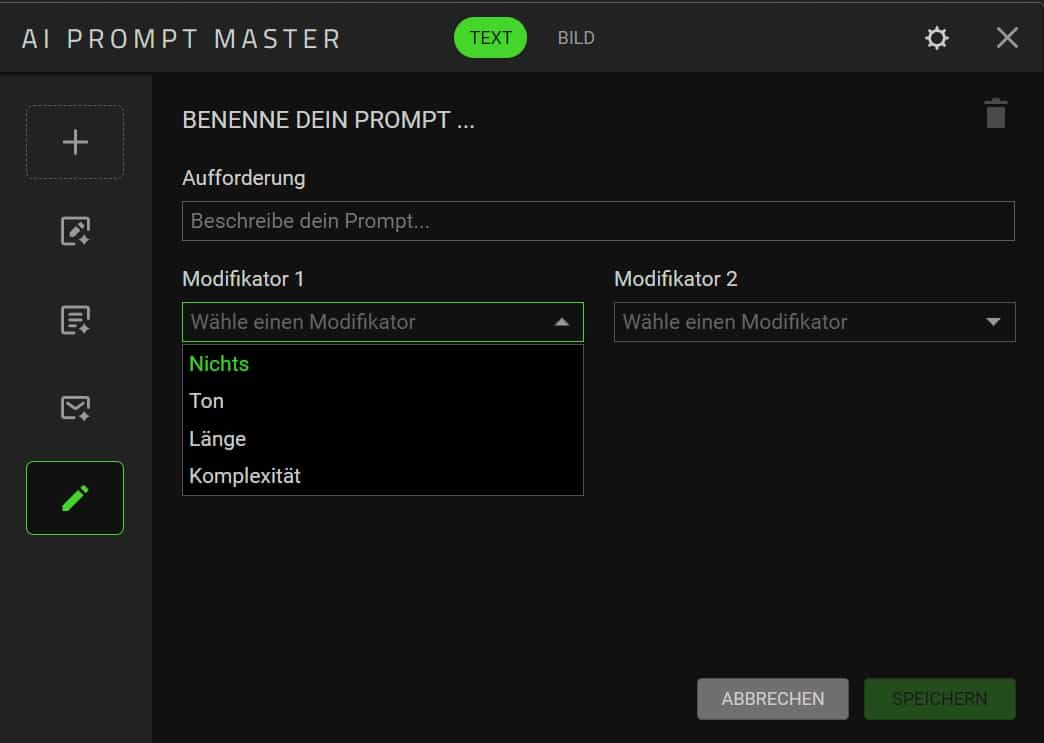
It is also possible to create and save your own prompts and generate AI images. The latter also worked very quickly and reliably in our test.
Razer BlackWidow V4 Low-Profile HyperSpeed practical test
- Excellent, lubricated switches
- comparatively loud trigger noise
- Practical additional functions
In practice, the Razer BlackWidow V4 Low-Profile HyperSpeed leaves an excellent impression. The quality of the keycaps and built-in mechanical switches is simply excellent and is in no way inferior to that of high, normal mechanical keyboards.
Personally, I find the flat character very appealing, even if it does take some getting used to. Typically for Razer, the keyboard is rather loud, partly due to the tactile switches – the ASUS counterpart is noticeably quieter. However, key inputs are confirmed by a satisfactory pressure point.

The V4 Low-Profile is certainly not as “thocky” as large mechanical keyboards. The volume would certainly not be appreciated in an open-plan office, but I personally don’t mind the acoustics.
I also like the practical additional functions, especially the Ai button, if you (like me) often work with AI tools. The volume dial is also very practical and scores points with its convincing rasterization, enabling precise changes.

In practice, I don’t have much to criticize about the Razer BlackWidow V4 Low-Profile HyperSpeed. With the already manageable selection of mechanical keyboards in the low-profile segment (with German ISO layout), the Razer model is undoubtedly way out in front.
Razer BlackWidow V4 Low-Profile HyperSpeed test: Conclusion
Mechanical low-profile keyboards with a German ISO layout are few and far between. It is therefore all the more pleasing that Razer is offering another representative here with the Razer BlackWidow V4 Low-Profile HyperSpeed. And it impresses in almost every respect:
The switches are convincing, the keycaps and general workmanship are high quality and the battery life is excellent. The keyboard also scores with practical additional functions and the integration of AI tools.
In my opinion, there are not many points of criticism. Most people will certainly not like the sound of the keyboard, especially those who value a soft “thocky” sound. The price is also quite high, especially when the competition from ASUS ROG is already selling for around 122 euros.
However, the latter relies on an even more compact 65 percent layout, which certainly won’t appeal to everyone. The Razer BlackWidow V4 Low-Profile HyperSpeed can therefore be clearly recommended if you are looking for an excellent low-profile keyboard.

VORTEILE
- Pleasantly flat
- Excellent switches
- PBT Doubleshot keycaps
- Strong battery life
- Practical additional functions
NACHTEILE
- Quite loud
- High price
Fazit
High-quality, pleasantly flat and excellently manufactured low-profile keyboard with great switches and long battery life. Should only trigger a little more quietly.


