


Perhaps Razer’s most popular gaming mouse series is growing: the recently unveiled Razer Cobra HyperSpeed is a new model that aims to impress with a 26K sensor, 9 programmable buttons and customizable RGB lighting in four zones. Find out whether it’s worth buying in our test.
Technical data
| The product | Cobra HyperSpeed |
| Ergonomics | Symmetrical (for right-handers) |
| Sensor | Razer Focus Pro X 26K |
| Sensor type | Optical |
| DPI | 100 – 26.000 |
| IPS | 500 |
| Acceleration | 40G |
| Polling rate | 1,000 Hz |
| Hardware acceleration | None |
| Number of buttons | 9 (9 programmable) |
| RGB lighting | Yes (4 zones) |
| Material | ABS plastic |
| Switches | Razer Optical Mouse Switches Gen-4 |
| weight | 62 grams |
| Dimension | 119.6 mm x 62.5 mm x 38.1 mm |
| Cable length / material | 1.8 meters / plastic |
| Connection | USB type A to USB type C |
| Connectivity | Wireless (2.4 GHz receiver/Bluetooth); wired |
| Battery life | Up to 110 hours (wireless); Up to 170 hours (Bluetooth) |
| Price | Price not available * |
Razer Cobra HyperSpeed review: More than just a gap filler
- great ergonomics
- appealing design
- very loud, hollow keys
The new Razer Cobra HyperSpeed is positioned in the model family between the simpler Cobra and the more powerful Cobra Pro (our test). The rodent takes up the symmetrical design of the other models.

With a weight of just 62 grams, however, the HyperSpeed is noticeably lighter than the Pro model, which weighs around 76 grams. There are several reasons for this: the RGB lighting has been reduced to 4 zones (instead of 11) and the non-slip rubberized sides of the Cobra Pro have also fallen victim to the red pencil.
The dimensions remain unchanged, as the Razer Cobra HyperSpeed is also 120 mm long, around 62.5 mm wide and 38.1 mm high.
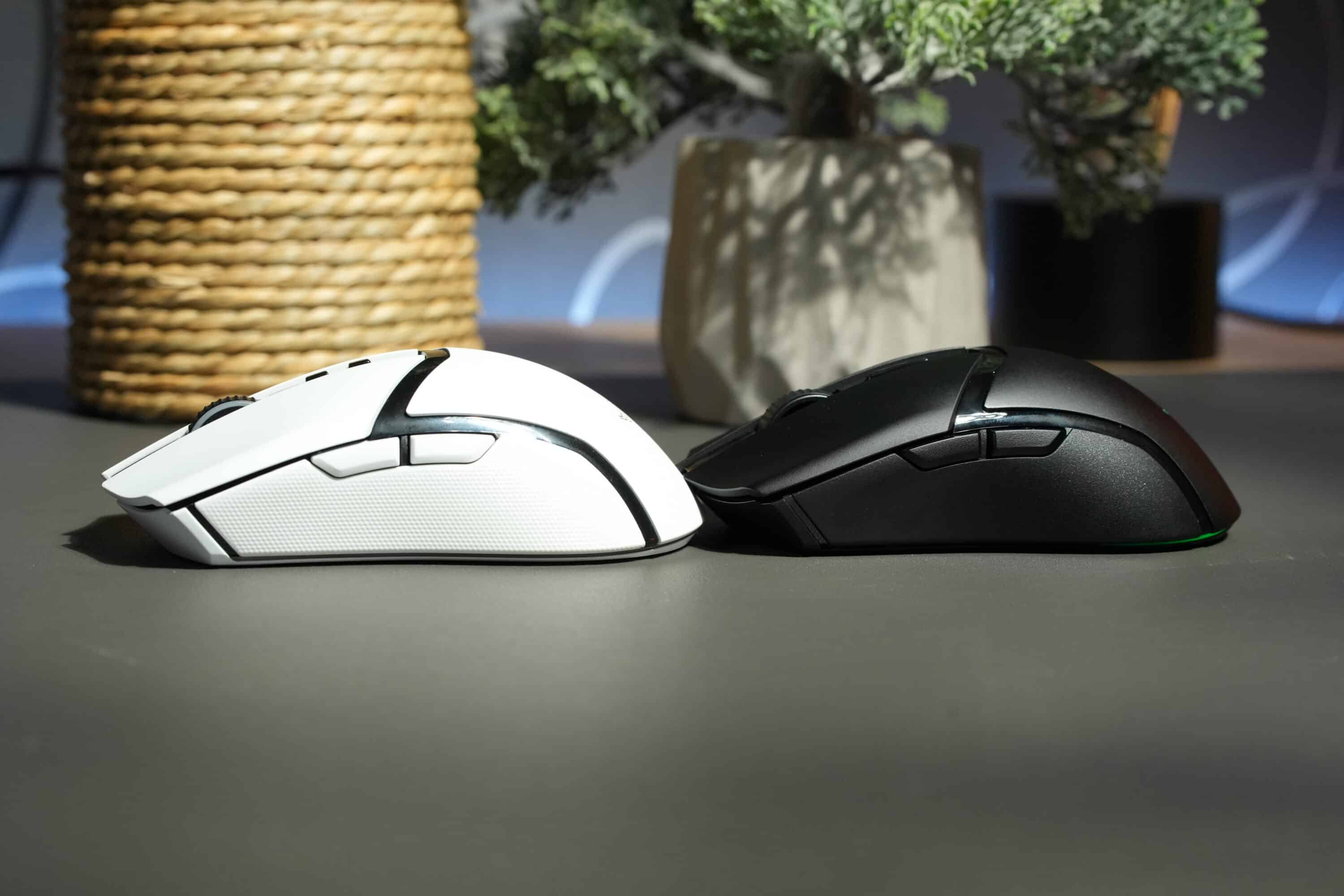
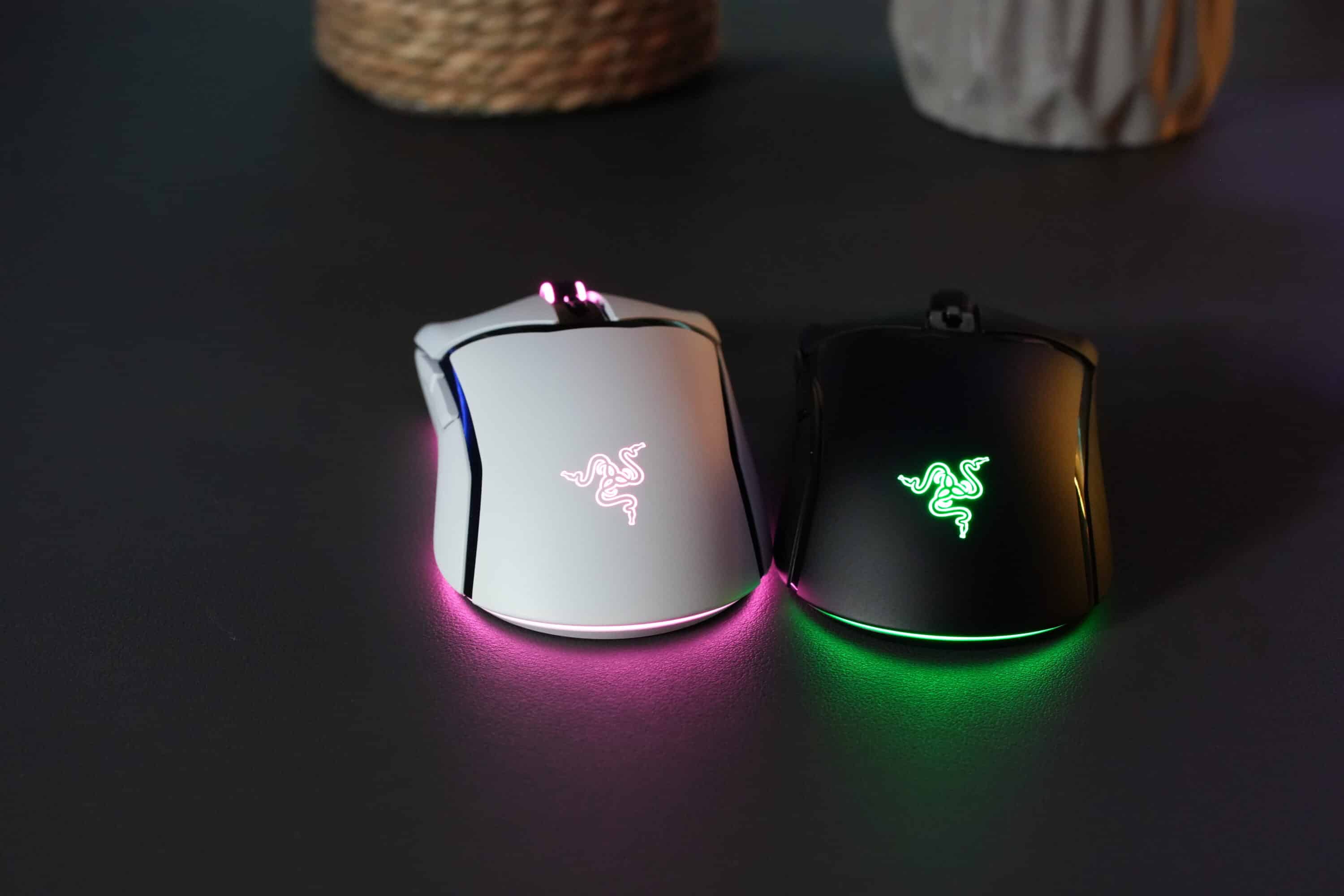
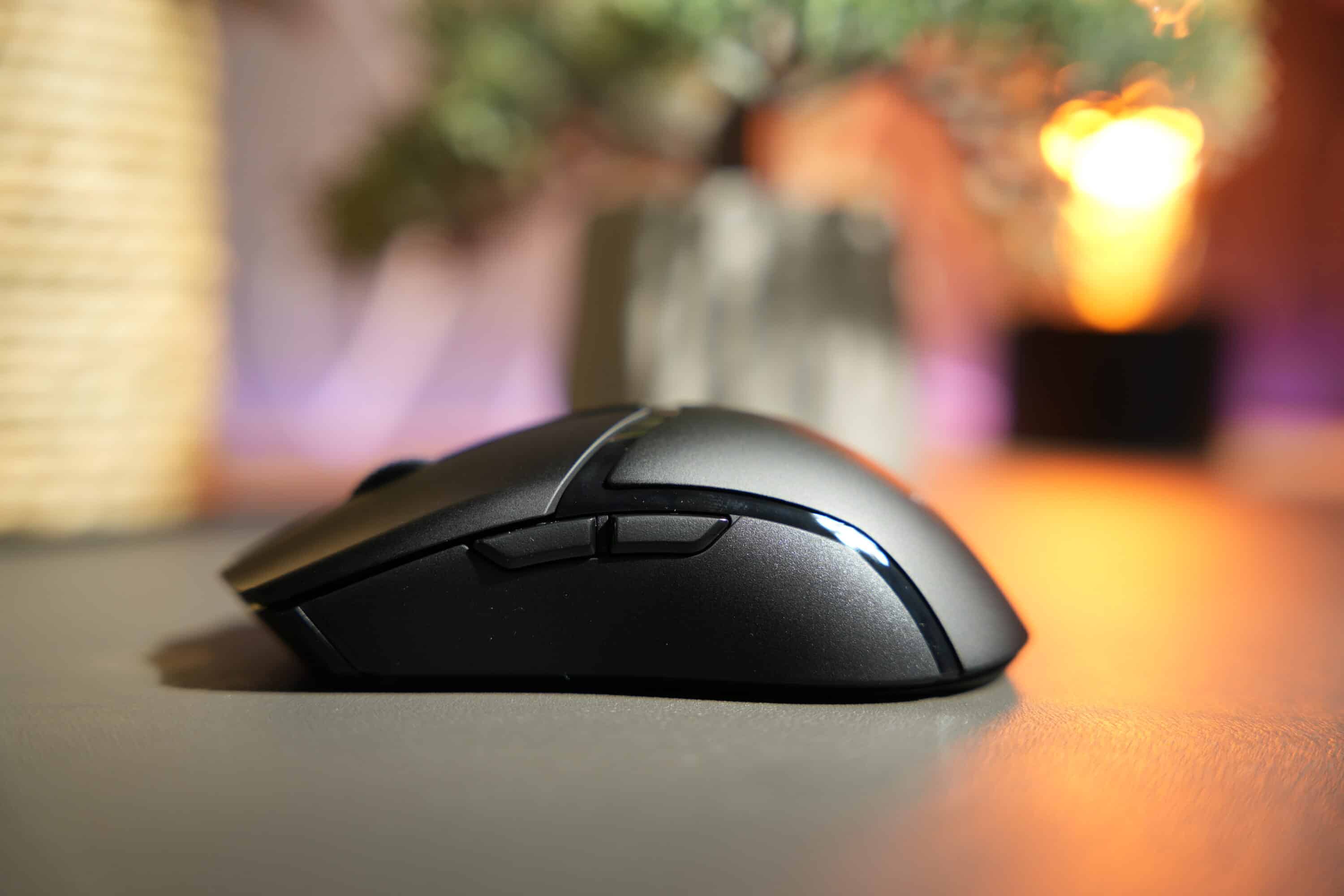
In addition to the two primary buttons, you will find the pleasantly ribbed and rasterized scroll wheel on the top, as well as an additional DPI button. On the left-hand side, there are also two pleasantly large side buttons.
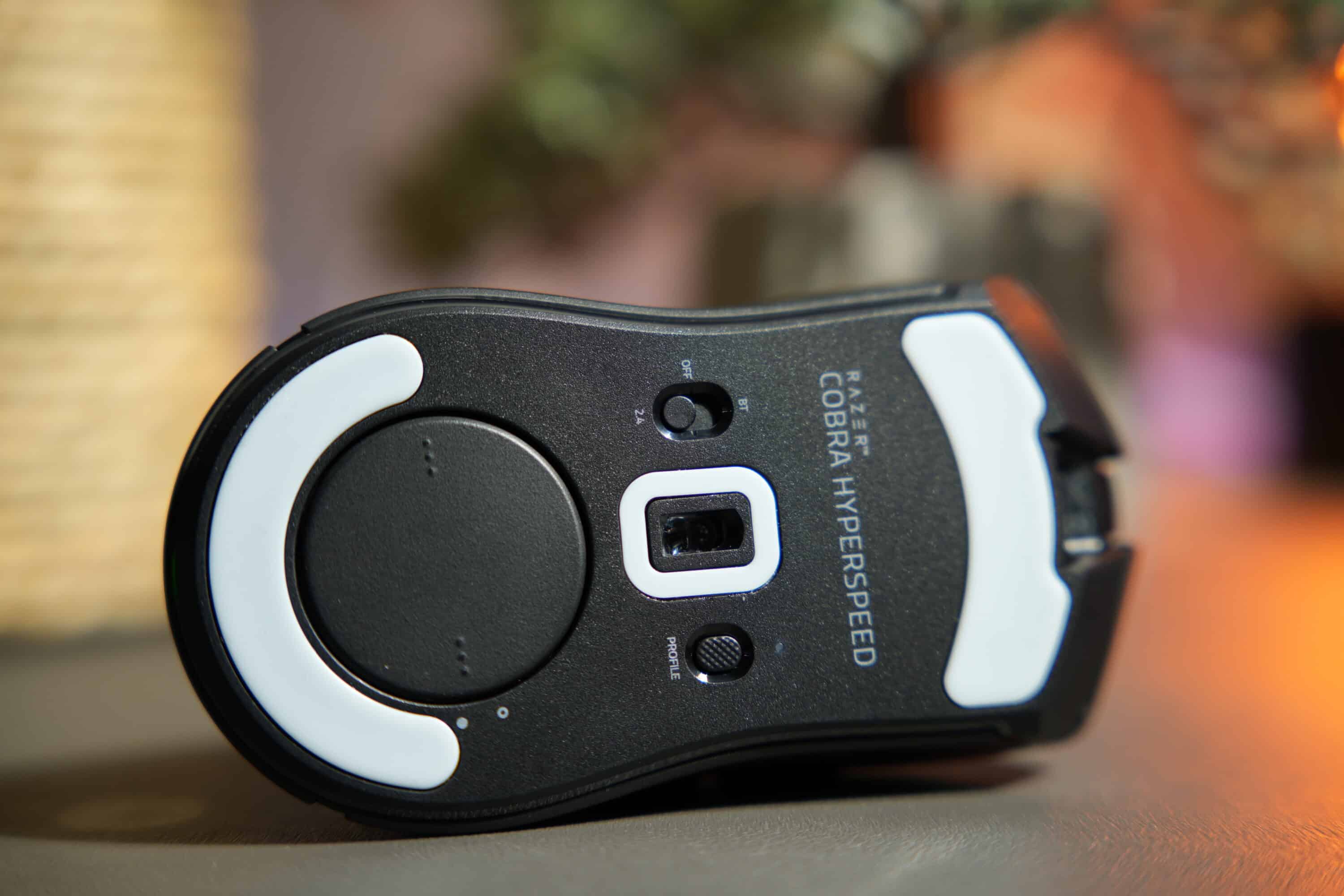
The layout on the underside has changed, but only in terms of positioning. The profile button and mode button have now swapped positions. Underneath, there is a cover in which the USB-A receiver can be inserted for transportation.

Alternatively, the charging puck can also be inserted there to charge the Cobra HyperSpeed on the mouse dock or to use it with the new inductive HyperFlux V2 mouse pad.
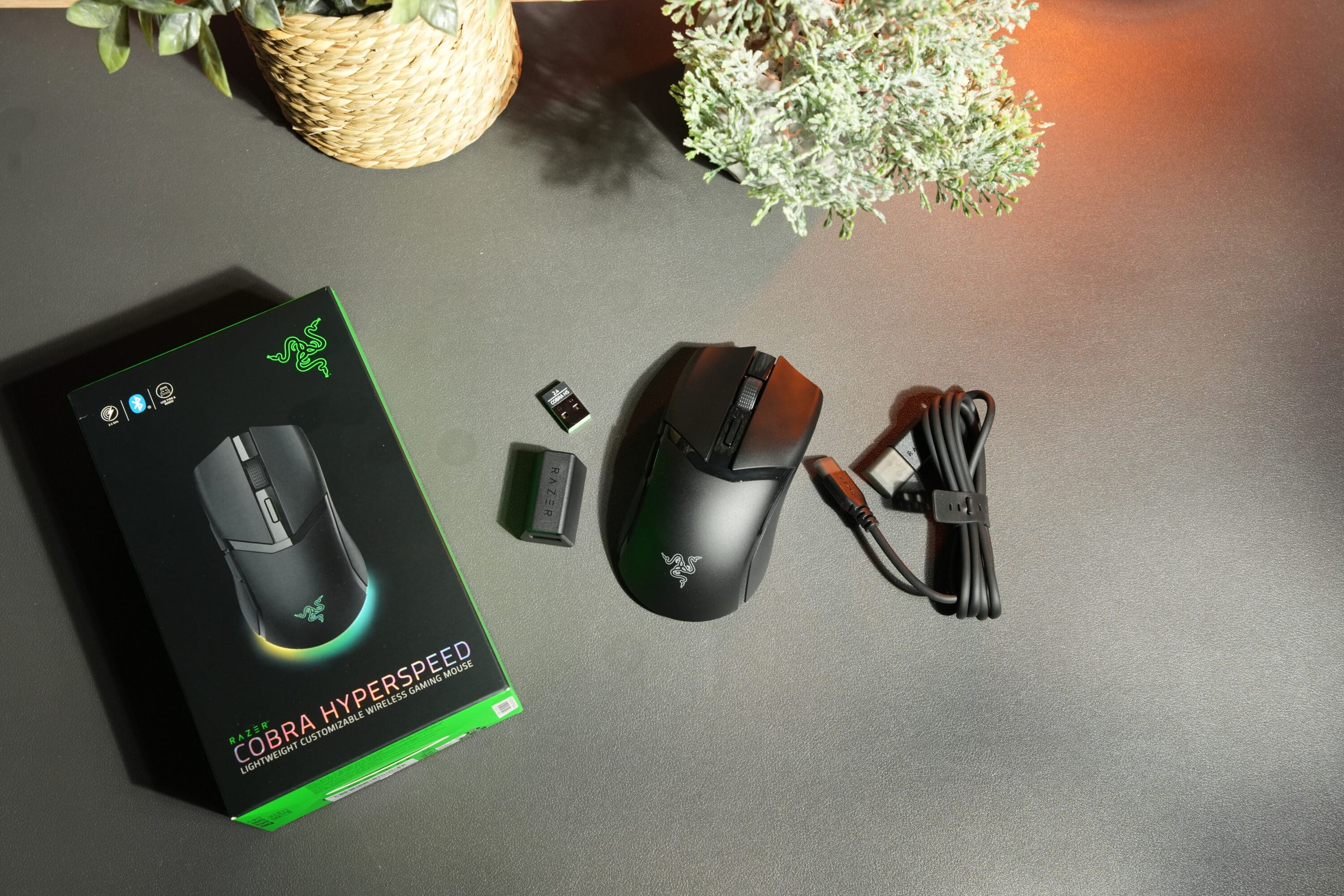
The workmanship of the wireless gaming mouse is excellent. However, the two primary buttons sound comparatively hollow and “cheap” when triggered. A phenomenon that I recently observed with the Razer DeathAdder V4 Pro.
Features and battery life
- 26,000 DPI, 500 IPS, 40G
- triple connectivity
- new optical scroll wheel
In terms of features, the Razer Cobra HyperSpeed should also impress demanding users. It uses the Razer Focus X 26K optical sensor, which has a resolution of 26,000 DPI and is said to offer 99.6 percent accuracy.
The resolution can be adjusted in 50 DPI increments, with a minimum value of 100 DPI. Speed and acceleration are at a good level with 500 IPS and 40G, but are clearly behind the company’s own top models.
The maximum sampling rate of 1,000 Hz can be pimped up to 8,000 Hz in combination with the Mouse Dock Pro. The Cobra HyperSpeed can be connected via 2.4 GHz radio, Bluetooth or wired, making it a versatile all-rounder.
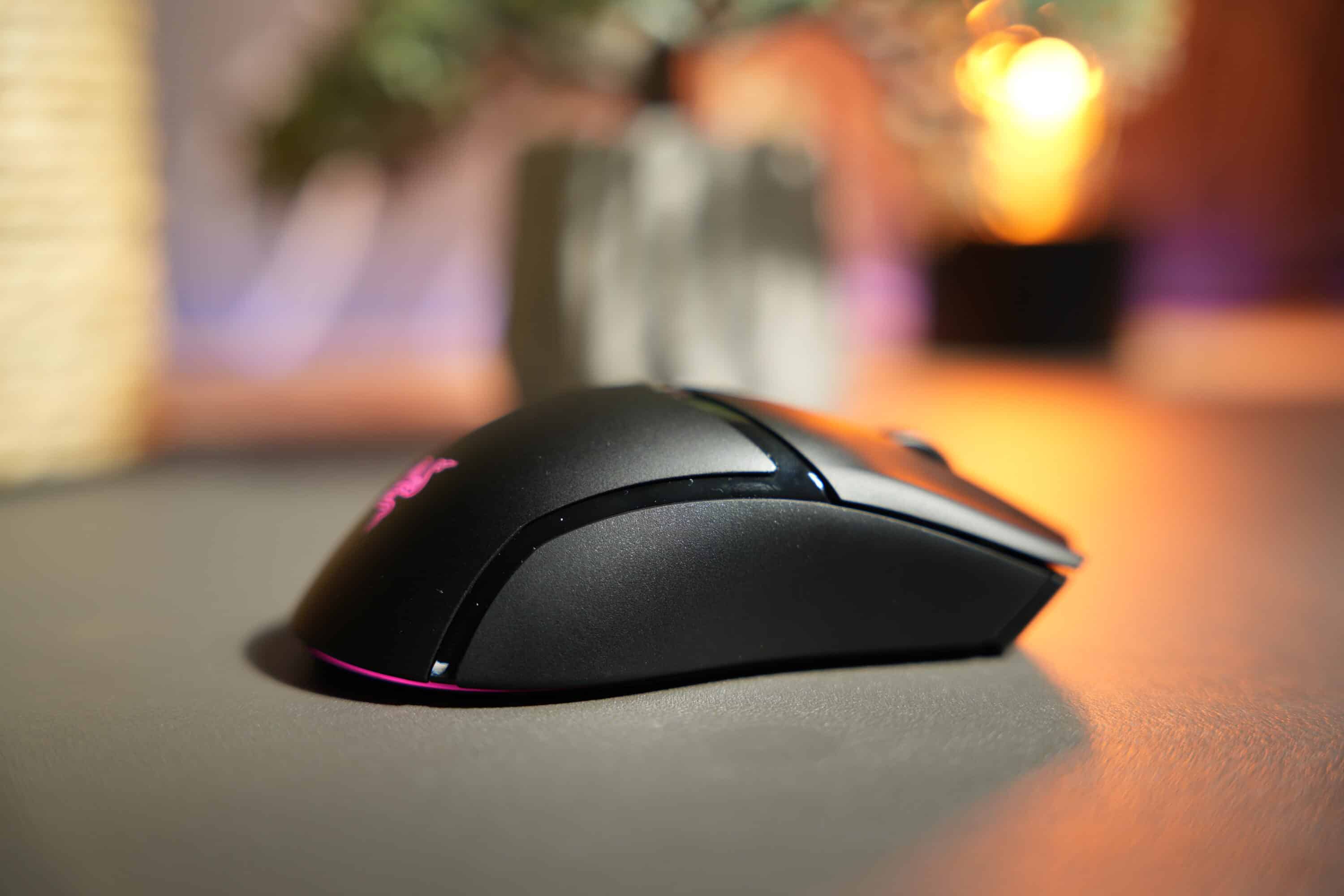

The new, now optical scroll wheel, which is particularly durable and is designed to minimize ghost scrolls and reverse inputs, has been adopted from the DeathAdder V4 Pro. The optical primary keys of the fourth generation are designed for 100 million clicks and now trigger noticeably more smoothly, which has a positive effect on gaming.
A total of nine keys can be configured, making the Razer Cobra HyperSpeed a real talent for customization. You have the choice of assigning individual commands and actions to the buttons, executing markers or – and this is new – creating AI prompts via the “AI Prompt Master”.

You can use the Synapse software to create AI prompts. Here you select the AI engine such as ChatGPT or Microsoft Copilot and can then, for example, rephrase or summarize texts, formulate emails or generate images.
The AI feature is… nice. But not really useful for gaming. It certainly doesn’t offer any advantages, even if Razer markets it differently. Well, you can’t do without AI these days.
Strong battery life
- Impressive 110h runtime
- 170h via wireless
- Compatible with Hyperflux V2 charging pad
Fortunately, the battery life of the Razer Cobra HyperSpeed is on a par with the Cobra Pro. This means that the mouse is ready for a whopping 110 hours of wireless use before it needs to be recharged.
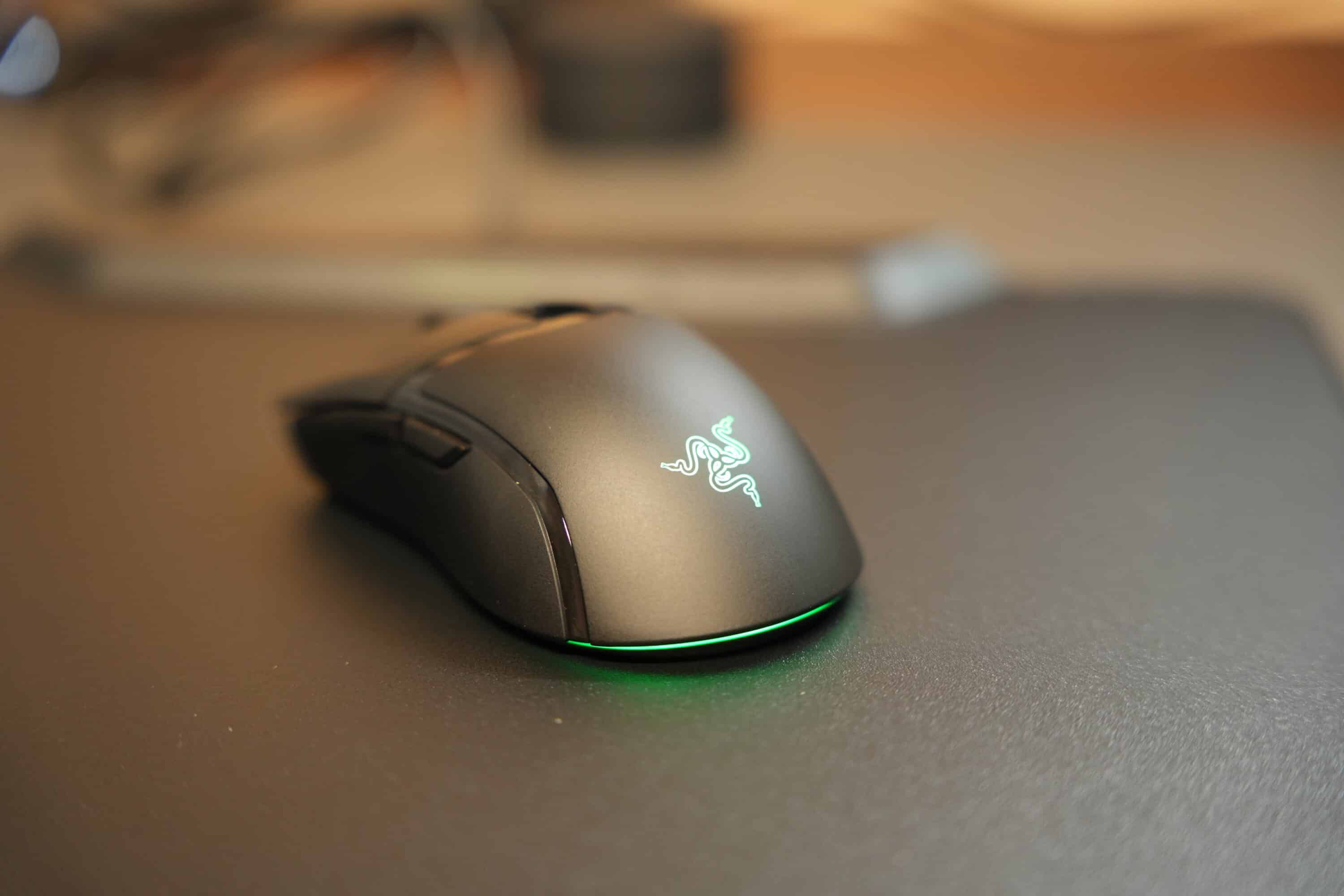
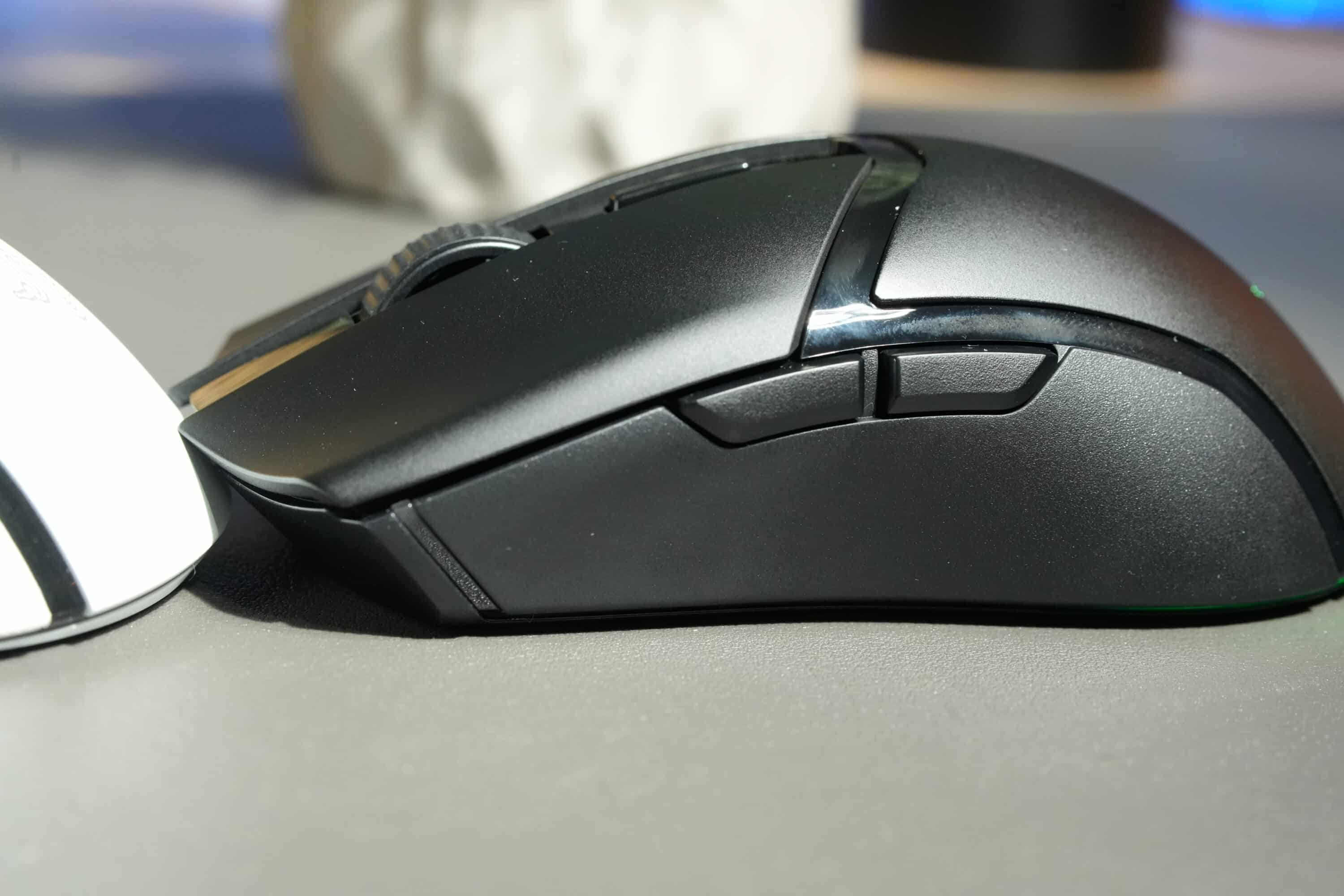
Via Bluetooth, it can even run for an outstanding 170 hours. Another advantage: the reduction in RGB zones compared to the Pro means that the battery life is not reduced as much when the lighting is active.

While the Cobra Pro only lasted around 40 hours, the Cobra HyperSpeed lasts noticeably longer at around 60 hours. Of course, use is particularly comfortable with Razer’s new HyperFlux V2 mouse pad, which constantly supplies the rodent with power wirelessly. The mouse is reliably recognized and virtually never needs to be recharged. Ingenious.
Sensor and practical test
- Very precise sensor
- convincing performance
- too expensive
In the practical test, however, the Razer Cobra HyperSpeed does not notice the lower specifications compared to the Pro model. What I really like is the precision of the sensor, which implements both fast and slow movements extremely accurately and quickly.
The gaming performance is beyond any doubt, while the mouse copes equally well with absolutely all surfaces. Whether mouse wheel, glass table, wood or even plastic.
Although the sensor is undoubtedly in the mid-range of modern gaming mice, I consider the performance values to be absolutely sufficient for most gamers, especially as the performance gives no cause for criticism.
Despite its compact dimensions, I think the mouse is also suitable for people with larger hands. The Cobra is very comfortable to hold and copes very well with all common grip types.

However, the comparatively high price of the Cobra HyperSpeed at the start weighs somewhat heavily. Especially when you consider that the Pro model is currently available for € 112.81 *. More performance and features for less money, which makes it difficult to recommend the Razer Cobra HyperSpeed at the moment. Even if the rodent has absolutely nothing wrong with it technically.
App connection: Razer Synapse
As always with Razer, Synapse is used as a companion app in which you can make various settings. These range from adjusting the DPI levels – optionally with individual X and Y axes – to the polling rate and free configuration of all buttons.
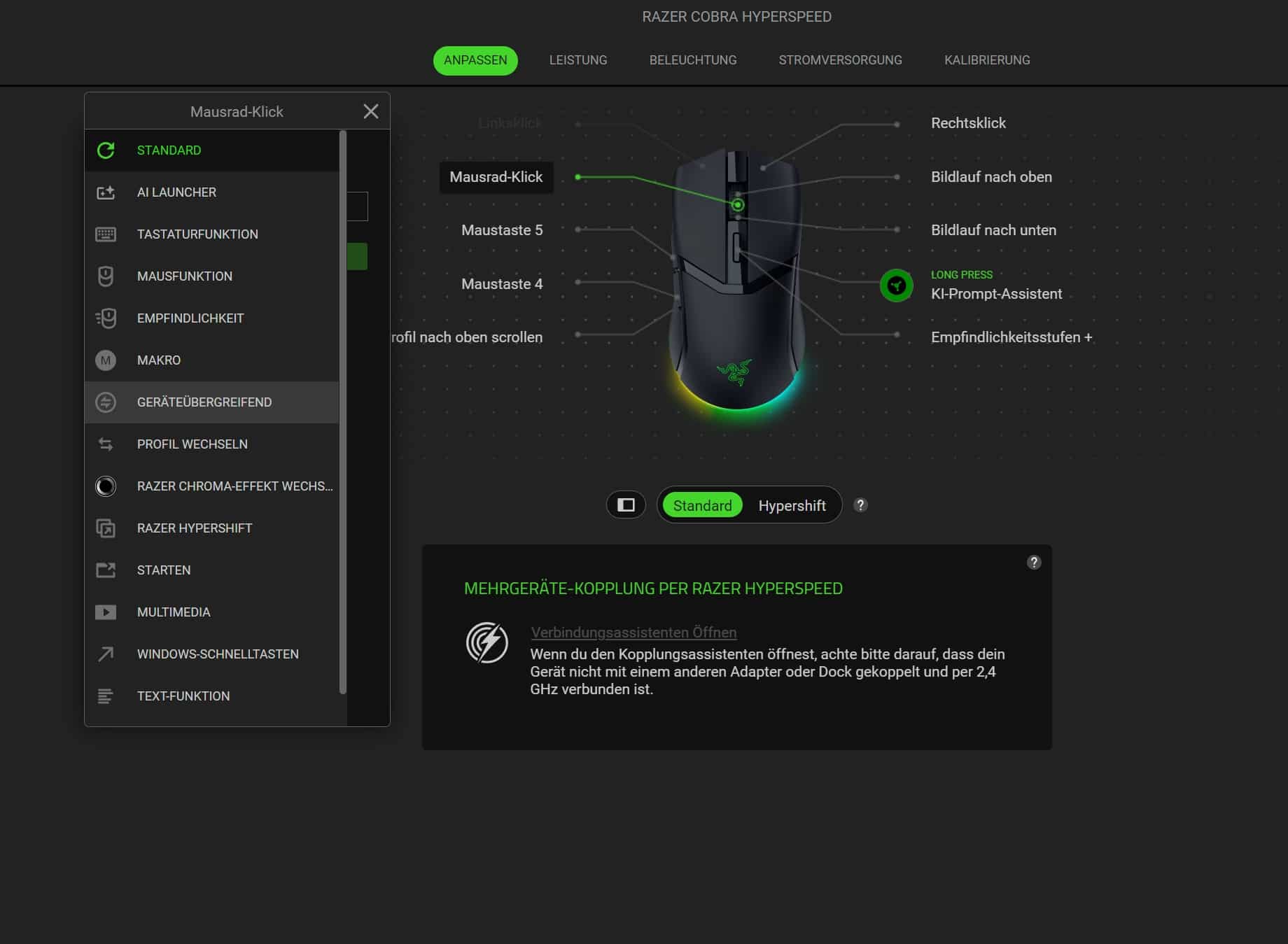
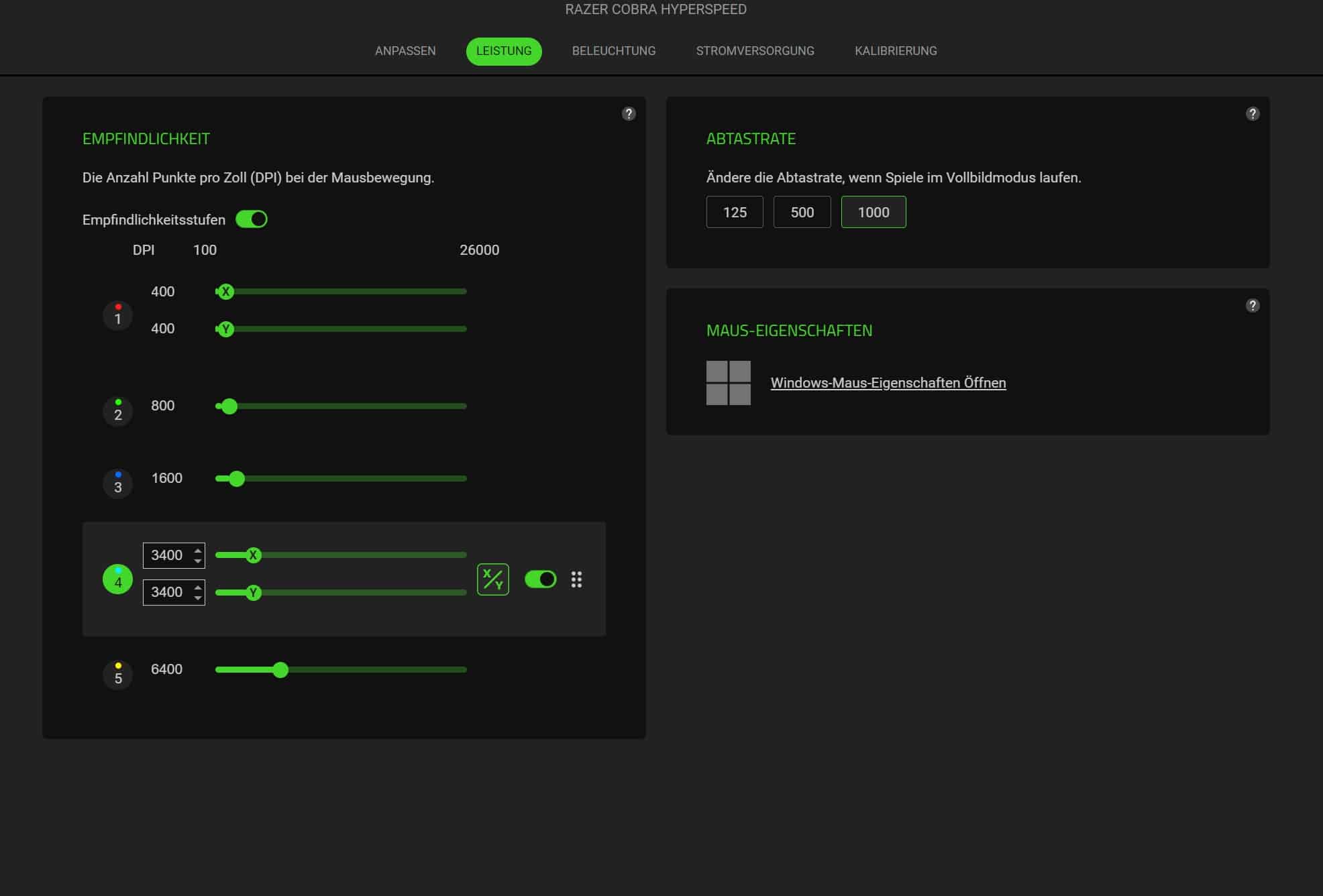
Of course, the RGB lighting can also be freely adjusted, while you can choose between a high lift-off distance (2 mm) and a low one (1 mm) in the calibration area.

The clearly laid out software offers a coherent range of functions and proves to be useful. I certainly didn’t miss any functions during the test.
Razer Cobra HyperSpeed Review: Conclusion
The Razer Cobra HyperSpeed is an excellent gaming mouse, no doubt about it. It is comfortable to hold, has a high-quality finish, a long-lasting battery and an extremely precise sensor.
26,000 DPI and 500 IPS should be sufficient for most gamers, while a total of nine customizable buttons naturally open up excellent customization options. But the Cobra HyperSpeed has one problem and that is its price.
While the price of around 120 euros is absolutely fine, there are significantly more powerful competitors from Razer (namely the Cobra Pro), as well as professional mice from other manufacturers, for less money, which is why a serious purchase recommendation can hardly be made at the current recommended retail price – even if the Razer Cobra HyperSpeed is really convincing.

VORTEILE
- Great ergonomics
- Precise sensor
- Chic lighting
- Long-lasting battery
- 9 customizable buttons
NACHTEILE
- Loud primary keys
- “only” 26,000 DPI
- too high price
Fazit
Precise sensor, 9 customizable buttons, comfortable ergonomics. The Razer Cobra HyperSpeed is convincing across the board, but is currently too expensive.


