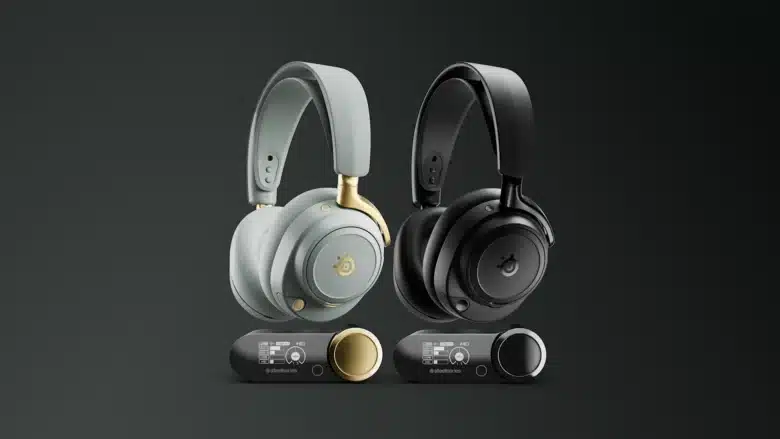
The gaming headsets from Danish manufacturer SteelSeries have been the non-plus-ultra in terms of sound quality for years. With the Arctis Nova Pro Wireless, for example, the company has one of the best wireless devices in its own ranks. The company now wants to translate this expertise into its first in-ear model. In our test, we find out whether the SteelSeries Arctis GameBuds are a real alternative to the headset.
Technical data
| The product | Arctis GameBuds |
| Connectivity | 2.4 GHz wireless; Bluetooth |
| Bluetooth version | 5.3 |
| Bluetooth codecs | SBC |
| Maximum operating range | 12m (without obstacle) |
| Battery life |
|
| Charging time | 1.5 hours (for charging case via USB-C or wireless) 15 minutes for 3 hours of playback |
| Charging case size | 70 mm x 55 mm x 44 mm |
| Weight | 5.3 g per earbud; 48.7 g charging case |
| Key features | ANC; Transparency mode; Wear detection; Spatial audio; Quick-switch |
| Price | € 139.99 * |
SteelSeries Arctis GameBuds review: Earbuds with gaming twist
- stylish design
- impeccable workmanship
- excellent wearing comfort
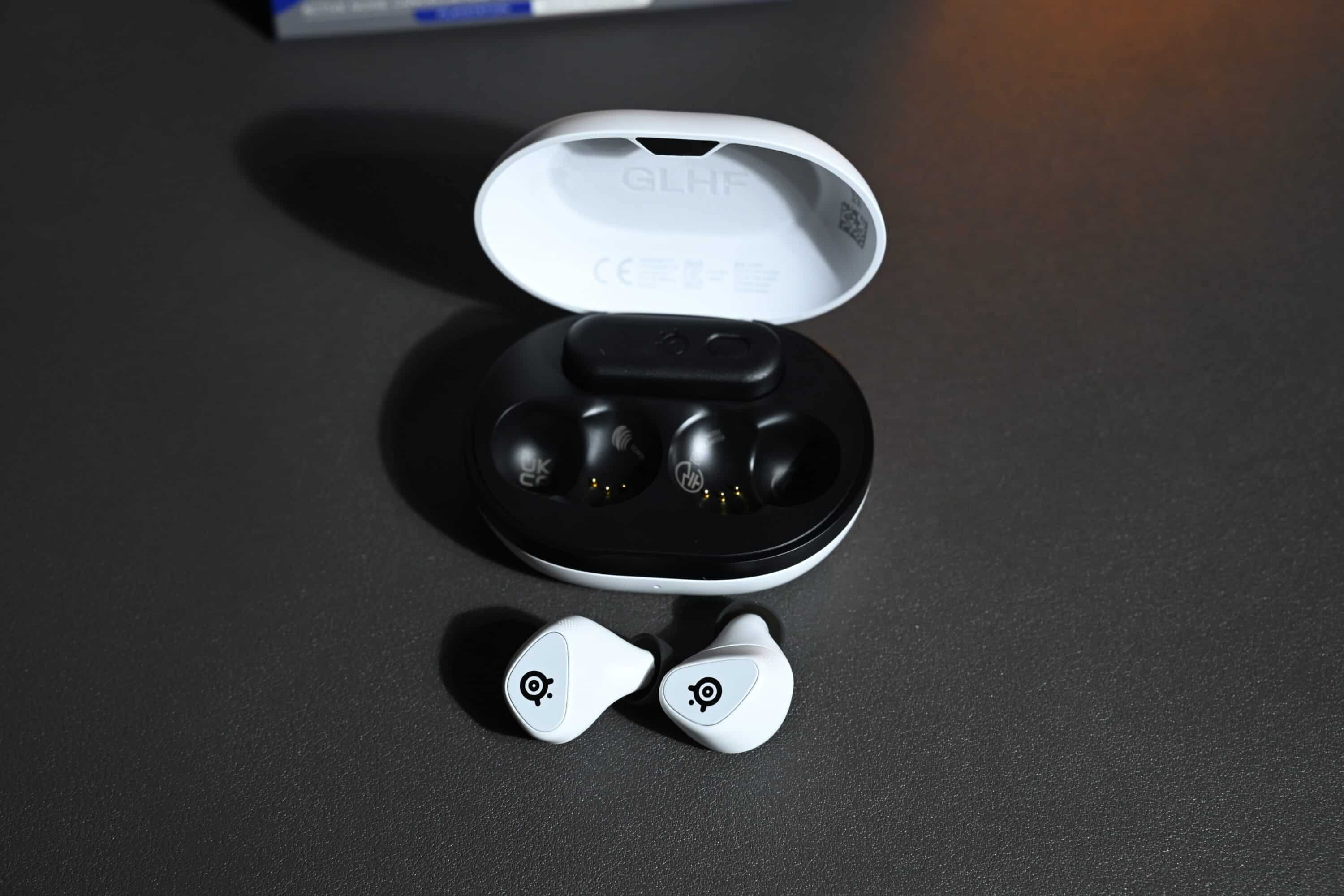
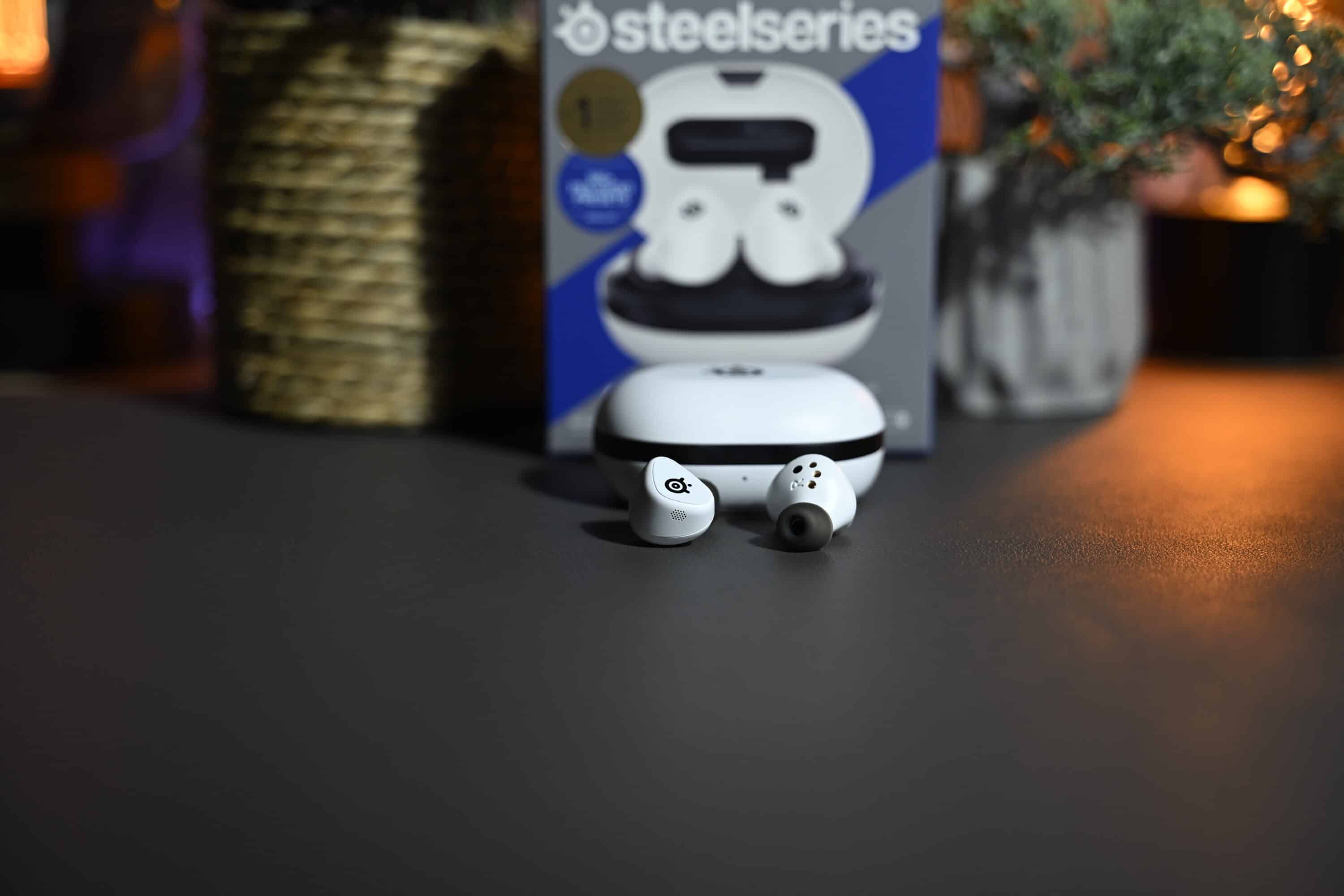
If you didn’t see the SteelSeries name on the packaging, the SteelSeries Arctis GameBuds would look like classic earbuds. The in-ear headphones, available in black or white, have a discreet yet high-quality look. Without RGB lighting, without frills. At least from a visual point of view.

In addition to the case containing the buds and the USB-C wireless receiver, you will also find two additional pairs of silicone ear inserts, a USB-A adapter and a short charging cable. Everything you could possibly need.
At around 70 mm long, 55 mm deep and 30 mm high, the charging case is absolutely pocket-friendly and, with a weight of around 49 grams, is also pleasantly light. I think the white version is absolutely chic, as the manufacturer has used black design accents to create a successful look.
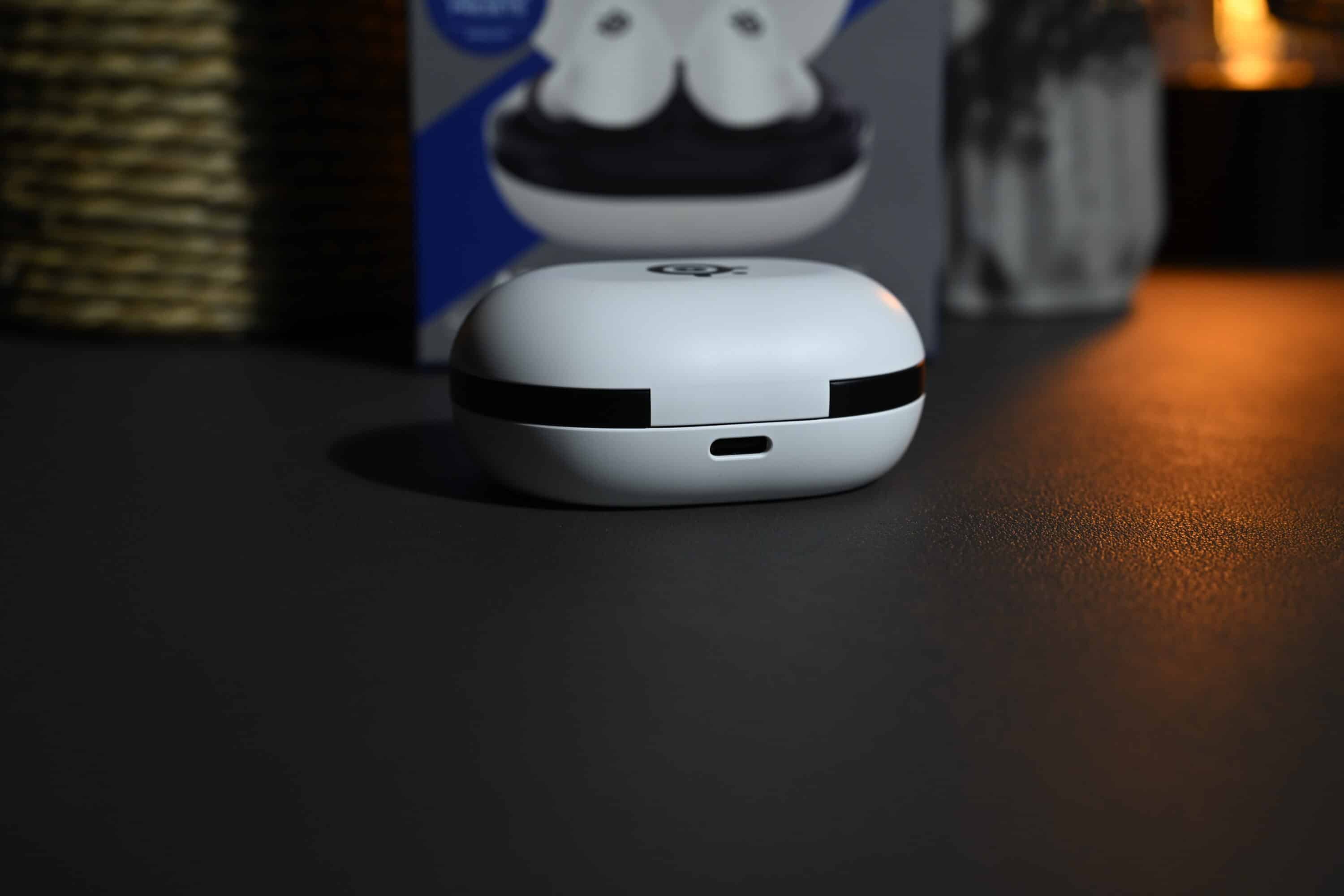
The charging case has a USB-C port at the back for charging, but wireless charging in the Qi standard is also on board. It also has a flat underside, which means it can stand on surfaces without any problems.
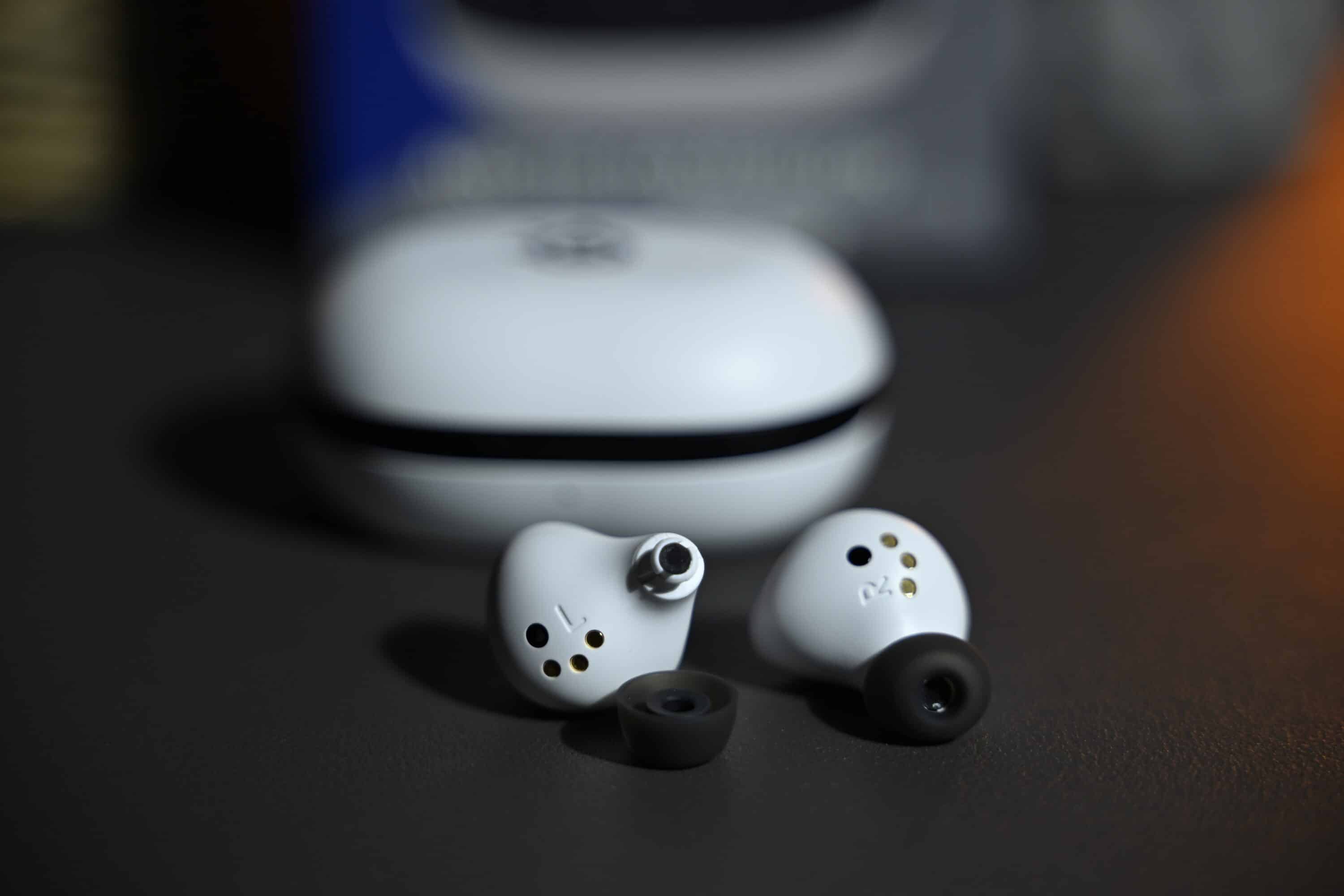
The earbuds themselves skillfully continue the design language of the case. The GameBuds have a triangular design with rounded edges, which fits surprisingly well around the ear.
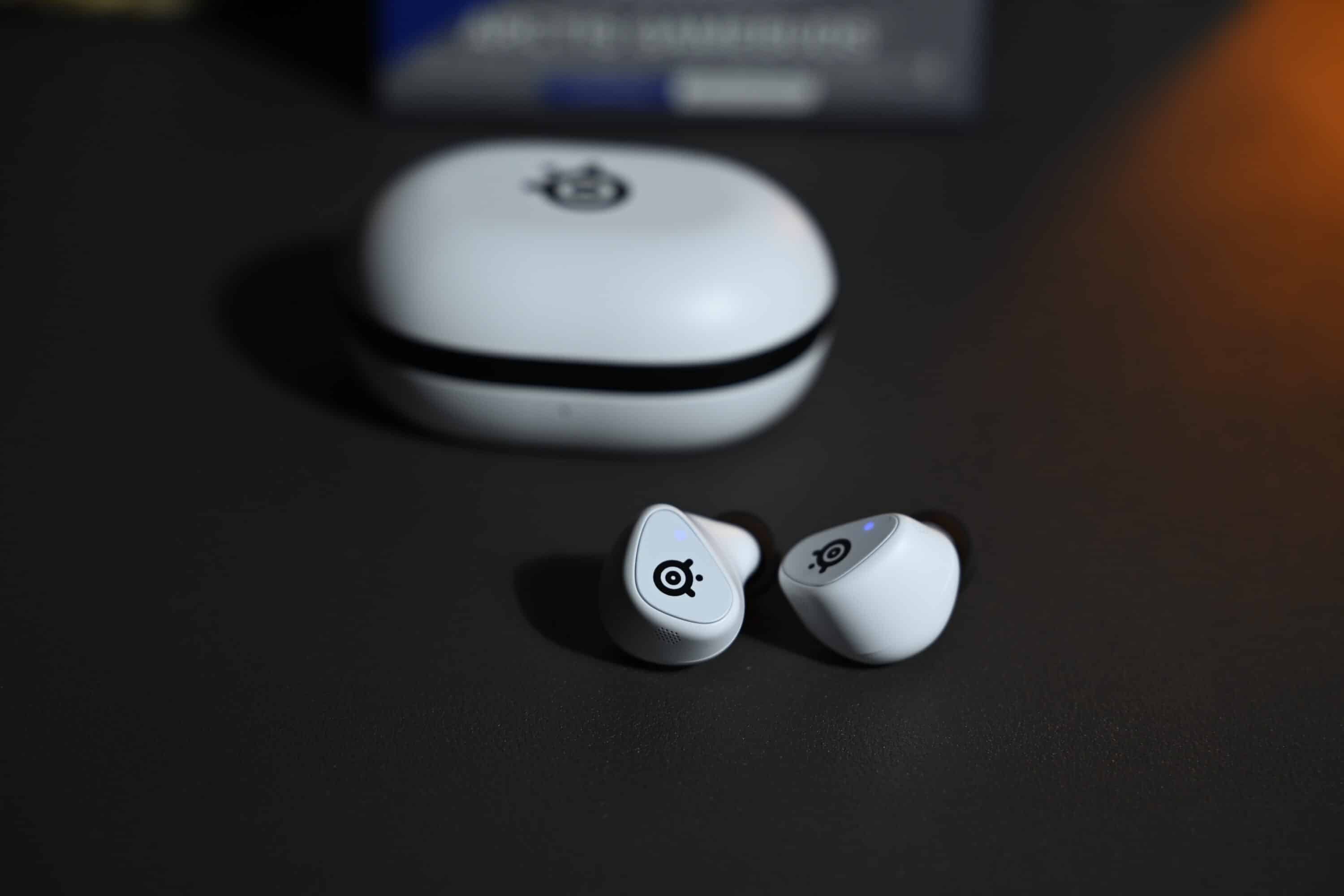
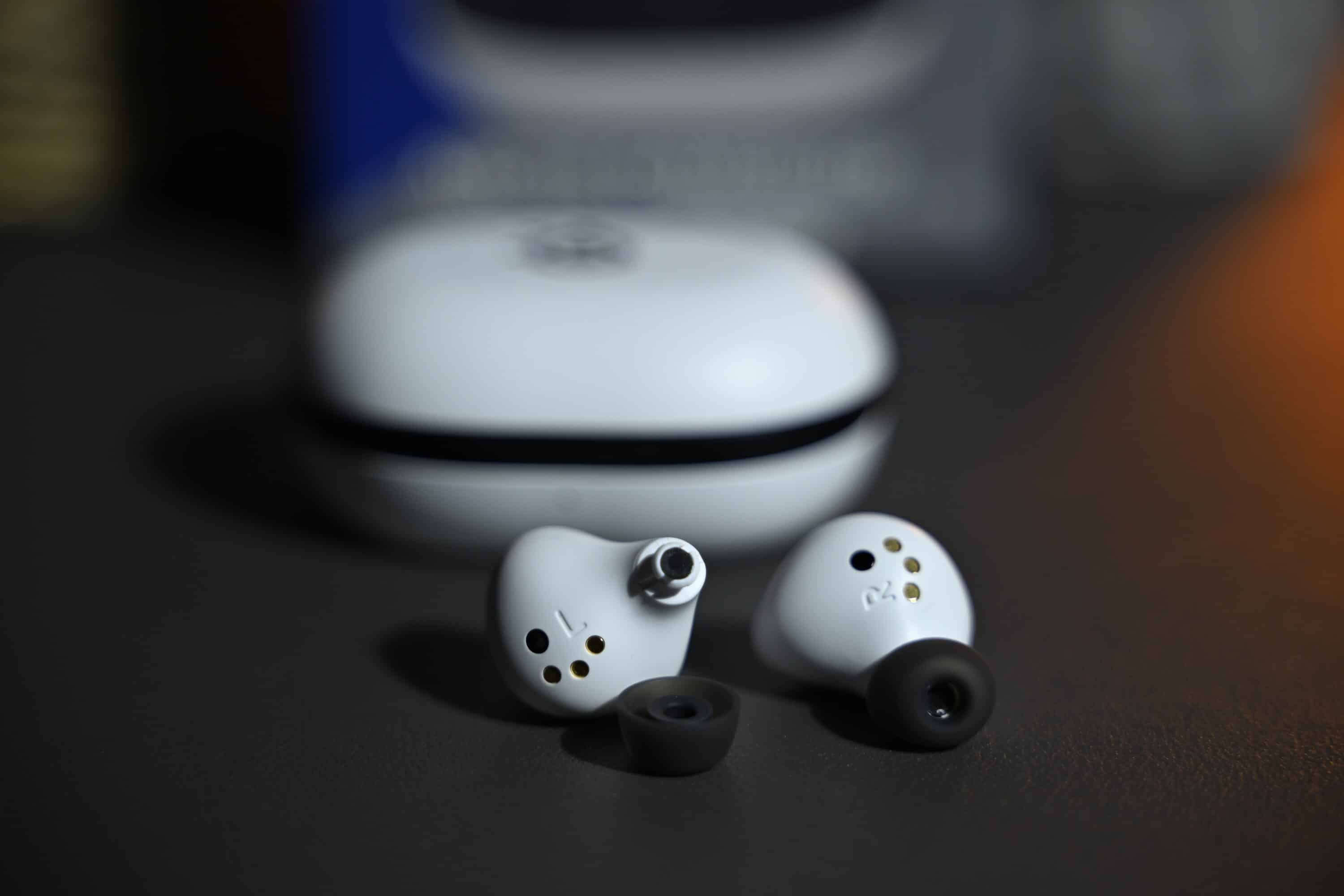
The outside is printed with the manufacturer’s logo and houses the controls of the SteelSeries Arctis GameBuds. But more on that later.
I was pleasantly surprised by the comfort of the earbuds. Due to the shape and the relatively low weight of just 5.3 grams per earbud, they fit very comfortably in the ear – you definitely don’t have to hide from the best in-ear headphones here.

This means that the GameBuds are extremely comfortable to wear, even for several hours, without any uncomfortable pressure or pain. For example, I find the wearing comfort much better than that of my Sennheiser Momentum True Wireless 4, which I use privately.
Top-level features
- Bluetooth 5.3 and 2.4 GHz
- but only SBC codec
- Wearer detection, ANC
As far as the features of the SteelSeries Arctis GameBuds are concerned, the in-ear headphones are largely in the top class. They offer dual connectivity via 2.4 GHz radio and Bluetooth 5.3.
Quick-Switch allows you to switch back and forth between both modes at the touch of a button and without delay, allowing you to enjoy latency-free sound on PC or consoles and then switch to your smartphone or tablet at the touch of a button: simply tap the left earbud three times to switch the connection.

Unfortunately, only the SBC audio codec is available via Bluetooth. This is the only drawback, as high-resolution codecs are unfortunately not available. In terms of the rest of the features, however, there really is nothing left to be desired.
There is active noise suppression and a counterpart in the form of a transparency mode. The GameBuds offer wear detection and automatically pause and resume playback when you put the buds back in.
Compatibility is also extremely wide-ranging. As always, however, it is important to choose the right variant, as the SteelSeries Arctis GameBuds are available as PlayStation and Xbox models, as Microsoft has its own wireless standard.

Both versions of the GameBuds can be used on PC, Mac, Nintendo Switch / Switch 2, iPhone, Android smartphone, gaming handhelds and Meta Quest VR glasses. The PlayStation version can of course also be played on PS4 and PS5, including support for Sony’s Tempest 3D audio engine. For virtual surround sound on the PC, there is also Spatial Audio for 360-degree surround sound.
Operation and app connection
- Precise operation
- practical mobile app
- powerful PC app
The SteelSeries Arctis GameBuds do not rely on touch control for operation, but on a physical button on both outer sides. I find this concept very pleasant, as it makes incorrect inputs almost impossible.

The buttons offer a great pressure point and also trigger very easily, so you don’t run the risk of pressing the earbuds further into your ear with every action. The operating concept is quite complex, but very well thought out.
Actions are triggered by tapping once, twice or three times, as well as tapping and holding down the buttons. Media and call control, switching between Bluetooth and wireless mode or adjusting the volume? No problem, all very precise and without delay. Especially as the entire operation can be customized in the mobile or PC app.

Keyword app: The manufacturer really offers the full program for the SteelSeries Arctis GameBuds. On the one hand, a mobile app called “Arctis” is available. This not only provides information about the battery status, but also offers many practical features.
In the app, you can change the audio mode, adjust the volume (individually for both modes), activate or deactivate the active noise suppression (“noise control”) and adjust the intensity, increase or decrease the microphone volume, add a sidetone and deactivate the wearer detection if desired.
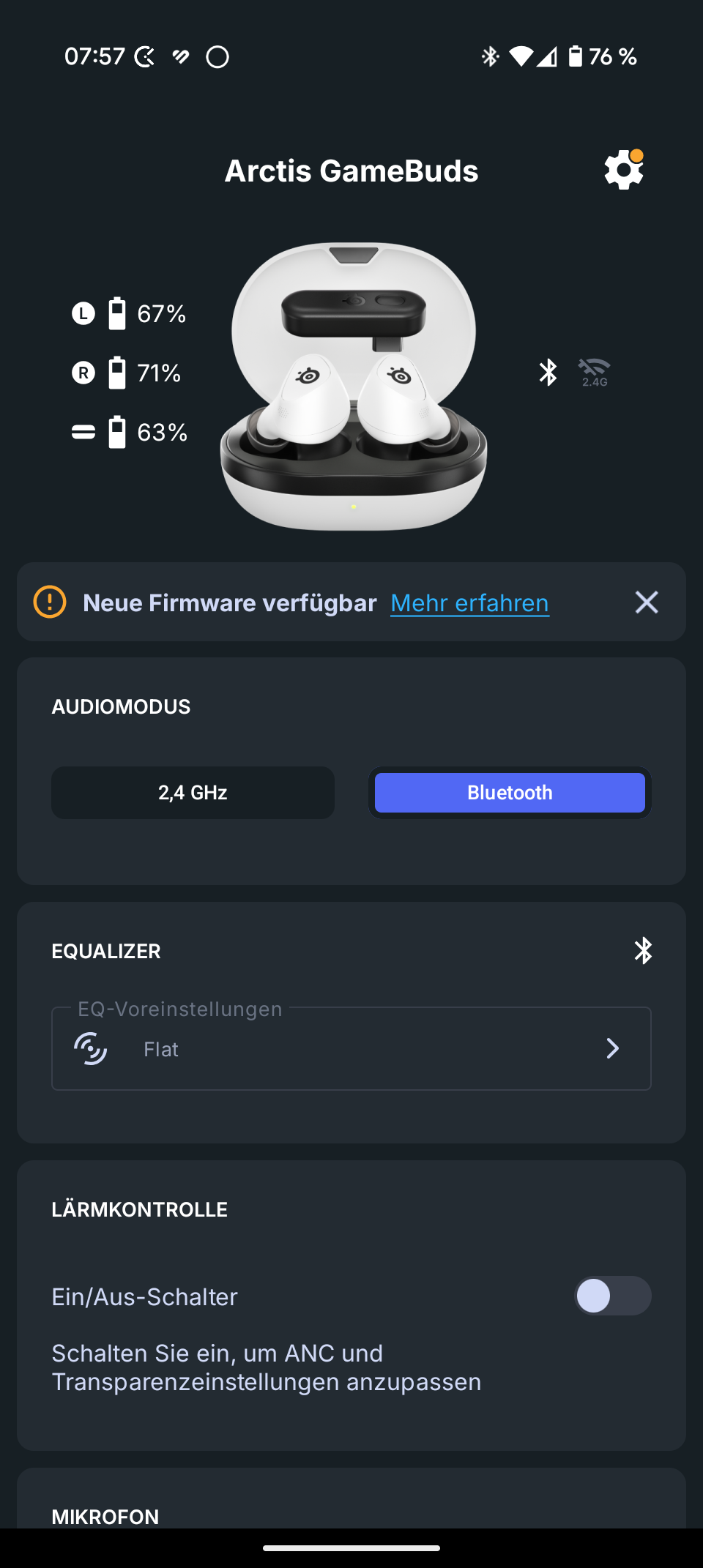
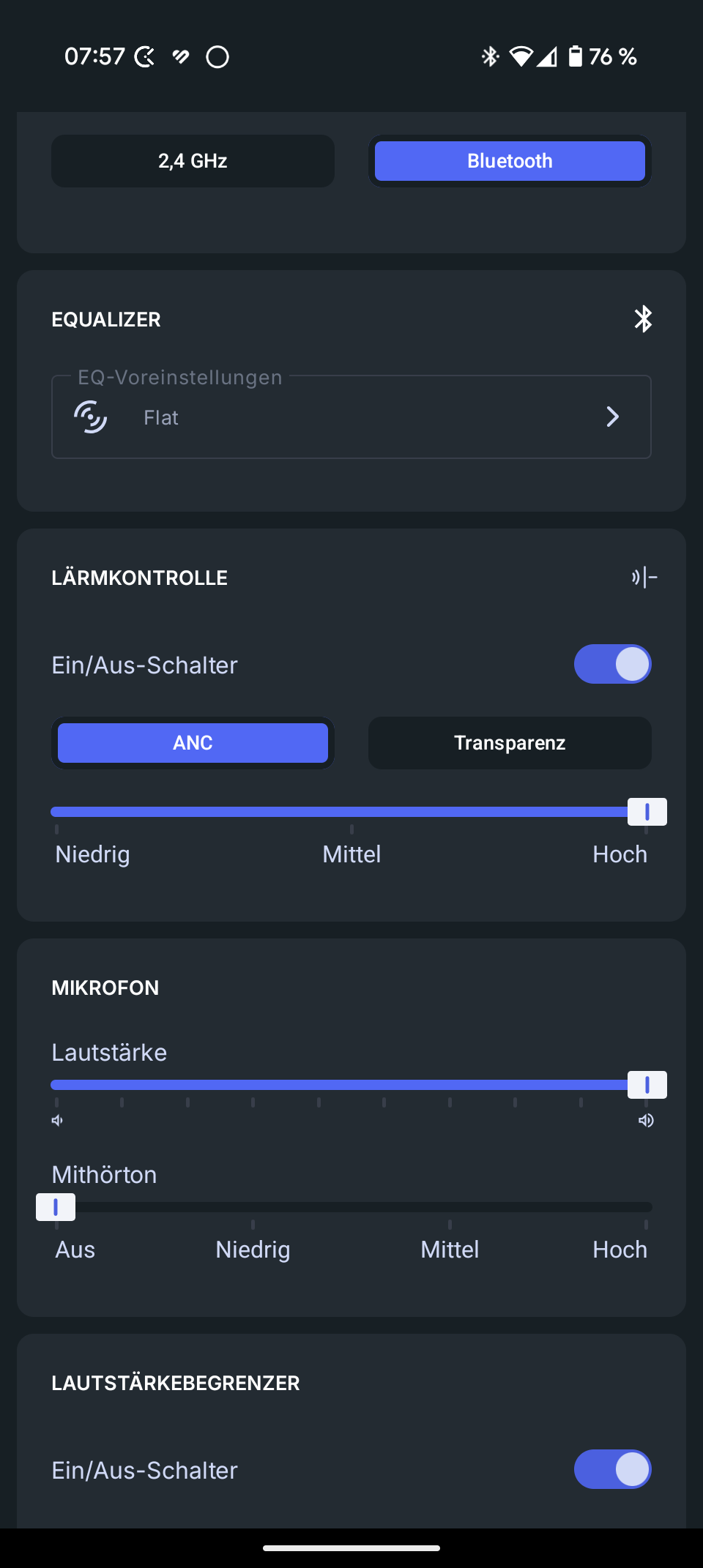
However, the equalizers are undoubtedly a highlight. You can choose from 260 presets for different games, movies or music to find the perfect sound for you. It feels like new ones are added every week – SteelSeries, for example, still advertises “only” 100+ presets on its website.

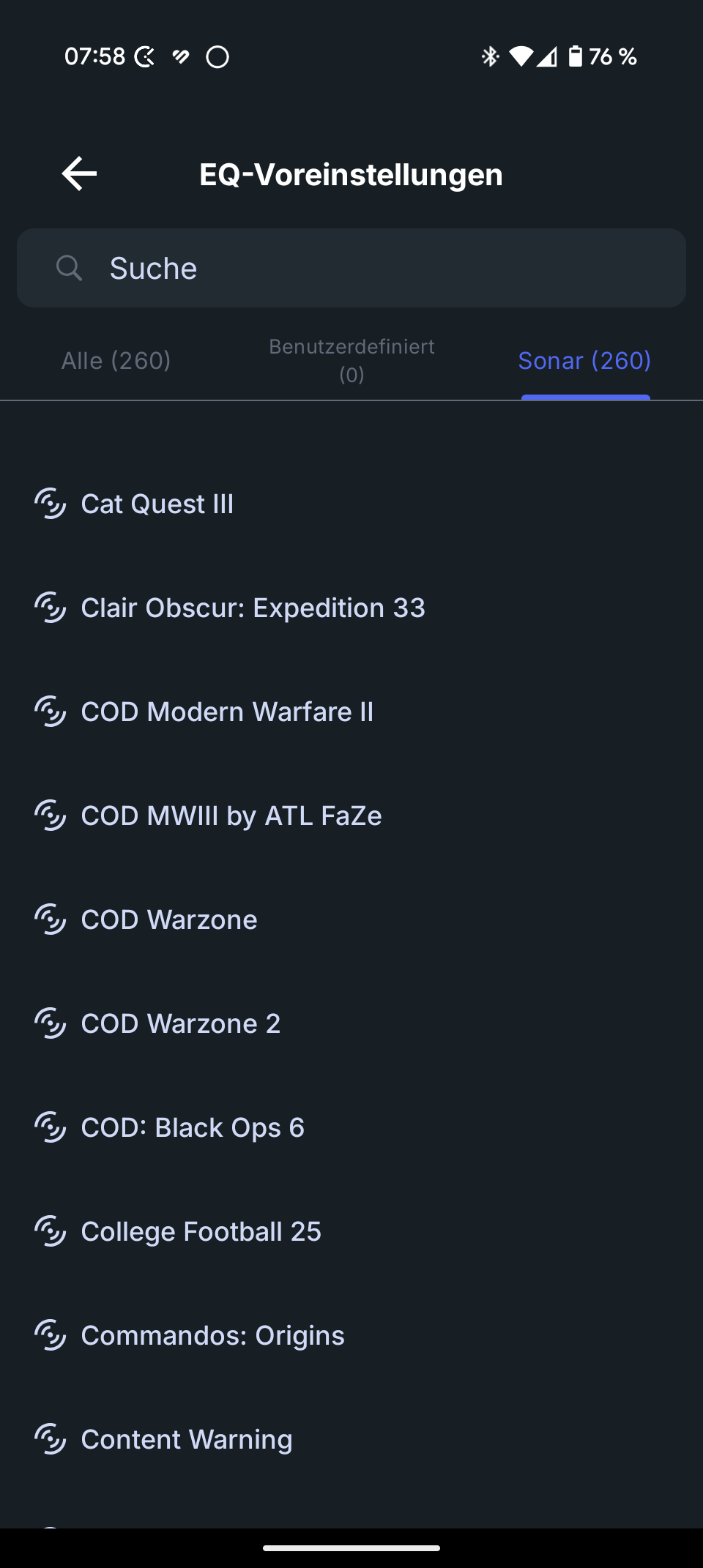
Unfortunately, it is not possible to create your own sound profiles. Whereby: Yes, but only via a detour to the PC. The classic SteelSeries Engine/GG combination is used here, which is familiar from other devices from the manufacturer.
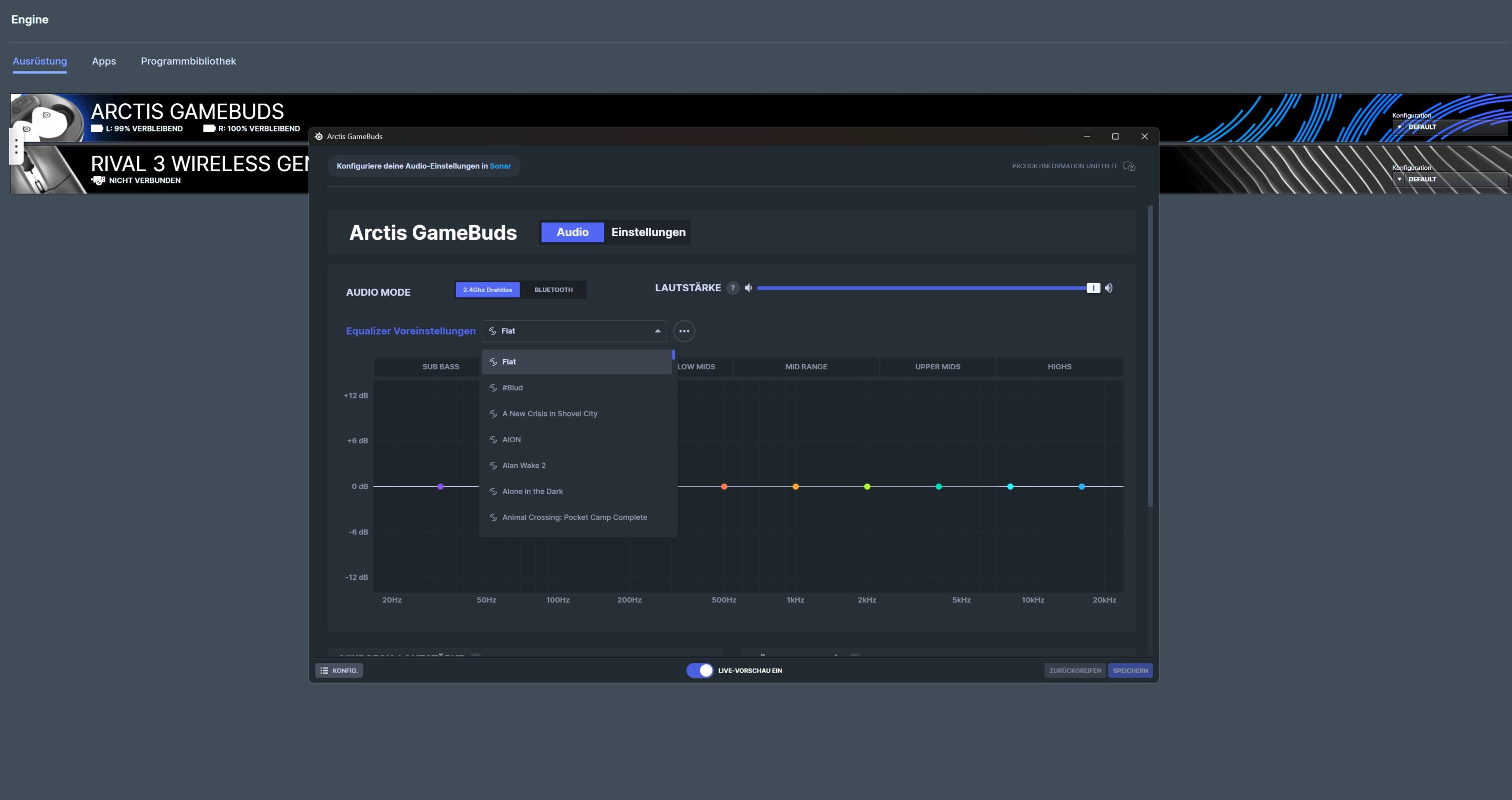
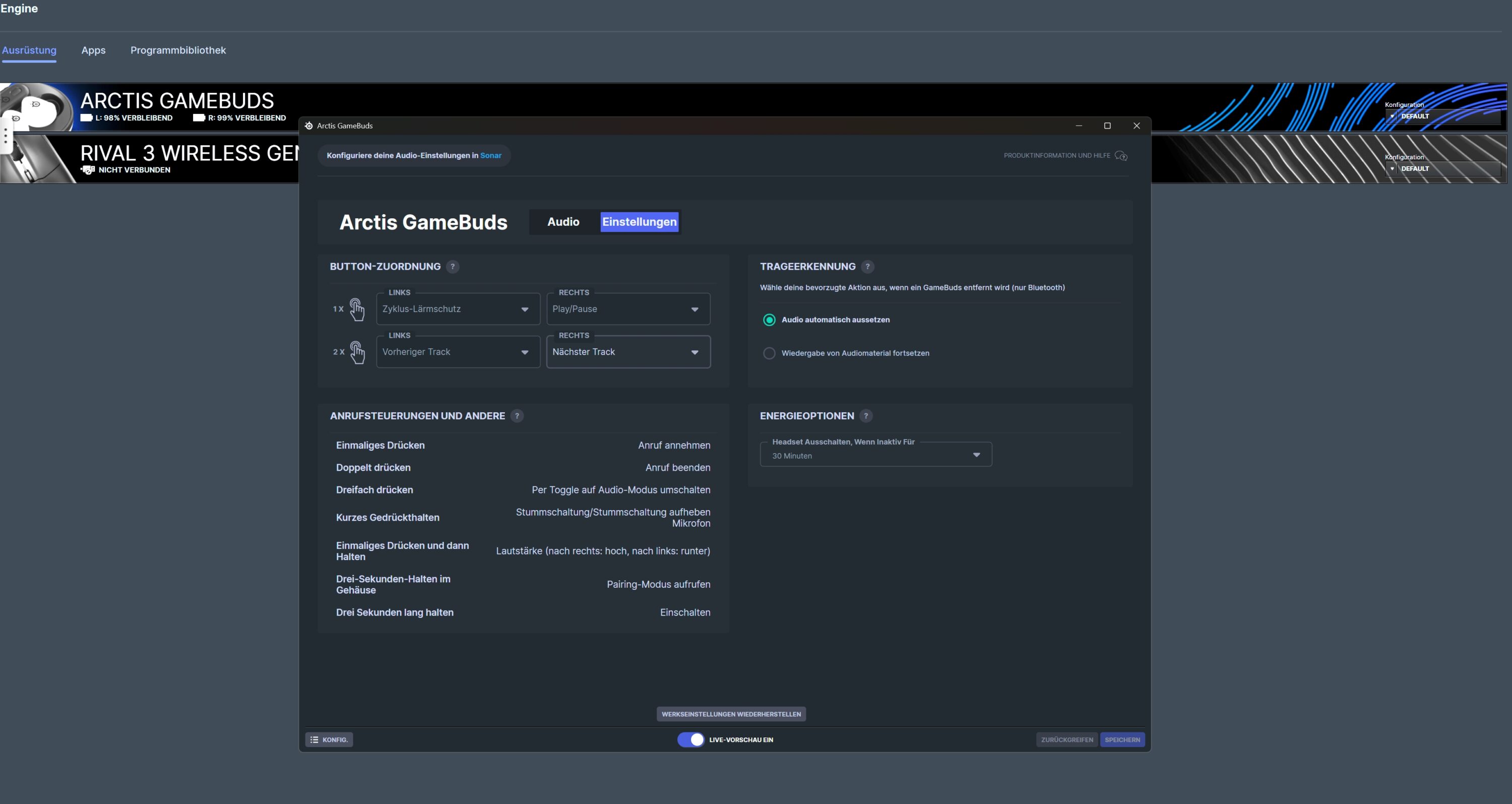
In combination with Sonar, you get the most powerful companion software in the headset sector. Including the option to adjust the sound down to the smallest detail. Grandiose.
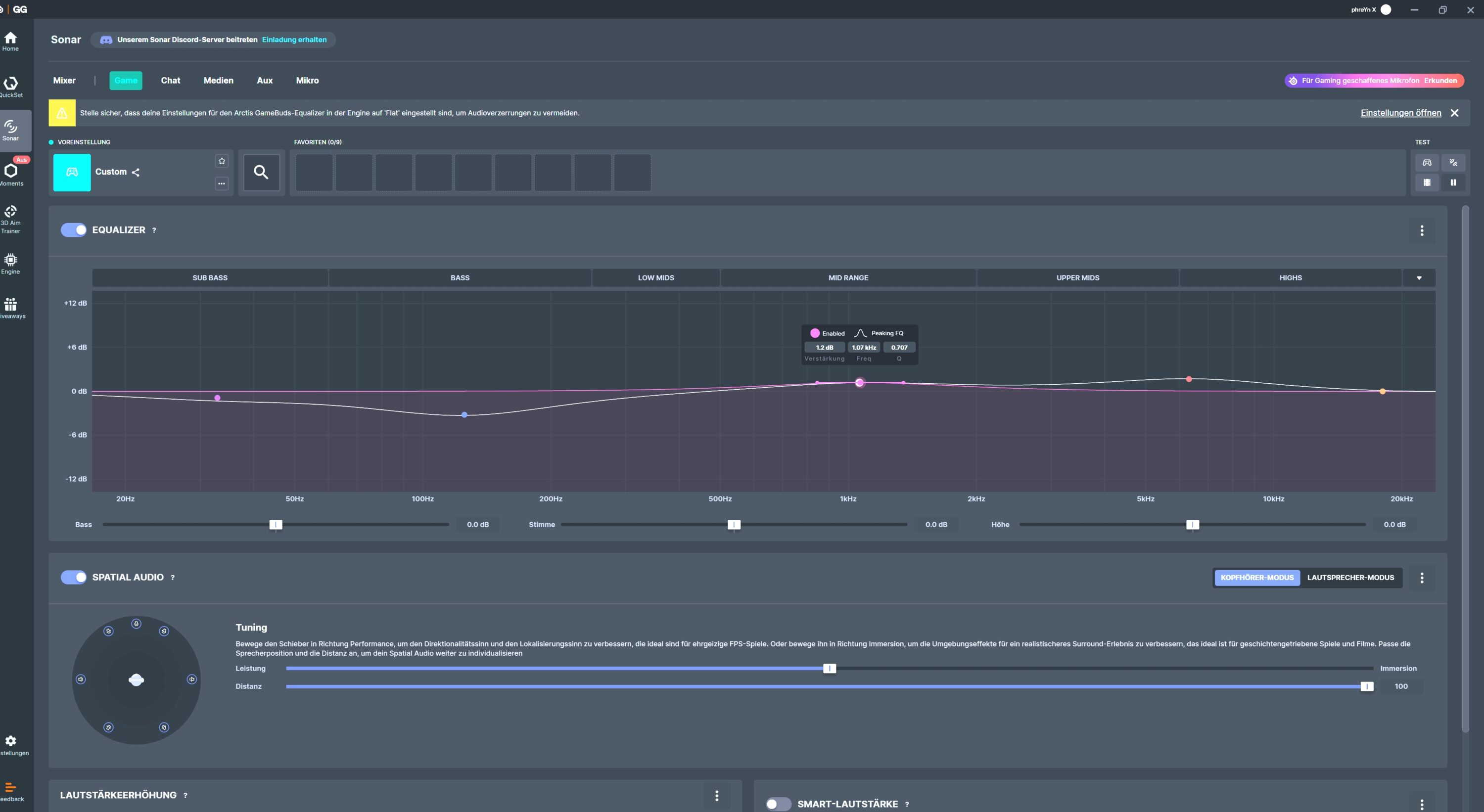
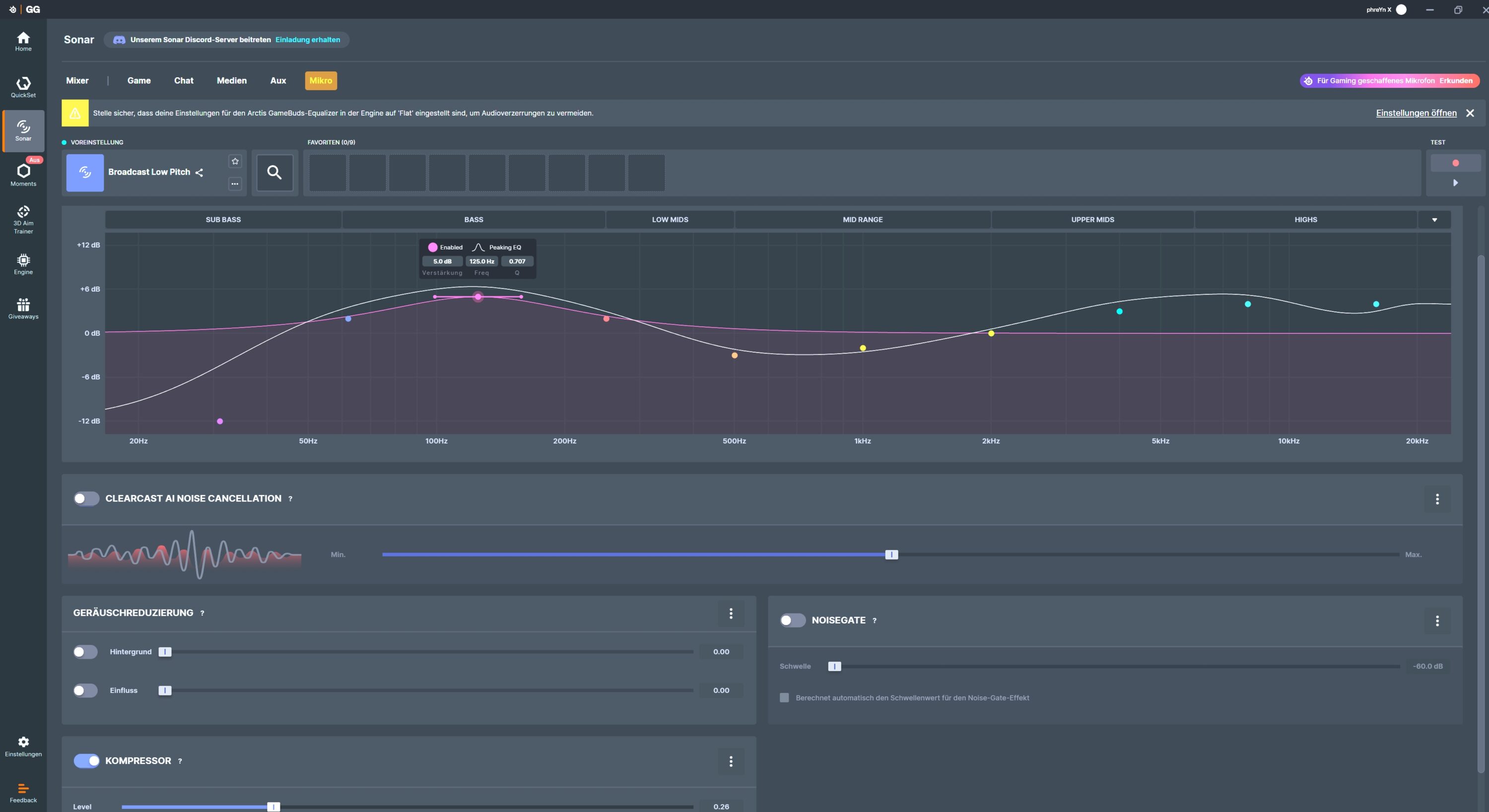
You can also create and save your own EQ presets which, according to the manufacturer, can then be transferred to the buds so that you can also use them on your smartphone. Unfortunately, this didn’t work in my test.
Battery life of the SteelSeries Arctis GameBuds
- Up to 10 hours without ANC
- Up to 7 hours with ANC
- 40 hours runtime with case
For in-ear headphones, the SteelSeries Arctis GameBuds also score points with a powerful battery life. According to the manufacturer, the earbuds should last up to 10 hours in wireless mode without ANC; in practice, I came very close to this value with around 9 hours. With active noise canceling, it is still a very good 7 hours.
For comparison: Even some of the best in-ear headphones usually last 5-6 hours without ANC.

The charging case then provides a further 30 hours of use, giving a total of up to 40 hours. Charging can be done either via USB-C or wirelessly using the Qi standard. A complete charging process takes 90 minutes. However, there is also Fast Charge, which pressurizes the case in 15 minutes for 3 hours of use.
Great sound, good ANC
- Full, lively sound
- Very good spatiality
- ANC, transparency mode and microphone only average
From a sound perspective, the SteelSeries Arctis GameBuds really surprised me in a positive way. The manufacturer’s expertise in the field of gaming headsets is clearly evident here, as the earbuds also impress with a full, lively and surprisingly powerful sound across all frequencies.
The soundscape impresses with an excellent reproduction of even the finest details and a really good spatiality, although this is of course much more limited than with large headsets due to the design.
In the factory settings, the bass is somewhat restrained, which might not be to most people’s liking, but is certainly pleasant for competitive shooters. The mids are also somewhat subdued, which means that spoken dialog or the voice in music and films is somewhat pushed into the background. However, this can be counteracted very well using the equalizer.
Even at maximum volume, the acoustics tend neither to distort nor to produce unsightly peaks in the treble. This results in a pleasantly round and detailed sound. The sound quality can be further improved with the help of the Sonar software in particular.
Switching on Spatial Audio, for example, makes the sound even more spatial. I really like the virtual surround sound stage, so that I can perfectly locate the footsteps and other acoustic cues of opponents in Fortnite or The Finals. However, when there is a lot going on on the screen, the GameBuds tend to muddy up a bit, making it difficult to separate individual nuances.

Thanks to the convincing sound quality, the SteelSeries Arctis GameBuds are also very suitable for listening to music, although the level of detail here cannot quite keep up with pure in-ear models due to the lack of high-resolution codecs and the mix – but they are clearly superior when gaming. The point for versatility clearly goes to SteelSeries.
The active noise suppression of the GameBuds is fine. However, you get a much better ANC function with in-ear headphones in this price range. There is no complete suppression, but the ambient noise is at least greatly reduced. The transparency mode is quite ok, but distorts the sound image noticeably. However, it is sufficient for occasional conversations with earbuds inserted.
Microphone test recording of the SteelSeries Arctis GameBuds:
The quality of the built-in microphones is also okay for team chats and Discord. But not much more. Despite constant recording, your own voice is recorded in different nuances, as the test recording shows. This is certainly clear and understandable, but it could be much more detailed.
SteelSeries Arctis GameBuds test: Conclusion
The SteelSeries Arctis GameBuds are surprisingly a really good alternative to classic gaming headsets, but also to in-ear headphones. Thanks to dual connectivity and really good sound, they are an interesting option for anyone who doesn’t like headsets or is looking for a strong all-rounder for gaming and listening to music.
The SteelSeries counterpart clearly outshines its biggest competitor, the Sony Inzone Buds, in terms of connectivity and wearing comfort. However, the Sony model delivers significantly better ANC, while both models are on a par in terms of sound.
For me, the SteelSeries Arctis GameBuds deliver the more well-rounded overall package. Especially in combination with the powerful Sonar software, you get powerful and enormously versatile in-ear headphones.

VORTEILE
- Rich, lively sound
- Great spatiality
- Wide compatibility
- Long battery life
- High wearing comfort
NACHTEILE
- Average ANC
- SBC only
- Microphone quality only ok
Fazit
Excellent gaming earbuds that score points with powerful sound, excellent wearing comfort, impressive battery life and broad compatibility. However, ANC and microphones are only average.